

DJI Osmo Mobile 6, 3-Axis Phone Gimbal, Object Tracking, Built-in Extension Rod, Portable and Foldable, Gimbal Stabilizer for iPhone, Android, YouTube TikTok Video, Platinum Gray
$89.00
Related Products




Overview
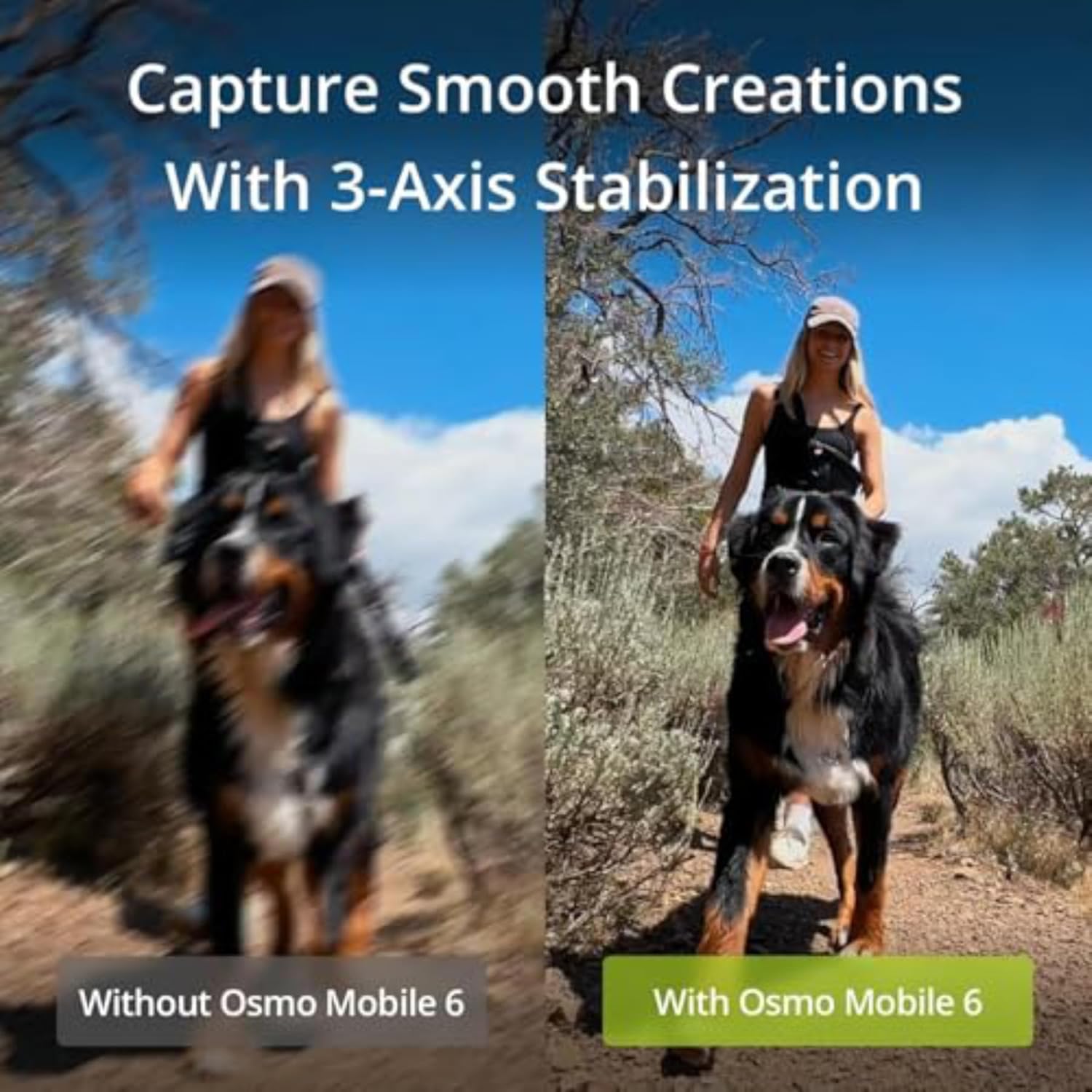
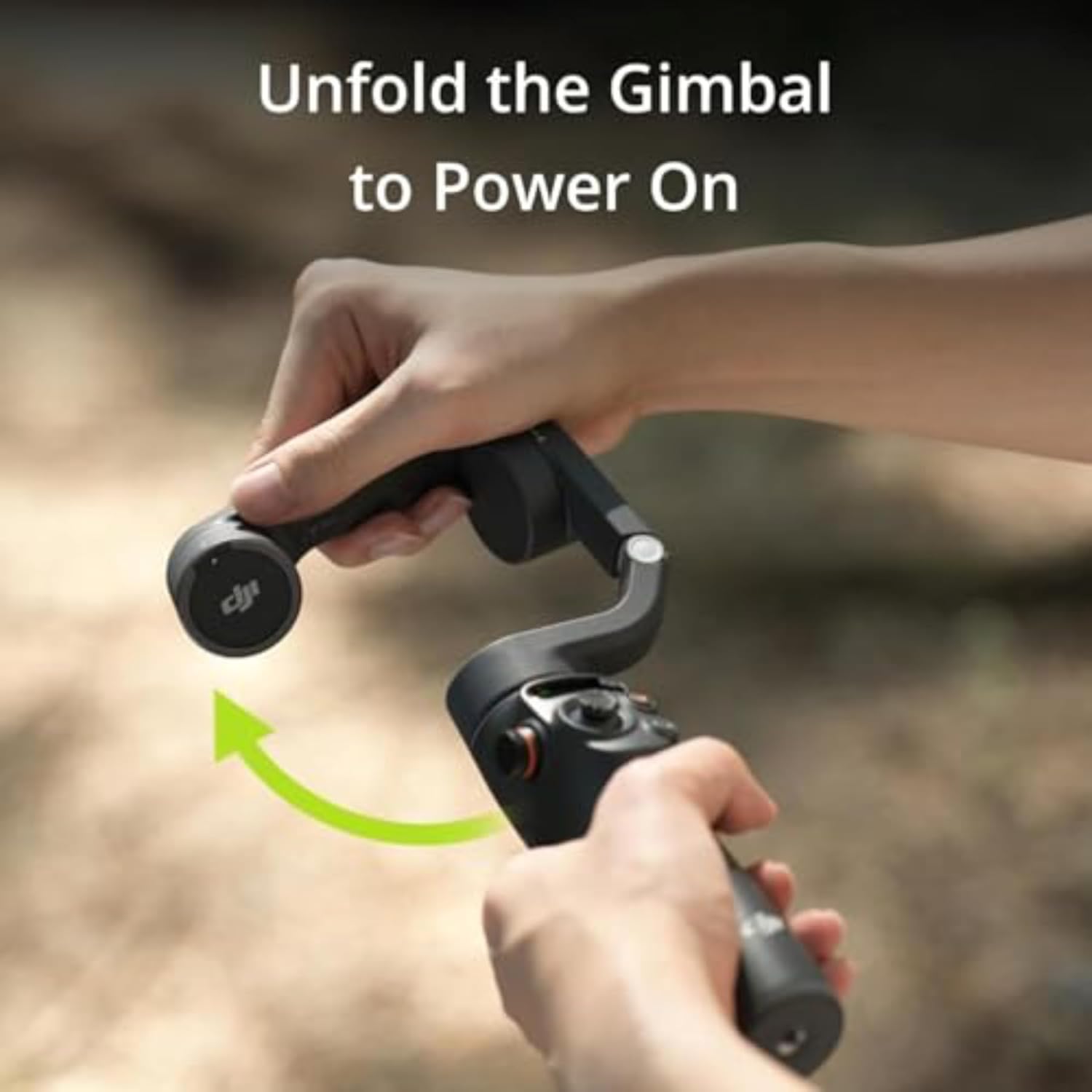
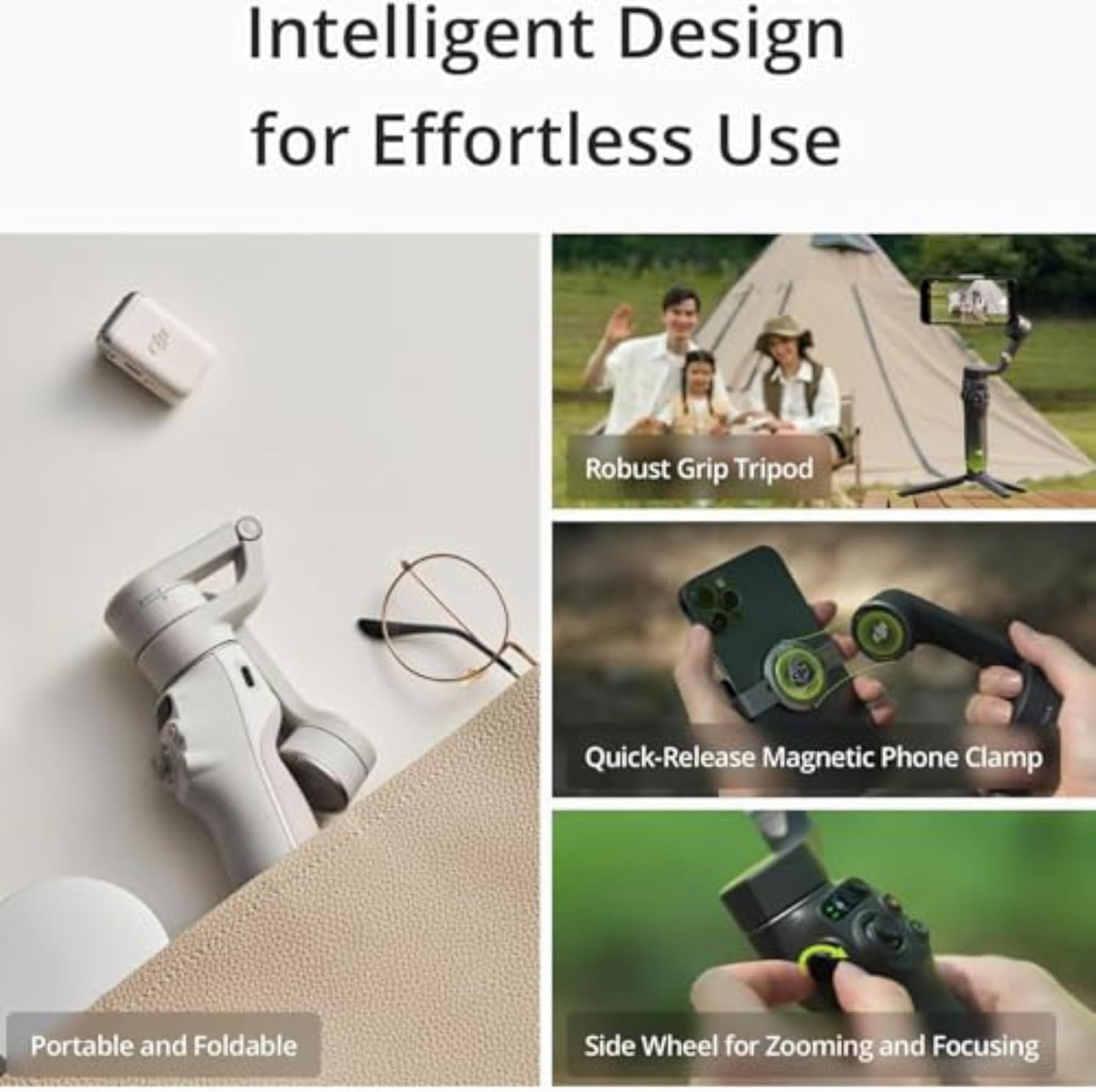
With the powerfully optimized new ActiveTrack 6.0, tracking subjects is easier and smarter than ever before. Osmo Mobile 6 is a lightweight and ultra-compact intelligent gimbal that unleashes the full potential of your smartphone. Simply unfold, attach your smartphone, and start filming smooth dynamic footage. With a built-in extension rod, you can include more friends in your photos, take the perfect selfie, or capture unique high and low angles. A whole host of intelligent features are at your fingertips, including ShotGuides to help capture the scenario you’re in or creative features like Timelapse. Use the DJI Mimo app to add the final touches to your content and share. DJI Osmo Mobile 6 is the ultimate tool to elevate your creations on the go.
Features
ActiveTrack 6.0: Keeping subjects in the center of the shot is easier than ever.
A new status display panel: Check how much battery you have left, system indicator status, or which gimbal mode you’re in. The M button makes it easy to switch between different modes and get unique with your shots.
Flip between horizontal and vertical: It’s as effortless as double-clicking the switch button to go from horizontal to vertical shooting.
Note
1. Auto pop-ups on the DJI Mimo app are only supported on iPhone and are subject to actual circumstances. When using DJI Osmo Mobile 6 for the first time, enable Quick Launch in the DJI Mimo app and follow the instructions to complete authorization.
2. Tested when following a single subject.
3. LightCut is a smartphone editing app recommended by DJI.
4. Currently, only Apple Watch is supported (Apple Watch Series 7/8/9, Apple Watch SE 2, Apple Watch Ultra 1/2, with an operating system of watchOS 9 or later).
FAQ
What are the differences between the Platinum Gray and Slate Gray versions of Osmo Mobile 6?
The main differences of the two versions are:
1. The side wheel of the Platinum Gray version is made of plastic, whereas that of the Slate Gray version is made of metal.
* Due to platform compatibility issue, the DJI Mimo app has been removed from Google Play. You cannot search for DJI Mimo in Google Play. To ensure a better product usage experience, please log in to the DJI official website to download the latest version of DJI Mimo.
W128900540
8 reviews for DJI Osmo Mobile 6, 3-Axis Phone Gimbal, Object Tracking, Built-in Extension Rod, Portable and Foldable, Gimbal Stabilizer for iPhone, Android, YouTube TikTok Video, Platinum Gray
Add a review
$89.00
Sam –
Great Gimbal for the Price — Perfect for Beginners and Super Useful on the Job
I really love the DJI Osmo Mobile 6, especially for the price. It’s an excellent gimbal for anyone new to videography or just wanting smoother, more stable video without spending a ton of money. It’s simple to set up, easy to learn, and the stabilization is impressive. Even when I’m walking across uneven ground on a construction site, the footage comes out looking smooth and steady.I use this a lot for work, making quick walkthroughs or project update videos, and it’s been a huge help. The 3-axis system does most of the heavy lifting, and the built-in extension rod makes it easy to get wider shots or higher angles that would normally require extra gear. The gimbal is also compact and folds down small enough that I can keep it in my work truck without it taking up much space.One thing that really stands out is how beginner-friendly it is. The controls are intuitive, and the tracking features make it easy to keep the camera focused on what matters, even if I’m moving around. It really helps give videos a more professional look without needing advanced skills.If there’s anything to be aware of, it’s that the battery life is good but not endless. For long filming days, you may want to bring a power bank just in case. Some users mention small connectivity quirks depending on the phone and app, but I haven’t had any issues myself.Overall, this is a fantastic gimbal for the money. It’s reliable, easy to use, and perfect for stabilizing any kind of video — whether you’re shooting for work like I do or just capturing everyday moments. It’s one of those tools that makes a noticeable difference right away.
Georgine –
From Shaky to Smooth: My DJ OSMO 6 Gimbal Journey
I am an instagram content creator, with no previous knowledge of phone stabilizers or gimbals. So when I stumbled upon videos of these interesting gadgets, I was sold! Bought this with the main goal of achieving smooth and steady shots. In the past, my walking POV videos would always turn out shaky. With the DJ OSMO 6 gimbal, my problem was solved!Let’s talk about my first impressions and the initial hurdles I faced:-Opening and closing the gimbal from its lock position was initially quite challenging. I read the instructions diligently, but it didn’t provide a clear explanation. The mechanism felt tight, and I was worried about damaging the product if I forced it open. Thankfully, YouTube tutorials came to the rescue, providing step-by-step guidance on how to properly open/close it. Once I mastered it, the gimbal became much more user-friendly.-Another thing that was quite confusing at first, was the joystick’s movement and speed… when you make it go left, the gadget would go right and vice versa. And the panning speed was way too fast for my liking. (I prefer slower panning movements.) Again, YouTube tutorials came to the rescue, as I learned that you could change the joystick direction and speed in settings.-In my opinion, this gadget has a learning curve, but after playing with it a few times, handling it becomes second nature.Now let’s move onto the features I absolutely love about the DJ Osmo 6:-Smoother/Steadier Filming (especially while walking, or during movement shots)-Active Track: I’m obsessed with this feature. As someone who often shoots videos alone, this feature is a lifesaver. It tracks and follows you quite accurately, and if I temporarily get too far out of its detection range, it quickly finds me again right when I am back in its radar.-Compatible w/ standard tripods: You can screw the gimbal onto any standard tripod. It already comes with a leg attachment and (a “selfie stick” extension) which allows you to stand it up on the a table or on the floor. But if you’re out in nature and want to shoot at eye level, the fact that it connects to a tripod is game-changing. It makes you so self reliant as a content creator. Gone are the days when I would have to beg family members to take my pictures or videos. -Gesture Control: This is another winning feature for me. By simply raising my hand and doing a peace sign, the gimbal initiates recording or photo capture. By raising my hand and giving a stop sign, it will stop. It is very convenient as I no longer have to press record and then run to the frame.-Battery Life: I’m usually out for 3-4 hours when shooting content, and its battery life is more than enough for my needs.In just two weeks of using the DJ OSMO 6 gimbal, I can confidently say that it has been worth every penny. It is now an essential tool that I cannot live without in my content creator journey. Can’t wait to explore more of its capabilities, and if I discover anything else noteworthy, I’ll certainly update my review .Before I sign off, I must stress enough that YouTube tutorials are very valuable and necessary for this product. They really help with overcoming any challenges that the package instructions fail to expound on.
Vy P –
Works well
I was surprised how easy it is to install and set this up – the instructions in the manual are very easy to follow and quick to get everything set up. The compatibility is good – very easy to connect to your devices. Functionality wise – it works perfectly for me, and I been using it for months. The size of the gimbal stabilizer is also super compact and easy to pack and use anywhere (in any settings). Overall, I think this is very worth it – very valuable for what you are paying.
Ang –
Good quality
Enrico Fabbri –
Recentemente ho avuto il piacere di provare il gimbal DJI con il mio iPhone 15 Pro, e devo dire che è assolutamente fantastico. Questo dispositivo ha trasformato completamente il mio modo di fare video, portando la qualità delle mie riprese a un livello professionale.**Prestazioni Eccezionali:**Il gimbal DJI offre una stabilizzazione incredibilmente fluida, eliminando ogni tremolio e vibrazione indesiderati. Ogni movimento viene catturato con una precisione sorprendente, rendendo ogni video perfetto e cinematografico.**Compatibilità Perfetta:**Il mio iPhone 15 Pro si integra perfettamente con il gimbal. La connessione è immediata e senza intoppi, e tutte le funzionalità sono facilmente accessibili tramite l’app DJI. Non ho mai riscontrato problemi di compatibilità o di configurazione.**Facilità d’Uso:**Anche se non hai mai usato un gimbal prima, il DJI è estremamente intuitivo. La configurazione iniziale è semplice e l’interfaccia utente è chiara e ben progettata. In pochi minuti, ero già in grado di utilizzare tutte le funzioni avanzate.**Funzionalità Avanzate:**Il gimbal DJI è ricco di funzionalità avanzate che migliorano ulteriormente l’esperienza di ripresa. Dal tracciamento automatico dei soggetti alla possibilità di creare panorami mozzafiato, ogni funzione è pensata per offrire il massimo della creatività e della qualità.**Design e Costruzione:**Il design è elegante e moderno, e la costruzione è solida e robusta. Il gimbal è leggero ma resistente, rendendolo perfetto per essere portato ovunque. Inoltre, la durata della batteria è eccezionale, permettendomi di girare video per ore senza dovermi preoccupare di ricaricare.**Conclusione:**Il gimbal DJI è il miglior accessorio che puoi avere per il tuo iPhone 15 Pro. Offre una stabilizzazione impeccabile, è facile da usare e pieno di funzionalità avanzate che faranno brillare ogni tua ripresa. Se sei appassionato di video o vuoi semplicemente migliorare la qualità delle tue riprese, questo gimbal è un acquisto obbligato. Non potrei essere più soddisfatto!
Adrian –
Excelente producto, llego rapido, el material y el peso son muy buenos, las instrucciones de uso(mas detalladas) tienes que escanear un codigo QR para que te redireccione a la pagina de DJI. Algo que deben tomar en cuenta es la medida de ancho de su telefono, por si tienen una carcasa muy gruesa(de esas de grado militar, antichoque) el soporte no le va a quedar, yo tengo un samsung galaxy s25 y lo tengo con una funda supcase unicorn beetle pro de grado militar y el soporte no logra agarrar bien el telefono por unos milimetros 😅, por lo que se tiene que usar con una carcasa mas normalita, revisen que el ancho de su telefono sea menos de 8.4 cm
Magaly Agan –
Lo amo, muy funcional con duración de pila excelente, su diseño es muy bonito, además de incluir algunos tips de uso, es fácil de usar.
Shamsuddin mohamed –
Received yesterday, this is a high-quality product that speaks for itself.