

HUION Kamvas 13 (Gen 3) Drawing Tablet with Screen,13.3″ Full-Laminated Art Tablet with Anti-Sparkle Canvas Glass 2.0, 99% sRGB, PenTech 4.0, 16384 Pen Pressure, Dual Dial for PC, Mac, Android, Black
$229.00
Related Products






From the brand


Founded in 2011, Huion has always been dedicated to providing high-quality pen tablets, pen displays, and pen computers to creative users.
And our products not only help artists, designers, and animators to create fantastic digital masterpieces, but also bring digital ink solutions to many people around the world, changing the way they create, learn and work.
We believe the world is in your hands.
KAMVAS Pro 27 (144Hz) 4K
New Launch-Kamvas Pro 24(Gen3)

New release-Kamvas 13 (Gen 3) Special Edition
New Release-Kamvas Pro 16 V2

New release-Keydial Remote
Kamvas slate 11 &13


Kamvas 16(Gen 3)
Inspiroy 2
Kamvas Pro | Higher Resolution
Huion Note Digital Notebook
Kamvas Series | Best Price
Inspiroy Series | Entry Level


Please note: Kamvas 13 (Gen 3) Pen Display is not a standalone product, this device must be connected to a computer/laptop to work.
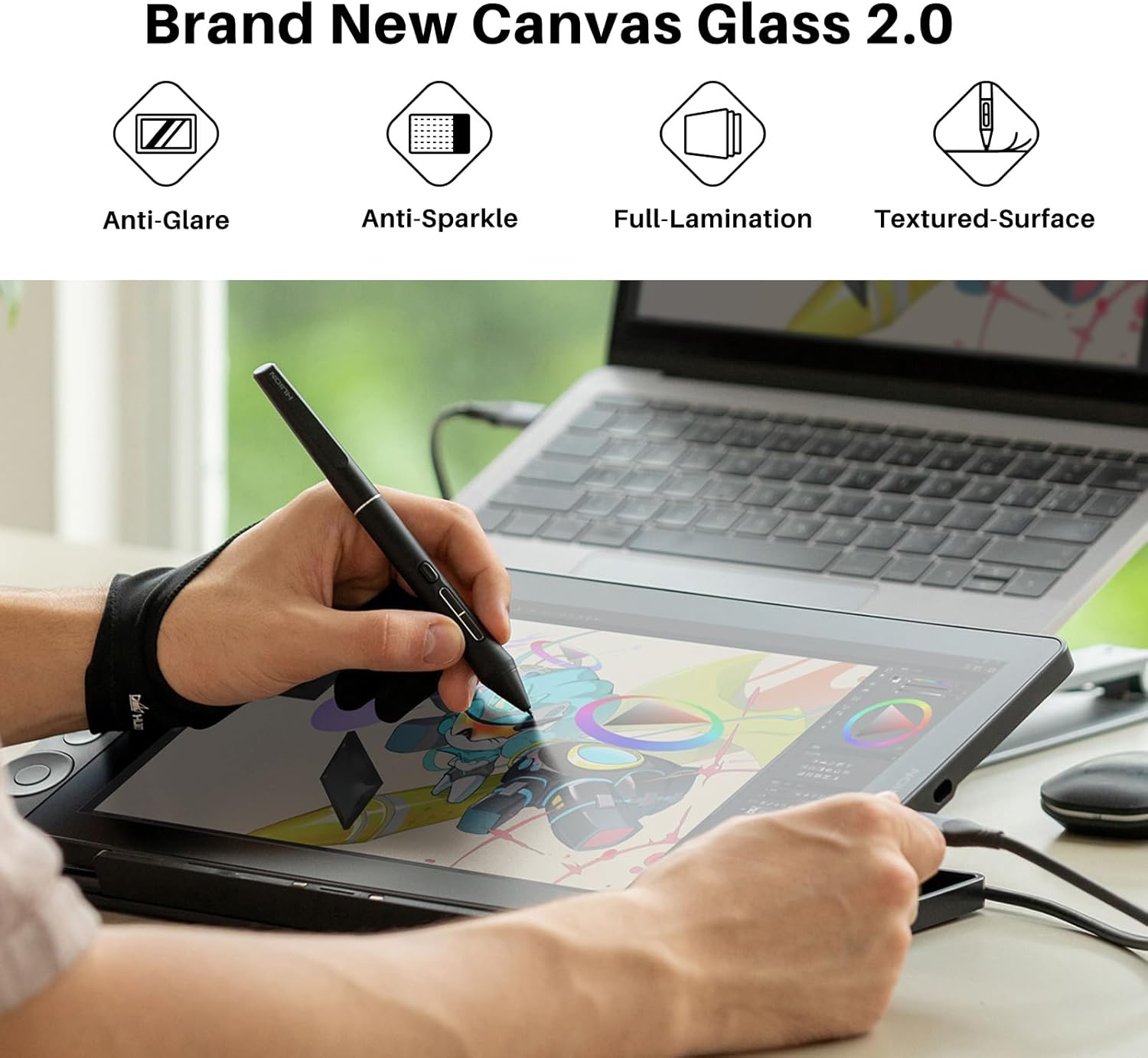
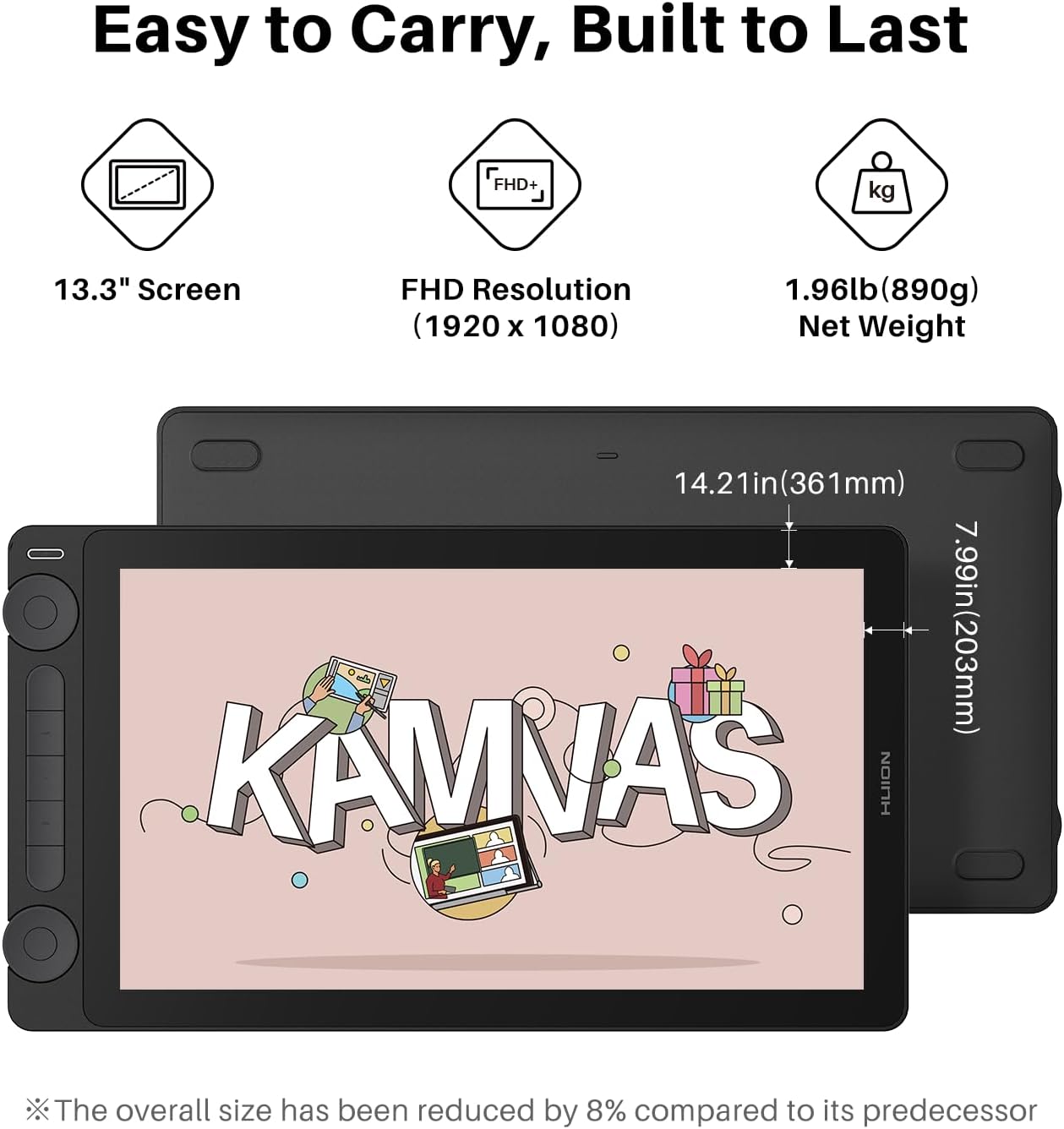
All-new Canvas Glass 2.0: HUION Kamvas 13 (Gen 3) drawing tablet for pc features a fully laminated 13.3-inch screen and brand new anti-sparkle canvas glass 2.0 for reduced glare and improved accuracy. It is perfect for designers, artists, and illustrators to unleash their creativity.
Advanced PenTech 4.0 Technology: The 16384 levels of pressure sensitivity and 2g IAF ensure a fluid and natural drawing experience, while the 3 customized pen side buttons improve your workflow.
Improved Color Accuracy: With enhanced color accuracy to Avg. ΔE<1.5, 16.7 million display colors, 99% sRGB coverage, and Rec.709 standard color gamuts, HUION Kamvas 13 (Gen 3) digital art tablet delivers stunning visuals.
Rigorous Color Calibration: HUION Kamvas 13 (Gen 3) drawing monitor includes a factory calibration report for added assurance of color consistency.
Optimized Creative Workflow: Enjoy a USB-C single cable connection and the convenience of 5 programmable shortcut keys and dual dial buttons for a streamlined creative workflow.
Adjustable Stand ST300: The adjustable stand allows you to work comfortably at various angles, making the HUION Kamvas 13 (Gen 3) drawing tablet the perfect tool for your creation.
Strong Compatibility: Kamvas 13 (Gen 3) pen display supports a variety of mainstream software. It is compatible with Windows 10 or later, Mac OS 10.12 or later, Android devices that support USB3.1 GEN1 and DP1.2, and Linux OS(Ubuntu 20.04 LTS).
11 reviews for HUION Kamvas 13 (Gen 3) Drawing Tablet with Screen,13.3″ Full-Laminated Art Tablet with Anti-Sparkle Canvas Glass 2.0, 99% sRGB, PenTech 4.0, 16384 Pen Pressure, Dual Dial for PC, Mac, Android, Black
Add a review
$229.00
Allison –
Great beginner drawing tablet!
Works wonderfully! I just got into drawing again recently and I’ve always wanted to go further with digital art, so I finally got myself a good starter tablet with a screen to work with. I already had a drawing pad, but I prefer screened tablets so I can see exactly where I’m drawing. I’m still learning how to use the buttons properly, but they work well when used! The surface texture is perfect, similar to paper, and the glove fits wonderfully and slides effortlessly on the screen when I’m drawing! The tablet is pretty easy to set up and the pen works great! I love the pressure features and tilt! This tablet is awesome and so worth it! I can also use it as a small second monitor for my PC, so even if I don’t draw for a while, it’s still being used!
Quinn –
Full Review From a First Time Screen Tablet haver
This is my first time ever reviewing a product on Amazon but I just had to because the low reviews left me a little nervous I was dropping $215 (it was 20% off when I purchased) on a faulty tablet when I could save my money on a better tablet but I am absolutely in LOVE with this tablet. I have been an artist for over 12 years and I have tried different tablets from Wacom (usually non screen) until I purchased my iPad but it has been getting slow so I decided to purchase my first screen tablet!This tablet is a beautiful beginner tablet and it is super easy to use. Not to mention the size was bigger than I thought but I am definitely not complaining. The screen is matte and anti glare but not so much as to eat away at the nibs super duper fast like the matte screen protectors for an iPad (I’ve had to purchase MANY new nibs for my apple pencil.) The buttons are silent but still give a small enough pop so you know you’ve pressed them and the function of the dials is super easy and are very customizable, I use mine to zoom in/zoom out and rotate my canvas with ease. The box was heavier than I expected and realized that it was the weight of the tablet AND the STAND that comes with it! The stand is very good quality and sturdy and has different levels of tilt so you can adjust it however you’d like.Drawing on the tablet itself is buttery smooth and the sensitivity is amazing, giving you very precise and consistent lines within the drawing program (Clip Studio for example since that is my main one).The screen is neither too dim or too bright when messing with some settings, but if you work in the dark like I do, it will be a perfect brightness.The set up was easy and simple, I have an HP Laptop with limited USB ports but as long as you have 1 HDMI port and two USB ports, you are good to go! They do sell an all in one cable to skip the hassle of all of that but it is $30 on their website and does NOT come with the tablet itself but if you have great cable management, it shouldn’t be a problem.My only complaint is NOT about the tablet itself, but the driver needed to install to customize your keys and let the tablet run better since I did install the driver designated for the tablet however, when I launched up Clip Studio, the cursor offset was SO far off I physically could not draw and I could not find the problem anywhere. BUT I did find the solution! I had a Huion tablet before (Inspiroy H1060P) and had the driver installed previously, so I got rid of the Kamvas driver and downloaded that old one instead and problem was solved! I have not had a problem since but I will update if anything pops up!In conclusion, the Kamvas 13 (Gen 3) is amazing and functions comfortably and beautifully with Clip Studio (I haven’t had a chance to try out other art programs), the pressure sensitivity is great, the customization of the buttons is easy through the driver and it’s a really good size for the price. If you are thinking of getting this for yourself on a budget or if you’re getting this as a gift for an artist that is starting out or wants to get a bit of an upgrade from their pen tablet, iPad, finger and screen, this is a great beginner tool. Happy drawing!! <3
Carlos Fernández –
Great product, great price!
The KAMVAS 13 (Gen 3) tablet offers an impressive performance for its price! It has vibrant colors, sharp display and the screen fells smooth and natural thanks to the awesome PW600 pen they made, making drawing a pleasure. I chose this tablet because of little to no parallax it has, its small vessels and the calibration report, which feels like a game changer for a tablet in this price range! Overall it’s very reliable, responsive and great for beginners and aspiring professionals.Another amazing aspect from HUION is their customer service. They’re quick to respond, genuinely helpful and try to resolve issues as efficiently as possible. Unfortunately, I had an issue with my tablet but their post-sale support was great and helped me through the whole process.I would totally recommend this brand to a fellow artist!
dpc –
Great screen quality.
Exceeded my expectations though I now wish I bought the next size up. Use it with my Mac Studio. The driver software gets the job done and pen is good too.
Nana Vega –
Problems out of the box + update
This is right out of the box. Is there a fix for this i can’t send it back as i am behind on a project. It feels nice to draw on and its a nice size but this a huge step back. And trust me its affordable but not broke part timer affordable. Points for being easy to setup and hopefully i just got a defective and not all of them are like thisUpdate: huion reached out to me and offered me technical support to see if the problem could be fixed but we couldnt so they offered to replace the whole thing for free. The new tablet was delivered pretty fast so thank you to their customer support for being fast and understanding.Minus the first set back and judging my review based only on the product itself i still think its pretty good. Decent size and the screen finish makes it very satisfying to draw on. The pen is nice and not too big it has 3 extra keys on it for color select, eraser, and the third opens a small keypad on screen of course these can be changed. The amount of keys on the side and 2 scroll wheels are very helpful and I rarely have to reach for the keyboard or add an extra pad for commands.
August –
cute AND great functionality!
draws smooth and great sensitivity, this is a huge update from my old screen-less tablet! havent used it long enough to write a crazy review so ill update it if i remember to
Claudia Schlegel –
If you’re really into digital art I can’t recommend this enough. If you’re a beginner and unsure, I’d recommend just a cheap $80 one to make sure you’re gonna keep the hobby up.But if you’re 100% into drawing? Yes buy this. Don’t even hesitate. It’s amazing, my only complaints are:The dials are a bit finicky. Nothing huge, but you can’t scroll too fast or it “bounces back” sort of in your program. Annoying but the solution is go slower. The brightness could be a bit better, but it absolutely suffices. Setup was frustrating and it’s a shame the other cable has specific requirements.But all in all, like a 9.5/10. I am 100% satisfied with my purchase, so much so I’d rebuy this already if mine somehow broke lol
Claudia Saavedra –
La compré para mi hijo para su escuela y 10/10 muy recomendada, muy completa
TT –
Had to look up how to configure the pen display with my PC as this is my first ever display tablet after years of using cheap drawing tablet.Took a few days getting used to but it’s working as intended.I got exactly what was shown on the page with all the parts so I’d say a solid purchase.If you ask around reddit for the best drawing tablets, Huion Kamvas 13(Gen 3) is generally considered the best entry-level product for pen tablets with display.
جمانه الشهري –
جودة الشاشة اقل من المتوقع +حجم اللوح جيد لكن حجم الشاش صغير ولم يعجبني
I ordered this computer desk and recieved an ironing board. When I tried to message Amazon, kept getting different reps I don’t even know what the solution is. I literally give Amazon money for free. –
Very happy with it. I have been using it non-stop. Greatful i could find a drawing pad with a screen display that I could afford. Thanks Huion.