

Creality K2 SE 3D Printer, Support Multicolor Printing Needs CFS, 500mm/s High-Speed Printing, Auto Leveling, Vibration Control, Compact Desktop Upgrate 3D Printer, Print Size 220x215x245mm
$352.00
Related Products




Product description
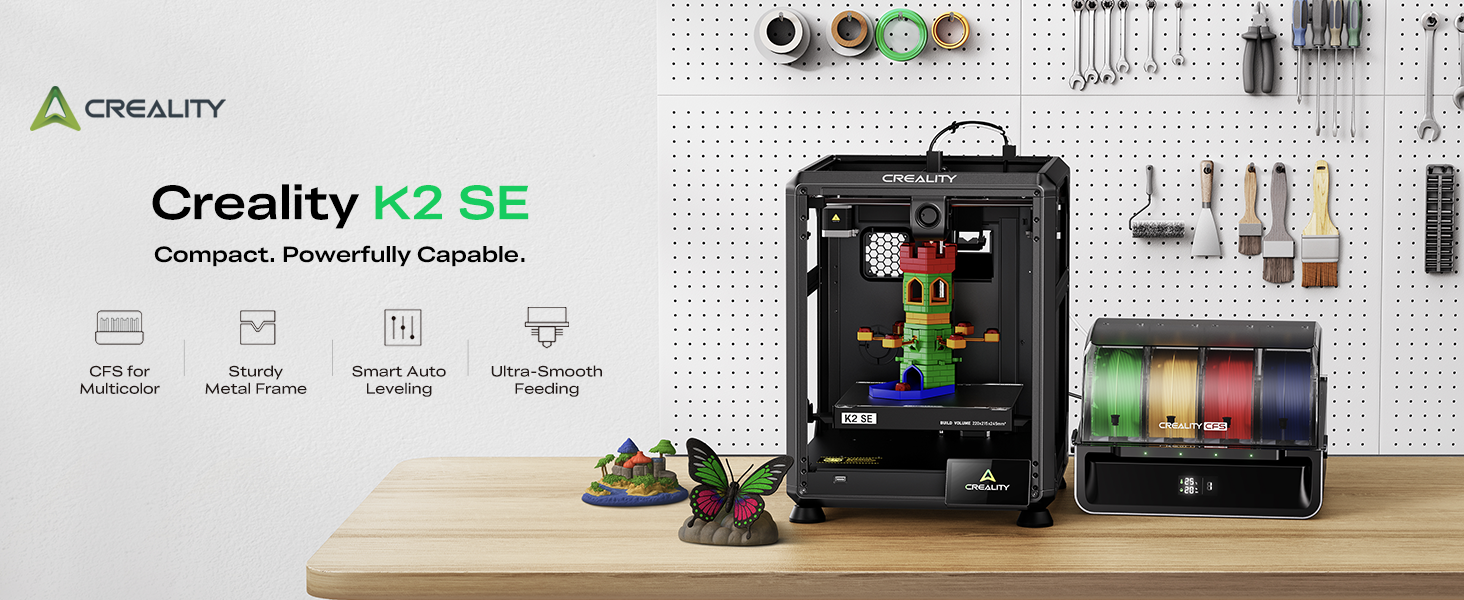


1 Supports Up to 16 Colors
2 High-Performance Extruder
3 Solid Metal Frame
4 Auto Leveling
5 Smartly Print Size


1 High-Speed Printing
2 Quality Powered
3 Quick Setup, Ready to Go


Creality 3D Printers
Add to Cart
Add to Cart
Add to Cart
Add to Cart
Add to Cart
Add to Cart
Add to Cart
Customer Reviews
4.3 out of 5 stars 266
4.3 out of 5 stars 135
4.1 out of 5 stars 215
4.3 out of 5 stars 266
4.0 out of 5 stars 241
4.0 out of 5 stars 50
3.8 out of 5 stars 4
Price
$352.00$352.00
$1,049.00$1,049.00
$1,299.00$1,299.00
$683.00$683.00
$259.00$259.00
$469.00$469.00
$289.99$289.99
Build Volume
220*215*245mm
300*300*300mm
350*350*350mm
300*300*300mm
220*220*240mm
211.68*118.37*200mm
220*220*250mm
Printing Speed
≤500mm/s
≤600mm/s
≤600mm/s
≤600mm/s
≤500mm/s
≤170mm/h
≤600mm/s
Printing Accuracy
100±0.1mm
100±0.1mm
100±0.1mm
100±0.1mm
100±0.1mm
100±0.1mm
100±0.1mm
Acceleration
≤20000mm/s²
≤20000mm/s²
≤30000mm/s²
≤20000mm/s²
≤8000mm/s²
–
≤20000mm/s²
Camera
–
Chamber & Nozzle AI Camera
Chamber & Toolhead AI Camera
AI Camera & Lidar
Optional
–
Optional
Leveling Type
Auto leveling
Auto leveling
Dual hands-free auto leveling
Dual hands-free auto leveling
Hands-free auto leveling
Auto leveling
Hands-free auto leveling
Platform Type
PEI flexible build plate
Flexible build plate
Flexible build plate
Flexible build plate
Epoxy resin build plate
Flexible build plate
PEI flexible build plate
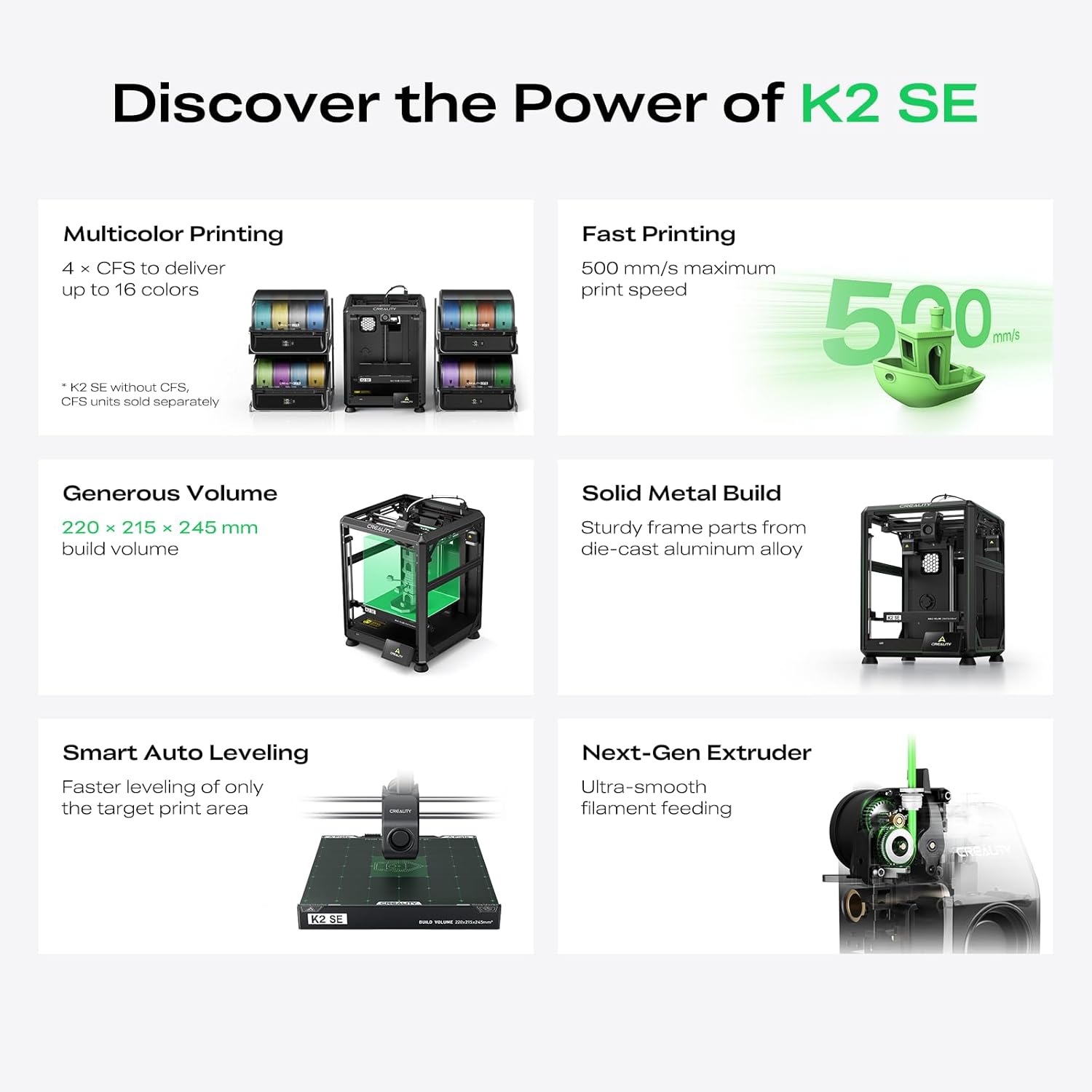
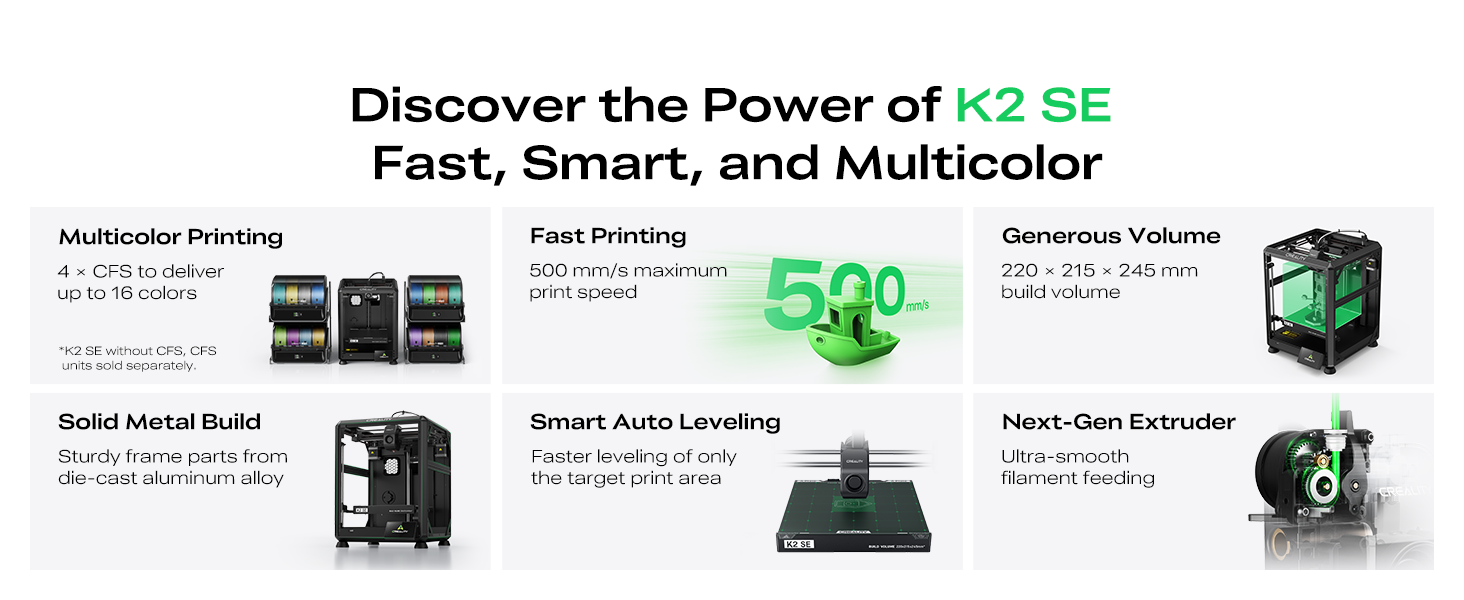
Up to 16-Color Multicolor Printing: The Creality K2 SE 3D printer is designed for multicolor and multi-material printing. Each Color Filament System (CFS) holds 4 spools, and by connecting up to 4 CFS units, you can achieve printing in up to 16 colors—ideal for figurines, cosplay props, and eye-catching multicolor projects. *K2 SE without CFS, CFS units sold separately.
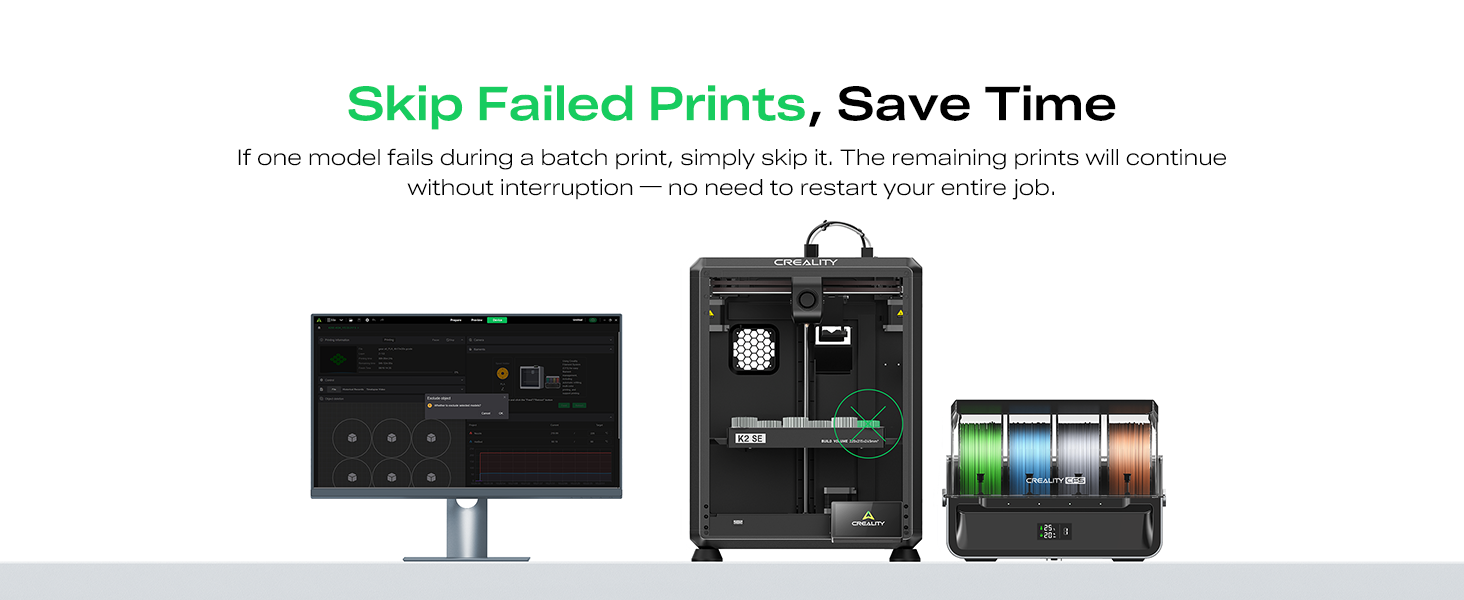
Build Volume in a Space-Saving Design: With a 220 × 215 × 245 mm build volume, the K2 SE 3D printer provides ample space for prototypes, functional parts, props, and multicolor models, all within a compact desktop footprint. Optimized for Hyper-PLA and other high-speed filaments, it delivers stable performance during fast printing. Setup is quick and intuitive—simply attach the touchscreen and spool holder, then follow guided auto-calibration. Features like partial-failure skipping and Creality Cloud support enhance convenience for both beginners and experienced users.
Advanced Extruder with Smart Filament Control: The Creality K2 SE 3D printer is equipped with a durable direct-drive extruder, quick-swap nozzle, filament run-out sensor, and an automatic magnetic cutter for clean, reliable filament changes. Designed to maintain consistent extrusion and minimize interruptions, it ensures high-quality results for both single-color and multicolor printing.
Rigid Metal Structure & Intelligent Calibration: Built with a die-cast aerospace-grade aluminum alloy frame, the Creality K2 SE delivers excellent rigidity and long-term stability. Reinforced gussets and crossbeams reduce vibration for sharper details and cleaner layers. Smart auto leveling probes only the active print area for faster setup, while input shaping minimizes ringing for smoother surface finishes—helping the K2 SE consistently perform at a professional level.
Perfect for Hobbyists, Designers & Small Studios: Designed for makers, educators, small workshops, and 3D printing enthusiasts, the Creality K2 SE 3D printer balances speed, color flexibility, and ease of use. With up to 500 mm/s printing speed and a streamlined workflow, it’s well suited for daily printing, rapid prototyping, classroom projects, and creative multicolor builds—making it a versatile upgrade for any 3D printing setup.
9 reviews for Creality K2 SE 3D Printer, Support Multicolor Printing Needs CFS, 500mm/s High-Speed Printing, Auto Leveling, Vibration Control, Compact Desktop Upgrate 3D Printer, Print Size 220x215x245mm
Add a review
$352.00
Stephanie E. Lumley –
Great printer, great for beginners
The gift that keeps on giving. Worth the money. Got this for our 12 year old son for christmas. I was intimidated by it at first but honestly set up waa really easy. Just make sure you remove all the foam, some of the foam pieces blend into the printer. The foam under the plate doesn’t get removed until after powering on after the plate lifts. It’s a learning process. But easy when you get the hang of it. After setup, download the creality cloud app for it. There’s a ton of pre-made prints on there. Self leveling is a blessing if you’re a beginner like we are. Apply glue to the plate before printing. I’ve been using liquid elmers school glue, but i read the purple elmers glue sticks are better. Haven’t had any issues with printing simple things. Learning how to add supports and resize things as i go. Super easy to use from your phone via bluetooth. Functions as it should. Haven’t had any clogging. Quieter than I expected.
hobbyist –
Great upgrade from Ender3 v2 – prints very well – much less fuss – some things not as expected
First off:Prints great right out of the box. Prints fast. Great for the price. So far we are very glad we chose this printer to supplement our Ender 3.Manufacturer responds very well to product questions.Creality slicer has a lot of tunable settings and has a good set of built in calibration tests with tutorial.We have been using this printer for about 3 weeks.Things to know:The magnetically attached build plate has a wiper pad and alignment notches. Both great features, however this may limit your build plate options. Creality support can help if you have questions in regards to this.You pretty much HAVE TO USE GLUE STICK (this requirement is plainly printed on the build plate and…. they give you a glue stick). What they do not tell you is that you need glue as a “release” agent. Without glue, if you decide to cancel a print early and there are just a few layers on the bed, you will not be able to remove it from the build plate any easy way that we have found.Glue hint: If you need a nice surface on the bottom of the print, clean bed and use fresh glue application, and then clean the glue residue off of the bottom of the print. Otherwise you will see patterns from previous prints on the bottom surface.When you send a print, you have the option to bypass calibration. Do not bypass calibration, especially for the first print any time after the printer has been powered off.The control panel in this printer only provides essential functions. The Creality slicer is where all of the stuff is.Amazon site product descriptions for our exact item were not entirely accurate:Sadly… the really cool segmented articulated cable guide shown in one of the slides is not a real thing.Also there is text in one of the slides that indicates easy nozzle change.The manufacturer has an official video where the model is like the one we received. Search for: “Service Tutorial K1 SE Replacement Nozzle” which covers both of the above so you will know more about what to expect.Part of the greatness of our Creality Ender 3 is its almost primitive diy approach with custom firmware and a really complicated control panel and custom firmware and tons of upgrade options and knob tweaking and the fun of messing with stuff. You could totally take it apart and put it back together an not be nervous about it.In comparison:The K1 SE seems like something best meant to be used “as is”, with Creality slicer and firmware. You can still mess with stuff, but that would be mostly through the Creality slicer.I think it is still “open source” as advertised, but you would have to be careful as this is a much more complex machine than something like the Ender 3.
S. Sabo –
GET IT
We started our 3D printing journey with an Ender 3 V2, thinking it was the go-to beginner printer. But after a few frustrating weeks, we returned it and took a chance on the Creality K1 SE—and wow, we haven’t looked back since.From the moment we unboxed it, the K1 SE felt like a premium experience. Setup was intuitive, the interface is clean and responsive, and the build quality is leagues ahead of what we expected at this price point. It’s fast, quiet, and shockingly reliable.We did run into one hiccup early on—the Unicorn nozzle was stuck and wouldn’t budge. Turns out, it just needed a bit of grease. Once that was sorted, it’s been smooth sailing ever since.Print Quality & Reliability- Filament adhesion is flawless. The bed grips like a champ—no warping, no lifting.- We’ve run 30+ prints since that first one, and not a single failure. That’s unheard of in the hobby.- The motion system is buttery smooth, and the auto-le- veling is spot-on every time.Beginner-Friendly, Yet PowerfulIf you’re new to 3D printing, skip the trial-by-fire with super budget models. Spend a little more for a lot better experience. The K1 SE gives you a quality experience right out of the gate. It’s forgiving, fast, and doesn’t require constant tinkering to get good results. The 600 mm/s print speed is efficient, precise, and awesome.Creality really nailed it with this one. Whether you’re printing functional parts, toys, or artistic models, the K1 SE delivers consistent, high-quality results with minimal fuss. It’s not just a printer—it’s a confidence booster.
Cherryflavar –
Loud, Unstable, and Poor Print Quality
I had high hopes for the Creality K1 SE, but this printer was a big disappointment. It’s extremely loud during operation, and the frame feels unstable, which shows in the print results. The print quality was very poor, even after multiple attempts, and the slicer software was frustrating to work with.I actually purchased two units to cover my printing needs, but both had the same problems and I ended up returning them. I tried to make poop bins for my Bambi’s ad the print was a failure as you can see from the video. I would not recommend this machine, even for beginners… at some point you want reliable prints, and this just doesn’t deliver. Price was good but you get what you pay for. Adhesion on the plates were poor and if you use the glue stick the plates were damages permanently. Not a fit for me. I’ll stick with my Bambu printers, which continue to outperform in every way.
Running Bear –
Minimal setup, maximum performance.
First impressions. Wow. I’m coming from a cr10 clone that was problematic to say the least. This thing is an absolute beast. print times cut down. I have a small test square I print for testing, the cr-10 took 22 minutes, the k1se, 5. Setup is easy, check your voltage switch. Mine was on 220. Initial calibration takes something like 15 minutes because the machine self calibrates. I like the Creality software. Can’t wait to be able to get some projects finished. WiFi print, yes, mine has the wire for the camera, that’s my next fix.
Anderson –
Rápida e precisa.
Paco_MZ –
Hasta el momento sin problemas
Am2801 –
No ha pasado ni 6 meses y ya no funciona
Pésimo, llego con la caja abierta, dañada y con falta de cable USB C , no recomiendo esto –
Imprimió 2 veces y ya no enciende, es una perdida de tiempo y de dinero