

Cloud Nine ErgoTKL Ergonomic Tenkeyless Mechanical Keyboard for PC – Kailh Brown – TKL RGB Backlit Ergo Split Key Board
$179.99
Related Products






Product description
Cloud Nine ErgoTKL – Ergonomic Tenkeyless Mechanical Keyboard 
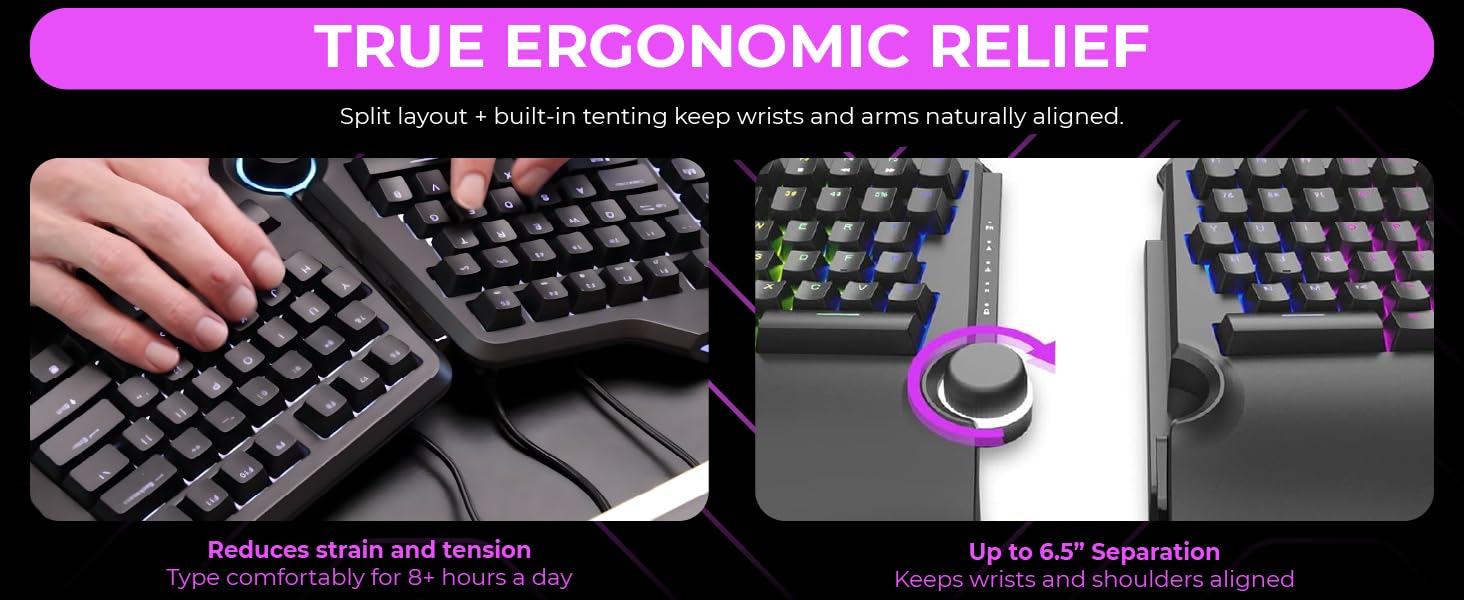


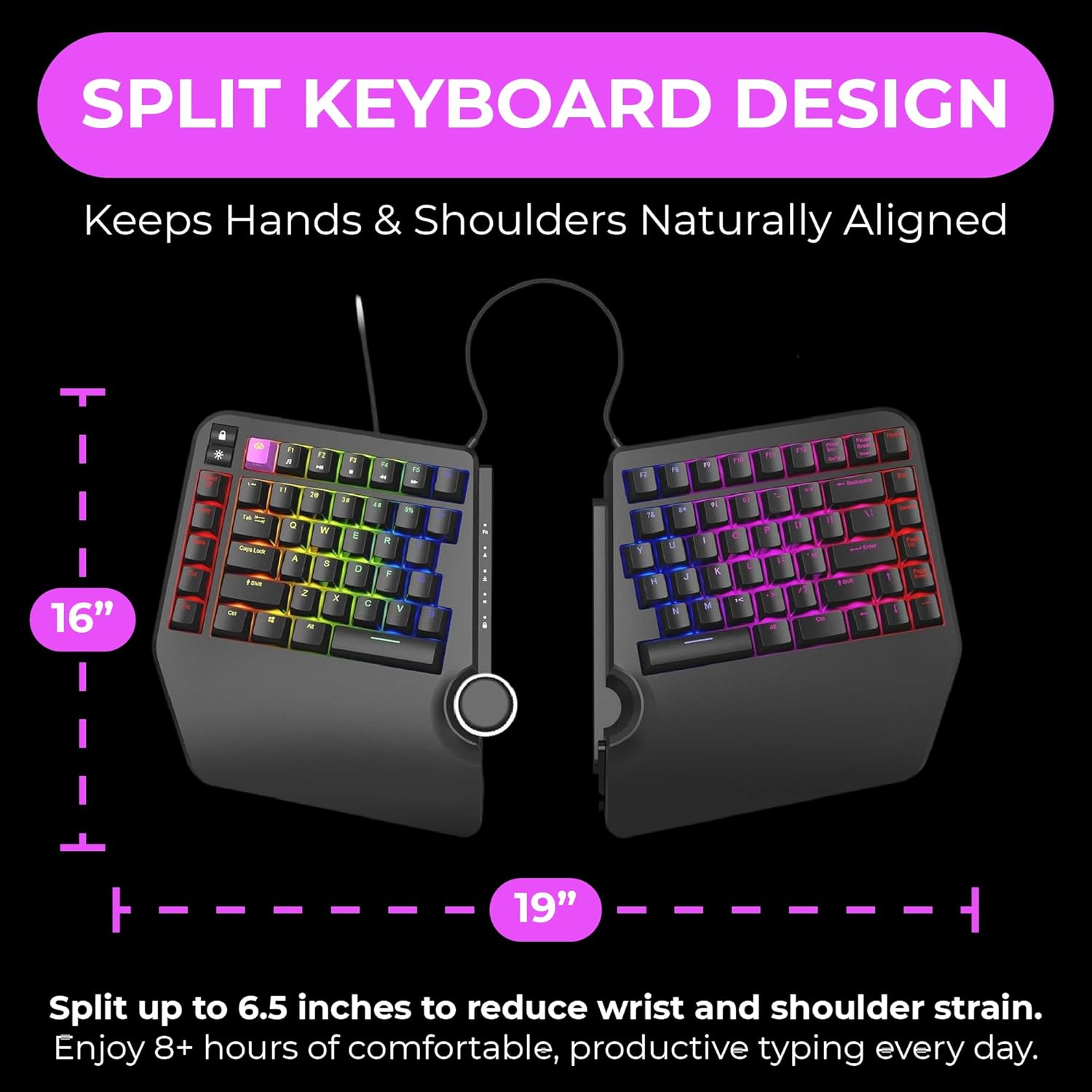
Split Keyboard Design – Separates Up To 6.5 Inches (16.5 cm) to help eliminate wrist and shoulder pain while you type. Keeps hands and arms properly separated and helps provide pain-free typing for 8+ hours a day.
Tented Palm Support – Includes built in side slope (7 degrees) keeping hands comfortable at their natural inward angle (no separate tenting kit required).
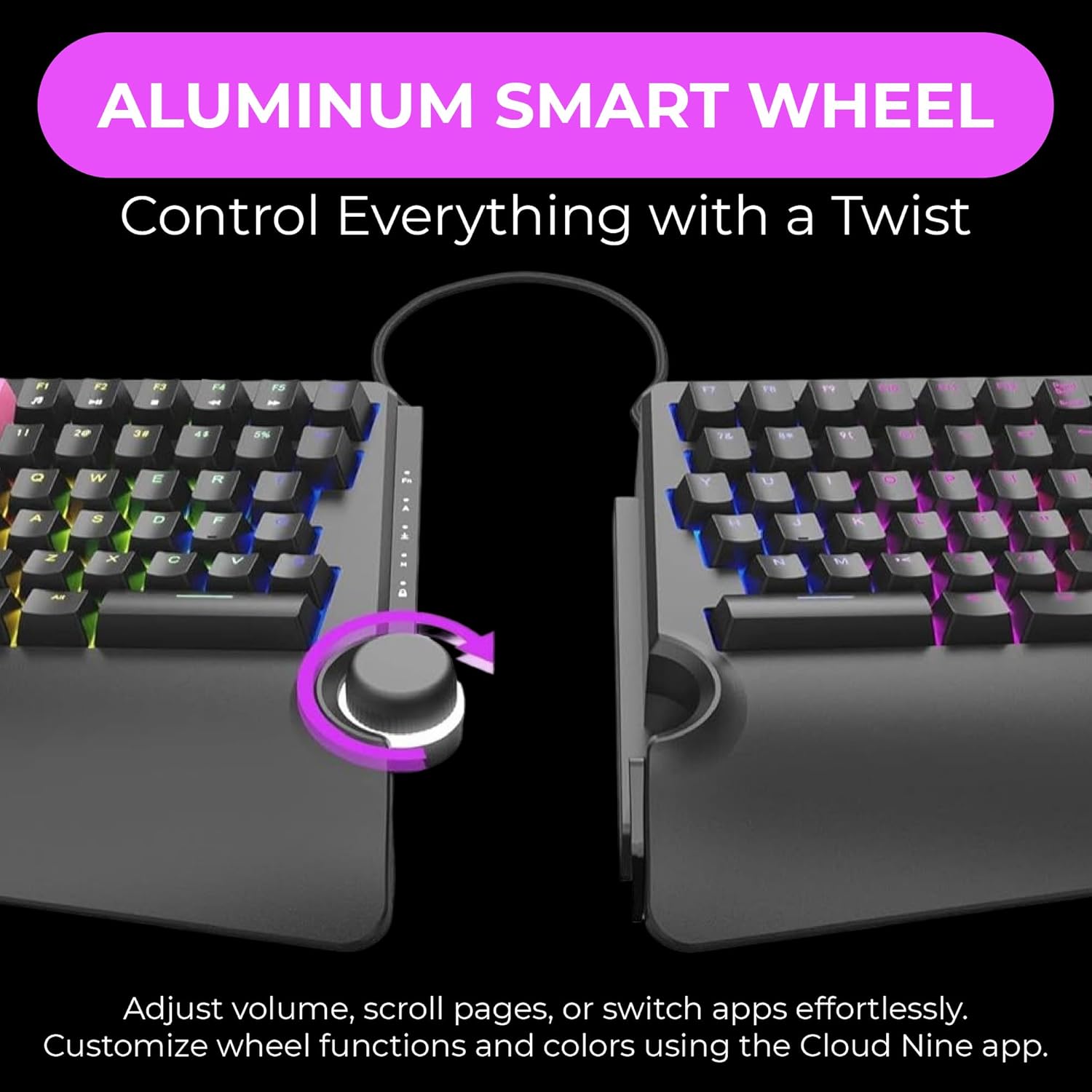
Aluminum Smart Wheel – Easily control volume, switch applications, scroll web pages, and more. Assign a custom function or color using the included app.
Kailh Switches – Professional grade mechanical switches provide a super-long life and satisfying typing experience. Switches are fully backlit and easy to read. Customize the backlight color or choose from a pre-programmed light flow.
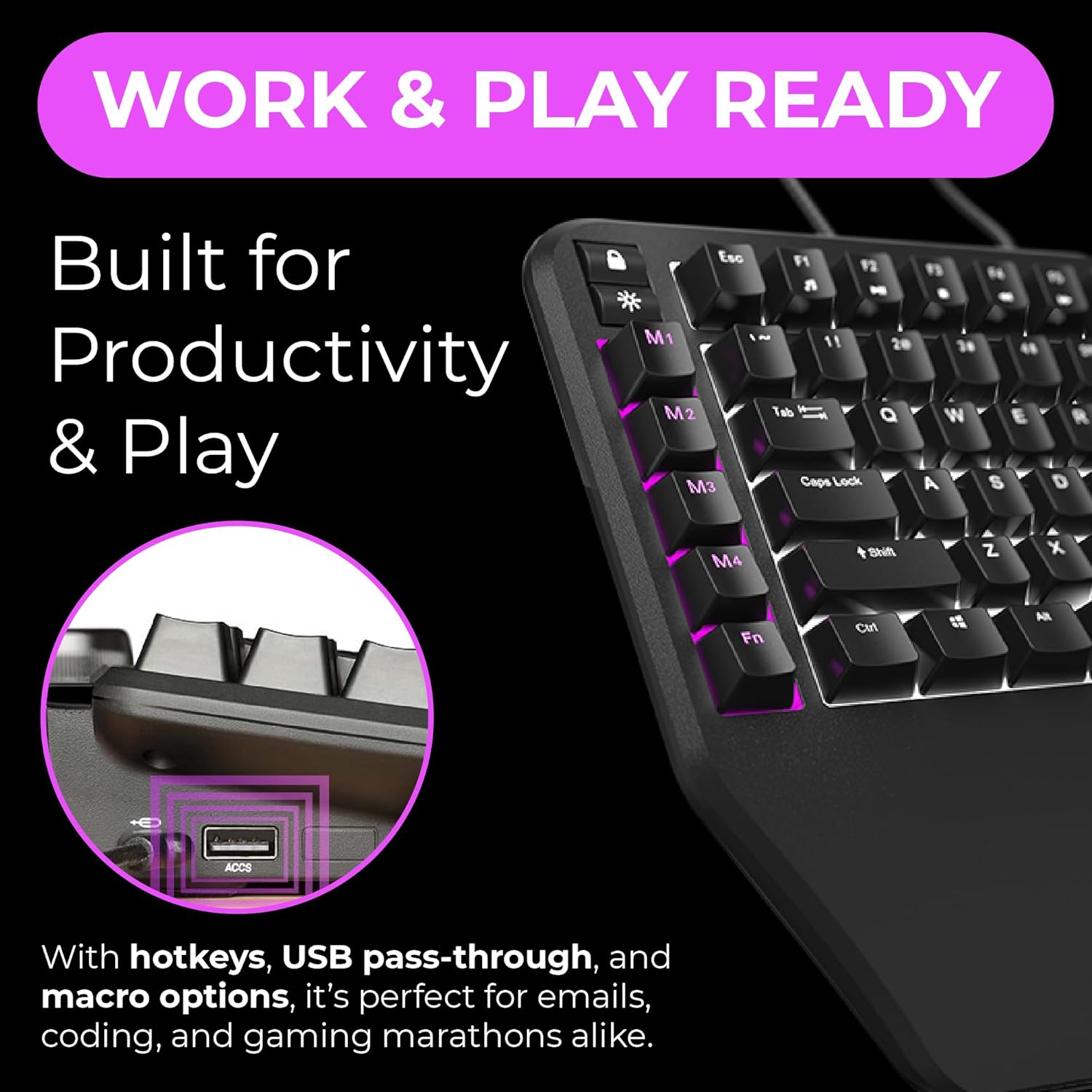
For Work and Play – Features programmable Hotkeys, a USB Pass-Through port, and extra “M” keycaps. Whether writing emails, coding, or gaming, the ErgoTKL helps you do it with more comfort & efficiency.
Works with Standing Desks – Adjustable forward tilt ( 0 / -4 / -7 degrees) keeps hands supported while sitting or standing.
7 reviews for Cloud Nine ErgoTKL Ergonomic Tenkeyless Mechanical Keyboard for PC – Kailh Brown – TKL RGB Backlit Ergo Split Key Board
Add a review
$179.99
Missy –
Day 1 Impressions – Everything I hoped it would be.
Ok, so I’m only going on a few hours of typing on this beast, but I am extremely happy with it, how it was packaged, how it sounds/feels and the speed/accuracy. For reference, I am a professional writer and hit about 10k words a day – so I do A LOT of typing and don’t ‘settle’ on keyboards.I’m coming into this having been a long-time Logitech Wave devotee, then a Microsoft Sculpt owner, followed by a brief stint with a SteelSeries non-ergonomic keyboard. Though everyone’s hands and posture are different, I would not trade this for ANY of the others.1. Packaging – The only thing I’ve ever seen packaged better was my SecretLabs chair. Thick foam everywhere, both halves of the keyboard securely wrapped in anti-static bags, cords, keycap puller and extra keycaps sealed in zip baggies and in cutouts in the foam. If this arrives damaged, it wasn’t the mailman… unless he backed over it – twice.2. Set-up – attach a 8″ cable between the two halves, plug the micro-usb end of another cord in the keyboard and the other end into a USB end of your computer. BINGO… that’s all you NEED to do… of course, you can go download the drivers and software (all of which triggers Windows Defender since these folks saved some cash on buying the license from Microsoft but doesn’t hurt your system (that I know of)). I really don’t think the average Joe needs to download the software as this baby is plug and play and has TONS of cool color effects that can be cycled with a press of a button on the keyboard. Everything, including the wheel and the Copy/Paste/Select/Cut keys worked without the drivers.3. Keys – ONLY downside is when you really get humming on this thing and misstroke a key, there is a bit of a metallic ‘ring’ sound… not a big deal… just struck me as funny as if they keyboard is sayin’, “JEEZ… slow down there killer!” I opted for the brown keys… if you are a light fingered typist, they are pretty close to silent with a NICE little tactile bump when the key actuates… very little though… if you are going over 80 wpm, there’s no way you’ll feel it and the air will be filled with the clacky-clack-clack of the keys bottoming out (which takes a VERY satisfying amount of pressure – not too much, not too little – the springs are set PERFECT). The wrist pad is nice (not shockingly amazing but nice) and the adjustable height is perfect and VERY stable.4 – RGB lighting – I won’t ruin this one for ya… it is PER key, customizable (thru the software), but you REALLY don’t need to mess with customizing, there are some AMAZING set-ups pre-configured and they are simple.5 – The WHEEL – probably more of a gimmick than anything… it does feel nice, it nicely made, has tactile bumps as you twist it (like the wheel on your mouse) so it doesn’t just spin willy-nilly. I’m sure there are people out there that are program switching fiends, but if you have multiple monitors, this’ll probably just be used for volume control and muting.6 – Overall – I considered buying the ZSA Moonlander for $365, then decided I’d try this first… I dunno… maybe the Moonlander IS better with its fancy-schmancy key setup… but… again, only a day into this one… I think I made a great choice going with this keyboard.Yes, this is relatively expensive… but, the quality and ease of operation justifies the price. If keys fly off, it catches fire and chases my dog down the hall while typing REDRUM over and over, I’ll update this review.
Kevin –
Great for improving posture for wide shoulders
I am really enjoying this keyboard. The big thing that got me to consider buying it is that I realized after years of working on keyboards, even the split Microsoft natural keyboard, that I have a tendency to hunch my shoulders in. I had seen these fully split keyboards before but not really had a big reason to try them. But it suddenly hit me that one of the reasons that I hunch my shoulders forward is because generally speaking the keyboards I’ve used are narrower than my shoulders. So I thought I would give this a try and see whether the open split between the two halves of the keyboards allowed me to open my chest up a little bit more and have better posture, and so far it’s been great for that.I like the cherry switches, and I chose the most quiet ones. The truth is that the quiet ones are still not that quiet. They are mechanical switches and they make a chunky typing noise when you use them. The feel is nice, but I always wonder if it’s audible in conference calls. However from what I can tell, the noise cancellation and filtering in headsets and Conference software nowadays is so good that very little is audible besides you speaking. So the noise, at least when you’re remote just isn’t an issue.In terms of typing, I was a little concerned that the full split might reveal some bad habits in my typing technique that would be hard to get over, but I find I type just fine. For reference I type about 80 words per minute, and I would say I type as fast as that or faster on this keyboard.The magnet that can hold the two halves together is not very powerful, but it’s just strong enough that if you really want to put your feet up and put the keyboard on your lap you pretty much can.I haven’t messed with the programmable keys or any of the software very much because that just wasn’t the big reason for me to buy this. But in terms of the one big reason I did buy it, better posture and an ability to open my chest up a bit, this was a total win. So if you are thinking of it for that reason, then I would encourage you to give it a try.
Cliente –
Ningun problema con el funcionamiemto pero desde que llego tambaleaba al escribir, al parecer una de las gomas es mas chica lo cual me parece inaceptable en un teclado de esta categoria
Wllm Nunez –
Al principio dude por que lei que no era compatible con mac.. y si, hay un problema por que el fabricante no tiene software para mac… pero si no te importa tener el teclado con la configuration by default… no te vas a arrepentir y tus muñecas te lo van a agradecer.. puedes a travez de mac modificar las keys para que tengas el mismo orden que un teclado mac…otra solución que propongo.. es que a travez de alguien con windows.. realices las modificaciones que necesitas, como iluminación, configuration de macros etc.Fuera de eso.. la mejor compra que he echo, me dedico al desarrollo de software y desde los primeros typings sientes la diferencia en tus muñecas.Adjunto una imagen del espacio es ideal para un mouse y tu celular, también cabe un magic trackpad sin problema.Una de las razones por la que lo adquirí este producto es porque la silla de mi oficina tiene reposa brazos pero no permite que se muevan mas que para atrás y adelante.. generándome dolor en los antebrazos pues van en otra dirección a mis brazos al utilizar un teclado tradicional.. pero ahora al poder separar el teclado y ademas utilizando el pad que incluye el teclado.. esos problemas se han acabado.Anteriormente utilice teclados como el Microsoft Sculpt Ergonomic y el Logitech ergo, pero este no tiene comparación por el confort de los materiales y la posibilidad de separar el teclado a la distancia que necesites.Date una oportunidad… tus muñecas te lo agradecerán.
Daniel Laplante –
I’m been regularly searching an ergonomic keyboard with mechanical keys for years, and this one is also a good gaming keyboard, so I was heavenly happy to see this keyboard. But I was quite disappointed to receive the wrong key color.ERGONOMY: Split, forward inclination and no numpad – all boxes checked! The problem is that the keyboard is so thick that the full inclination doesn’t incline it back at all, it just makes it flat. This can be adjusted with a towel, but for the price and ergo advertisement it’s quite a letdown.FUNCTIONS: The keyboard has innate macro binding (up to 4) and I love it, especially for work. I use it for frequent characters that I otherwise have to type with ALT codes. Some key placements have to be used to (eg. the four travel buttons, aka Home End PageUp PageDown, are not all together, they are peculiarly split by the Delete button; that can be fixed with software and key replacement, but this innate placement is weird). The color schemes are well designed too, and the central wheel multifunction is actually quite useful for common uses.WRONG KEY COLOR RECEIVED: And as the product is not advertised with switchable switches, I understand the switches are soldered.At the time of writing (and buying), the product title says “MX Cherry Blue”, the description says “Cherry Blue”, the color choice says “Blue”, the specs also say “Blue”, but I received Kailh White keys. As the shipping took a few weeks and Kailh White keys are
Sam –
Good keyboard aside from vital flaw. Can’t see a way to get in touch with seller
Nathan –
I have previously used a Microsoft and Logitech ergonomic keyboard and I really found that the ergonomics felt so natural but hated the typing and gaming experience. I had mechanical keyboards in the past before making the switch to ergonomic keyboards so was really missing that experience. This keyboard is the best of both worlds. The layout of the keys is a little different but only took a couple of days to get use to. The included software feels a bit clunky but hope that future software updates will improve.