

Anycubic Multicolor 3D Printer, Kobra S1 Combo Core XY Stable Structure with Sealed Printing High Precision 600mm/s Fast Speed Auto Calibration Ideal for Precision and Efficiency 9.8″x9.8″x9.8″
$579.99
Related Products





Product description
Anycubic Kobra S1 Combo Multi-Color 3D Printer
The video showcases the product in use.The video guides you through product setup.The video compares multiple products.The video shows the product being unpacked. Anycubic Kobra S1 Combo 3D Printer Merchant Video
Simple, One and Done 


1 More Than Imaginations
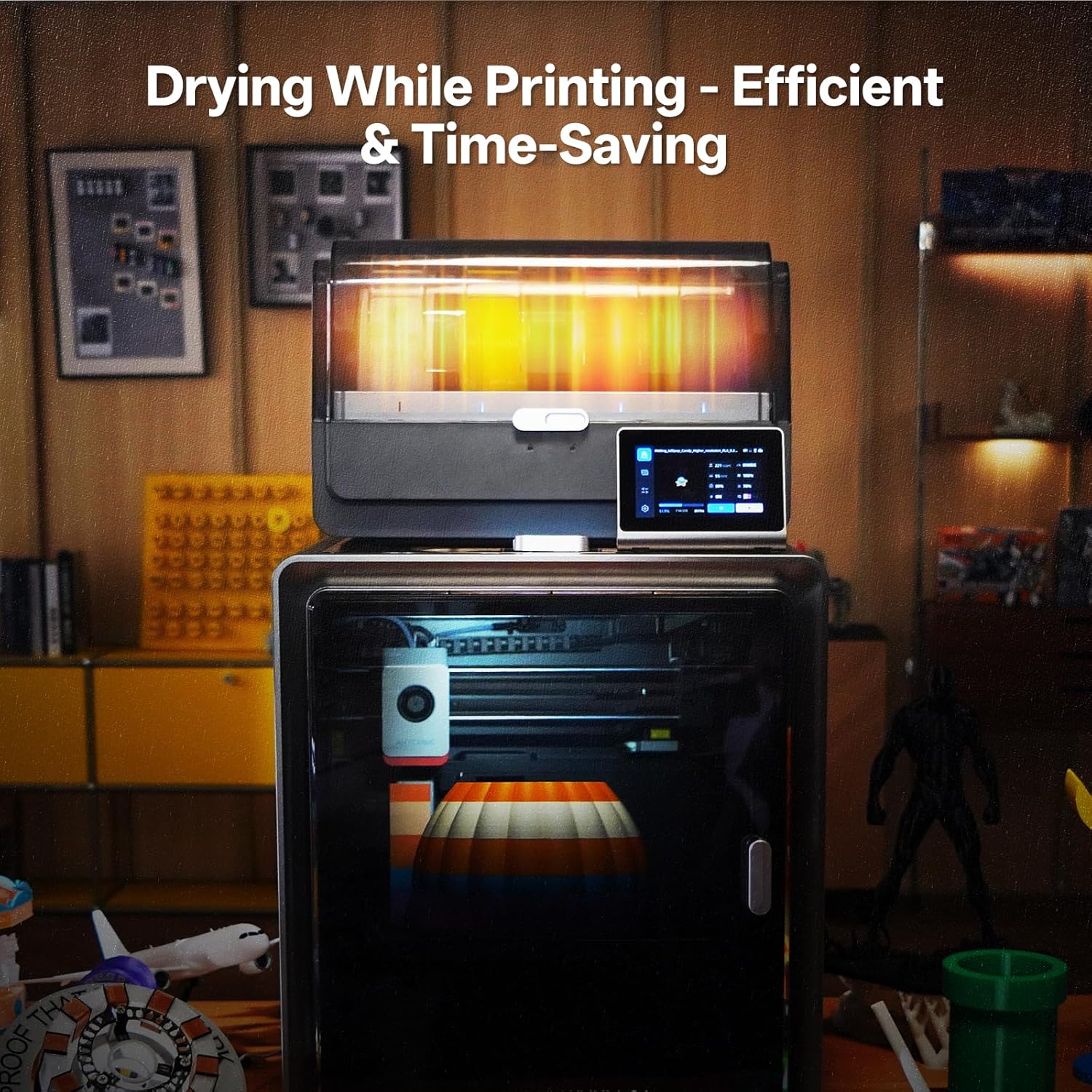
2 Filament Humidity Presets
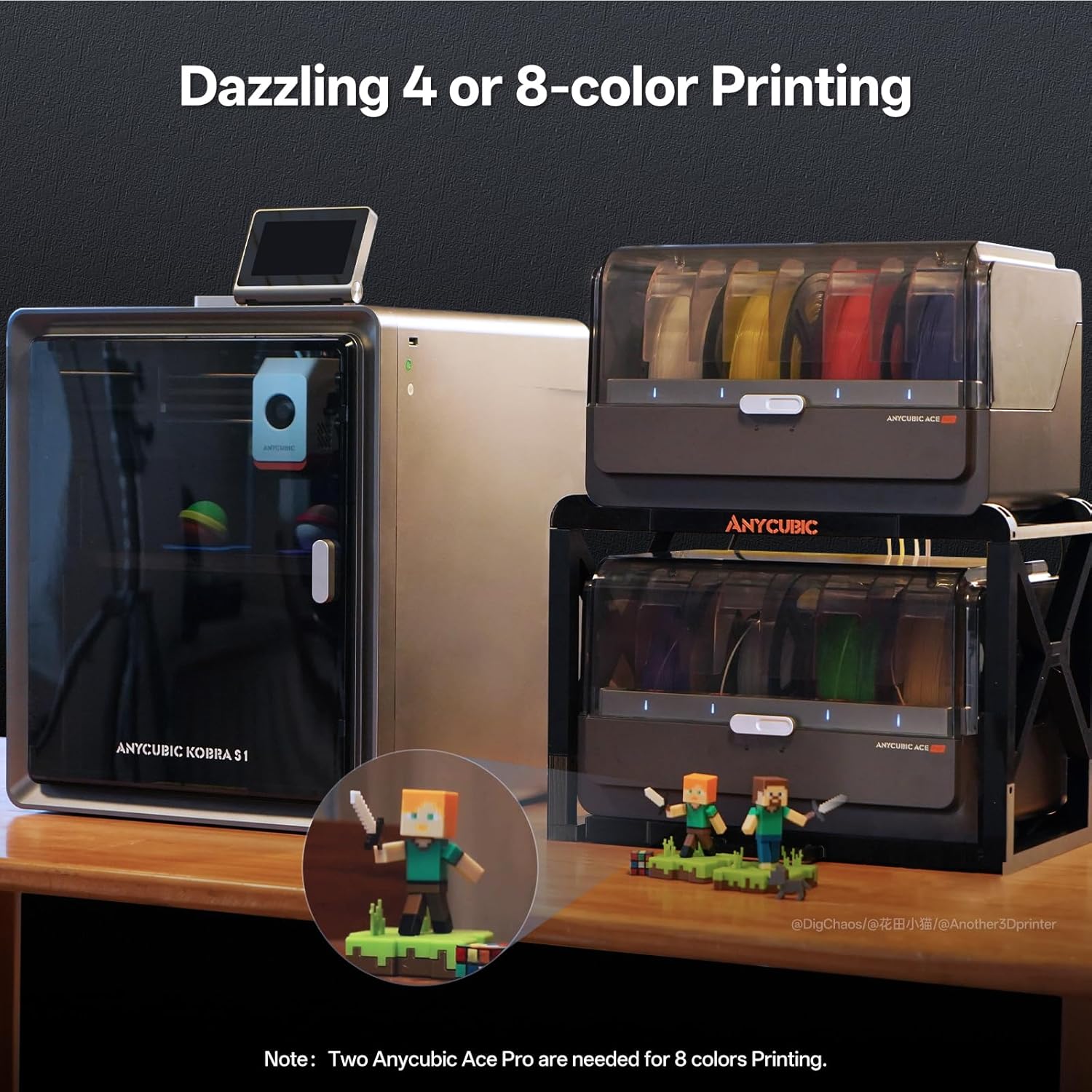
3 4-8 Stunning Colors
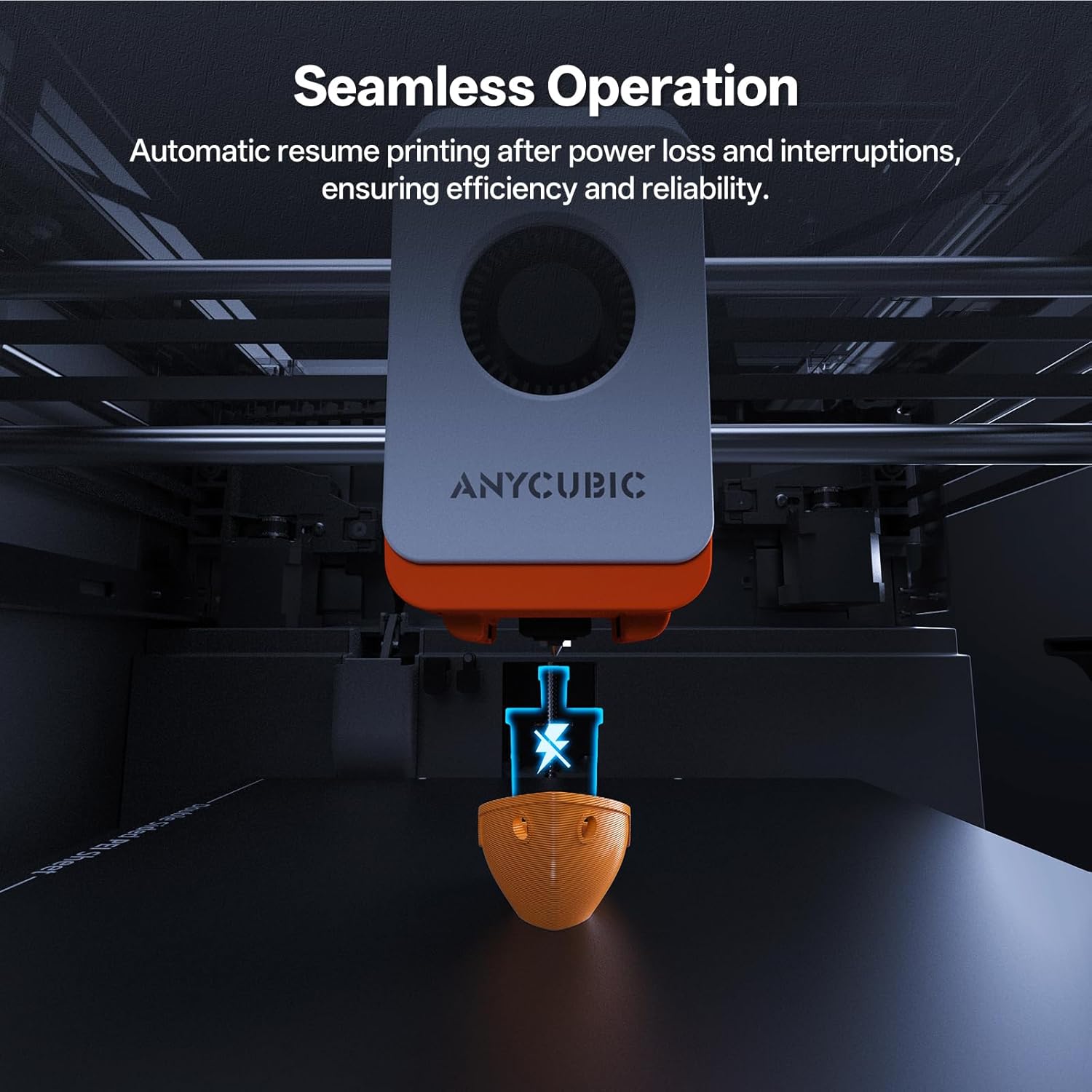
4 Intelligent Functions
5 600mm/s High Speed


1 Perfect Support ASA/ABS
2 Perfect Support PLA
3 Perfect Support PETG
4 Perfect Support PLA+
5 Multi-Color Printing


1 Superior Performance
2 AI Intelligent Guard
3 Hotend Upgrade
4 New Upgraded System
5 4 Intuitive Designs


1 Firmware Update
2 One-click Printing
3 Massive Model Available
4 Anycubic Slicer Next
5 Product Parameters
FDM 3D Printer Recommended by ANYCUBIC
Add to Cart
Add to Cart
Add to Cart
Customer Reviews
4.0 out of 5 stars 1,202
3.9 out of 5 stars 1,548
4.2 out of 5 stars 75
4.2 out of 5 stars 51
4.3 out of 5 stars 19
4.6 out of 5 stars 842
4.5 out of 5 stars 5,946
Price
—
$399.99$399.99
$379.99$379.99
$279.99$279.99
$599.99$599.99
$20.99$20.99
$44.99$44.99
Build Volume:
9.8” x 9.8” x 9.8”
9.8” x 9.8” x 9.8”
10.0” x 10.0′ x 10.2”
10.0” x 10.0′ x 10.2”
16.5” x 16.5” x 19.7”
Silk Texture
Gray White
Printing Speed:
<600mm/s (Recommended 300)
<600mm/s (Recommended 300)
<600mm/s (Recommended 300)
<600mm/s (Recommended 300)
<600mm/s (Recommended 300)
Tri Colors Combine
Ideal for Beginners
Multi Color Printing:
Support
Support Needs ACE Pro
Support
Support Needs ACE Pro
Support
/
/
Leveling Type:
Auot Leveling Smart Z-offset
Auot Leveling Smart Z-offset
Auot Leveling Smart Z-offset
Auot Leveling Smart Z-offset
Auot Leveling Smart Z-offset
/
/
Fully Enclosed:
Yes
Yes
No
No
No
/
/
Platform Material:
PEI double-sided spring steel
PEI double-sided spring steel
PEI double-sided spring steel
PEI double-sided spring steel
PEI double-sided spring steel
/
/
Materials:
PLA, PETG, ABS, ASA
PLA, PETG, TPU, ABS, ASA
PLA, PETG, TPU
PLA, PETG, TPU
PLA, PETG, TPU
/
/
Control Screen:
4.3″ LCD Touch Screen
4.3″ LCD Touch Screen
4.3″ LCD Touch Screen
4.3″ LCD Touch Screen
4.3″ LCD Touch Screen
/
/
【Multi-Color 3D Printing Made Easy】 Anycubic Kobra S1 Combo handles 4-color printing right out of the box. For even more creativity, pair two units for stunning 8-color prints, eliminating the need for manual painting. For optimal quality, we recommend using the same type of filament throughout your print.
【Built-In Filament Dryer】 No separate dryer needed! Anycubic ACE PRO actively dries your filament 24/7, even during printing. This ensures peak performance, prevents printing issues, and supercharges your workflow.
【Unmatched Speed & Precision】 Experience blazing-fast 3D printing with 20,000 mm/s² acceleration and speeds up to 600mm/s. Anycubic Kobra S1 Combo 3d prints 12x faster than standard FDM 3d printers while preserving exceptional detail and accuracy.
【Smoother Surfaces with Flow Correction】 The Anycubic Kobra OS automatically calibrates filament flow for precise extrusion. This reduces blobbing at sharp corners, minimizes material waste, and delivers models with noticeably smoother surfaces.
【Convenient Remote Control】 Start, monitor, and manage your prints from anywhere with the Anycubic app. Its multi-file parsing handles complex projects with ease, putting full control in the palm of your hand.
9 reviews for Anycubic Multicolor 3D Printer, Kobra S1 Combo Core XY Stable Structure with Sealed Printing High Precision 600mm/s Fast Speed Auto Calibration Ideal for Precision and Efficiency 9.8″x9.8″x9.8″
Add a review
$579.99
INGuardsMan –
Anycubic Kobra S1 combo – IT JUST WORKS
Wow! I couldn’t be happier with this printer and ACE Pro unit combo. It simply works, and works so well. Everything about it makes 3D printing easy. Its print quality is amazing, as well as its speed and consistency. Over the past two weeks I have printed approximately 100 items, big and small alike. None have been a problem. I’ve printed with PLA and ABS without issue. Bed adhesion is flawless with no need to continously tweak settings. The unit itself was easy to assemble and fit perfectly (with the ACE one the side) in the space that I had available (24″ x 48″).On one instance I had an issue with the ACE getting filament miss routed which required some easy disassembly to get it un-stuck. That was my issue for not feeding it straight down into the hole.The accompanying Anycubic Slicer Next software (Orca variant) and phone app are also fantastic. Very simple to use and yet so functional and powerful. Loving the notification when a print is complete and the ability to check in on the print at anytime from anywhere.This was a major step up from my Ender 3 v1 and a great buy for only $429. Highly recommend!
Scarecrowoif2 –
Huge build volume and super reliable prints
Verified Purchase — The Anycubic Kobra 3 Max has been a fantastic addition to my setup. The massive build volume makes printing large parts easy, and the multicolor support works better than I expected. Bed leveling is quick and accurate, and prints have come out clean with excellent adhesion. Setup took less than 30 minutes, and the touchscreen interface is simple to use. If you want a big, dependable printer without a big learning curve, this is a great choice.
ATH –
My second Anycubic printer purchased, the second that’s a piece of junk
I bought this printer after my first Anycubic Kobra stopped heating the bed. Apparently that’s a common problem with the first series of Kobras, but Anycubic’s customer service is useless. After trying a couple of fixes on the first one, I gave up and just bought this version, because it seemed to be better reviewed. It arrived fine, but due to a variety of reasons, I didn’t start it up for about 8 months. I put it together, went through all of the set up, ran the first test print, everything seemed fine, so I started my first real print.The quality of the first print wasn’t great, so I made some adjustments and tried again. Better, but still not good. I read numerous articles and threads on a variety of sites, eventually coming up with a solution. The biggest issue is that, while the printer might be able to run at 500 – 600 mm/sec, unless you have filament that can keep up, you’re still going to be limited to 100ish mm/sec. Even lower if you don’t want the prints to look awful. But, whatever. I ordered some high-speed filament and just slowed down the print speed. Things look pretty good.Then, after about 18 hours of printing across a half dozen prints, in the middle of a print, I realized the extruder wasn’t actually extruding any filament. When I took the thing apart, I found that the filament had hardened inside the nozzle and then the printer kept feeding filament into the hot end, completely destroying the thing.So, I ordered a new OEM hot end and an upgraded ceramic hot end. I installed the ceramic upgrade, and after three misstarts (because the ceramic item is also junk, apparently), I was FINALLY able to finish a test print. Everything looked great, but, considering all the problems I’ve had with FDM printers, I decided to try another test print. Less than 30 seconds into the print, the hot end was clogged with filament backing up.Bottom line, I’ve done everything I was supposed to do with these printers, and they STILL fail after only a few hours of printing. None of the components are high quality, and Anycubic’s customer service is absolutely useless. I will NEVER purchase another Anycubic product again, and my experience with this crap has pretty well convinced me to give up on 3d printing completely.UPDATE:Anycubic customer service decided to reach out to me and offer me a new hot end, despite it being out of warranty. Like they’re doing me some kind of favor, replacing a garbage component on their garbage printer when the component failed after less than six hours of use. Because apparently these clowns think that replacing a component on their POS printer will somehow solve all of the many issues this POS has. I may take them up on the offer just so I can replace it, follow all of their asinine instructions to the letter, then show them that the printer is still garbage.The worst part about this entire fiasco is that this is actually my THIRD FDM printer. My first was a Creality Ender 3 that absolutely would not level. I followed all of Creality’s instructions, looked for solutions online from all kinds of places, and literally spent six months trying to get that piece of junk to work. I eventually gave up and purchased the first Kobra…and it worked, right out of the box. I didn’t have a bit of issue getting it set up, getting it to print, nothing. Print quality was great, speed was decent, I had absolutely no problems with it. Until the stupid thermistor error that bricked a huge number of those first-gen Kobras. Now, the Kobra 2 Pro is arguably WORSE than that useless Creality I had.UPDATE TWO:I received the new “official” Anycubic hot end (which is identical to the aftermarket parts I purchased…they’re probably made on the same assembly line at the same time and just packaged differently). Installed it, tried running a print, and to no one’s surprise, it failed. I followed all of the instructions provided by Anycubic (all of which were things I had already done to troubleshoot the problem), and they didn’t fix a thing. On the tensioner side of the X-Axis, the Z-offset was pretty good, and the filament was depositing pretty much the way it should. After a few passes, however, the filament was no longer adhering to the plate, and there were gaps between each “bead” of filament being extruded. That continued until the extruded filament was no longer even touching the plate. I decided to check the printer’s overall level/alignment, and that of the X-Axis gantry’s alignment to the hot bed to see if that might be the problem. The printer is about as level as I can get it.. With the gantry pressing on the block on the belt tensioner side, it’s sitting more than 4mm ABOVE the block on the motor side of the gantry. That’s AFTER I’ve loosened everything and adjusted the gantry as much as possible. It physically CANNOT be adjusted any more than it is. I have no idea if it’s bent somehow (definitely not obviously so), or if Anycubic is simply incapable of the level of manufacturing precision required for something like this. I’m currently waiting on yet another response from Anycubic…which I assume will tell me to do things I’ve already done that won’t actually work.Never again will I purchase anything from Anycubic.
ladyvipaka –
Some false advertisements, great for detailed prints
This is my second 3D printer (first was an Ender 3 Pro), and it runs much more reliably and prints with higher detail than the Ender 3 Pro did.However, few things worth noting about this printer, especially for beginners.1) Installation is *not* 1-2-3 steps easy as shown in their marketing video. You have to hold the printer almost completely upside-down to get screws into it, which sometimes trap cords underneath the frame bits, and after you’ve finished with the elbow grease assembly (screwing the frame together, screwing the LCD panel in, clamping the filament holder in), then you have to plug in virtually *all* the cords for this thing. For every step motor (4?), for the LCD screen, 3 for the hotend, connect the tubing, connect the larger black cord etc. Thankfully the cords are at least labelled with X, Y, ZR etc but the places they are meant to be plugged into are not labelled. Didn’t count, but felt like there were at least 12 cords that needed to be plugged in to various places. Then after that, you have to channel your inner contortionist to cut all the zip ties that are buried on this printer without nicking any of the necessary cords or belts, in incredibly poorly visible spots like under the center of the bed. None of the tools provided could reach these zip ties, so I ended up folding myself in half with my cell phone flash light trying to carefully cut a zip tie with a pair of shears. This is not “beginner” level installation, and I would not recommend it for anyone who has even a minor disability or handicap.2) The machine is *not* silent. It is very quiet, don’t get me wrong, but it does make noise when it prints (a humming sound along with the whirring of the fans usually but occasionally a sort of buzzing thud if the nozzle catches on the print). The fans an be turned off, but even with them at 0% the printer still makes noise. I would guess its a little louder than the level of a loud AC unit or refrigerator. Again, ignore the marketing lies, this printer will make noise.3) The filament feed is *not* direct to the hotend. This is important because that feature can reduce the amount of potential clogs for filament being fed into the printer. This printer (like most 3D printers) uses bowden tubing with a gear setup to feed filament into the hotend. I saw this in the specs on this amazon listing page and it is blatantly false advertising.4) The scraper tool included with this printer is basically a putty knife. It is almost completely dull. I would not recommend it for actually scraping up prints, buy yourself a finer scraper made of metal and not plastic. Most of the time this tool is not necessary to get prints off the bed due to the textured surface that the Anycubic Vyper uses, but in the rare cases where you do need a little bit of extra oomph, don’t waste your time with this scraper.5) This printer runs quite a bit slower than average. A print that might take 1h or the Ender 3 Pro could take 3-4 on this printer. I think its due to the finer details this printer can achieve while printing, but worth knowing. You can change your print rate in the settings on a per print basis, but because of the fixed rate of filament extrusion, I haven’t messed with this too much. I was worried it might affect the quality of my prints. If you’re looking for fast production efficiency, this probably isn’t the right printer for you.Some pros of this printer for beginners include the auto levelling bed, the easy to remove prints bed, and the touch screen.This printer works well, and has some very nice features. Auto levelling bed, textured and flexible bed for easier print removal, SD card reader with included microSD and SD cards, data cable for direct hookup to raspberry pis or arduinos, touch screen, ‘quiet’ printing all come to mind. I haven’t had the printer clog yet (been using it for a few days 24/7), and the prints come out with very fine details (lines much less visible than on other 3D Printers I’ve tried), and they are easier to remove from the bed as well (I have only had to ‘scrape off’ one print so far and it was with a filament that is notoriously tough). I also haven’t had any leaks or issues with this printer thus far.The inclusion of 5 or 6 alan wrenches was a nice touch, personally I really appreciated the data cable as well. The microSD card came preloaded with some test files (and formatted) so that was nice as well. The pliers that came with this printer are pretty poor, so maybe pick up a better pair for yourself if you’re buying this printer. The zip ties were also a nice touch for the bowden tubing.If you’re looking for highly detailed prints and don’t care how long they take to produce, this is a top notch printer. If you’re a beginner or looking for high production output, this is probably not the right printer for you.
varun –
Machine is a good quality and good working but this software is not a mobile operating machine is only computer operating not a mobile operating working is good brilliant
Jamie –
We bought from them, put the printer together and it didn’t work. We then packed it back and returned it for a refund and they say as it was opened they will refund 50 percent ! Absolute joke of a business ! Should not be allowed to operate on Amazon if they behave like this
Amazon Customer –
Se lleno el obturador, desastre, hay algu soporte y/o garantía en México?
F. Angel –
Me gustaron muchas características de esta impresora empezando con la rapidéz de armado. El sistema automático de nivelación, cama que mantiene bien adherido el objeto impreso y la calidad de impresión. Realmente estoy no solo satisfecho, sino encantado.
The Wes –
This printer is beyond excellent! I’ve put nearly 4kg of filament through it since I bought it and it’s been rock solid. The only problem I ran into was the extruder leaking, but that was a $20 part that I had the next day.Setup was a breeze and the autoleveling/bedhoming feature is brilliant! The print bed itself is springsteel and holds very well to PLA with just a quick isopropyl wipe.Print speeds are a bit exaggerated, you won’t get the advertised speeds unless you get into the slicer and change a bunch of settings, but regardless of that, it’s at minimum 4x faster than my other printer and infinitely easier to use – so much so that I haven’t used the other printer since I bought this one.