

XPPen 3 in 1 Color Digital Notebook 10.95” Paper Note Taking Tablet with 16384 Pressure Levels Battey-Free X3 Pro Pencil 2 Magnetic Folio 6+128GB Magic Note Pad for Writing/Reading/Meeting/Study
$259.98
Related Products





Product description
The video showcases the product in use.The video guides you through product setup.The video compares multiple products.The video shows the product being unpacked. XPPen Magic Note Pad Merchant Video




1 Write with Ease 2 8000mAh battery 3 Eyes-friendly 4 16.7 million colors 5 90Hz refresh rate


How to get the XPPen Notes permanent membership  Step 1
When you start the XPPen Notes app the first time, the homepage will pop up information about activating permanent membership. Click the “Continue”
 Step 2
Three ways to log in: Phone number, Facebook, and Google. Distinguish between uppercase and lowercase letters when inputting security verification
 Step 3
The membership will be activated automatically after you log in. A crown icon on the avatar means that you have already got a permanent VIP membership
 Step 4
Enjoy all the features for free, and your permanent membership will be synchronized to your Jnotes if you use the same account to log on other devices
Please Note: It is NOT an e-ink Tablet, it is a Normal Android Tablet. The XPPen digital notetaking tablet comes with an X-key, you can choose between Monochrome LCD, Light Color, and Nature Color modes with one press. 3 color modes can meet all kinds of needs
AG Nano-Etched Display: This 10.95-inch tablet features an AG nano-etched LCD screen equipped with TCL NXTpaper 3.0 technology, which reduces up to 95% of ambient light interference and delivers a Immersive visual experience. Please note: Since our product achieves paper-like texture and anti-glare functionality through AG etched glass technology, it differs fundamentally from E Ink screens in visual appearance
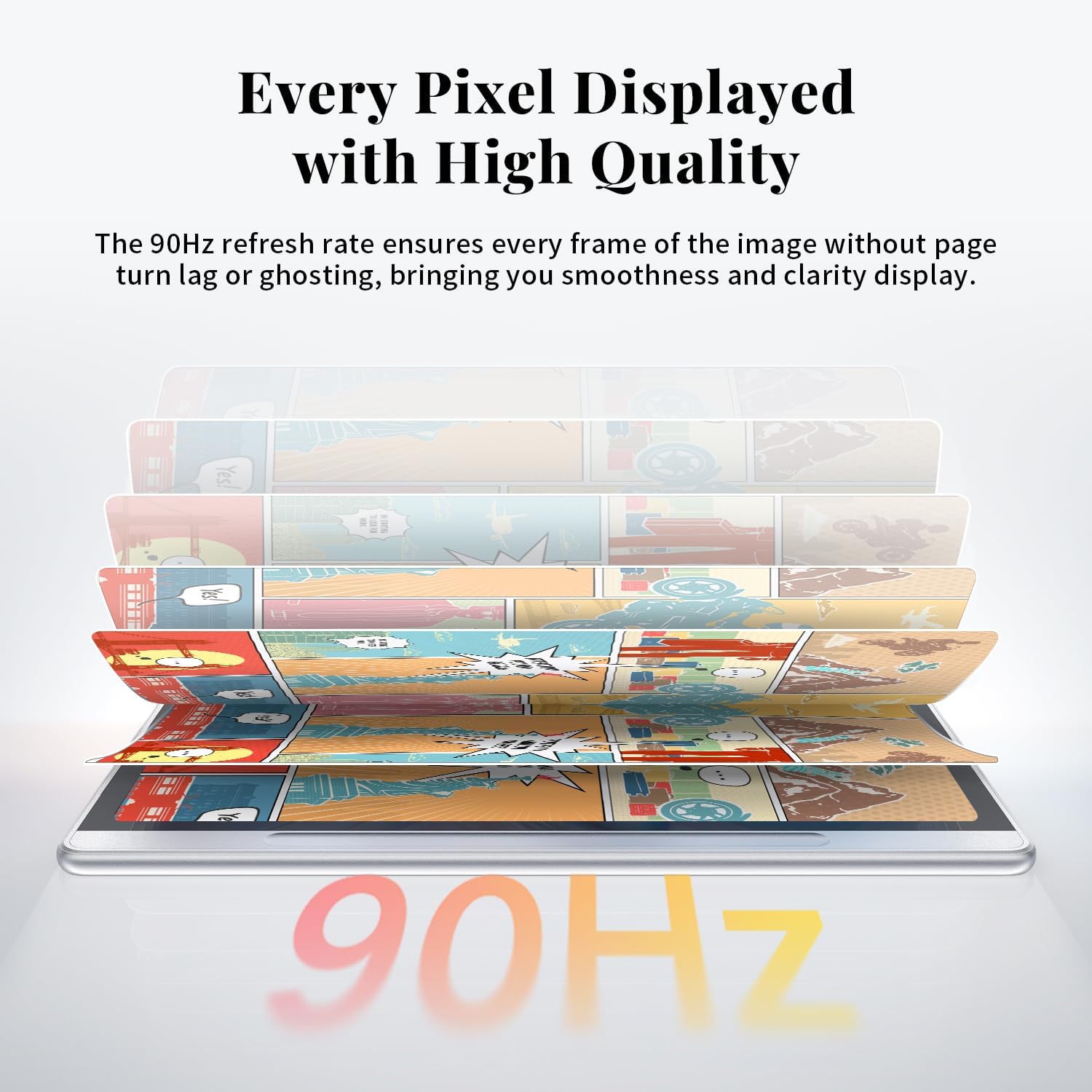
90Hz High Refresh Rate: The digital notebook is designed with a 90Hz refresh rate ensuring every frame of the image without page turn lag or ghosting, bringing you smoothness and clarity display. It also supports the display of 16.7 million colors, a brightness of 400 nit, and minimum brightness, offering a high-quality image for a comfortable reading and writing experience
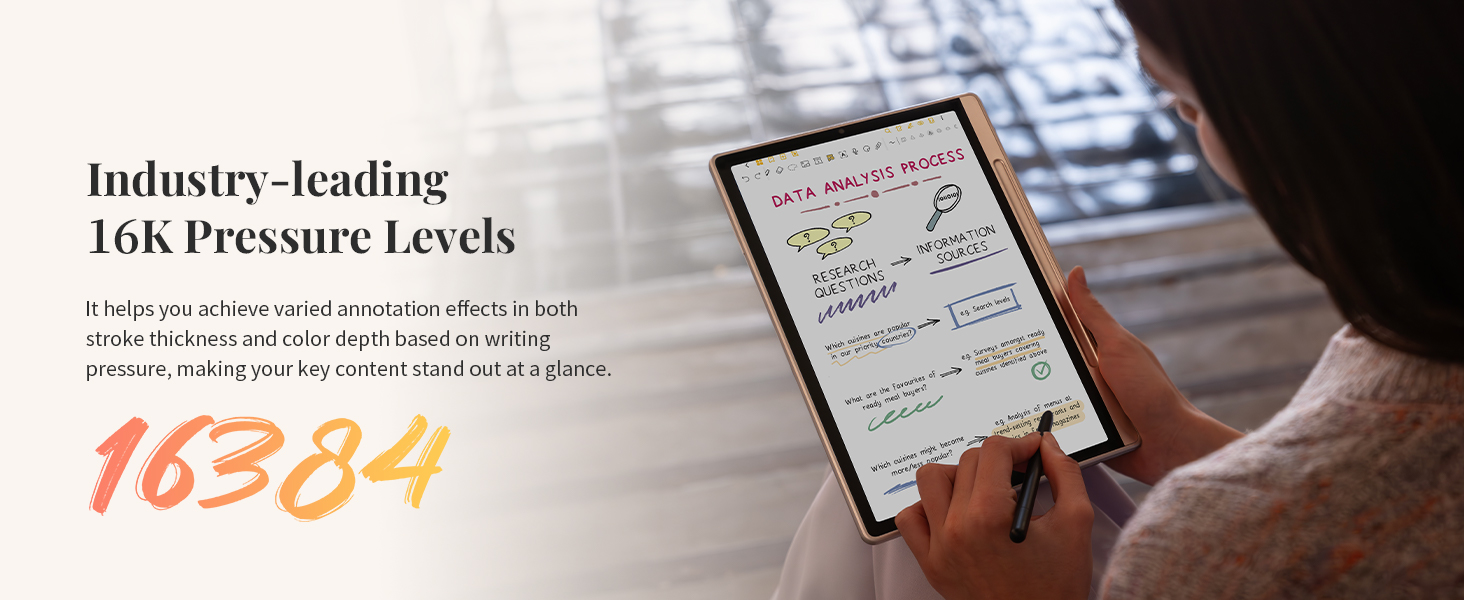
Pencil Upgraded for Noting: The XPPen electronic note-taking tablet is powered by the X3 Pro smart chip, the X3 Pro Pencil 2 features 16K sensitivity and a soft pen nib, which help you achieve varied annotation effects in both stroke thickness and color depth based on writing pressure, making your key content stand out at a glance. The magnetic suction and customized shortcut key enhance your productivity and convenience
Native Note-taking App: XPPen Notes enables you to enjoy seamless note-taking with permanent membership. It supports converting handwriting to text, recording sound, importing and editing PDF files, selecting multiple pen brushes, an AI assistant, waking up the XPPen Notes with one click, saving your notes automatically, and you can choose to upload them to OneDrive or Google Drive, and so on. If you upgrade the system to 1PAE, you can enjoy the new AI Notes functions, which include summarizing the PDFs you upload, converting the key points of AI Notes into flashcards, and pressing the quiz function from AI Notes
System Update: Please upgrade the system to 1PAE to claim the benefit of pre-installed MyScript Notes and MyScript Math. The pre-installed MyScript Notes * converts your handwriting and shapes into typed text and precise form, supporting 66 languages recognition with generative AI to boost learning efficiency. MyScript Math will help you write and solve math with your pen, plot functions, use variables, and edit with a simple scratch-out. It will recognize your handwritten equations accurately for reliable results and easy edits
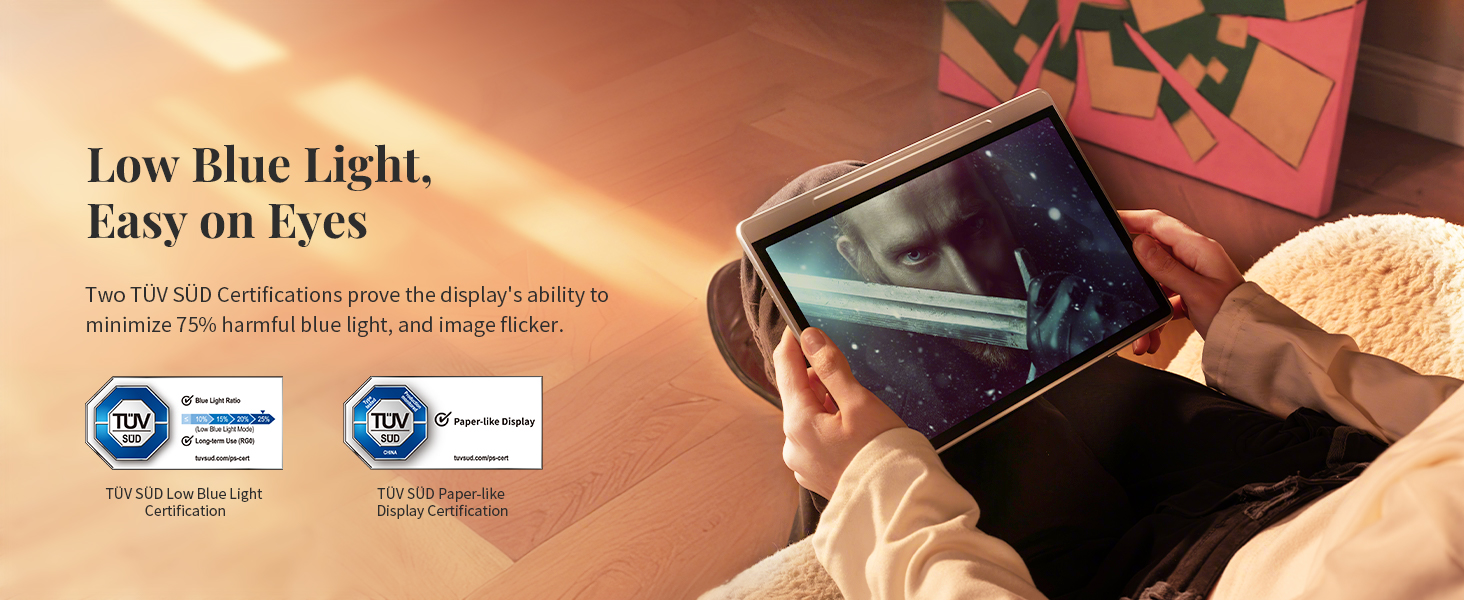
Easy on Eyes: XPPen Magic Note Pad cares for your eyes. It has gained TÜV SÜD Low Blue Light Certification and Paper-like Display Certification. The display eliminates the image flicker and minimizes 75% of harmful blue light effectively, making it more comfortable for your eyes
Android Ecosystem: The digital notepad operates on the Android 14 system, allowing you to download various apps from Google Play. With 128GB of storage, you can easily fulfill your needs for education, office, or entertainment. Please try to avoid running multiple software programs at the same time for a better user experience. The 8000mAh battery with a 20W charger, you can recharge the device quickly and efficiently
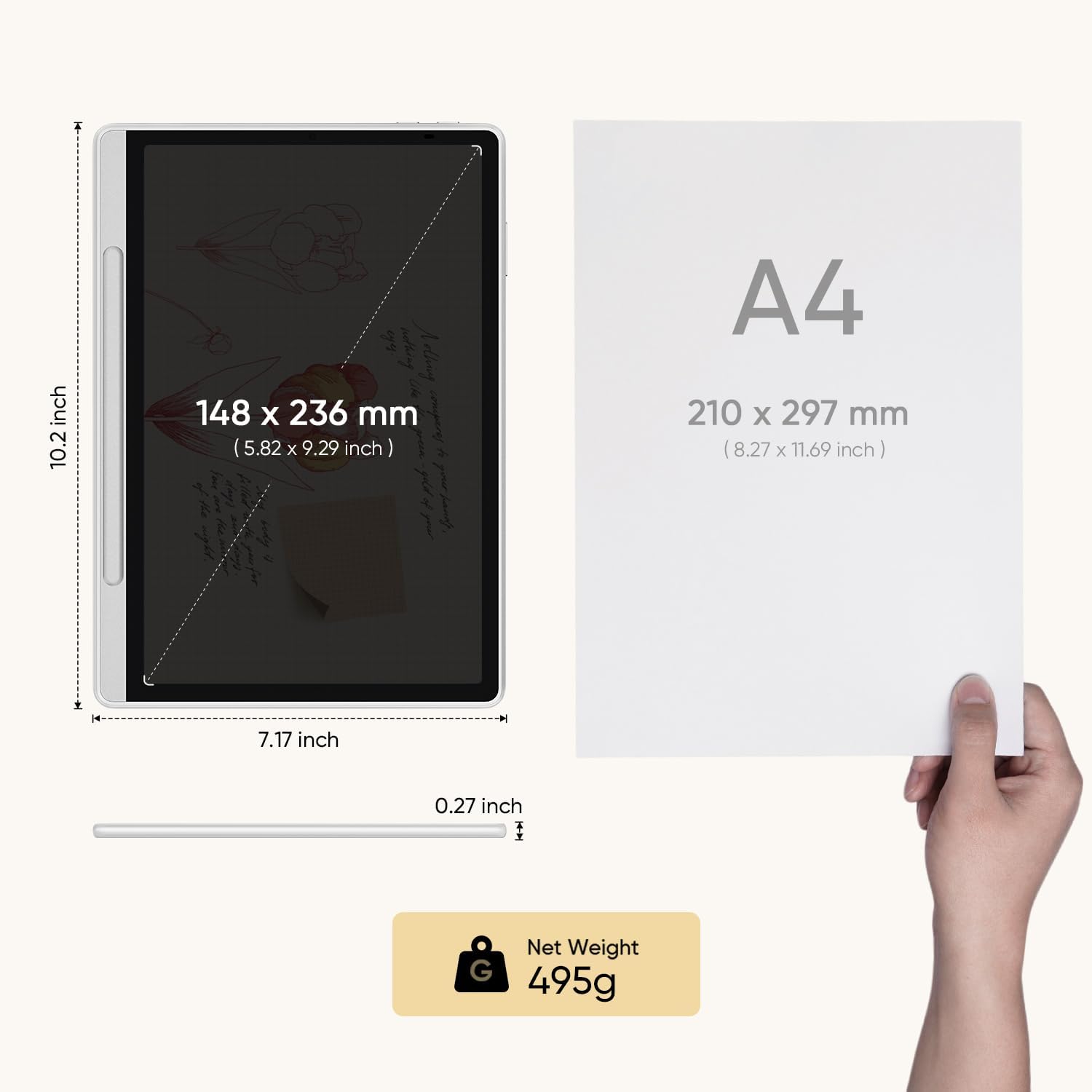
Gears For Remote Meeting: The electronic notebook tablet features a 13-megapixel front camera, two speakers, and two microphones. Weighing only 495g and measuring 7mm thick, you can take it with you on your business trip and start your remote meetings from anywhere
Optimal Viewing Experience: Our product utilizes an etched glass screen on an LCD to achieve a paper-like display effect, hence the narrow viewing angle design. The narrow viewing angle of the etched glass effectively reduces the diffuse reflection and light scattering of ambient light on the screen, providing a clearer, more paper-like, and glare-free experience when viewed from the front. Therefore, for the optimal viewing experience, please try to use the tablet and view it from the front as much as possible
9 reviews for XPPen 3 in 1 Color Digital Notebook 10.95” Paper Note Taking Tablet with 16384 Pressure Levels Battey-Free X3 Pro Pencil 2 Magnetic Folio 6+128GB Magic Note Pad for Writing/Reading/Meeting/Study
Add a review
$259.98
Willy –
Perfect for Students – Feels Like Real Paper, Super Convenient!
As a student who takes tons of notes every day, I’ve tried several digital devices before, but the XPPen Magic Note Pad is by far the best one I’ve used.What initially sold me were the triple color modes (especially Light Color mode, which makes reading comics an absolute joy), but what blew me away was how well it works for note-taking in class. The writing experience is smooth with just the right amount of resistance—it feels like using a ballpoint pen on paper. And best of all? It’s silent. No annoying tapping noises during lectures!One of my favorite features is the ability to tap the locked screen and jump straight into the Notes app. It’s a small thing, but incredibly useful when you need to jot something down quickly. The pen doesn’t need charging either, which is another huge plus.There’s also a built-in audio recording feature, and the handwriting-to-text conversion is a game-changer. I’ve used it to turn class notes into typed-up assignments—no more retyping everything from scratch.If you’re a student or someone who takes extensive notes and reads frequently, I 100% recommend this device. It’s easy on the eyes, super responsive, and honestly just a joy to use.
THX –
Great hybrid Android tablet for drawing, notes and reading
In my opinion, the XPPen Magic Note Pad is a fantastic hybrid device that pulls in the features that I wanted and more that I didn’t know I wanted but truly appreciate.I was looking for a new tablet with a focus on drawing since current tablet is from 2015 and the battery life on it lasts about an hour, so it has to be constantly plugged in. I saw a review on YouTube for the Magic Note Pad that had just recently been released so I went ahead and purchased it since I thought the price was more than fair.The 3 screen modes weren’t something I was shopping for, but I’m really stoked to have it. The full color mode is good, and I use that for web browsing and lite gaming. The second mode is colored paper, which is a washed-out version of full color, and it is easier on the eyes for drawing and note taking. And the third mode is a black and white like e-paper mode that is great for reading kindle books without causing eye strain.The screen has a soft matte finish that makes drawing on it a lot better than drawing on smooth glass. The drawback of this finish is that the viewing angle is narrower, so you must be directly in front of the screen to see it clearly. Being as it’s not a large screen I only plan on using it solo.The pen has 16k pressure sensitivity and is battery-less. Paired with the matte finish on the screen the drawing and note taking experience is really good. I use Clip Studio and Artflow for drawing and I use Noteshelf 3 for notes, and with the how light this tablet is it’s easy to take this along and use anywhere.The only con I have with the device is that it is on an Android OS and there is only a lite version MS Word available, so you don’t have all the editing features as you would on the full blown version in Windows OS.
Vkmicro –
It’s great
Well, all I can say is – it’s genuinely great.The TCL’s Nxtpaper display is quite great.The XPPen’s well, pen, is incredible.The pen has no batteries.The tablet has a magnetic holder for it.It’s comfortable to use.Great to write on.One downside is—it’s not the brightest, and even with the Nxtpaper display, it still isn’t quite bright enough for easy use in the sun.So NO, it is NOT an e-ink replacement.HOWEVER! due to the matte Nxtpaper display, it’s a lot easier to use outdoors or even indoors since there’s a lot less light glare from light sources, unlike normal glass-screen tablets.So overall, I like it a lot.Wait for a sale.Grab it if you see it on sale.Oh and on mine, the case it came with started breaking at the seam within a month… but XPPen’s support is EXCEPTIONAL! THey sent me an upgraded case with 0 issues after seeing the pictures. +1 star for that.For a total of 4 – very usable great tablet and very snappy processor and 6GB of Memory. and 1 star to make it a truly great product for the exceptional customer service.
sdpenaloza –
Great but know its not an e-ink tablet
A Great android tablet for the price. Needless to say need to realize what is being offered though. First this tablet is pretty much a standard screen that has the capability to shift color palettes from vivid colors to muted colors (which maybe nicer on your eyes) to black and white (might be even nicer on your eyes). Needless to say tired eyes is mainly because of refresh rate for me so this can be mainly to eliminate blue lights that might give you headaches and stuff . When sketching black and white screen it does help me a little. Now to cover elephant in the room this isnt a e-ink display but the matte finish on the screen the pen provided gives a pretty nice feel for note taking and drawing. And the provided folio is nice to have to keep the tablet safe. While the battery life is good (a few days of use between uses) it isnt an e-ink and will need to be charged regularly (not like e-ink where you can weeks between charges).I find it to be a great tablet to sketch with although tilt shading isnt a thing because of the way the pen is built. the pen was great for document signing and note taking. Lag is only a bit noticeable in gaming but to be fair tablets with this hardware isnt really meant for gaming but can do some light to medium lifting. (if recording while playing is any indication it is somewhat capable if screen is set to 60 fps)
Dirk Mittler –
I think that some people might be slightly surprised to find that this Notebook is really just an Android tablet – but perhaps a very good one – which has all its special note-taking and sketching capabilities rolled into one specific app named XPPen Notes. As a thank-you for buying a tablet from them, the manufacturer gives its users VIP status within this app. As such, I found the setup to be very easy and familiar. What I decided to do with this tablet was just to start with a clean setup, after which it only showed that 13GB were used by its preinstalled software, so that 99GB were displayed as available to me, to do with as I choose.I think that maybe, if some users find that after an initialization, 50-60GB of storage are already taken, maybe those users mistakenly imported the online profile which they already had from an earlier device with Google? This Notebook offers that because all Google-backed tablets do.Also, where some users complain that the display isn’t easy to read, with me, this just seemed to be an issue with the auto-brightness being too dim. I found that I could make the display brighter in manual brightness mode.Now, the tablet offers a special feature – named NXTVISION – which will make text and graphics sharper even at low brightness. And this technology could be a way to extend the battery life, so that entire books could be read.Yet, I cannot weigh in just yet on how many hours or days a full charge of this battery lasts, because I just received the Notebook this evening.And I was just lucky again, I guess, that I don’t seem to have any stuck pixels.So far, I’d say that this has the potential to be an above-average general-purpose tablet. I’m not disappointed in any way.Dirk MittlerP.S. I finally understand the importance of the Notebook’s Monochrome and Light Colour modes. The LCD is, essentially, a transflective display that actually works, which is easy to read in direct sunlight in either of these modes, where the sunlight passes in through the white parts of the document and gets reflected back by the backlight – rather than to rely totally on the backlight being active as some designs do.I appreciate that the display is easy to read with these settings, which it wouldn’t be in Natural (Full) Colour mode.
Ahmed –
⸻I had doubts at first, but after a month of daily use I’m impressed. Smooth Android software, great stylus (close to paper feel), and solid all-day battery. Price is unbeatable for the value. Downsides: a bit bulky and Android e-note apps aren’t as polished as iOS. Overall, very happy and highly recommend!
sahiba a –
Really happy with this purchase. The build quality is excellent and the stylus feels great to use, very precise and comfortable for drawing or writing. It arrived quickly and was well packaged. I also really like the paper-like screen texture, which makes reading and sketching feel natural. The different screen modes are handy too, it’s easy to switch between reading and note-taking. The companion app from the manufacturer works smoothly and adds useful features.
Gilberto Pulido –
Delivers on what it promise, practical, good price, nothing to complain!
Ashutosh Kaithwar –
Way Better than iPad for Kids & Teenagers, especially if your kid is into drawing