

XPPen 10.95″ Standalone Drawing Tablet Digital Color Notetaking Magic Note Pad for Sketching, Drawing & Notes 16K Pressure Sensitivity Tilt Support 90Hz Refresh Rate Anti-Glare Screen Android 14
$299.99
Related Products


From the brand


XPPen Artist Ultra 16
XPPen Magic Note Pad
XPPen Magic Drawing Pad
Artist Pro Series
XPPen Graphic Drawing Tablets
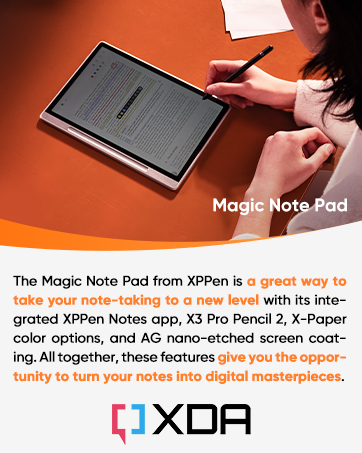



Realistic Sketching Experience: The XPPen magic note pad features a 10.95-inch X-Paper display with AG nano-etching technology, delivering true paper-like texture and friction for natural pencil strokes. Combined with the 16384 pressure levels X3 Pro battery-free Pencil 2, it offers precise control for shading, doodling, and light drawing, mimicking traditional sketchbooks effortlessly
3 Color Modes: The digital notebook comes with 3 color modes. You can use the nature mode to annotate your notes, use the light color mode to sketch, and use the black and white mode to read immersed. One drawing tablet meets your different needs
Vibrant Color Display & Eye Protection: Unlike monochrome e-notes, this tablet showcases 16.7 million colors in Natural Mode. TÜV-certified low blue light and anti-glare technology reduce eye strain during long drawing sessions, while a 90Hz refresh rate eliminates lag for smooth line transitions
All-in-One Creative Tool: Pre-installed with XPPen Notes app (lifetime free) and Android 14. You can download various apps from Google Play for advanced sketching, take handwritten notes in class, annotate PDFs, or read in Ink Paper Mode – perfect for artists, students, and professionals
Ultra-portable & Sandalone: At only 7mm thick and 495g, it slips into any bag, and is very convenient to use on the go. No batteries or charging needed for the stylus – always ready to capture inspiration anywhere
5 reviews for XPPen 10.95″ Standalone Drawing Tablet Digital Color Notetaking Magic Note Pad for Sketching, Drawing & Notes 16K Pressure Sensitivity Tilt Support 90Hz Refresh Rate Anti-Glare Screen Android 14
Add a review
$299.99
Matt –
Premium feel at budget price point
I bought this XPPen standalone Android drawing tablet at the same time as a slightly more expensive Huion standalone tablet, fully expecting them to be roughly comparable.They are not.The XPPen is better in every single way, and it is not close.The pen alone is a knockout. It feels more precise, more natural, and more consistent. No charging the pen ever is one of those things you do not fully appreciate until you go back to a pen that needs charging and immediately hate it. Pressure response is excellent, tilt works properly, and the tracking feels tighter and more predictable than the Huion.The screen is noticeably better too. Smoother, clearer, better contrast, and just nicer to draw on. The 90Hz refresh rate actually matters here. Lines feel immediate instead of slightly laggy, and that makes a big difference when sketching or taking notes.One small feature that ends up being huge: the physical button at the top that cycles between ink mode, full color, and muted color. It sounds gimmicky. It is not. It is genuinely useful, especially for note-taking, marking up PDFs, or switching mental modes without digging through menus like an idiot.The software is where XPPen really embarrasses the competition. Their overlay annotation software is excellent. Clean, fast, intuitive, and actually designed by people who draw instead of product managers who draw boxes on whiteboards. Everything just works the way you expect it to.The magnetic case it comes with feels genuinely premium. Not “Amazon premium,” but actually well-designed, solid, and protective. This whole device feels like it should cost significantly more than it does.After a week of using both side by side, the decision was easy. I kept the XPPen and handed the Huion to my kid. That tells you everything you need to know.If you want a standalone Android drawing tablet, stop shopping and buy this. XPPen absolutely nailed it, and Huion has some explaining to do.
Jacob Mintkenbaugh –
Premium Tablet ★★★★★ Flagship Quality w/ Entry Level Price
The XPPen Tablet (2025) is hands down the best paper-like Android tablet I’ve ever used. The new Next Paper display looks and feels exactly like real paper—no glare, no eye strain, and gorgeous color when you need it. Writing with the stylus feels natural and perfectly responsive, with zero lag and amazing pressure sensitivity. Battery life is incredible, the build is premium, and it handles every app effortlessly. If you want the comfort of paper with the power of Android, this tablet is an absolute game-changer… And after handling the comparable TCL tablet in store, this feels much more premium, looks much more premium, and the case included by far beats the one that may or may not be included depending on where you purchase the other. Sound quality on this was surprisingly good, was not expecting that given it was designed for digital art making or digital note-taking. The setup on this was also easier than expected, I have it set at up an Android tablet in a while, but this tablet did include the option to select which apps I wanted to be Auto downloaded from my cell phone/ main device. For $199, and the fact that it includes the charger, WITH the plug, not just the cord, the native stylus that does not need a battery, with a box of replacement tips, and a premium folio case… The price and value just can’t be beat. The tech specs on this tablet are actually surprisingly good too, so I would recommend this for anyone wanting a premium tablet with paper like feel on the screen, without the premium e-ink display price. I find this to be the best of both worlds, and didn’t have to plop down $900 for some niche brand that is incredibly overpriced to begin with. Thank you for coming to my review and Ted talk, lol.
Blessing –
The Perfect Blend of Paper and Digital
This delightful color tablet brings joy to sketching, drawing, and note-taking with its thoughtfully designed anti-glare screen that beautifully mimics the familiar feel of real paper while being gentle on your eyes. The smooth 90Hz refresh rate creates an incredibly natural writing experience that flows effortlessly beneath your hand. The carefully crafted stylus features impressive 16K pressure sensitivity and tilt support, responding intuitively to your touch and press gently for delicate, thin strokes or add pressure for bold, confident lines. With Android 14, you’ll enjoy exploring your favorite apps like Notability and ibis Paint X from the Google Play Store, making it truly yours. The freedom of its standalone design means you can take your creativity anywhere, whether you’re a student capturing ideas in class, an artist finding inspiration outdoors, or a professional collaborating in meetings. The caring anti-glare screen protects you from harsh blue light, inviting comfortable all-day creativity and productivity. This is perfect for students, artists, designers, and everyone who loves the personal touch of handwriting, this welcoming Magic Note Pad beautifully brings together the comfort of traditional paper notebooks with the exciting possibilities of digital convenience, all at a price that feels just right.
Sherry L. –
Good tablet, but with display issues
Pen performance is great, however I find the display to be too dim, resolution too low and colors a bit washed out (compared to my other devices). For a drawing device this is a big drawback.The tablet is also a bit laggy at 6GB memory. I will keep it a bit more to see if I can eventually get used to it.Update: After further testing, I have decided to keep this tablet since currently the other options don’t quite work for me (i.e. iPad, Samsung, Wacom MovinkPad, as well as XPPen Magic Drawing Pad). This is the only option left so I will keep it.However, the display still leaves much to be desired, and I hope XPPen improves on this in the future.
Greg M. –
Great portability in a small package with good battery life.
Good deal for the price.Small and portable.Feels good to draw on.Great battery life.Matte finish any glare free surface are awesome.Settings are easy to get to in order to customize interface for different uses.Pen has no texture and is easy to drop or click the button accidentally.