

XOPPOX Graphics Drawing Tablet 10 x 6 Inch Large Active Area with 8192 Levels Battery-Free Pen and 12 Hot Keys, Compatible with PC/Mac/Android OS for Painting, Design & Online Teaching Black
$37.99
Related Products


From the brand

Drawing from Your Heart
XOPPOX Graphic Drawing Tablet – Make Your Every Ideas and Creation Come True

XOPPOX is a dynamic and innovative team and have years of experience in drawing tablets. We encourages free creation and have been focusing on providing more functional and affordable drawing monitors and top-tier after-sales service quality.
Our products can help artists, designers, animators to realize their creations faster and more effectively.
Professinal Product Support: Send us message any time if any question and get reply in 24H .
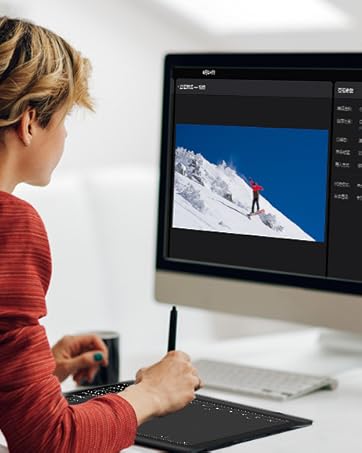
Work with Your Computer/Laptop
Compatible with Mac OS 10.7.0 and Windows Xp, 7, 8, 10 and above

Wide range of use
It is ideal for online teaching, online class, remote work, web conference, presentation and so on.

Work with Android Device
Compatible with Android 4.4 and above

Perfect for student, beginners
Compatible with office software includMicrosoft office Excel, Power Point and most major design software includ Photoshop, SAI etc.
【Broad Compatibility】XOPPOX Upgraded Graphics Tablet is compatible with Windows XP, 7, 8, 10,11. Android 4.4 and above; Mac OS 11 and above (Not compatible with iPhone/iPad/Chromebook) NOTE: for Mac user, Security & Privacy’s permission is necessary for Accessibility/Input Monitoring/ Full Disk Access when installation completed
【No-battery Pen】The graphic drawing tablet come with 8192 levels of pressure sensitivity pen, which makes the line more smoother and natural. This battery-free pen don’t need charge, and you don’t need consider whether the battery will run out, and the package include 20 replacement nibs
【Convenient Shortcut Keys】Designed with 12 customizable shortcut keys and 10 multimedia Keys (Only Compatible for Windows), provides more convenience to help improve productivity and efficiency when creating tablet drivers with graphics tablet that allow shortcuts to many different software
【Easy to Install】When connecting the graphics tablet to the computer, you will find the installation driver on the removable disk of my computer and then install it. NOTE: you need to perform some settings and restart your computer after the installation is successful before use; Please contact our Technical Support Team directly from the official website to get a quick and professional reply if any question about the product
【Wide Range of Use】XOPPOX drawing tablet is well compatible with office software like Microsoft office Word, Excel, Power Point, etc. It is ideal for online teaching, online class, remote work, web conference, presentation and so on. Also compatible with most major software including: Photoshop, SAI, FlipaClip, Medibang, Adobe illustrator, Lightroom and more
9 reviews for XOPPOX Graphics Drawing Tablet 10 x 6 Inch Large Active Area with 8192 Levels Battery-Free Pen and 12 Hot Keys, Compatible with PC/Mac/Android OS for Painting, Design & Online Teaching Black
Add a review
$37.99
jessica –
Highly recommend
These are awesome if you are a digital art person. So many great accessories and works well with tablets, phones, and computers.
Kurtkakes –
Amazing product! and huge thoughts on it!
the images i linked is the program screenshot and a old drawing i made with it!Ive been using this for several months now, for new buyers, you might have seen a review saying the program attached to the tablet is a “virus” … that is completley false! it just boots up every time you restart your pc, this is what the program looks like, tablets require a driver program. another thing, the hotkeys are customizable and easy to use, the only downside is it bugged out when i first got it but it fixed itself after, its really good for its sale price (it almost always goes on sale) and its perfect! even the usable tablet zone is customizable by size if the tablet is too big! and it works with lazy nezumi (stabilizer program, its really good if you have shakey lines, $30 for 4 year liscense)the product itself is sturdy (ive dropped it on carpet a few times, oops) and is well for heavy usage, good for professional use and comes with lots of nibs, screen doesnt scratch and the nibs wear rarely (even after several months i havent changed the first nib, maybe should soon) its comfortable to carry and comes with a stand if you need to use one, the glove isint important, because its not a touch screen, but its still nice if you want to glide your hand against the screen or dont want sweat on itoverall out of ten i would give.. 10! way better than a wacom tablet!
Stents and Ribbons –
A little setup but a great tablet at the end of the day
Been doodling and doing digital art most of my life in one way or another but there’s always been a disconnect between my photo manipulation on the computer and drawings and sketches on paper. Decided to plunge in and try to assimilate the two and you do not want to do that with a mouse so inevitably a tablet was in order. Am I going to even like that? How difficult will it be to look at a screen and draw with my hand separately? Well I wasn’t going to spend a bunch of cash on a tablet to try it out so I caught this one on sale watched some YouTube videos and made the call. The build quality of this seems ok enough I wouldn’t drop it off a building or anything but if you’re doing that perhaps digital art may not be your thing. But everything seems well put together and the tablet is perfectly responsive and MOSTLY easy to use. My only complaint is that it took me about a week of trial and error and various YouTube how to’s to finally figure it all out. For me the issue was I kept losing pressure sensitivity and therefore couldn’t get the tapered lines. I could literally just walk away for an hour and come back and it wouldn’t work it was mildly infuriating but ended up just having to tick the box for “windows ink” in the driver and has been working flawlessly since so if you’re on windows 11 and having that issue check that box. All the extras were a nice bonus as well, just the glove would have been a nice addition but the inclusion of the stand was a very nice thing to have. It’s perfectly fine to just lay it down but having the slight elevation is nice and the stand is good quality metal construction so I’m not worried about breathing on it too hard and it exploding into bits. The pen feels slightly flimsy but I have no plans to mine ore with it in the immediate future and I’m an adult that attempts to take care of my things so it’s not really a concern. I do wish the usb cord was a removable cord but it’s not the end of the world just know that if you mess up the connecting cable you’re pretty borked unless you know how to solder. But again for the price it’s not a huge concern I’d just buy another one and go on about my day. Smaller tablets are just as good and comparatively priced but why wouldn’t you want the larger size? If you want to do your drawings on a post it note go for it it’ll work fine and not even be that awkward but personally I like having all the screen area for the same price. Overall this thing is pretty nice can’t give it a full five stars for the couple small complaints but shipping was fast, product works great after some setup and I would absolutely make this purchase again. Keep in mind your pc power has a bit to do with performance if your using this on an amiga then you might have lag and stuff but if your using an even remotely modern pc (I highly highly recommend the ACEMAGICIAN Mini Pc with the ryzen 7 and 32 gb of ram also available here on Amazon, it’s a beast and the size of a Bluetooth speaker) but none of that is a constraint of the tablet just a heads up if you’re new to this. Get this product and download Krita (a free open source alternative to photoshop) and you’re ready to draw badly like me. That’s it that’s all there really is, buy this.
Mauricio Bedoya Estrada –
Buen producto
Excelente producto, buena compra.
Bonnie –
Good for those really interested in digital art but difficult at same time
Not as user friendly for upcoming artist have you connect it to computer to use
Andrea Jurado –
buen producto
muy buen producto, pensé que se vería lo que mi hijo pinta en la tableta, pero solo se ve en el computador, es complejo de manejar para niños, lo compre para su clase digital de dibujo
Caleb –
It’s Garbage
I am very tech and art savvy. I have used programs like GIMP for along time, and have built my own computer’s with a degree in CS. So please, take my words with a heavy amount of weight when I say, THIS IS ONE OF THE WORST TABLETS I HAVE EVER USED.From design, to product, to software, and the base drivers. The tablet and pen couldn’t stop having issues with the laptop for more than a few moments. Either getting stuck in a constant desire to ZOOM in, or an obnoxious amount of needed unplugging of the device/reinstalling of the drivers to return it to it’s functional state.This product is worthless. I am furious I bought this for my daughter. She was so excited just to be highly disappointed when it couldn’t even go 5 minutes without an issue.I will be returning this for a full refund. OH and the website you can access has no support of FAQ. You can email them, but I got a return undeliverable reply.
Hamaru –
It worked well for about 20 minutes. At first it was super accurate, now its super jittery, everything is clean, I disconnected my mouse and even the keyboard to make sure there were no parasite signal but to no avail. I even use a special glove and put no weight on my wrist at all. Pretty disappointed.In addition, its pretty akward and doesnt feel natural at all to use a pen on a black surface and seeing it move on the screen in front of you. Would recommend saving for a real drawing tablet.
Ok –
Ok