

VIXLW 4K HDMI Capture Card for Streaming,Audio Video Capture Card PS5,Full HD 1080P 60FPS USB 3.0 Cam Link for Nintendo Switch/3ds/Xbox/PS4
$21.99
Related Products


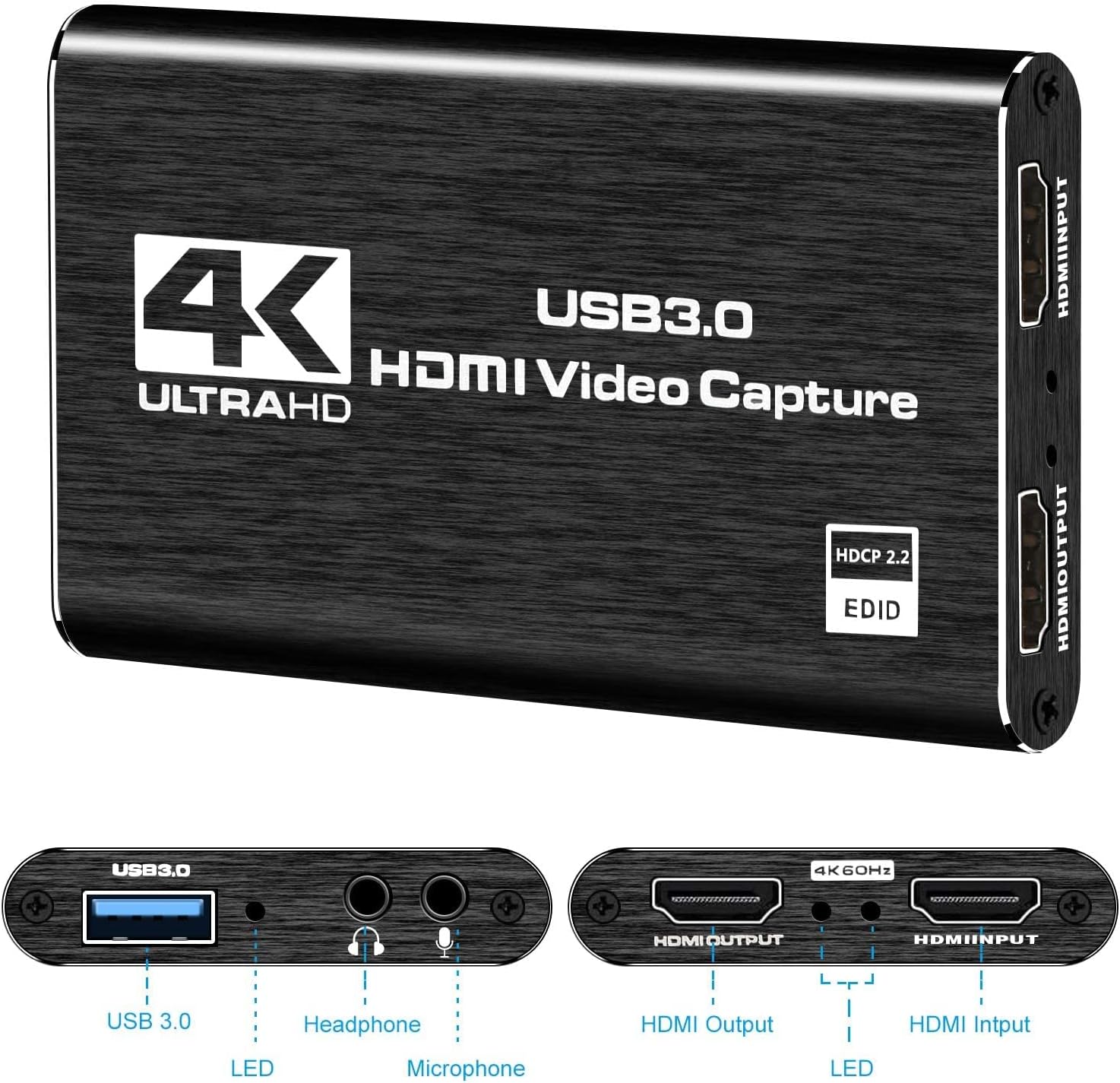


Product description


1 Recording and loop output
2 YUY2 1080P 60PFS
3 USB 3.0
4 Smart Chip
5 Compatible


OBS Studio Setup
1. Open OBS, create a new source under Sources by clicking “+”, select “Video Capture Device”, name it, then set:
Device: USB3.0 Video; Audio Output Mode: Capture Mode Only; Use custom audio device: Digital Audio Interface (USB 3.0 Audio)
2. In OBS settings → Audio:
Disable all Global Audio Settings except Mic/Auxiliary Audio; Set Mic/Auxiliary Audio to Digital Audio Interface (USB 3.0 Audio)
3. Under the Audio tab:
Right-click Mic/Auxiliary Audio → Advanced Audio Properties → Set Audio Monitoring to “Monitor Only (Mute Output)”
4. In PC settings → System → Sound:
Set Input to Laptop Microphone; All Sound Devices → Input Devices → Digital Audio Interface. Ensure it is NOT set to default. All Sound Devices → Input Devices → Laptop Microphone. Ensure it IS set to default.
5. In Discord:
If prompted to switch audio device, choose “don’t switch”; User Settings > Voice & Video > Input > Laptop Microphone; User Settings > Voice & Video > Output > Laptop Speakers.
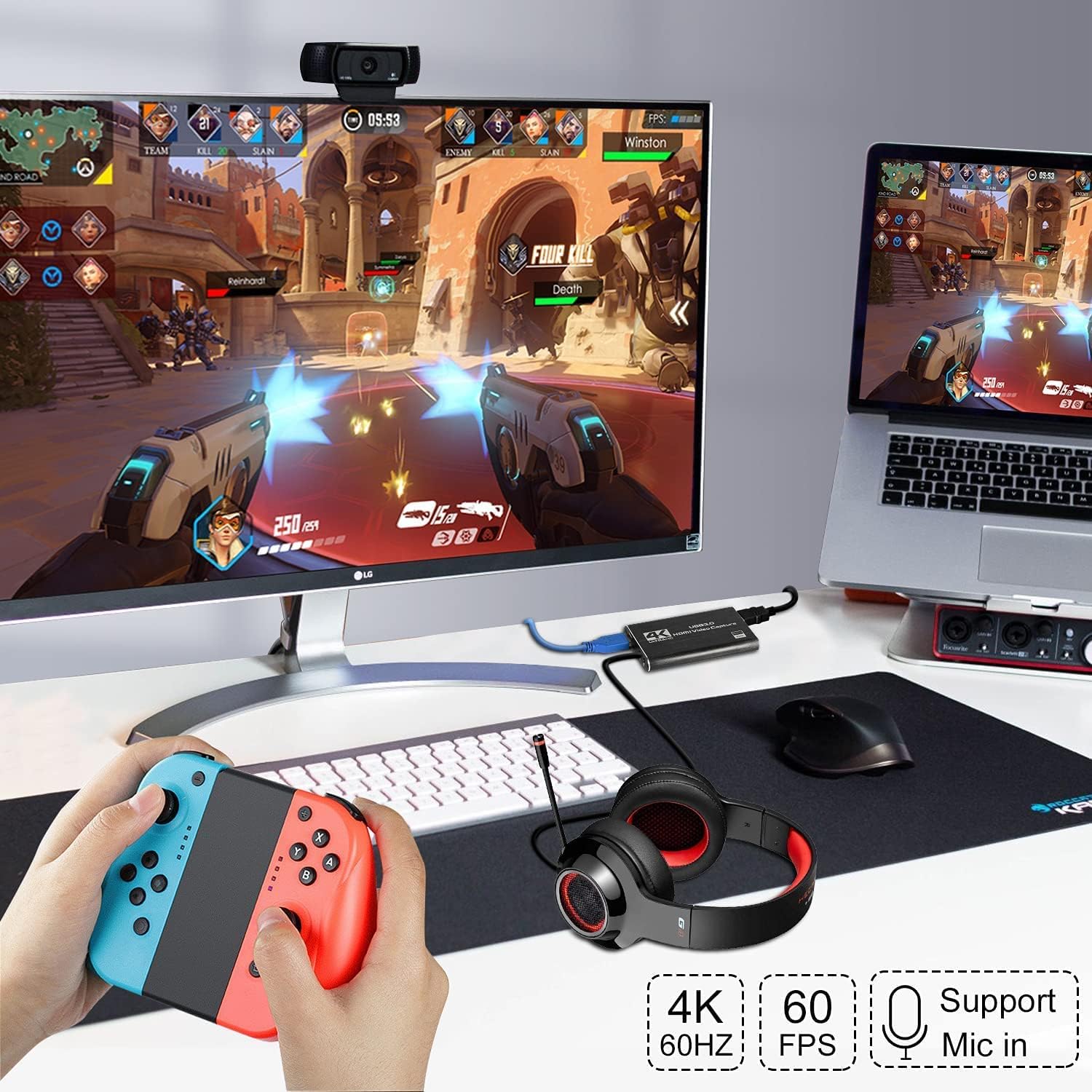
【Full HD Video Capture】 Record your crisp and smooth video in 4K 60fps input and Full HD 1080p 60fps HDMI with this capture card for streaming. Perfect capture card for capturing console gameplay, live streaming, video conferences, content creation and more.
【Plug & Play】 No drivers, extra power, or setup required—just plug in our video capture card and start capturing immediately! Easily record HD content with any streaming software like OBS.
【Wide Compatibility】 Our HDMI video capture card is widely compatible with most computer systems, including Windows and macOS. The fast USB connection ensures Full HD capture with ultra-low latency, preserving your wonderful moments with ease.
【Real-time Capture & HDMI Passthrough】 Capture, preview, and display simultaneously.This HDMI video capture card can capture video and audio in real-time, passing through the HDMI video for preview, storage and screen display. And our video capture device designed for multiple HDMI sources, including cameras, DSLRs, PlayStation, Xbox, Nintendo, and Steam Deck.
【Built-In Mic Input for Voiceovers】 This audio and video capture card features a 3.5mm Mic-In port and Audio Input/Output port, enabling seamless voiceovers during gameplay or streaming. Plug in any headset or microphone to record your commentary live, enhancing your broadcast with high-quality audio.
11 reviews for VIXLW 4K HDMI Capture Card for Streaming,Audio Video Capture Card PS5,Full HD 1080P 60FPS USB 3.0 Cam Link for Nintendo Switch/3ds/Xbox/PS4
Add a review
$21.99
Ryan S. –
Simple, Cheap, and Works Perfectly on Mac for Old Camcorders
The USB Video Capture Card (RCA to USB Converter) works exactly as advertised — no complications, just plug and play. I used it to capture footage from old camcorders, and it worked flawlessly on my Mac.You don’t need any fancy software — just open QuickTime, choose this device as your input source, and hit record. The video quality is solid for old analog content, and audio synced perfectly. It’s compact, inexpensive, and works better than expected.What I LikedWorks great on Mac without extra softwareEasy plug-and-play setup — recognized instantlyPerfect for digitizing VHS or camcorder footageSmall and easy to store when not in useWhat Could Be Better:Nothing major — it’s simple and does its job perfectlyOverallIf you want an easy, budget-friendly way to transfer old videos to digital format, this is a great little device to keep around.Simple, cheap, and reliable.
A&A –
Surprisingly Good! Worked with USB 3.0 Hubs and VLC or Videopad
I was looking at spending $200 to send my VHS tapes to an online digitizing service, so I looked for a different way and took a chance on this product. I found a working, used VCR for $10 (with RCA connections) and purchased this Capture Card for also around $10.I was worried that the capture card said it would NOT work with USB 3.0. Both laptops in my house have USB 3.0 slots. However, this WORKED with my USB 3.0 slots. The instructions were surprisingly helpful for this – after plugging in the USB, I was able to see the Capture Card show up in Device Manager.I did NOT use OBS as the instructions suggested. I saw another review recommend VLC Media Player (which I already have) and was able to capture a 10 minute VHS on that without much of a problem. However, it stopped recording audio on a longer video, so I switched to VideoPad Video Editor (which I already had as well). I had another instance where VideoPad quit recording and I didn’t notice, but I was able to re-record easily.The video files ended up being about 1 GB per minute (I increased resolution to 720×480, which did make a difference). I then re-processed in VideoPad to get them down to < 100 mb and uploaded them online.In summary - this item WORKS. It was PLUG & PLAY, even with a computer that has USB 3.0. I used VLC and VideoPad Video Editor (both free) instead of OBS (nothing against OBS, I just already had these).Overall, I was able to capture 3-4 hours worth of VHS tapes with very little work, and it cost me 10% of what it would have a cost to have a service do this for me. There were a few hiccups that could have been d/t VLC or VideoPad, but re-recording solved them.It was easy, cheap, and effective.
Aryka –
Far Exceeded Expectations!
This converter worked great and the price point can’t be beat. The instructions were straight to the point and easy to follow. I was able to connect from my VCR to my MacBook and digitize all the home videos from my childhood. The image quality was identical to the tapes we recorded and converter continues to capture footage and audio even while the computer is “asleep”.
C Joseph –
Decent product for the money
I’ve noticed that this device does not record interlaced NTSC video. It outputs at 1280 x 720 (16:9) and you’ve got to do some work to get it down to 640×480 (4:3) with the correct aspect ratio. It would have been better if the device gave options of correct NTSC/PAL resolutions. The up and downscaling seems to introduce some artifacting to the picture. Not having TBC, there are occasional dropped frames and/or a rolling picture if the video signal isn’t great especially on older tapes and at the beginning/ends of recordings. Color saturation and brightness suffer, making darker scenes and some home movies hard to see. There is a noticeable hum introduced with the audio but the audio quality is otherwise OK.I’m fairly impressed of the functionality this device has considering its price. That being said, this is a low-cost device, so if you’re not looking for the best quality transfers, this will work fine. If you want better quality transfers, you’ll be better off paying the pros for their services. NTSC content is SD and VHS/Beta has an even lower effective resolution so while the best equipment will capture the video with better quality, it will never be the quality of DVD/Blu-ray.I’ve not had any technical issues with this device running on a Mac with OBS and it is recommended as a great device in the under $20 price range for the average home user wanting to convert old tapes. A bit of technical knowledge of NTSC video, resolutions, video compression, file types, etc., will go a long way in obtaining the best possible transfer quality using this device.I’m giving this 4 stars since it works with no technical issues other than having to resize the video to standard definition. The 4 star rating is also based on this being consumer-grade equipment for home-use. This is not a professional solution.
PlayerOne –
Used my MacBook, was awesome!
Wife found an old family cassette with some home videos from the 90’s with her family. We had a VCR tucked away still, but no way to convert it or get it on to a computer or phone to share with family.Plugged this in my MacBook Pro (need a USB-A to USB-C adapter) and then the VCR connected to this dongle.Opened QuickTime and switched from the FaceTime camera to USB Video, clicked record on QuickTime and “play” on the VCR and it worked flawlessly. Then I Airdropped the video file to my iPhone and now I have that analog VHS tape video on my phone. Super cool and simple! Highly recommend. No need to pay someone tons of money to convert them for you
Moriah –
Easy setup
My dad passed and his old camcorder had tapes I didn’t know how to get the videos to a flash drive. This was super easy to set up and get working. I’m so happy I get to see all the memories that he captured and the ones he was a part of.
Richard –
Fonctionne très bien mais pas de son par le s-video
ممتازة –
لا يظهر الفيديو
桁山隆典 –
①プロダクトキーの文字が小さいので確認しづらい。 (Temuで購入した時、プロダクトキー冊子は無かった)②音声と画像のズレやノイズがあるので保存した動画使えない‼ 今回、プロダクトキー冊子が入ってたので8㎜テープビデオデジタル化期待したが、 海外メーカーなのか期待した品質(昔の映像保存)でなく、残念。 今後、このメーカー利用しない。
Lazymoon –
This is best Reasonable Product with best qualityThis works well with Windows 10 or higherAnd also this works with OBS Studio freelyA Cd Driver available inside to Download its own softwareBest at cheap price
Luis Gabriel Jimenez Huizar –
Tenía mucho tiempo buscando un convertidor que fuera fácil de usar y este cumplió y superó mis expectativas