

TECKNET Ergonomic Mouse, Wireless Rechargeable Vertical Mouse for Carpal Tunnel Right Hand, 4800 DPI 5 Adjustable Levels 2.4GHz with USB-A Receiver, Silent Click, for Laptop, PC, Desktop (Not USB-C)
$21.99
Related Products


Product description
TECKNET RECHARGEABLE ERGONOMIC MOUSE WIRELESS
The video showcases the product in use.The video guides you through product setup.The video compares multiple products.The video shows the product being unpacked. TECKNET Ergonomic Mouse, Rechargeable Merchant Video

 Rechargeable Ergonomic Mouse


1 2.4G Connection
2 Adjustable DPI
3 Wide Compatibility
4 Silent Button(Left&Right)
Silent & Comfy Vertical Mouse: Is THIS the Ultimate WFH Upgrade?
Tired of noisy clicks and wrist strain? We test this vertical mouse: whisper-quiet buttons, ergonomic grip, and 8-hour comfort. Demo + real user feedback inside
The video showcases the product in use.The video guides you through product setup.The video compares multiple products.The video shows the product being unpacked. Ergonomic Mouse Wireless Merchant Video
Vertical Mouse: Honest Thoughts – Ergonic Hero or Overhyped Gimmick?
Can a vertical mouse truly end wrist pain? We test its ergonomic design, scroll accuracy & comfort for coding, gaming & work. Is it worth the switch? Spoiler: Your hands might thank you
The video showcases the product in use.The video guides you through product setup.The video compares multiple products.The video shows the product being unpacked. TECKNET Vertical Mouse Merchant Video
Inside a Vertical Mouse: Close-Up Tech Breakdown (How It Saves Your Wrist!)
Ever wonder how vertical mice prevent wrist pain? We tear one apart to reveal its ergonomic secrets! See the unique sensor placement, grip angles, and science behind pain-free scrolling. Perfect for coders, designers & office warriors!
The video showcases the product in use.The video guides you through product setup.The video compares multiple products.The video shows the product being unpacked. Inside a Vertical Mouse Merchant Video
Why Use a Vertical Mouse?
Vertical mice reduce wrist strain via ergonomic design, promoting a natural handshake posture to prevent carpal tunnel syndrome & RSI. Ideal for prolonged use, enhancing comfort and long-term joint health.
The video showcases the product in use.The video guides you through product setup.The video compares multiple products.The video shows the product being unpacked. Why Use a Vertical Mouse? Merchant Video


Ergonomic Design: This ergonomic mouse promotes a natural wrist and arm position, minimizing hand fatigue from prolonged use. With a vertical layout, the vertical mouse aids in maintaining a comfortable posture, reducing shoulder and neck strain.
Stable Wireless Vertical Mouse: 2.4 GHz technology ensures reliable 10m connectivity with zero interference. Plug-and-play via USB-A Nano Receiver (Not Bluetooth/Not USB-C). Ergonomic design maintains seamless productivity for office/remote professionals.
Long-Lasting & Rapid Charging: Equipped with a 600mAh battery, the ergonomic mouse wireless fully charges in 1.5 hours via Type-C (cable included). The vertical mouse delivers a 2-month runtime per charge(depending on the actual frequency of use).
Silent Ergonomic Mouse Wireless: Silent-click tech eliminates noise in shared spaces (libraries/offices/homes). The vertical mouse is perfect for mobile workers in noise-sensitive environments, blending ergonomic comfort with wireless convenience. Note: The left and right click keys of this silent mouse are silent, and the other auxiliary keys are not silent.
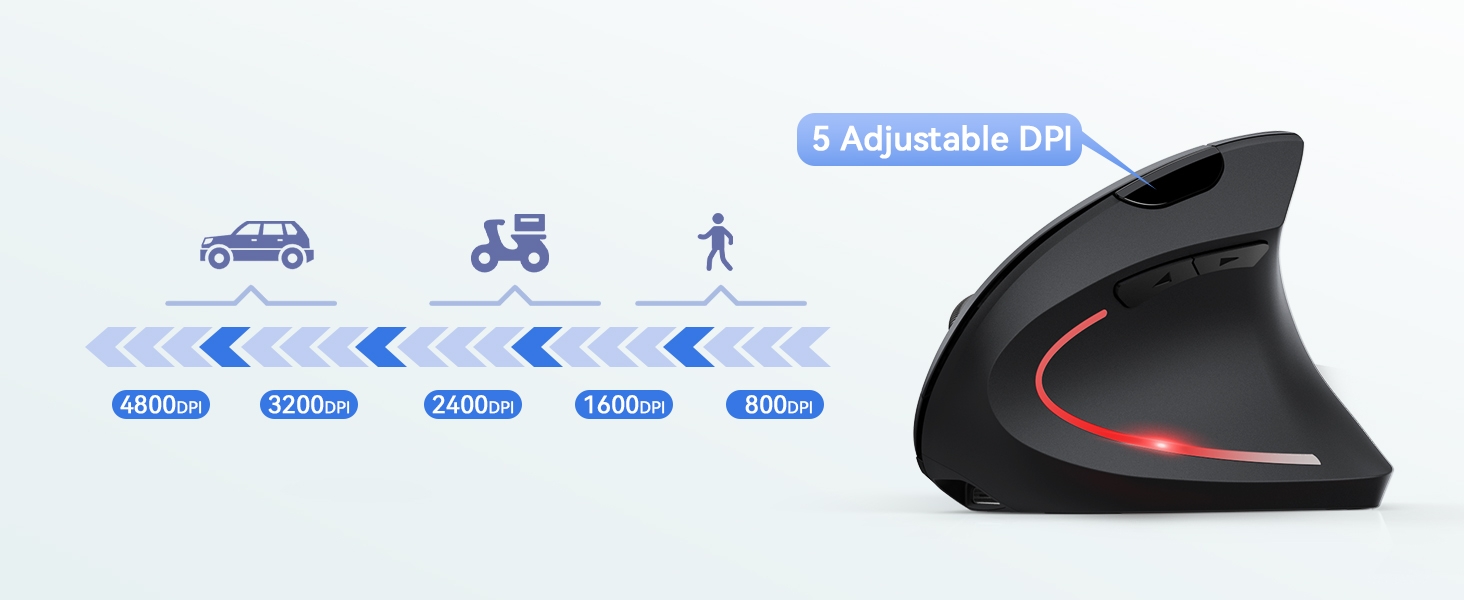
Adjustable DPI Vertical Mouse: 5-step 4800-800 DPI adapts to tasks/habits. Tru-Wave optical tracking surpasses traditional mice with enhanced sensitivity, ensuring precision on multiple surfaces (excluding glass). Professional-grade responsiveness for graphic design/office workflows.
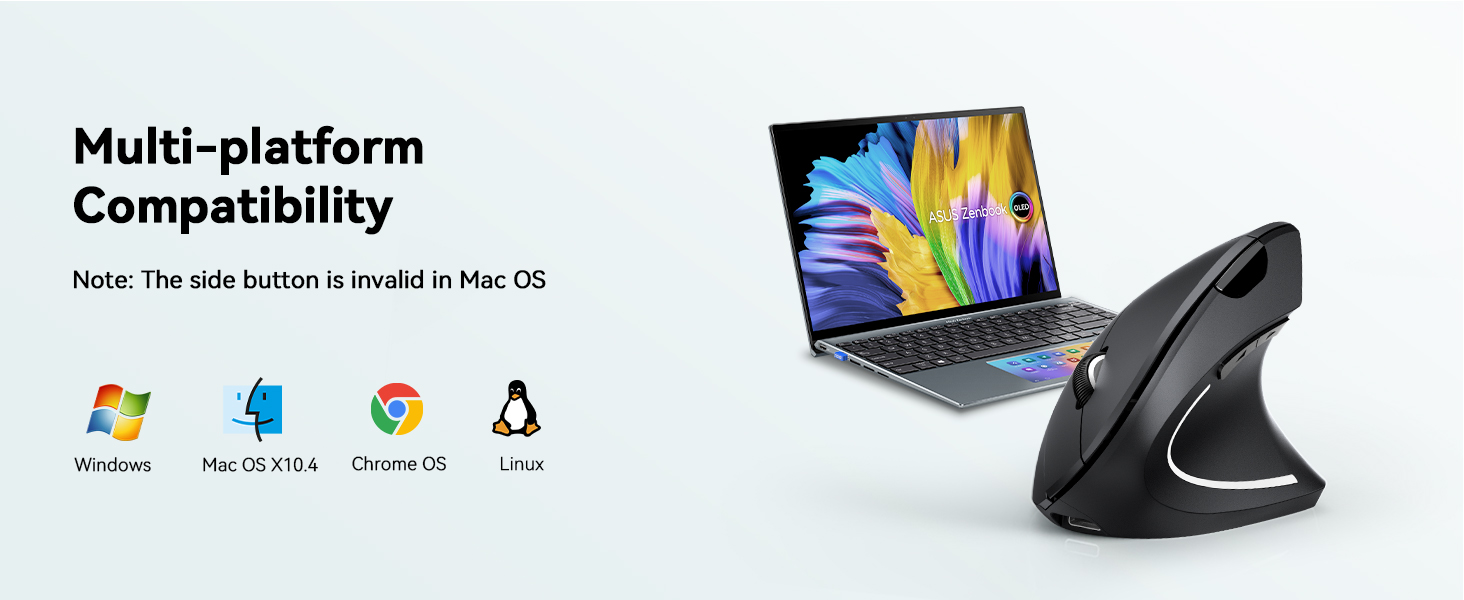
Wide Compatibility: 2.4GHz ergonomic mouse wireless ensures stable connectivity with USB-A devices (desktops/laptops/PCs). The vertical mouse seamlessly fits most computer models featuring USB-A port(Important Note: This 2.4 GHz wireless mouse supports USB-C-A ports and cannot be connected directly to a USB-C port.)
Power Saving Mode: The ergonomic mouse wireless Features an automatic sleep mode that automatically turns off and saves power after 8 minutes of inactivity—click any button to reactivate the vertical mouse.
13 reviews for TECKNET Ergonomic Mouse, Wireless Rechargeable Vertical Mouse for Carpal Tunnel Right Hand, 4800 DPI 5 Adjustable Levels 2.4GHz with USB-A Receiver, Silent Click, for Laptop, PC, Desktop (Not USB-C)
Add a review
$21.99
Ty Gano –
Great Product
It’s a cheap, comfortable, and functional ergonomic mouse. Overall, great product.
Veronica Gonzales –
Really helps!!
Easy set up, smooth glide and so quiet! I have less wrist pain since I’ve started using!
Cj –
Pretty decent and generally silent, but a few minor issues
First of all, I’m comparing this to my old mouse, the Logitech MK550.• Sounds: The left click is truly much more silent than the MK550, but the right click is still somewhat audible (though it’s still about 50% softer than the MK550). Unfortunately, the forward-backward navigation buttons on the left side are not silent at all, and they are about as loud as any other mouse, if not louder. When scrolling, the center scroll wheel is slightly softer, but the sound from pressing it down is louder than the MK550.• Size: Dimensions are slightly smaller than the MK550, but comparable. The product specs list 107 x 63.5 x 39 mm (4.2 x 2.5 x 1.5 in). It’s also fairly light.• Batteries: This only takes 1 AA double (not included in package), while the MK550 needs 2, so that’s a plus. Not sure how great battery life is yet, since I just received this product, but hopefully it’s true to the advertised 18 months.• Ergonomics: The MK550 has more pronounced grooves, so it fits your hand a bit better than this Tecknet one, which has less dramatic curves and sort of resembles a large cowry shell. The MK550 also has slight indentations in the left-right click buttons, while the Tecknet does not (again, it resembles a smooth shell).• Additional: DPI/Mouse sensitivity center button is nice to have, and it seems to be working properly. The aesthetics are fine – it looks like a nondescript mouse you’d see in any corporate office or school setting. Price-wise, this was under $9 for me (I got a coupon clipped). Installation was an easy plug-and-play, as all contemporary mice should be, and the instructions manual was written in proper English (note: I really don’t think you need an instructions manual for a mouse, but frequently, when I do buy a product on Amazon that does need some information, the English tends to be grammatically incorrect or just difficult to understand, so it’s a nice bonus that the instructions are so straightforward).So in general, it’s a great budget mouse that will serve your needs and mostly fulfills its primary selling aspect, the silent clicking (but again, only if you’re considering left-right clicking, which I assume will be most of your mouse utilization).UPDATE – 11/20/2021The battery I used for this mouse just died last night. The battery I used was a completely new Duracell Optimum battery (the one that looks like it has stripes around it), which I picked up from a random store (I think it was a CVS). So anyway, that means the battery lasted almost exactly 5 months for me, not the advertised 18 that it says on this description. Additionally, I work from home, so I’m constantly on my computer. Perhaps my battery wasn’t great in the first place (though Duracell tries to market their products as the best…). Regardless, I never really believed the 18 month statement anyway, especially with my usage, and 5 months isn’t too bad. Just wanted to include this additional heads-up.
michael e jeromin –
well made
get item. helped with wrist pain
Hope R. –
Wireless mouse
This mouse works great. It is comfortable to hold and maneuver. Overall, I would say it is great product for money.
Tony Wilbanks –
The ergonomic design really does make a difference!
I work on the computer, but I work from home, so when I saw a secretary using this funny looking mouse, I asked about it. She said it was an ergonomic mouse and it was designed to be easier on the wrists. She said it did help, so I looked them up as soon as I got home. This one had great reviews and a surprisingly good price so I ordered it. I used it for about 6 months and absolutely loved it. Then I moved and suddenly mouse stopped working. Since it had helped me so much and I had gotten such a good deal on it, I decided to buy the same one. I’m not easy on my electronics, so I figured it was my fault. I got this one yesterday and I was over the moon! I waited two months hoping my other mouse would magically start working again before a broke down and got another one. I opened it and plugged it in but it didn’t work. Then I remembered it was wireless and this was the charger, so I hooked the other one up to Google how to set up a new mouse on my IMAC. That’s when I noticed the little USB and realized that it dropped out of my computer in the move! So now I have two!! I’m glad to have a back up for when I do tear one of them up b/c it was not easy going back to regular mouse after using this one! Perfect size, grip, all around good feel, love the design and the way the buttons handle.
ME –
Quiet beeping and cursor speed
Nothing wrong with how it feels, but the cursor speed I want is right in between two settings so it’s either a little fast or a little slow. Also, something that really drives me crazy is a veeerrry quiet beep that the mouse makes when you move it. So I’m going to return it for that reason. If you have any music playing or headphones on though, you won’t hear the beep.
Pankaj –
Works great, easy to get habituated to once you start using it
my old mouse was the usual flat style, but I wanted to always give a try to this ergonomic design and I must say this one is great once you get a habit of using it. The battery life is great, and its quite smooth with various levels of speed. The only issue if I can point is that the connecter is the old USB. Now Mac does not have those USB slots anymore so I had to use a connecter from old USB to USB-C. They should either give the connecter in the box, or change the connector to USB-c
Galex –
La scheda di rete del mio portatile ha iniziato a dare problemi per un falso contatto nella presa integrata (dopo quattro anni di attacca e stacca ogni giorno), fortunatamente questo dispositivo mi ha permesso di risolvere la situazione in maniera eccellente.La rete è velocissima (è un 10/100/1000) e per farlo funzionare su Linux Ubuntu 14.04 non ho dovuto installare nessun driver, semplicemente tolto dalla scatola, inserito nella porta USB e attaccato il cavo di rete, va che è una bellezza.In altri commenti lamentano che l’oggetto ricevuto è diverso da quello in foto, probabilmente hanno preso il modello senza porta di rete perché questo che mi è arrivato è perfettamente identico.E’ solido con scocca in alluminio anodizzato, è di ottima fattura ed ogni componente è ben salda all’altra.Le prese USB sono molto buone, le spine si inseriscono senza difficoltà e restano ben ferme garantendo un buon contatto.Il cavo USB forse è un po corto (circa 20 cm inclusa la spina), ma allungando il cavo diminuirebbe la banda quindi la velocità di trasmissione dei dati, perciò è ragionevole che sia così.Poco sopra alla prima porta USB c’e’ un forellino da dove filtra la luce di un led blu che si accende quando il dispositivo è collegato alla porta USB del computer, mentre per la rete ethernet non è presente alcun led di segnalazione.In definitiva lo consiglio vivamente, funziona bene senza dover installare alcunché, la qualità dei materiali è ottima ed il prezzo pagato (16,99 € con spedizione Prime inclusa) appare più che onesto.Un applauso alla logistica di Amazon che ha battuto se stessa consegnato in un paese di provincia in meno di 20 ore dall’acquisto.
Dave Francis –
It’s a great mouse, works flawlessly with my 2017 iMac. I didn’t have to do any reconfiguring of buttons ( I prefer a right button click), I guess it uses the Mac’s Prefs for that. I don’t know how well the battery will last as I’ve only just got it.My only problem with this item is, from the photos it looks like a proper sized mouse, but it’s actually made for people with tiny hands, which is a bit disappointing. I guess I should have taken more notice of the dimensions.Also, although Amazon advertise it at a cost of $18 it actually retailed at $40.29 – more than twice as much!
Simon Grimsey –
Well-made item with a choice of Bluetooth or wifi (via a supplied usb dongle) connectivity to your laptop. I use Bluetooth and it worked immediately and seamlessly. There is a nice ‘dpi’ feature via a button click which changes the resolution of your mouse positioning to accommodate fine movement (e.g. for detailed drawing) up to rapid sweeping across ultra-wide monitors without requiring long-distance mouse travels. There are a couple of buttons on the side for forward/back browsing as well as the traditional left/right and clickable scroll wheel on top, and all fall neatly under fingers/thumb and give a positive response. Easily as good as other devices costing twice as much or more.Battery life seems good too – over a week of office-style 9-5 use – although there is no indication of charge level until you get very low, when a red warning light appears.
Danilo –
Per rapporto qualità prezzo probabilmente è nella media, simile a tanti altri prodotti analoghi; Ho avuto ancora modo di provarlo per pochi giorni ma posso dire che tutte e 3 le prese USB 3.0 funzionano correttamente anche con prestazioni discrete in termini di velocità di trasferimento, l’ethernet è molto comoda, plug&play (almeno sotto windows 10), in tutta sincerità non saprei però dire se in termini di prestazioni e velocità di navigazione perde qualcosa rispetto ad una normale scheda di rete. Mi ritengo comunque pienamente soddisfatto, non la reputo una soluzione definitiva, deve essere al contrario uno strumento da utilizzare in situazioni di particolare bisogno (ad esempio se si è in viaggio e si dispone solo di connessione via cavo), in quel caso però per la navigazione ordinaria va più che bene. L’oggettino è anche esteticamente gradevole, poco ingombrante, il corpo metallico da la sensazione di discreta robustezza. Ho solo un appunto da fare, mi è arrivato con le prese usb parzialmente ostruite, cioè il corpo metallico a cui ho appena accennato aveva i fori che andavano in parte a coprire le prese usb. Fortunatamente è bastato forzare un poco il rivestimento esterno per farlo “scivolare” di qualche millimetro in modo da scoprire completamente le prese. Niente di grave, un piccolo difetto ma questo è quanto.04/04/2017: Devo apportare un aggiornamento in merito al difetto che ho riscontrato e che ho accennato nelle righe precedenti; Sono stato celermente contattato dal venditore che si è scusato del problema, e benché io avessi comunque risolto il problema con poco, ha voluto provvedere al rimborso per intero dell’oggetto. La cosa mi ha sorpreso positivamente, raramente si trova in giro un venditore così serio e attento alla soddisfazione del cliente. Veramente consigliato !!!!
mahdi –
soundless and super comfortable