

RK ROYAL KLUDGE RKS70 Ergonomic Split Mechanical Keyboard, Wireless Bluetooth/2.4G/Wired Keyboard with Wrist Rest, 75% RGB PC Gaming Keyboards for Win/Mac, Hot Swappable Silver Grey Switches, White
$99.99
Related Products






Product description
The video showcases the product in use.The video guides you through product setup.The video compares multiple products.The video shows the product being unpacked. hero-video Merchant Video
 Ergonomic Wireless Keyboard
By splitting the keyboard into two separate parts, the ergonomic keyboards allow you to position your hands more naturally, reducing over-extension of fingers and shoulder internal rotation
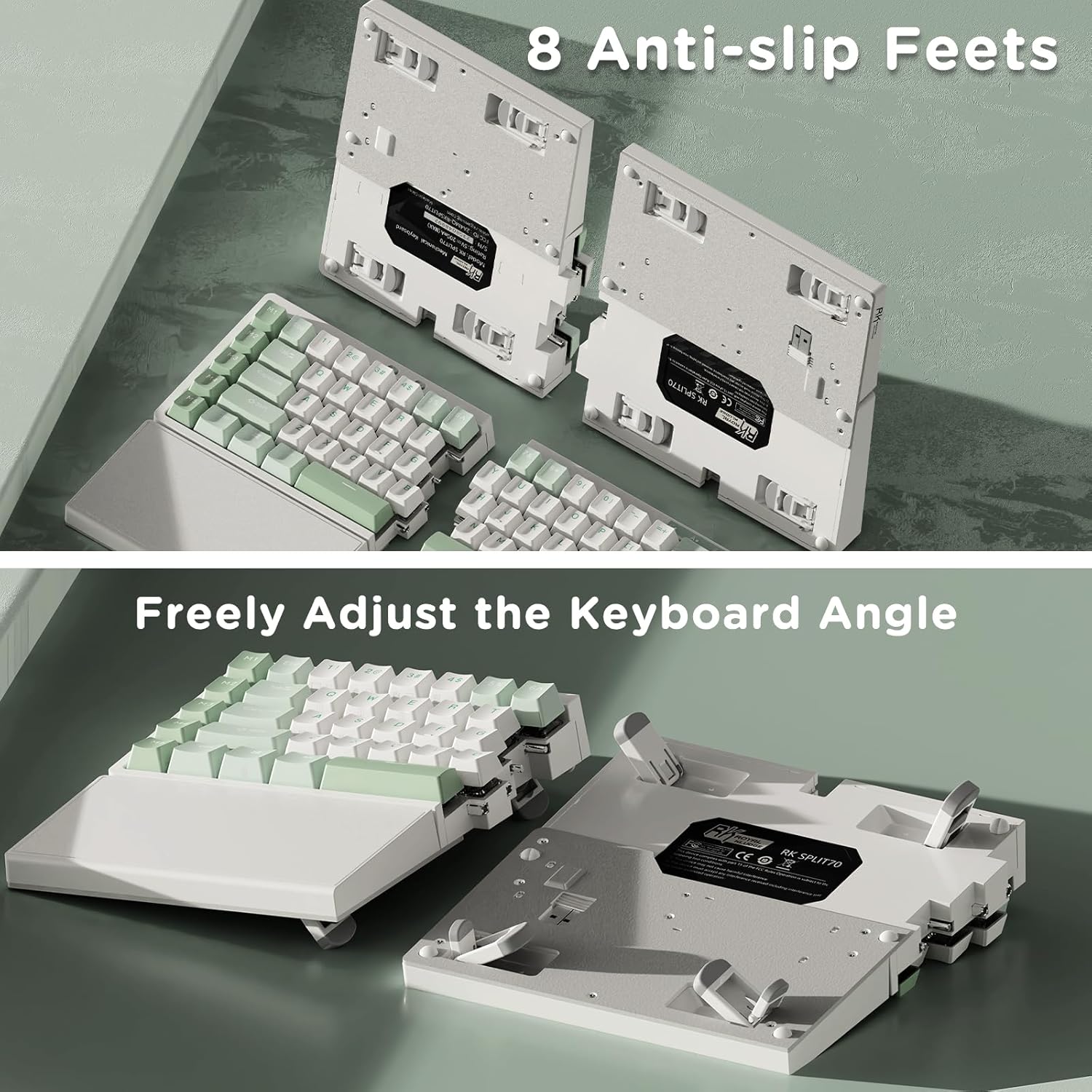
 Freely Adjust Angle
8 Anti-slip Feet, 2-Level Adjustment
By raising or lowering keyboard feets, you can customize the bluetooth keyboard tilt to ergonomic preference, enhancing comfort during extended typing
 One-Handed Gaming Keyboard
The left-side mechanical keyboard contains a battery, retains wireless connectivity and macro key functionality, enabling one-handed use
Tip: Right Half Requires the Coiled Cable Connection for Use


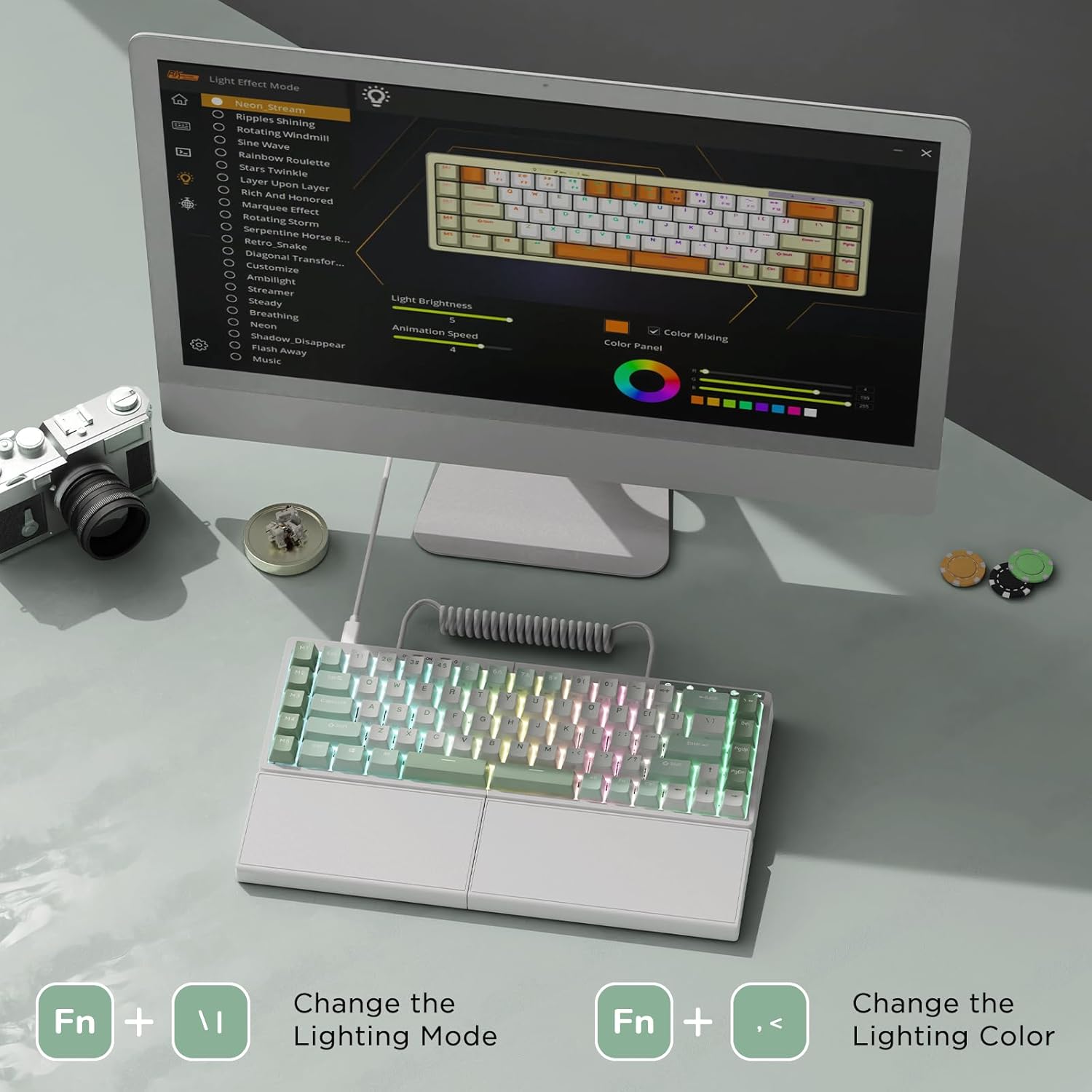
 Universal Keyboard Software
en.rkgaming.com/download/1/
(Please use the keyboard software in wired mode on Windows systems.)


1 Software Support
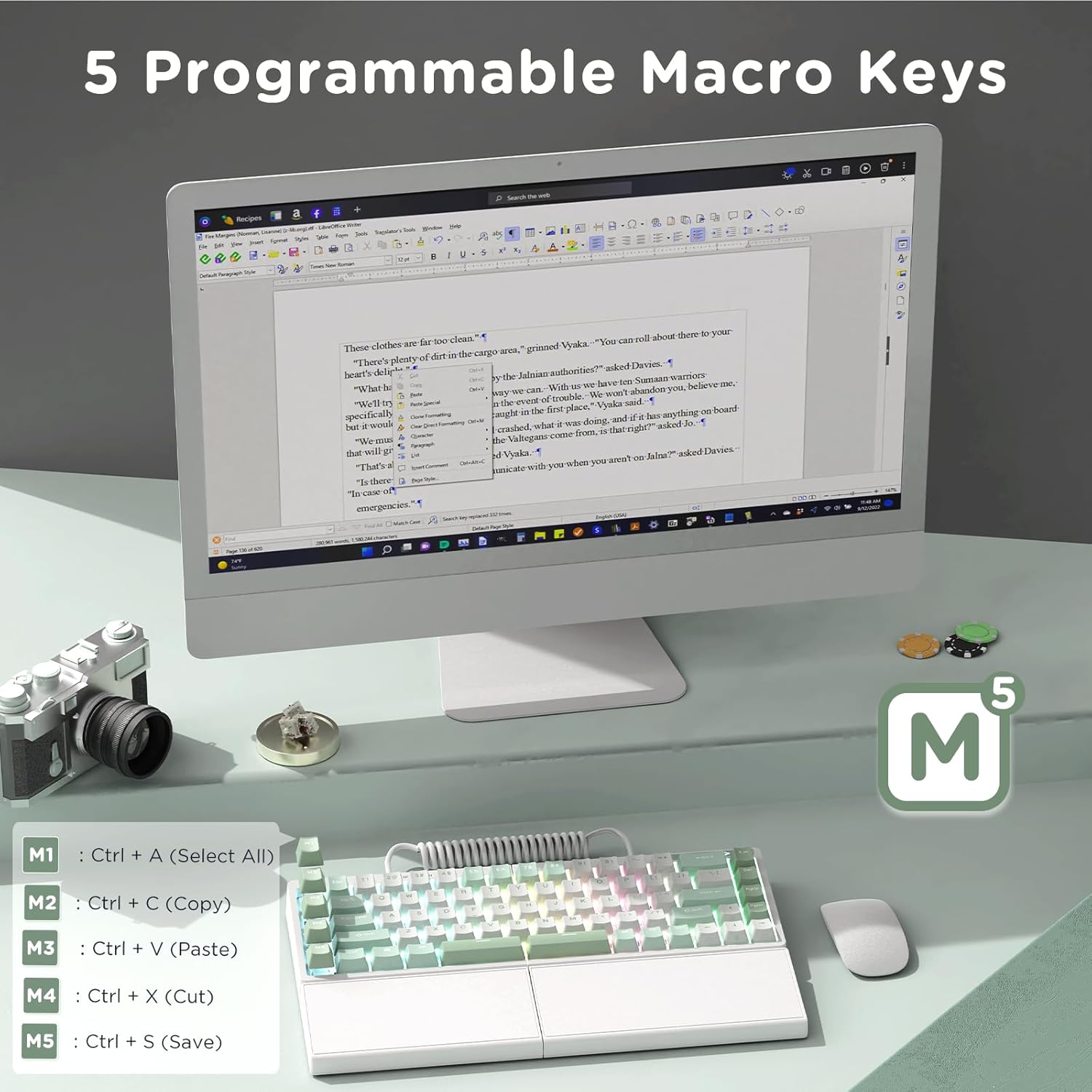
2 Dedicated Macro Keys
3 RGB Backlight


They offer smooth, consistent keystrokes, great for gaming or for those who like a responsive feel
1 75 Percent Layout
2 Hot Swappable Keyboard

How to download the split mechanical keyboard software?
Official universal software: en.rkgaming.com/download/1/
Or use the custom driver: bit.ly/RKRGBSOFT
Please note: The software is currently available for Windows only.
How to disable sleep mode on the rgb gaming keyboard?
Open the software, click on the “Lighting Effect Mode”, and then slide the “Sleep Time” setting to “No Sleep”
Do the right half wireless keyboard require the cable to be used?
The right keyboard needs to be connected to the left keyboard with a coiled cable or a connecting cable. The right keyboard cannot be used alone.
Is the wrist rest on the PC gaming keyboard fixed or removable?
The wrist rest is fixed, cannot be removed
【Ergonomic and Split Design】Thanks to the split keyboard design and 8 adjustable keyboard feets, you can freely adjust the tpying angle of the wireless ergonomic keyboard according to your comfortable input posture. Plus with the thick integrated wrist rest, it provides full palm support and comfort typing experience for hours working. You can also use it as a non-split keyboard by linking the two halves with the coiled cable. Secords to convert the split game keyboard whatever you like
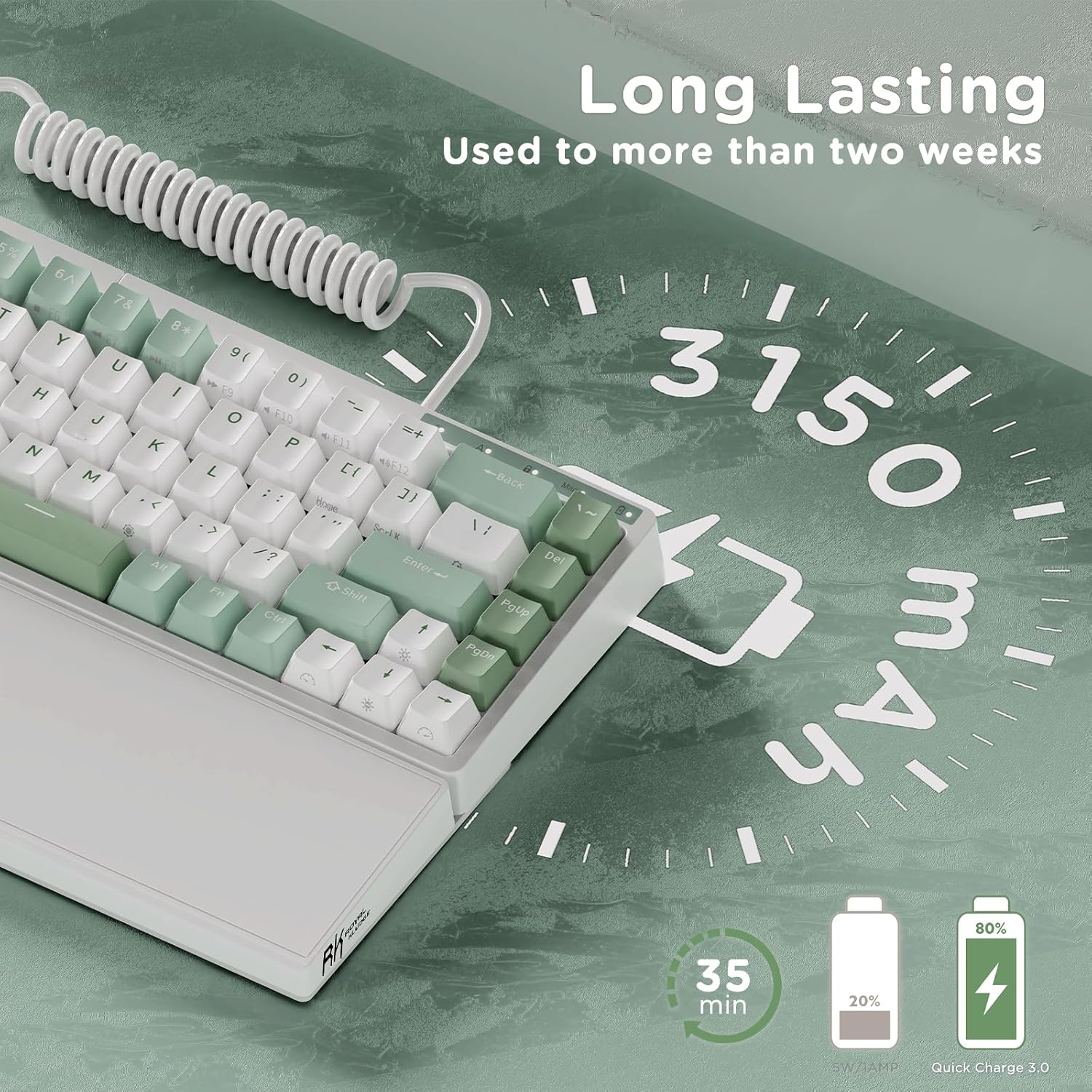
【Tri-Mode Wireless Keyboard】RK S70 split mechanical keyboards support with 2.4Ghz Dongle/ Bluetooth 5.0/ USB wired three connection modes. Equipped with a 3150 mAh large capacity battery supports the RGB gaming keyboard for hours working
【Quiet and Responsive Mechanical Swithes】The RK S70 wireless gaming keyboard adopts with silver linear switches, that are a favorite choice for pc gamers. Quick silver mechanical switches are more sensitive than red switches. Moreover, you can DIY your own 75 percent hot swappable ergonomic keyboard, as it offer 3/5 pin hot-swap PCB socket
【Macros Key & RK Software Supports】Activating macro key with a stroke enables quick responses. Enhancing your efficiency in work and gaming with 5 dedicated programmable macro keys on the left side of the wireless mechanical keyboard. You can set up macros, remap keys or RGB backlit mode on windows computer through RK Royal Kludge drive
【Wide Compatibility】The bluetooth gaming keyboards are compatible with Windows, Mac, and Android systems, that allow seamless switching between laptops, desktops, tablets, smartphones, and other devices. What’s more, the RK S70 RGB mechanical keyboards design with light indicators in the upper right corner, allow you to visualize in checking function key switch, caps lock, WIN/MAC mode and battery status
5 reviews for RK ROYAL KLUDGE RKS70 Ergonomic Split Mechanical Keyboard, Wireless Bluetooth/2.4G/Wired Keyboard with Wrist Rest, 75% RGB PC Gaming Keyboards for Win/Mac, Hot Swappable Silver Grey Switches, White
Add a review
$99.99
Jeremy –
Truly a great keyboard if you require TKL and ERGO like I do
Ok, just the name “Royal Kludge” had me wondering if I should buy it. I had never hear of them but, my options were few and far between for a TKL/Split ergo mechanical keyboard with hot swap switches. It seems that NO ONE targets the market of people that really need split/ergo keyboard and mechanical for an affordable price.TLDR> If you are looking for something to replace Microsoft Sculpt/natural style keyboard, you want mechanical with hotswap switches, but you don’t want to spend $200+, this IS the keyboard for you. Buy it. Some reviewers are upset that the keyboard goes to sleep after 5 minutes of inactivity, it’s not a big deal really. Click any key and it’s awake again. If it really bugs you, you can get RK to send you a new firmware so that it doesn’t sleep.Pros- This is a very heavy/solid/well constructed keyboard. I was shocked at how dense and “quality” it felt when taking out out of the packaging, the packaging was also very high quality.- The brown switches that it comes with were great for typing speed and accuracy (office work). not sure what brand they are (white labeled), but they were definitely good enough for every day typing and occasional gaming.- It has three modes, wired, 2.4ghz wireless and bluetooth. I tested wired and 2.4ghz. Both seemed plenty fast and reliable. There are some cool function features in the keyboard to monitor keyboard battery life etc. But I’ll mostly keep it plugged in because I want low latency and no interference issues.- The tenting system is really good for ergonomics. It’s VERY sold if you use the highest setting and split the keyboard out. No issues with keyboard wobble etc. I have it sitting on a soft corsiar mat on the desk and it’s perfectly solid.- The included wrist rests that are built in to the keyboard make it so much nicer to type on than those other small mechanical keyboards. Most people don’t realize how bad the ergo is on smaller mechanical keyboards that don’t have a wrist rest like this one. It’s solid, part of the frame, and doesn’t wobble at all. Great design.- Price was great. I think with a coupon on amazon I paid about $79. This keyboard is well worth that.- Switches/frame are easy to swap or replace. Everything is very solid and easy to modify if you need to.Cons- The software was a bit hard to find but I found it nice/good enough, if you visit the RK website that is not dedicated to just gaming keyboards, you’ll find the software to program the macro keys. There are two places you can download RK software, you have to find the less popular site to find the software for it. Version 4.0.5 worked with this board.- The keycaps and switches they used aren’t top tier, they are middle of the road, not bad, not great. They definitely will get you buy and get you started on your mechanical keyboard journey. I found the default brown switches to have a really nice typing experience. They are very predictable, I can still type quickly with very few mistakes on the board, no issues quickly learning the layout coming from other TLK/Ergo (MS Sculpt).- The keycaps don’t allow the light to shine through, so while you get really nice RGB effects and settings, if you are in the dark you can’t actually see which keys you are typing on. It’s not really an issue if you have lights on or natural lighting in your office. You can swap the keycaps for shine through sets for about $11.- Because this is a split keyboard, the spacebars on both sides are 3u in size. It has been very challenging to find anyone that makes aftermarket keycaps that are 3u in size, and you’d need two if you were wanting to replace the stock keycaps with something else. I believe all other keycaps on this board are easy to replace in most kits, but it’s something to consider. You can always leave the spacebar with the stock caps and replace all of the other keys I suppose. It seems like once you go to a split keyboard design, it’s just harder to find things for it no matter what brand it is. I think they should have probably gone with a 2.75u, much more common.Overall I can’t say enough good about this keyboard for the price range. If you absolutely need a TKL/ERGO keyboard like I do for health reasons and you don’t want to spend the $200+ on the other brands, this is a great buy, you won’t be disappointed.
Sre.ger –
Nice keyboard. Robust design. No, you can’t remove the wrist-rest. Notice non-standard layout.
I like this RK-Split70 keyboard. I’m using this review to get a little more acquainted with it. I think it’s a good value for the price. I wanted a new mechanical keyboard and decided to try a split layout for the first time because I have broad shoulders and spend a lot of time coding and writing. I am still adapting to the key layout, but so far I’m pleased overall.The board feels solid and robust.The RGB lighting is pretty.Now for criticisms and complaints, insights and caveats.- A main complaint is that the tertiary key function labels are nearly impossible to read on the darkest color of key due to low contrast.- I sure wish the lettering was translucent so the backlight would shine through. It would help with visibility, which is kind of annoying when you’re learning the new key layout.- Due to the compact size of the keyboard, there are a lot of keys mapped to key-combos (Home, End, all the F keys, etc). I think it was a really weird choice to put the `~ key on the upper right.- I do wish that the keyboard had a little more real-estate and a fuller set of keys, particularly home and end, and a little more tactile-friendly design (a little space around the arrow keys so you can ID them by feel easier, for instance). However, those are all design choices and other keyboards exist if those preferences really matter to you. So far, I’m happy to map the keys I wish were native to the M1-4 keys using the Royal Kludge software. FYI, there is no software option specific to the S70 on their website, but you can download one of the latest versions and it will work with the keyboard.- I wanted to remove the wrist-rest just to have a less-chunky option, but you can’t remove the left-side. There is a wire connecting the main board to the rest. I’m assuming that wireless transmitters are in that wrist rest, and possibly the battery.Overall, I’m pretty stoked.
Yubo Allan Diwu –
Amazing value
I am very, very impressed with this keyboard. I was looking for a split, mechanical keyboard for a while and the next cheapest one I found besides this one was ~$200, and it didn’t have tenting like this one does.For $100 I don’t think this can be beat with the split design, built-in tenting, and palm rests. It feels pretty sturdy too. I’ve only had it for a couple weeks so far so not exactly time-tested yet, but it feels like it will last.My only qualm is that the editing software was hard to find, the manual was a bit hard to parse, and it only works on Windows. That shouldn’t be a problem for most people though (it can toggle between Mac and Windows modes with Fn+A and Fn+S). It only caused me issues because I wanted to map the left-half of the spacebar to the Command key, but pretty much any other mapping you want to do you could do with software mapping anyway (e.g. Karabiner). Also I get the impression that the Bluetooth battery life might not be long-lived but I use a wired connection almost exclusively so I’m not sure.All in all, very impressed with this keyboard at this price. I would recommend this to anybody.
Rebekah Cluley –
Best customizable split keyboard for the price with good customer service.
Honestly in love with this keyboard. Difficult to find a split keyboard of this quality at this price. I’m a fan of the switches it comes with, not too loud but not too soft, although obviously I think what makes this keyboard so amazing is the ease at customizing it further.The software is decent, a little unintuitive in UX but overall gets the job done in capabilities. Do wish the wrist rests could be removed, haven’t investigated far enough to know but I don’t mind them at all.Appreciate the few customizable keys included and love the minimal design.Had one issue with some ghost keys popping up and getting stuck doing a ton of -> (‘’’’’’’’’…) but customer support was very responsive and replaced it for me for free.Overall I think it’s the best keyboard for the price. I’d buy it again.
harshaTAws –
I had received the product in good order. Box and product are well covered. What I failed to notice is the lack of F1 to F12 functions when I made the purchase. That’s on me for missing it. Battery life is sustainable for my work. Split function works well and the cable is long enough to have 1 document in between.What irritates me though is the lack complete instructions. F1 to F12 functions were activated by accident but no instructions anywhere to disable it back to number. Side buttons can be compressed M1 to M5 can be triggered by accident frequently.Conclusion is that this key board is good for some gamers who don’t need the high response time. Work and other uses for people who want to split the shoulders will need to consider the keys distance.