

RK ROYAL KLUDGE RKS70 Ergonomic Split Keyboard, Wireless RGB Mechanical Keyboard with Bluetooth/2.4GHz/Wired, 75% Hot Swappable Gaming Keyboards with Fixed Wrist Rest, Pre-lubed Linear Creamy Switches
$119.99
Related Products



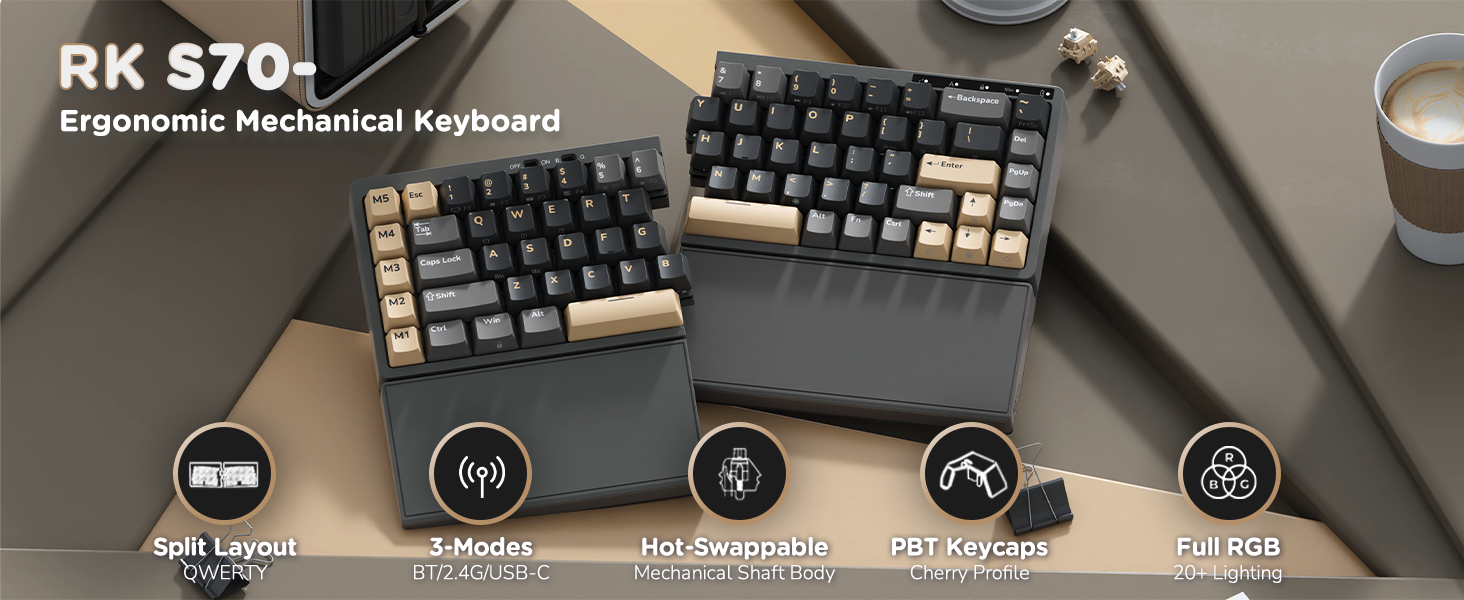
Product description

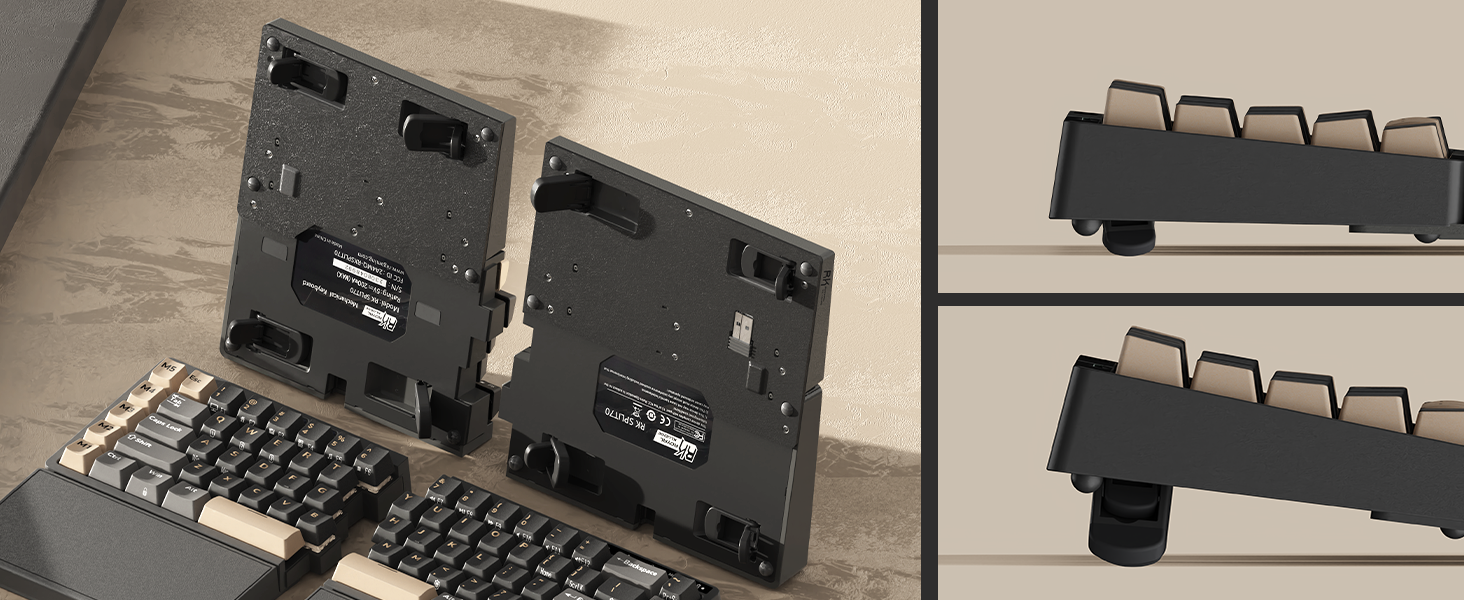 8 Anti-slip Feet, 2-Level Adjustment
Freely adjust the typing angle for a comfortable typing posture
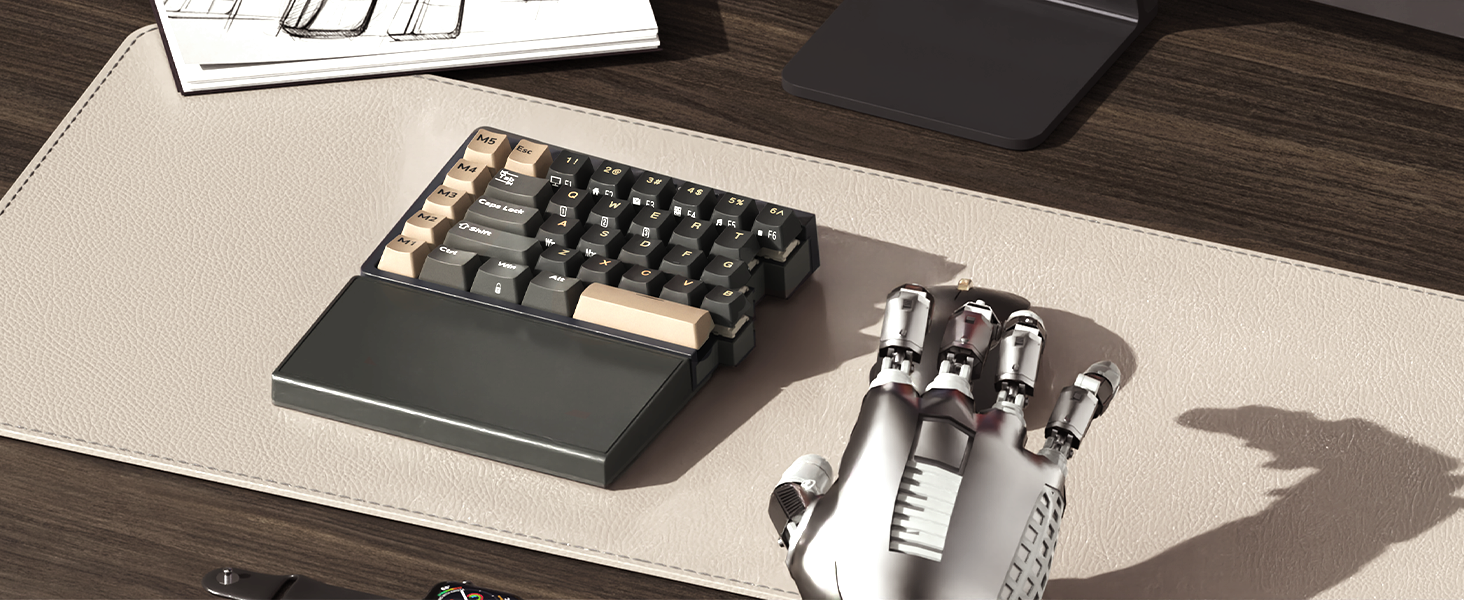
Left-side keyboard built-in a battery, retains wireless connectivity and macro functionality
1 Ergonomic Design
2 Freely Adjust Angle
3 One-Handed Keyboard
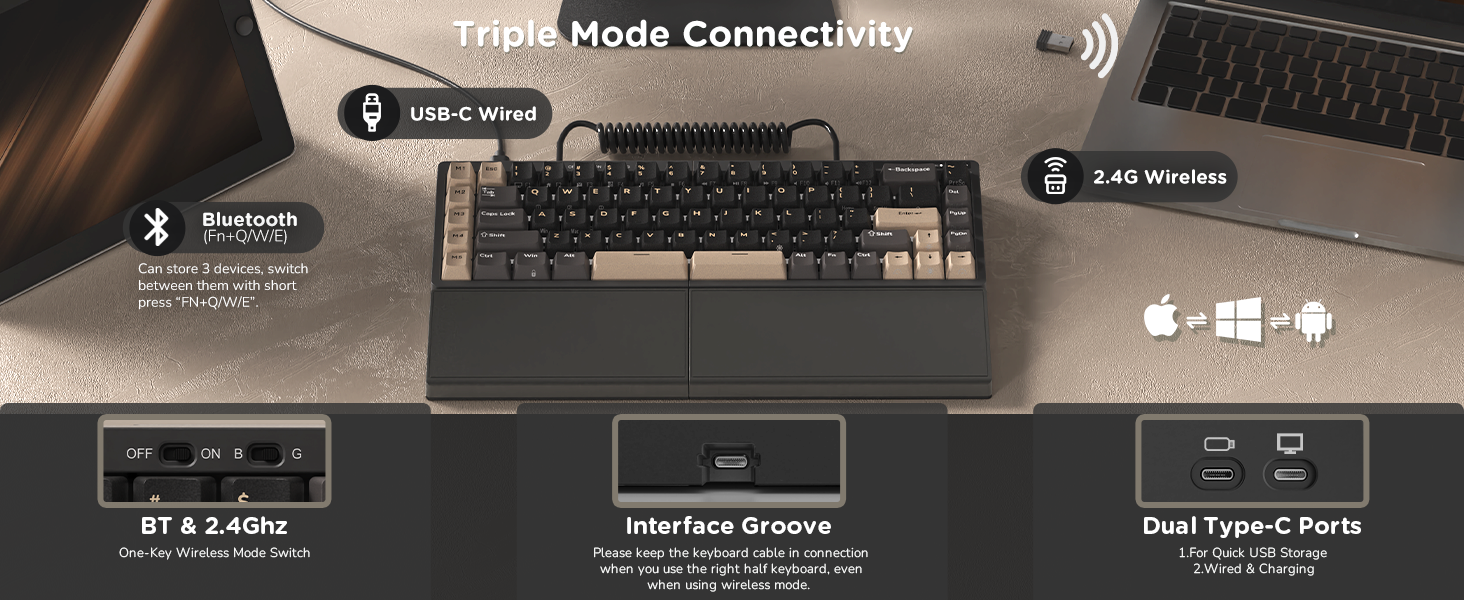
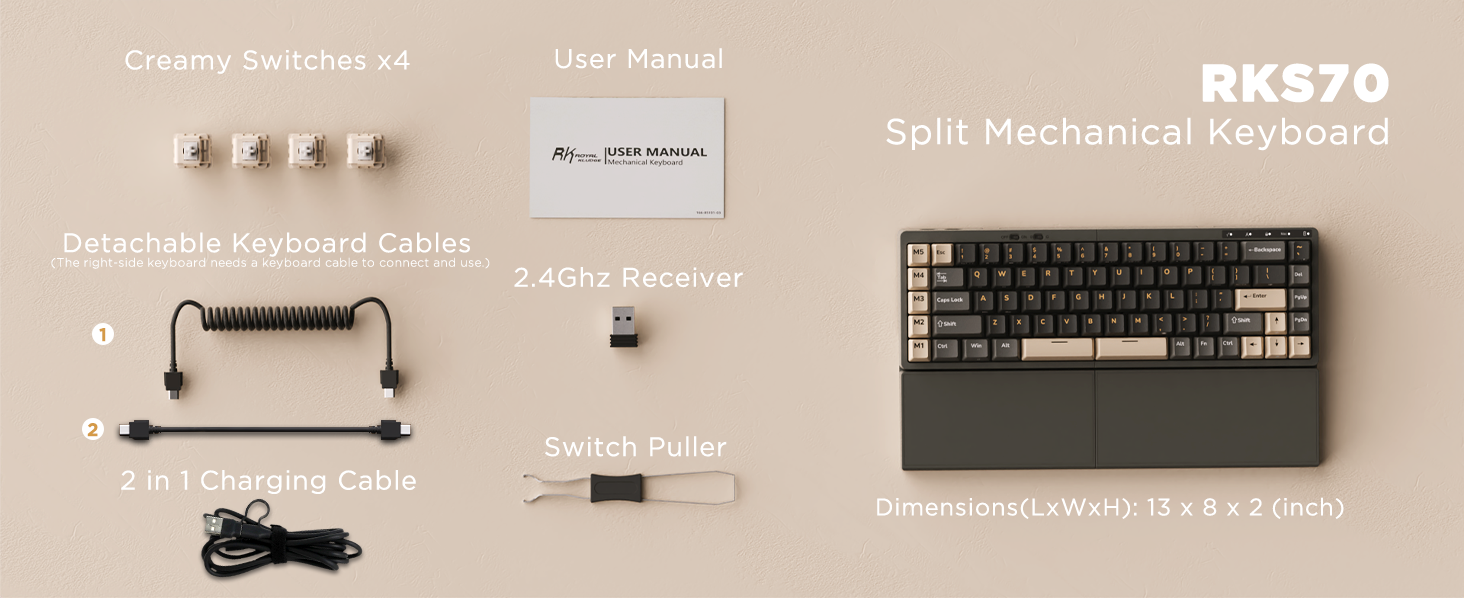
Tip: Right Half Requires the Coiled Cable Connection for Use

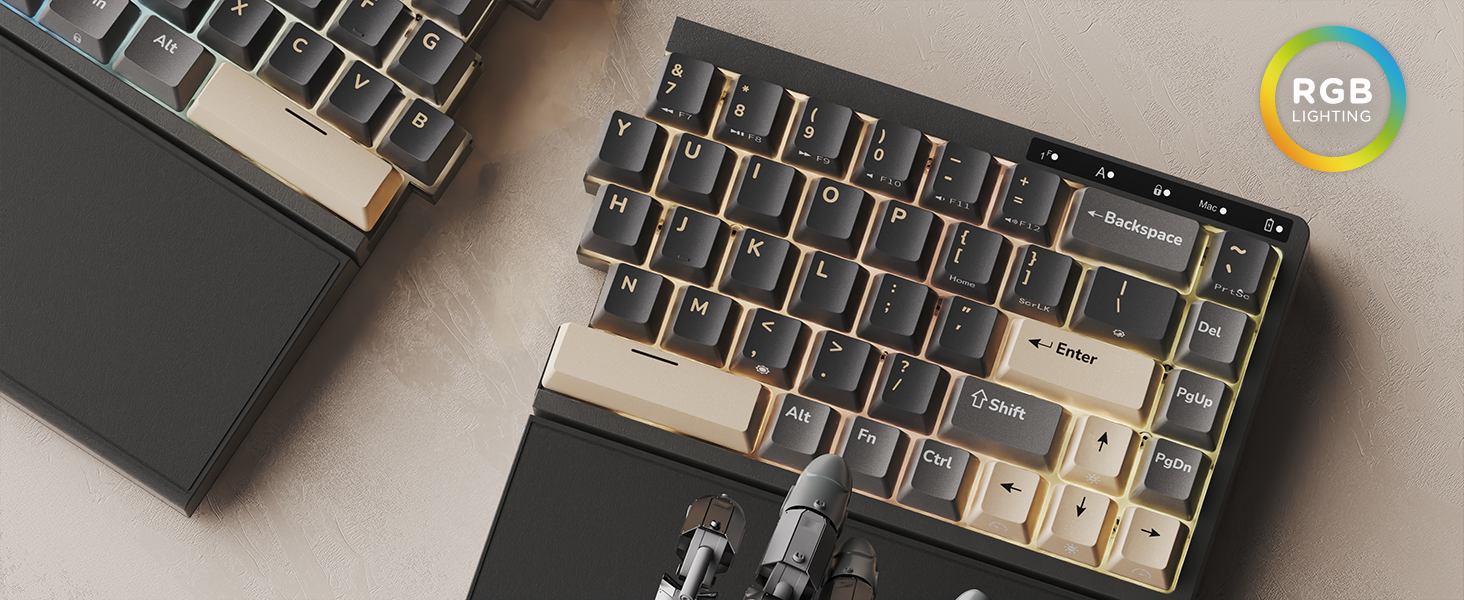
1 Tri-Mode Keyboard
2 Programmable Macro Keys
3 RGB Backlight
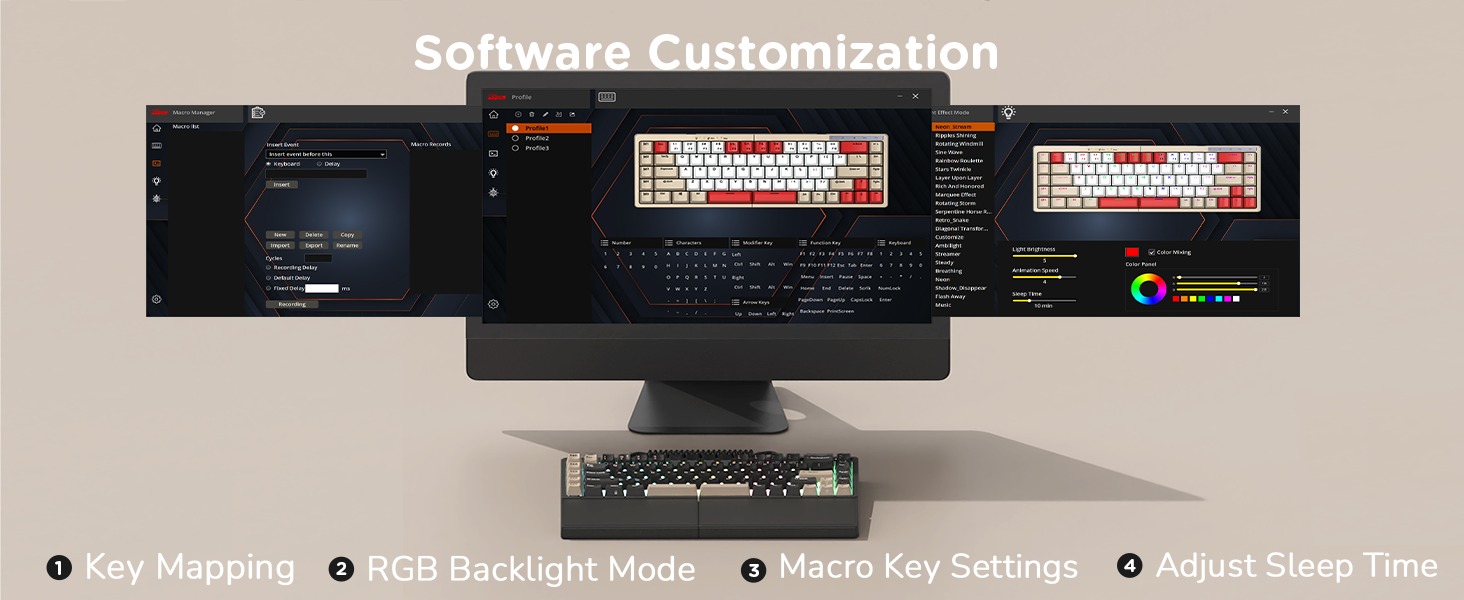 Software Support
en.rkgaming.com/download/1/
(Please use the keyboard software in wired mode on Windows systems.)
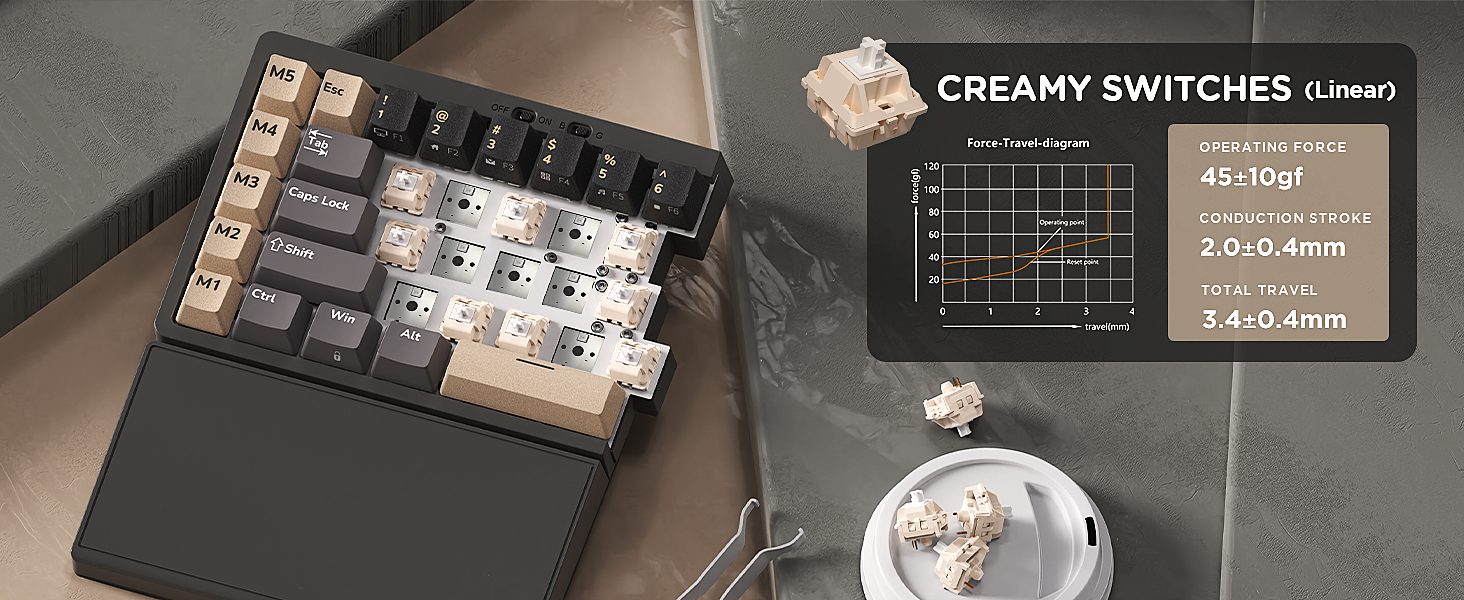
1 Hot Swappable Switches
2 Indicator Lights
3 75% Layout
How to download the split mechanical keyboard software?
Official universal software: en.rkgaming.com/download/1/
Or use the custom driver: bit.ly/RKRGBSOFT
Please note: The software is currently available for Windows only
Do the right half wireless keyboard require the cable to be used?
The right keyboard needs to be connected to the left keyboard with a coiled cable or a connecting cable. The right keyboard cannot be used alone.
How to disable sleep mode on the rgb gaming keyboard?
Open the software, click on the “Lighting Effect Mode”, and then slide the “Sleep Time” setting to “No Sleep”.
Is the wrist rest on the PC gaming keyboard magnetic or fixed?
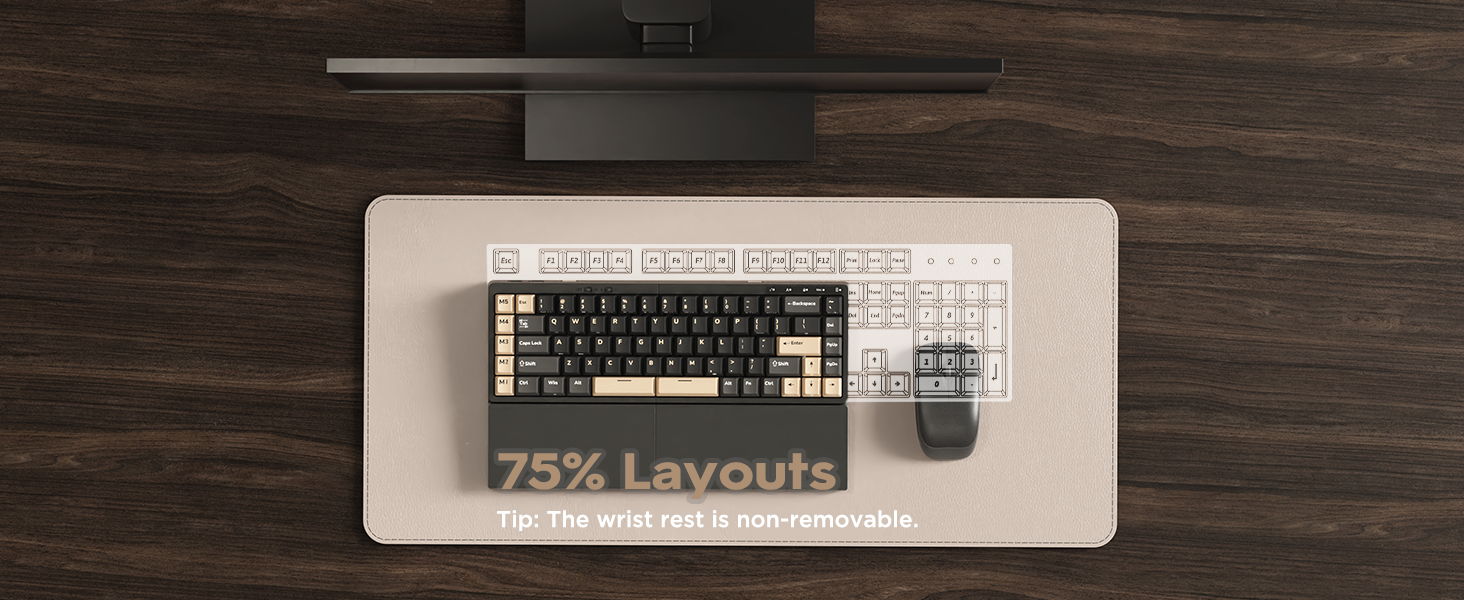
The wrist rest is fixed to the keyboard and cannot be removed.
How do I redefine the Macro keys on the left side?
First, download the keyboard software on a Windows PC. Then, connect the keyboard with a cable, open the software and click on “Profile”. Last, right-click the key you want to change, and choose “Custom Function” to set it as you like.
【Ergonomic and Split Design】The split keyboard with 8 adjustable feet lets you freely adjust or tent the typing angle for a natural, comfortable position. You can link the two halves of the mechanical keyboard with the coiled cable. Plus, the fixed wrist rest supports your palms during long sessions, ideal for gamers, programmers, and writers
【Used as One-handed Keyboard】Thanks to the built-in battery in the left half, the left-side ergonomic keyboard retains wireless connectivity and macro key functionality, allowing one-handed use. Giving you the flexibility to use the split game keyboard whatever you like
【75 Percent Wireless Keyboard】RK S70 split mechanical keyboard features a 75% compact layout with low-latency 2.4GHz, Bluetooth, and USB-C connectivity. Perfect for saving desk space without losing essential keys
【Long lasting Battery】Equipped with a 3150mAh battery, the 75 percent keyboard can last up to two weeks without backlight, offering long hours of wireless gaming or work
【Hot Swappable & Pre-Lubed Switches】The ergonomic gaming keyboard features a hot-swappable PCB that supports 3- pin and 5-pin switches, allowing you to easily personalize your typing. Pre-lubed linear creamy switches deliver smooth keystrokes and a satisfying sound for an enjoyable experience
【Macros Key & Software Supports】Activating a macro key with a stroke enables quick responses, enhancing efficiency in work and gaming with 5 programmable macro keys on the left side. With RK software on Windows, you can easily remap keys, set macros, and customize RGB lighting
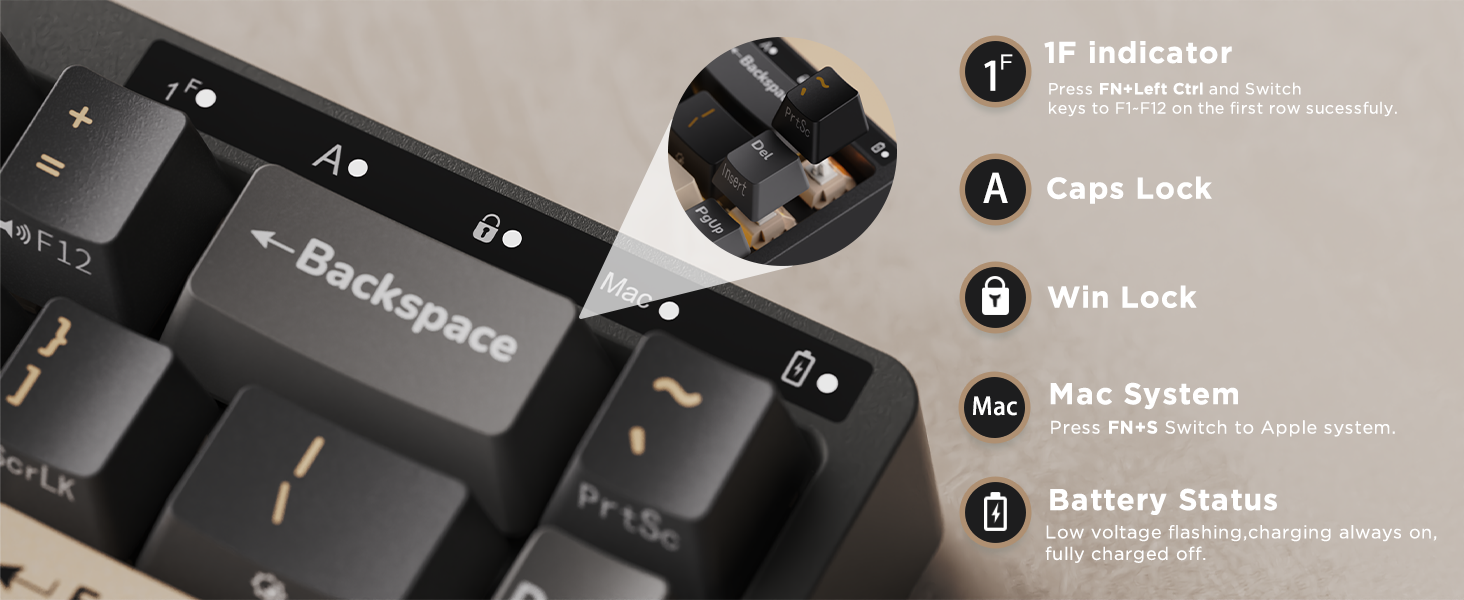
【Wide Compatibility & Indicator Lights】The Bluetooth keyboards are compatible with Windows, Mac, and Android systems, allowing seamless switching between laptops, desktops, tablets, and smartphones. The RGB keyboard design with light indicators in the upper right corner, letting you easily check function keys, caps lock, and battery status
8 reviews for RK ROYAL KLUDGE RKS70 Ergonomic Split Keyboard, Wireless RGB Mechanical Keyboard with Bluetooth/2.4GHz/Wired, 75% Hot Swappable Gaming Keyboards with Fixed Wrist Rest, Pre-lubed Linear Creamy Switches
Add a review
$119.99
Mossback –
Simple function, excellent quality, Mechanical keyboard.
I’ve grown to really like this keyboard. It takes a bit of getting used to, and I still occasionally hunt for the Delete key since the layout is slightly different from a standard keyboard. That’s improving with time, and I expect muscle memory will eventually take over.One minor annoyance is how the two halves are connected. The left half connects directly to the PC, and the right half connects to the left via USB. If you start typing on the right side first, nothing happens because the keyboard hasn’t “woken up” yet. You need to tap a key on the left half first to wake it. It’s not a deal-breaker, just something to be aware of.Another minor issue is the lighting. The keys aren’t truly backlit; they’re more underlit, with light glowing around the keys rather than through them. I like to work in a darker room, so this matters to me. A desk lamp solves the problem, and I assume transparent keycaps are available since the keyboard appears to support standard, swappable caps and switches.It may not be the flashiest ergonomic keyboard out there, but it is ergonomic, and I genuinely enjoy typing on it.
Jennifer Mclaurin –
Quality features, low price (comparitavly)
This is my second version of this keyboard. The first- i spilled coffee on- very sad. This version is particularly nice- the sides dont “link together” they are just magnetic which is nice. They switches are creamy and it is decently thochy. the colors are 10/10. I havent programmed the macros on this one yet, but did on my last one and loved that feature. what sold me on this one is- built in macros, built in wrist wrest and tenting- that is a lot of features at this price. For anyone who wroks from a desk all day- just pull the trigger, you wont regret it. Also, the battery lasts for ever.4 starts because- i wish it came with Mac keys like keychron does, setting up the macros wasnt super easy for me the first time i tried.
Amazon Customer –
Excellent Transition from MS Sculpt for Mac Users/Programmers (with modifications)
Overall Impressions:Having using this keyboard for a month, I can say that it is really nice with the right modifications. I have used the MS Sculpt for years and tried other ergonomic/split mechanicals, but none checked all the boxes until this one. The build quality and price point are both excellent given other options on the market. This keyboard has become my daily driver for all manner of work and personal use and is, quite frankly, a delight to use. Below are some details that others (especially programmers/developers) may find helpful.Transition from MS Sculpt:Expect an adjustment period if moving from an ergonomic keyboard such as the MS Sculpt, Logitech ERGO K860 or like form factor. However, if you are patient and give it plenty of time and practice, you will build the muscle memory required for typing proficiency.For the MS Sculpt transition specifically, moving to uniform key sizes and straight rows was more difficult than anticipated. A feature of the Sculpt is the larger key sizes for keys used by the index finger that are further from the home row (ex. T, G, H and N keys). While this allows more forgiveness when reaching for such keys, the downside is that your index fingers lose precision and need to be retrained when moving to a keyboard where all keys are the same size. But again, with patience, time and practice, this will come around.Hardware Modifications:The ESC key next to the 1 key seemed improperly placed, so I swapped it with the ~ (tilde) key, which works much better. If you use tilde for Mac window switching or Terminal/Visor for programming, you may find this placement helpful. However, since this removes the ESC key, this needs to be remapped to another key (more detail in Software Modifications).The stock creamy linear key switches are actually really nice, but for those who tend to type hard and/or bottom out, tactile or clicky switches may be needed. I have large hands and was inadvertently pressing keys, so I purchased some Akko V3 Creamy Blue tactiles, which has proven to be the right choice.The integrated wrist rests are also nice, but a bit hard, so I picked up some infant-size headbands to wrap around for padding. With some rubber bands underneath the headbands for grip, they add some cushion and a small amount of rise to the wrists. Doing this removes the ability to use the tilt legs on the underside of the wrist rests, but I was not using them anyway.Software Modifications:The Royal Kludge keyboard software is PC-only, leaving Mac users to utilize Karabiner Elements instead. I have read other reviews that say this is a downside, but I have not found this to be the case. All keys (including the custom M1-M5 keys) are re-mappable for Mac. Although, worth noting is that you cannot remap the left and right Spacebars individually because they both register the same key code in Karabiner.For the M1-M5 keys, remapping entails changing Ctrl+A/C/V/X/S to other keys/functions. Since these combinations are not functionally native to the Mac OS, I gave them other assignments, but this is personal preference as they may be needed for specific applications. Also bear in mind that the M1-M5 key re-mappings will require Complex Modifications in Karabiner Elements using custom JSON, but this is fairly straight-forward and well-documented. The following are what I have key assignments:- ESC → ~ (tilde)- CAPS LOCK → ESC- M1 → Macro to open comm. apps (email, Google Messenger, etc.)- M2 → Macro to close comm. apps- M3 → CAPS LOCK- M4 → TAB- M5 → ~ (tilde)- ~ (tilde) → Backspace
Vini –
Great split keyboard
Love this split keyboard, very smooth switches. Quiet thocky sound.
Dajun Chen –
Worked well until I failed to charge it
When it worked, it definitely met my expectations. However, when the battery level was too low to work, I failed to charge it for whatever reason.
Alfredo Perez –
great product aesthetically
Very nice, it allows for a natural feel. and comfortable.
Rob –
Expect Adaptation Time
The keyboard programming software was difficult to find and definitely Kludgy. Nevertheless, I was able to get it installed and the keyboard works fine. The hardware is excellent. I don’t mind the palm rest being non-removable as it’s actually a good fit. I might want to cover them in a softer surface, like felt or something. They can get tacky if your palms sweat at all.The keys feel very nice and clicky without being too loud. The only main issue I have is hitting the Windows key instead of the left CTRL key. This is an issue of training and adaptation. Every keyboard is different, and it takes some time to develop intuitive typing. I’m coming from a silent 100% ergonomic keyboard and this is a 75% split keyboard with no number pad. Expect that it won’t be intuitive for a while.I’ve been with it now for a couple of weeks and I would recommend this keyboard to anyone interested in trying out a split.
Justin Booth –
Great keyboard for a great price
For the $100 price point I am beyond pleased with the quality of this keyboard.