

Plugable USB C Triple Display Docking Station | 100W PD, 3x HDMI (1x 4K 30Hz, 2x 1080p 60Hz), 6x USB 5Gbps Ports | Windows, macOS, ChromeOS Compatible – Enhance Productivity with Multi-Monitor Support
$129.95
Related Products








From the brand

Universally Compatible Docks

Find Your Docking Station
Windows Compatible Docks
Mac Compatible Docks
Shop for Business


Enterprise-Grade 12-in-1 Expansion for Hybrid Teams: Designed for compatibility with USB-C, USB4, or Thunderbolt laptops on Windows, macOS, or ChromeOS environments. Enables up to 3 HDMI monitors, wired Gigabit Ethernet network access, 6x USB 3.0 peripherals, audio, and device charging. Perfect for organizations looking to streamline IT deployments in hot-desking and managed office workspaces that demand reliable networking and easy device connectivity.
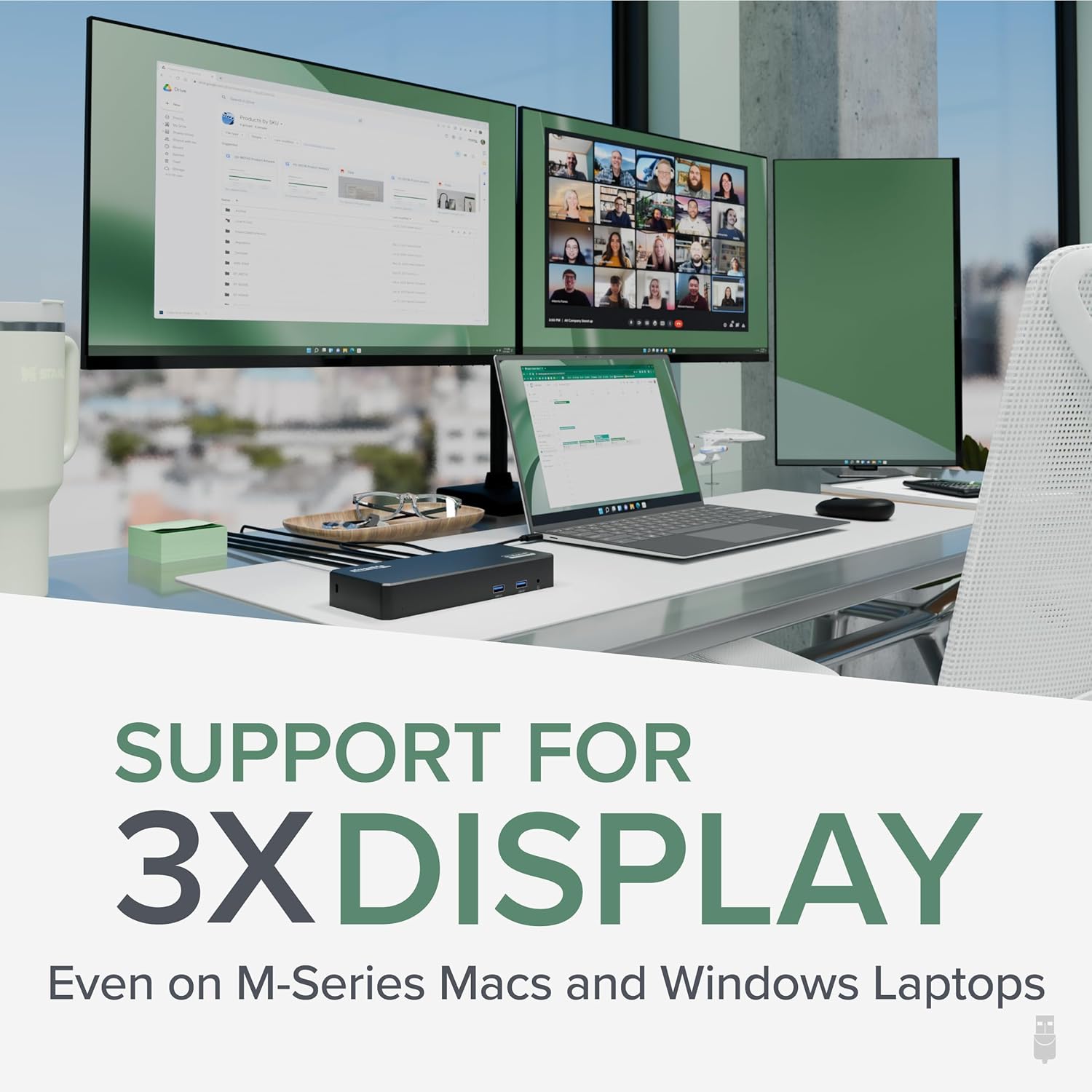
Triple Display USB-C Docking Station: Maximize productivity with support for up to three extended HDMI displays (1× 4K @ 30Hz via Alt Mode, 2× 1080p @ 60Hz via DisplayLink). Bypasses native single-display limitations on platforms like Apple M1/M2/M3 MacBooks. Compatible with all newer Apple Silicon systems, including M4 and M5. Optimized for enterprise use cases such as data analysis, presentations, and conferencing, it transforms any notebook into a multi-monitor workstation for your hybrid workforce.
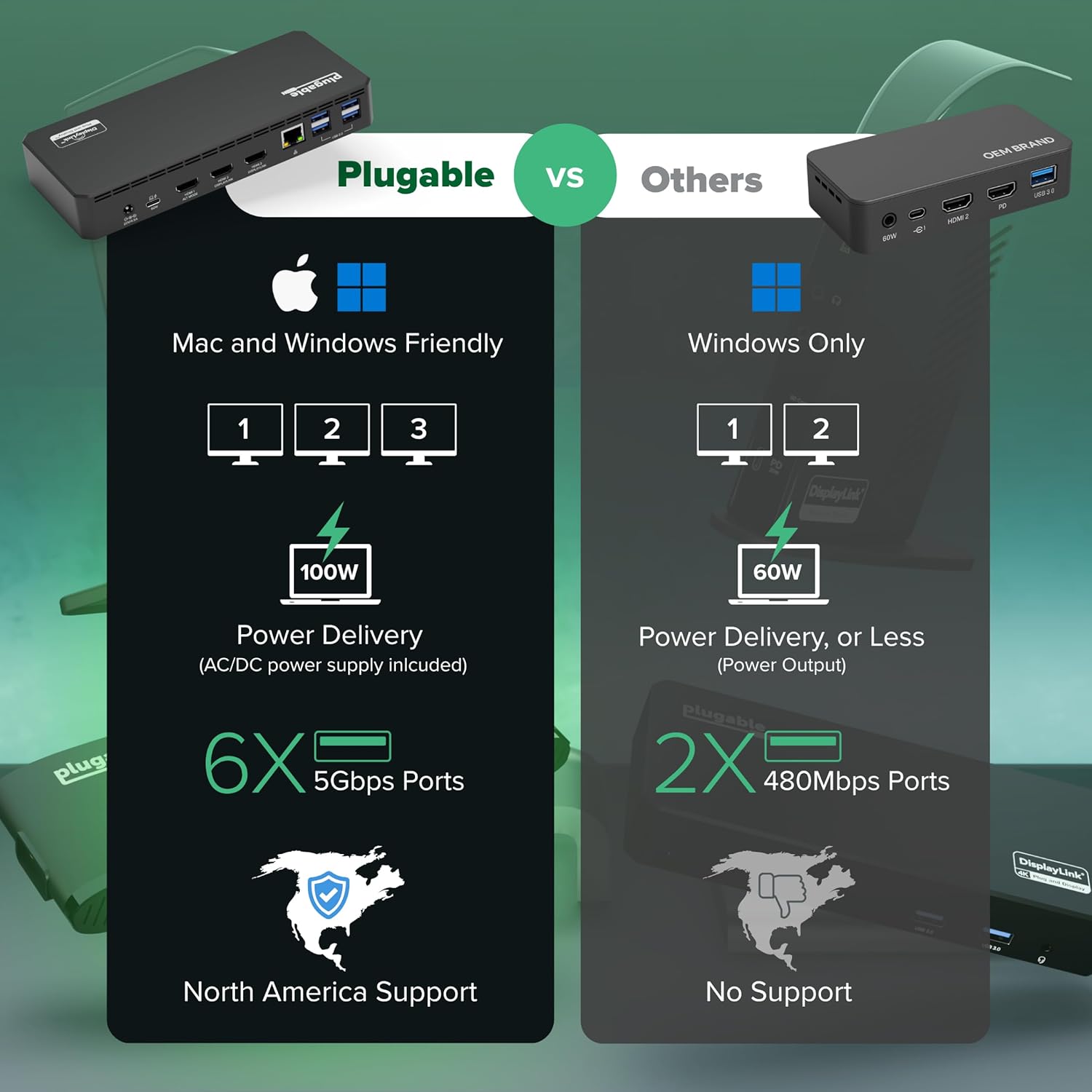
Advanced USB-C Functionality: Integrated DisplayLink graphics technology and native USB-C video output (Alt Mode) are essential for maximizing workstation productivity, delivering full, native, high-performance multi-display support, while 100W USB-C Power Delivery ensures continuous host system charging in enterprise environments.
Universal Compatibility: Engineered for seamless integration with USB Type-C, USB4, and Thunderbolt-enabled systems across macOS (11+ with driver installation), Windows, and ChromeOS (v100+). that support USB-C Alt Mode and Power Delivery. Ideal for mixed-fleet IT environments, fully compatible with Dell XPS and Latitude, HP EliteBook and ProBook, Lenovo ThinkPad, and MacBook M series laptops, and more. Not compatible with Linux; HDCP not supported.
Expert Lifetime Support: Backed by North American-based technical support and our compatibility guarantee if something doesn’t work, we’ll make it right. Trusted by IT professionals worldwide, Plugable provides direct access to the engineers who design our products for deployment assistance, troubleshooting, and lifecycle support. We resolve issues quickly to minimize downtime and help organizations maintain productivity at scale.
11 reviews for Plugable USB C Triple Display Docking Station | 100W PD, 3x HDMI (1x 4K 30Hz, 2x 1080p 60Hz), 6x USB 5Gbps Ports | Windows, macOS, ChromeOS Compatible – Enhance Productivity with Multi-Monitor Support
Add a review
$129.95
Bartfast –
Excellent value for everyday use
Overall these work great, and are a great value. I’m an IT manager and I’ve purchased a few of these now for people to use as office docking stations for the MacBook Pro. Specifically these are being used with the M1 Pro 16″ MacBook Pro and they work flawlessly*.It provides enough power that users don’t have to plug in the Magsafe brick while they’re in the office. It supports dual 1080p monitors, or one 1440p monitor for sure. You have to install a DisplayLink driver and software package to make it work with MacOS (windows too I think), which is typical of these devices. Now thanks to MacOS’s privacy and security settings, it gives the user a constant status icon and occasional warning that their screen is being shared. I’m glad that feature is there, but sometimes users ask about it.*My only real complaint is that while the software works great under normal circumstances, MacOS updates will sometimes disable the auto-launch of the DisplayLink adapter software. I regularly get a call that the users’ monitors aren’t working because of this. I can’t really blame this on the display software though. Launching the program and reactivating the auto-start in system settings is simple enough, but always confuses people. It’s usually a good time for me to check that the DisplayLink software is up to date too.You can update the software from the resident app in the system tray, though it doesn’t notify you of new updates. The driver also integrates with Apple Watch unlock, and has an f.lux feature that will optionally dim/color shift your external display at night.We’re using it for 1Gbps ethernet, dual displays, power delivery, and a permanently attached Time Machine backup drive, and haven’t had any trouble with connectivity for any of theses devices, nor any complaints about speed. Sometimes these types of docking stations can get kind of hot when you’re making them work this hard, especially if you’re using power delivery, but this Plugable model doesn’t ever get above a mild fever.
Christine A. –
works perfectly!
I have about 8 different adapters and hubs I’ve bought for my HP Spectre 360, which, when I bought it in 2019, was a trendsetter for having very few connection points (one USB 2.0 and 2 USB-Cs – come on!!!!). I need three large monitors to do my job effectively, and it’s been really hard to find an adapter that a) allows 3 display connections, and b) works well. My latest one – a cheap Amazon purchase – didn’t have a tight connection with my computer’s USB-C input, and the USB 2.0 connections just stopped working after 6 months. When I went to purchase two new cheap adapters, both of the Display Port connections didn’t work for my third monitor.So, I decided to bite the bullet and pay more for a legit hub – especially a hub that allows 3 HDMI connections, versus only 2 HDMIs and a Display Port connection. I’m happy to say that this Plugable hub worked right out of the box. (Okay, to be fair, I didn’t follow the instructions and download the drivers BEFORE connecting the monitors, and the third monitor didn’t work right away – but once I actually downloaded the driver, it connected seamlessly.)While I got this for the 3 HDMI connections, I also love that there are 4 USB 2.0 and 2 USB 3.0 connections. Between my microphone, speakers, mouse, keyboard, and camera, I have a lot of USBs to plug in, and this accommodates all of them, AND it charges my computer at the same time, so now I have 1 USB-C and 1 USB 2.0 open on my laptop.I’m impressed so far! I hope the quality continues throughout months and years of use.
Jimmy –
Almost Returned It. Simple Setup Fix Made It Work.
I was ready to return this, but I decided to follow the instructions first. I am glad I did.I recently bought a MacBook Pro and already owned this docking station for a dual monitor setup. At first, the second monitor would not work on my Mac. After watching the video and installing the required driver, the dock worked.One important step is missing from the instructions. After installing the driver, you must click the new icon in the top menu bar. Until you do this, only one monitor works, even after reboots. I almost returned the dock before realizing this.Once I clicked the icon, the second monitor turned on immediately. Both displays worked perfectly.The dock works seamlessly on Windows. On Mac, follow the instructions carefully and make sure to click the menu bar icon after installing the driver.Build quality feels solid. The dock charges the MacBook through a single cable. Another nice feature, you can close the MacBook lid and keep both external monitors running without issues.
Charles Staten Island NY –
Excellent News
Gets the job done. Works perfectAllows me to add two HDMI monitorsAttached to my Mac Book a pro.And excellent choice and very easy to install.
Trimborn –
No more Bluetooth keyboard/mouse issues!
ChatGTP helped me narrow down what I needed for a more stable connection to my peripheries, as I have 3 external monitors, a Bluetooth keyboard dongle, a Bluetooth mouse dongle, a Bluetooth headset dongle and CAT6 adapter attached to my Samsung laptop. My previous setup included a USBC hub for the monitors and a USBA3.- hub for the 3 Bluetooth dongles and Cat6. My mouse and keyboard would intermittently stop syncing. The Plugable docking station has simplified my desktop and cured all of the connectivity issues that I experienced with the prior 2-hub solution.
Lisa Ingram Jones –
Great Dock
Very easy to use and was pleasantly surprised with how well it worked. Perfect home office companion when you have a setup with several things to connect. Love it!
Joe –
Works great! I use it for my laptop and extend to two screens. Really easy to setup. I plugged things into the slots and it worked.
Amaury –
Buen producto cumple lo que promete y me dio la solución que buscaba, fácil de instalar.
Cliente de Amazon –
Excelente producto
Raphaël Maheux –
Product is top notch. I had an issue with connecting my webcam at first, but customer service handled the issue with ease and promptly. The issue wasn’t with the dicking itself, but with my computer running on energy savings.
Christian Villafranca –
One of the most budget-friendly docks I found! The product works as described.The Docking Station comes with a USB-C cable to connect the laptop to the dock, and the power cord is long enough for use with taller or standing desks. Does the hob well and I’m happy with it!