

Perixx PERIDUO-606A, 3-in-1 Wireless Compact Ergonomic Keyboard with Vertical Mouse and Numeric Keypad – Adjustable Palm Rest – Tilt Wheel – Membrane Low Profile Keys – US English
$69.99
Related Products




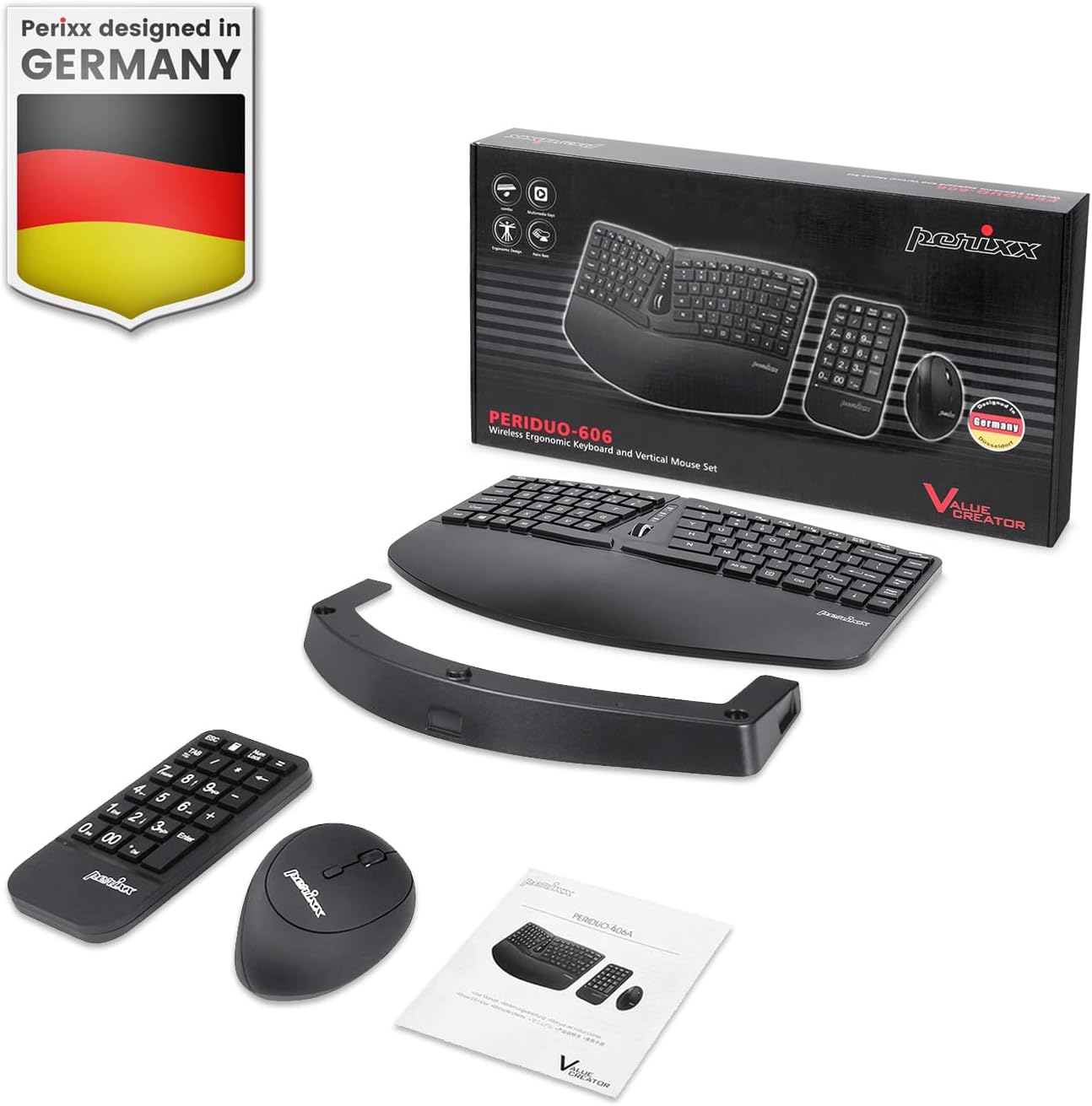
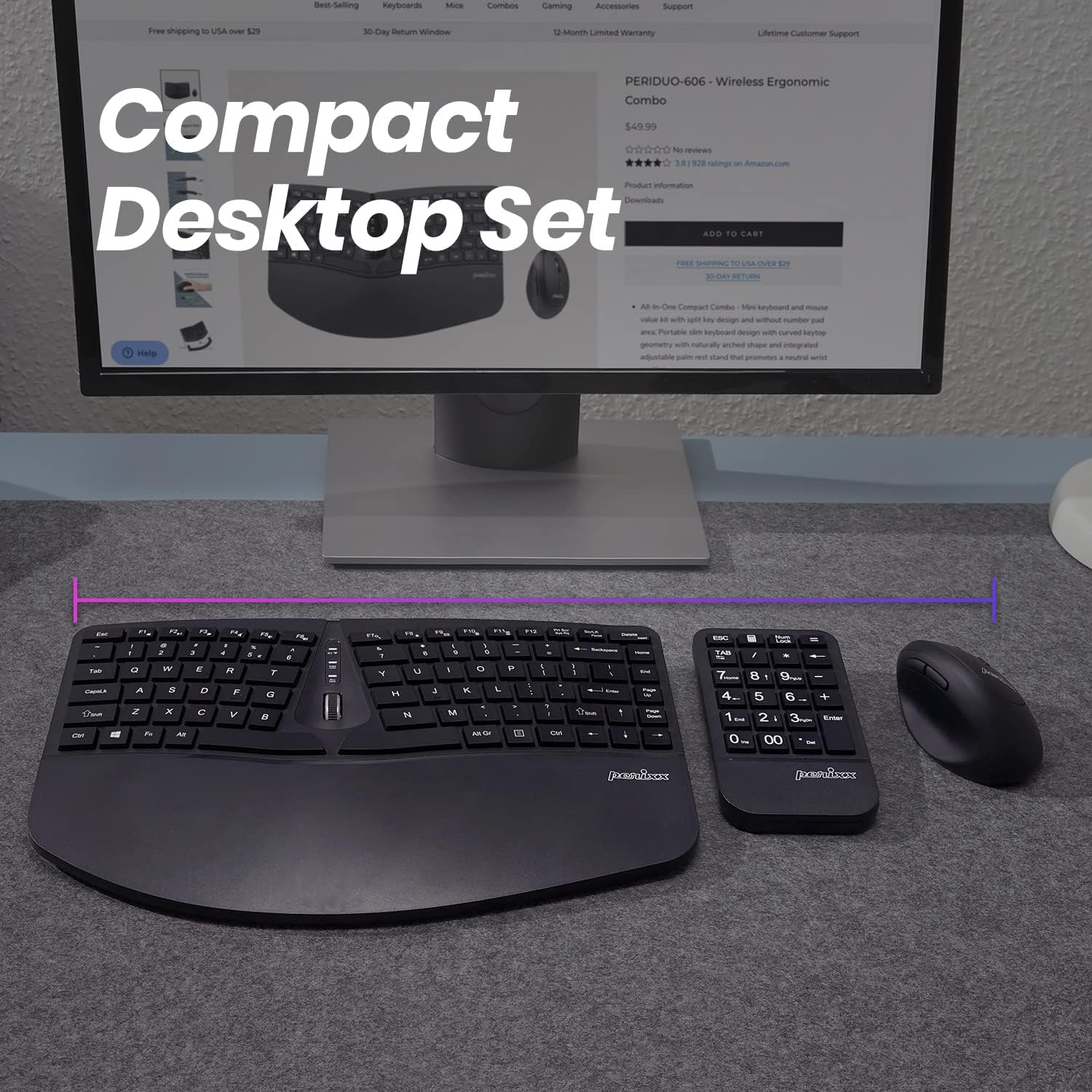
Perixx PERIDUO-606A Mini Ergonomic Set. A set of a compact split keyboard bundled with a separate numeric keypad, and vertical mouse. PERIDUO-606 A promotes a natural typing posture. The compact-size keyboard features a detachable wrist rest extension that can be adjusted to three different typing angles.
ERGO COMPACT DESKTOP SET -A value compact desktop set with ergonomic design; Compact split keyboard with separate numeric keypad and bundled with a vertical mouse; Reduces the pressure from your hands while computing and give you the benefit to type effortlessly; Wireless ergonomic vertical design mouse with 6-button design, including mouse scroll wheel and adjustable DPI Resolution 800/1600
ERGONOMIC SPLIT KEYBOARD WITH EXTERNAL NUMBER KEYPAD – Curved, mini keyboard design with 7 media keys and tilt scrolling wheel in the middle; A separate number pad that offers more flexibility for your workspace
ADJUSTABLE TYPING ANGLE – It comes with a built-in plastic wrist rest, provides a firm support and sweat-resistant; Adjustable typing angle with a keyboard riser, up to three different angles, promotes a neutral wrist position
WIRELESS CONNECTIVITY – 2.4 GHz wireless technology with approximately 33 feet 10 meters operating distance; One Nano USB receiver for keyboard, number pad, and mouse
SYSTEM REQUIREMENTS – Windows XP, Vista, 7, 8, 10; Easy installation with Plug and Play feature, no drivers needed; Package includes: 1 keyboard, 1 computer mouse, 1 armrest, 1 movable magnet for height adjustment, 1 wireless receiver, manual, and 12-month limited warranty
Compatible devices: pc
11 reviews for Perixx PERIDUO-606A, 3-in-1 Wireless Compact Ergonomic Keyboard with Vertical Mouse and Numeric Keypad – Adjustable Palm Rest – Tilt Wheel – Membrane Low Profile Keys – US English
Add a review
$69.99
Kindle Customer –
PERFECT FOR MY NEEDS!
I am very happy with this entire set – keyboard, mouse, and separate numb er pad. That is probably my favorite part -the separate number pad, so I can put it where I want; in whatever angle I want; and however close to, or far away from, the keyboard as I would like! If the number pad had a space bar, it would be perfect for my needs. I would definitely recommend this set to anyone needing a set up that is more ergonomically-friendly.
William D. –
Control keys of main keyboard not working
Definitivamente las pruebas de calidad de este producto son malas, malísimas. Recibí el producto y aunque el ratón y el teclado númerico están trabajando bien el teclado principal NO. No funcionan teclas com CapsLk, Shift, Start, Backspace o Space. Solo las teclas de función, letras y números responden.The quality tests for this product are definitely poor, terrible. I received the product, and although the mouse and numeric keypad are working fine, the main keyboard is NOT. Keys like CapsLk, Shift, Start, Backspace, or Space don’t work. Only the function keys, letters, and numbers respond.
Brittany –
Love it but for smaller hands
I love this keyboard with it’s true 10-key pad with the 00 key and large bold numbers. It makes data entry so much quicker and I like that I can move the number pad where I want it. I always feel like the 10-key side of a normal keyboard is in the way. It’s a very compact typing keyboard and takes some getting used to but works great for me.WARNING: If you have large hands or longer fingers this won’t be comfortable. My hands aren’t large by any means, see pic for scale.Also I love the mouse design which really helps with my wrist pain.
TIH M&N –
Mouse goes rogue.
Worked fine at first… now no matter how fresh the batteries are, the mouse goes rogue and opens and closes windows, selects items, and highlights items when it’s not even being touched. I’ve updated and restarted – I even switched it to my work computer and the same effect. Didn’t even last 10 months from the time I opened it. And yes, as I type this, it has closed 2 other tabs and is moving around the screen. And I just changed out the batteries. Waste of money.
Howard –
Love this set, but would tweak a few things
I use this set of input devices on mac. Traditionally I have used the Microsoft Sculpt, which in my mind is just about perfect. However, sculpt has an annoying problem where over time the left mouse click fails. And eventually keyboard keys will fail. My cynical side says they have made these defects on purpose as it has caused me to purchase like 10 sculpt sets over the years. But I think I am moving away from these issues and going with this Perrix set which is a pretty good knock off. There are just a few issues which make me question the decision:1. Typing feel is not quite as nice as sculpt, but close enough.2. The mouse is a little too small for my large hands. I am adjusting3. Mouse scroll wheel can’t horizontal scroll, only vertical and click.4. And the biggest issue, the window key is too small. This equates to the command key on mac and I use it all the time. This is almost a deal breaker, but I am trying to get used to it.Outside of these small issues, this set is wonderful. The ergonomics are great. They split keyboard and the magnet attached wrist rest that can raise the keyboard in the back make all the difference in putting your wrist in a natural position. Having the separate number pad is a complete game changer. It allows the mouse to be much closer to the keyboard, saving a great deal of awkward motion reaching for a mouse which is too far away. I personally don’t use the number pad too often, but if I am doing a bunch of numbers related work, I turn it on and have a nice full sized dedicated number input device. The keyboard has good light indicators and an interesting scroll wheel at the center of the keyboard. This is an improvement over sculpt which removes this area for esthetic reasons.If I can get used to the small command key and the set can last longer than the sculpt, it looks like it will be my new go to. Looking good so far.
E.W.A. Kooi –
Comfy, but stricter than MS Sculpt layout
My trusted MS Sculpt keyboard was really at its end after nine years of heavy use. This Perixx looked like a nice replacement.The hands are placed more apart than the MS Sculpt, so where it would let you cheat a bit (hitting the y with your left index finger), this keylayout does not allow for that. That wil take some time getting used to. Overall, I like the keyboard and the feel of the buttons. It is just enough clicky but much quieter that my previous keyboard.I also like the more vertical grip of the mouse. It feels like a very natural position for my hand to be in.Let’s see if it will hold out as long as the previous keyboard.
Michelle Williams –
I have been looking for a keyboard that was similar to the discontinued Microsoft Sculp. This keyboard has met my expectations and is easy to use, has great functionality and is a fraction of the cost. Deliver was super fast too.
一合庵 –
この製品はANSI準拠のUS配列のキーボード(101/104)なので、言語が英語の場合には合っていると思いますが。日本語で入力する際には色々PC側の変更が必要になります。「ひらがな」キーや「半角/全角」キーなどもないので、今まで日本語配列キーボードを使っている人は戸惑います。私も導入してPCの設定でJIS配列に変換したり、enterキーが小さい(英語キーボードはENTERが小さい、JISはL字で大きい)ので上の”」”キーをPowerToysでenterキーに変換しましたが、やはりどうしても様々なところで予期せぬ変換違いや動作違いがあって諦めました。もともと使っていたのはMicrosftのergomomics Sculp仕様だったので、次のキーボードがなかなか見つかりません。日本語にこのキーボードは合っていないというだけで、英語で入力される場合にはなんの不都合もありません。【良いところ】・キーボード、マウス、テンキーが別々でマイクロソフト スカルプト エルゴノミック と同じです。・それぞれにON-OFFのスイッチがついていて、電池の消費を抑えられます。・手首の角度調整が手前上げ、奥上げ両方ができるようになっています・キータッチも押し込みが気持ちよく、秀逸です。・パームレスト部分は樹脂で何かをこぼしたり、つけたりした場合でも一拭きで取れます。大変よくできているキーボードです!ただ!ただ!! 日本語との相性が悪すぎる orz
José Luis R –
No corresponde al teclado latino por lo que las teclas no son las adecuadas
Amazon customer –
Led indicators are good for Connect, Caps lock, Scroll lock which certain keyboards do not provide nowdays.Right Shift key should have been wider.Main keyboard power on switch should have been on the side or top rather than bottom of the keyboard.Separate Numeric keypad is good but numeric keypad is not as silent as the main keyboard.Mouse is for small-medium sized hand.
Santos –
エルゴノミクスキーボードとして、1万円以内くらいで購入できる商品が限られてきたので、英語配列であることを承知で購入しました。マイクロソフトのキーボードを使っていましたが、それにくらべてこのキーボードは、キーボード自体の高さ(厚み)がけっこうあるというのが、個人的には最初の違和感です。打ち始めてしまえば、それなりに使えるのですが、今までより手首の位置が高い、というのが時々違和感として感じられます。キータッチ(沈み込みの量とか、クリック感とか)は、すぐに慣れました。英語配列ですので、日本語を打つ場合は、今までとはかなり異なり、作業効率も落ちますが、これはもう承知の上ですから、評価の対象にはしません。日本語キーボードをお使いの方で、入力ストレスが困る方は日本語キーボードをお探しになるべきです。毎日長時間使うものだと思いますので。追記 このキーボードはパームレストの部分がソフトな感触のものではありません。写真で見ても分かりませんが、本体と同一の素材です。爪で叩くと「カチカチ」という音がするようなものです。私の場合ですが、長時間使っていると、やはりその硬さが気になってきます。ゲルとか、何か柔らかい素材を置くことも考えています。