

Keychron K3 Version 2, 84 Keys Ultra-Slim Wireless Bluetooth/USB Wired Mechanical Keyboard with White LED Backlit, Low-Profile Keychron Mechanical Brown Switch Compatible with Mac Windows
$63.74
Related Products


Product description
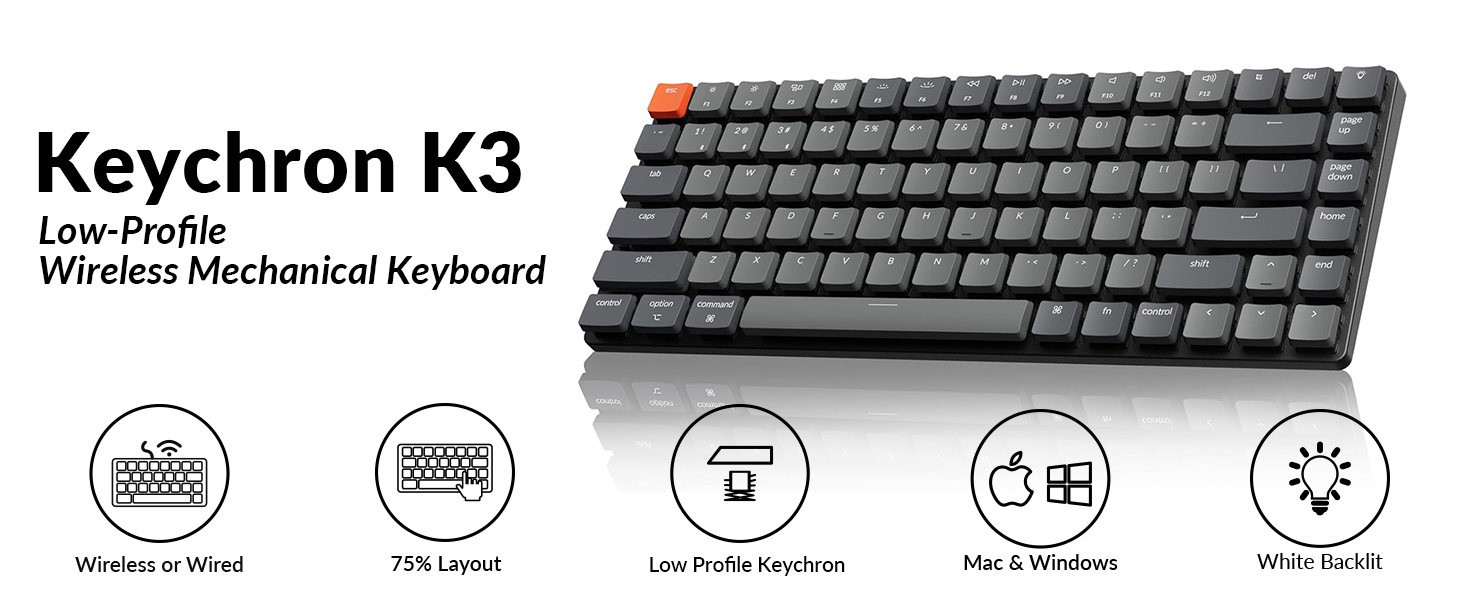
84-keys
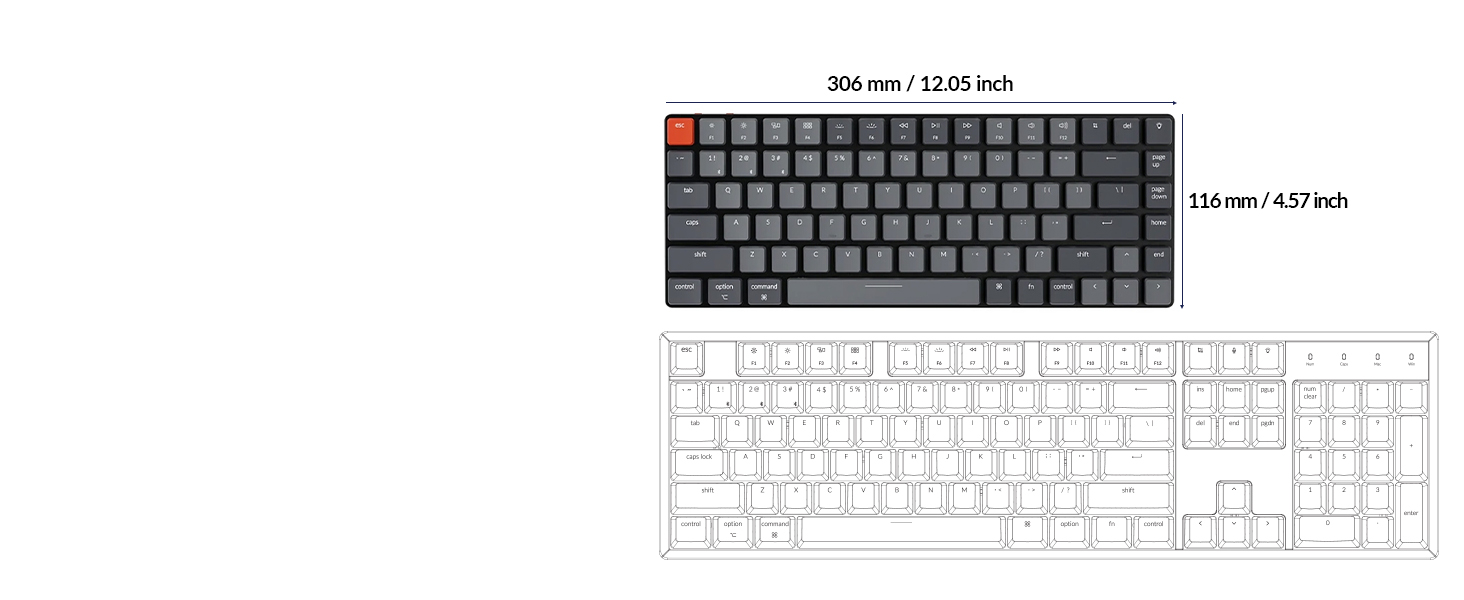
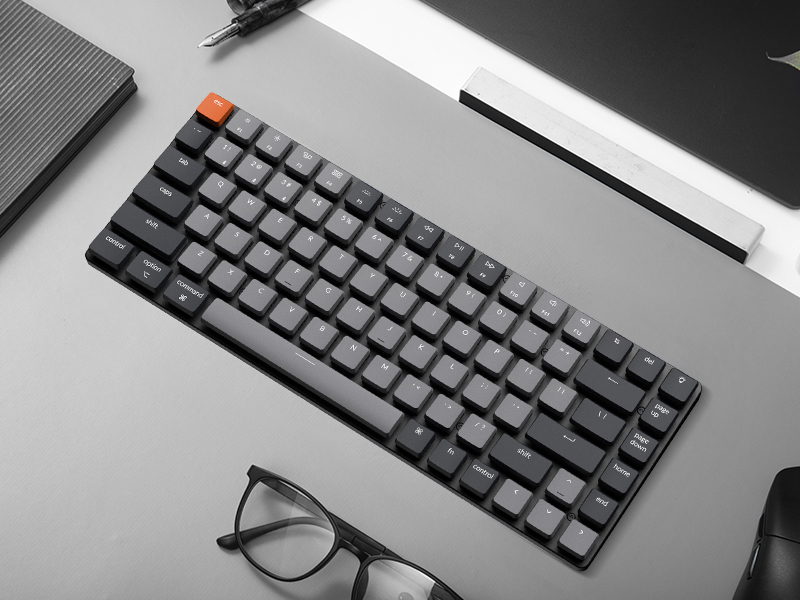
Compact 75% Layout
A low-profile compact 75% layout (84-keys) wireless mechanical keyboard.
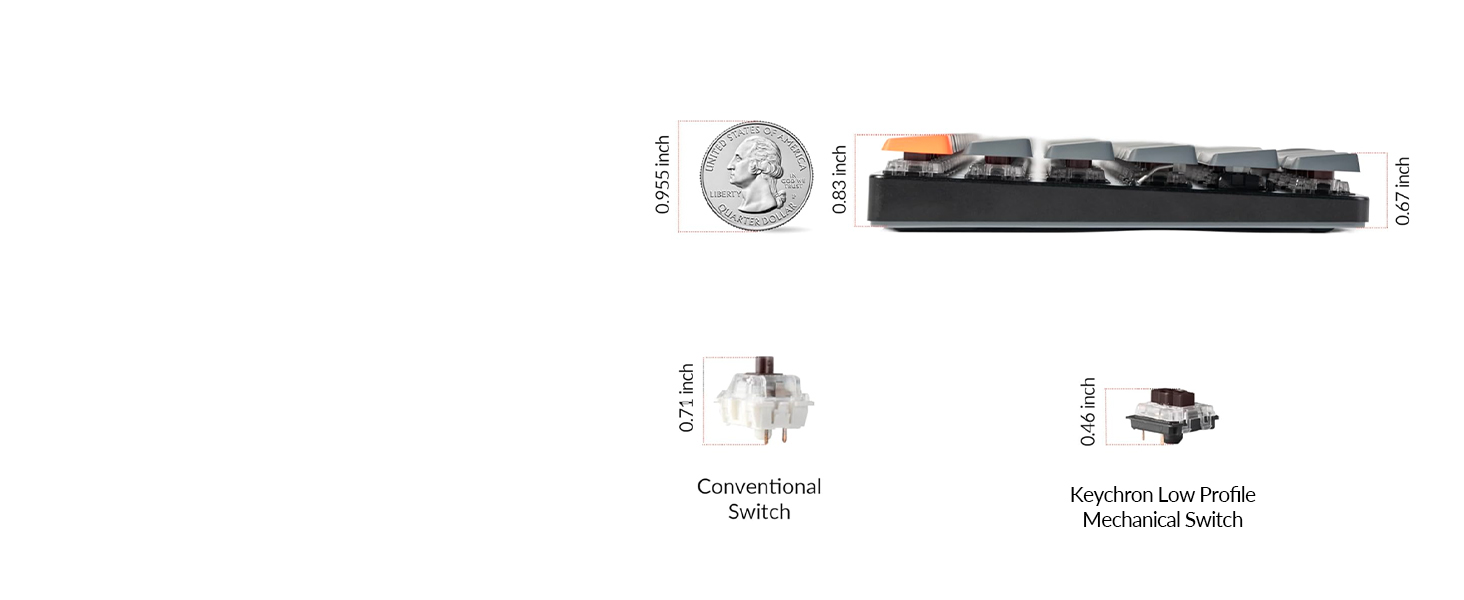
Low-Profile Keys
Ultra-Slim Body
The redesigned low-profile Keychron switch is 40% slimmer than conventional normal profile switches.
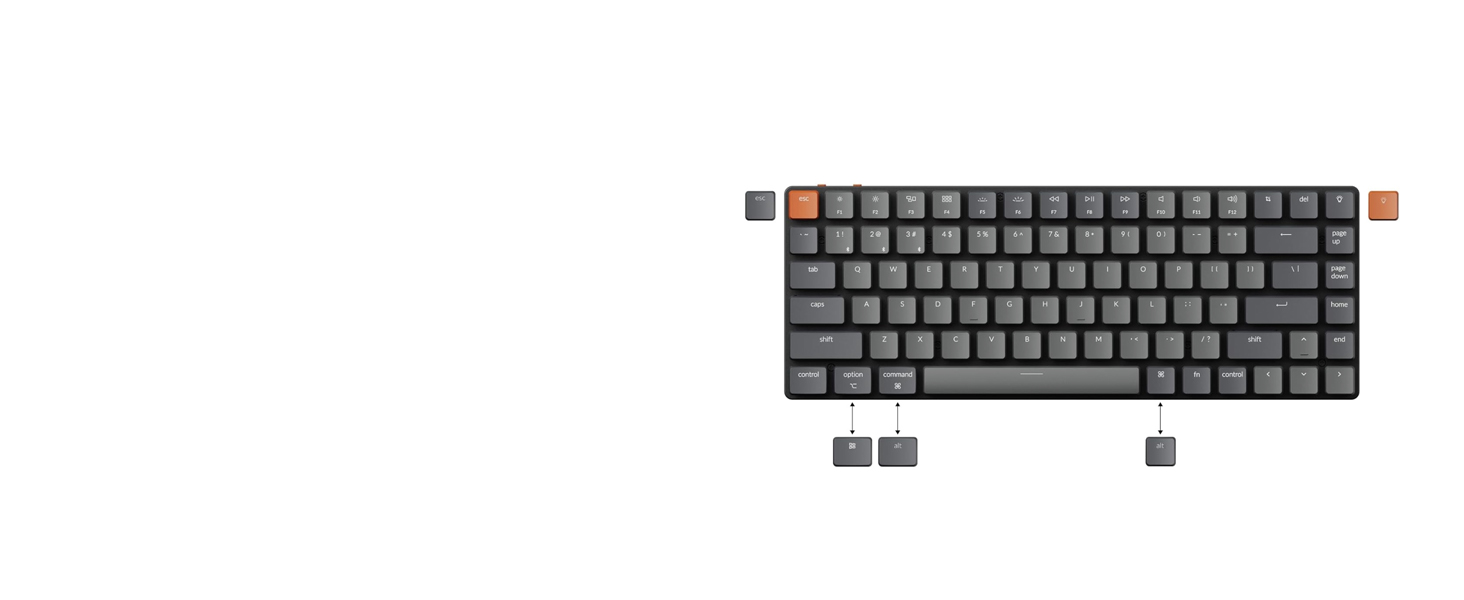
Switch Operating Systems
Support macOS / Windows
Offers layout compatible with Mac and Windows. Includes keycaps for both macOS and Windows.
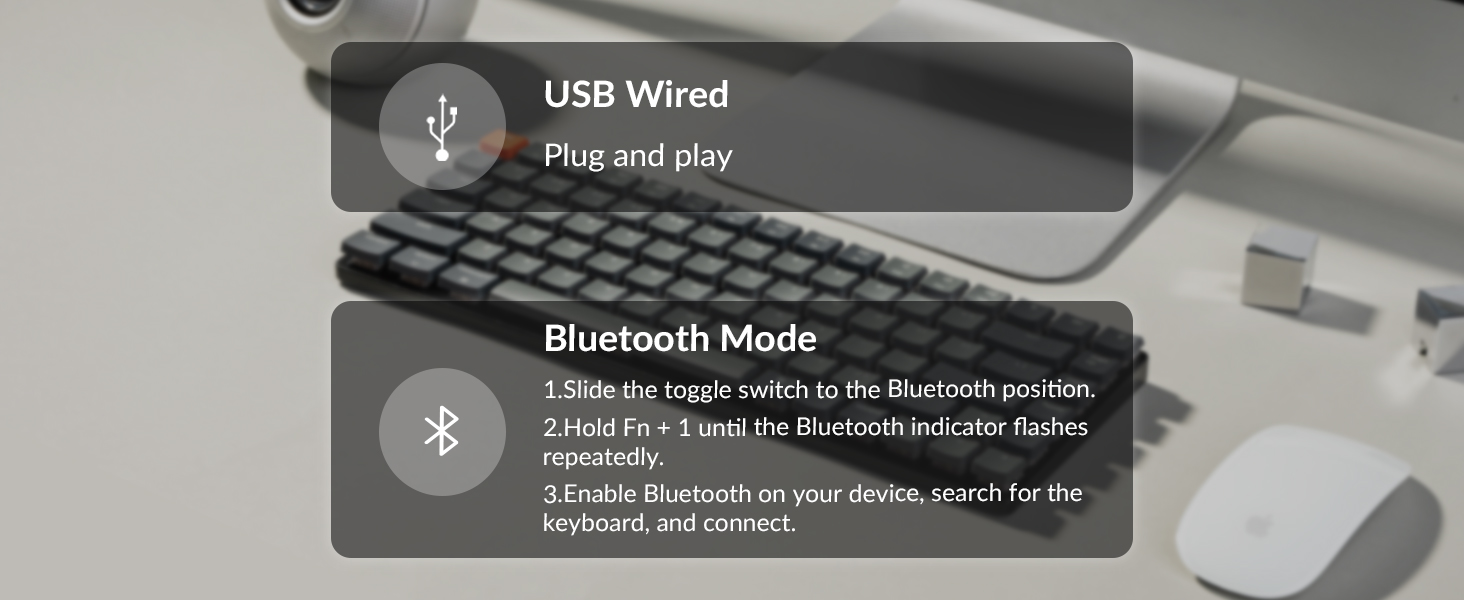
Wireless and Wired
Multi-Device Connectivity
Connect up to 3 devices via the stable Broadcom Bluetooth 5.1 chipset and switch easily.
1 75% Layout
2 Ultra-Slim
3 macOS / Windows
4 Multitasking
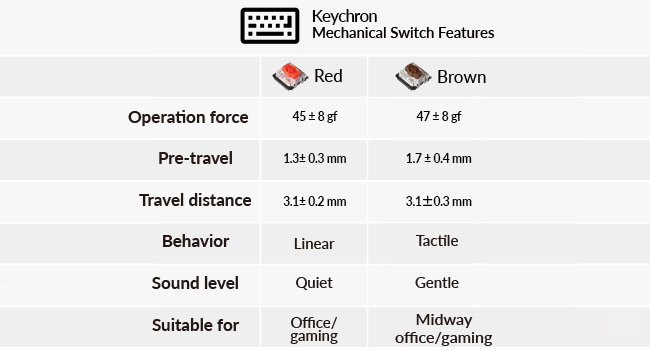 Low-Profile Keychron Mechanical Switch
The redesigned low-profile Keychron mechanical switch is 40% slimmer than conventional switches with a 50 million keystroke lifespan to provide unrivaled tactile responsiveness.
 MX-Styled Stabilizers
The MX-styled stem and stabilizers design will enhance keyboard reliability, and deliver better typing experiences.
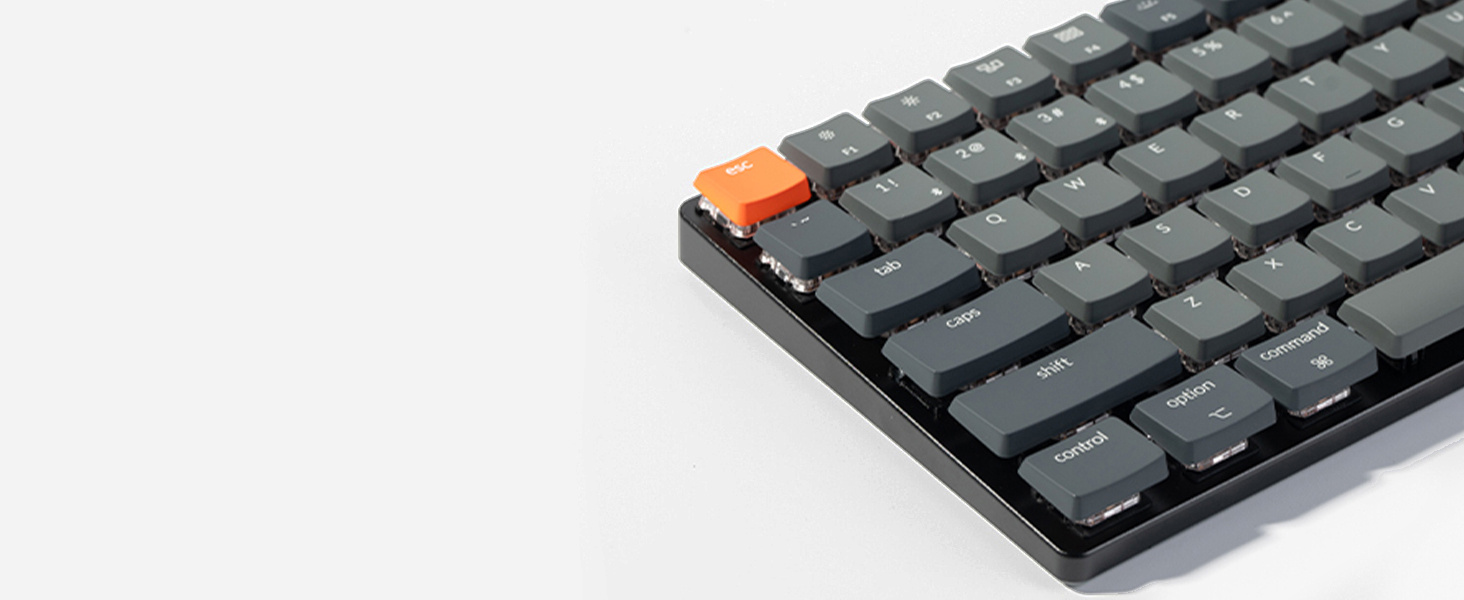 Low-Profile Keycaps
The K3 is equipped with MX-style keycaps for improved reliability and a better typing experience.
 North-facing White Backlit
The north-facing white LED is designed to better illuminate backlight from the typist’s angle.
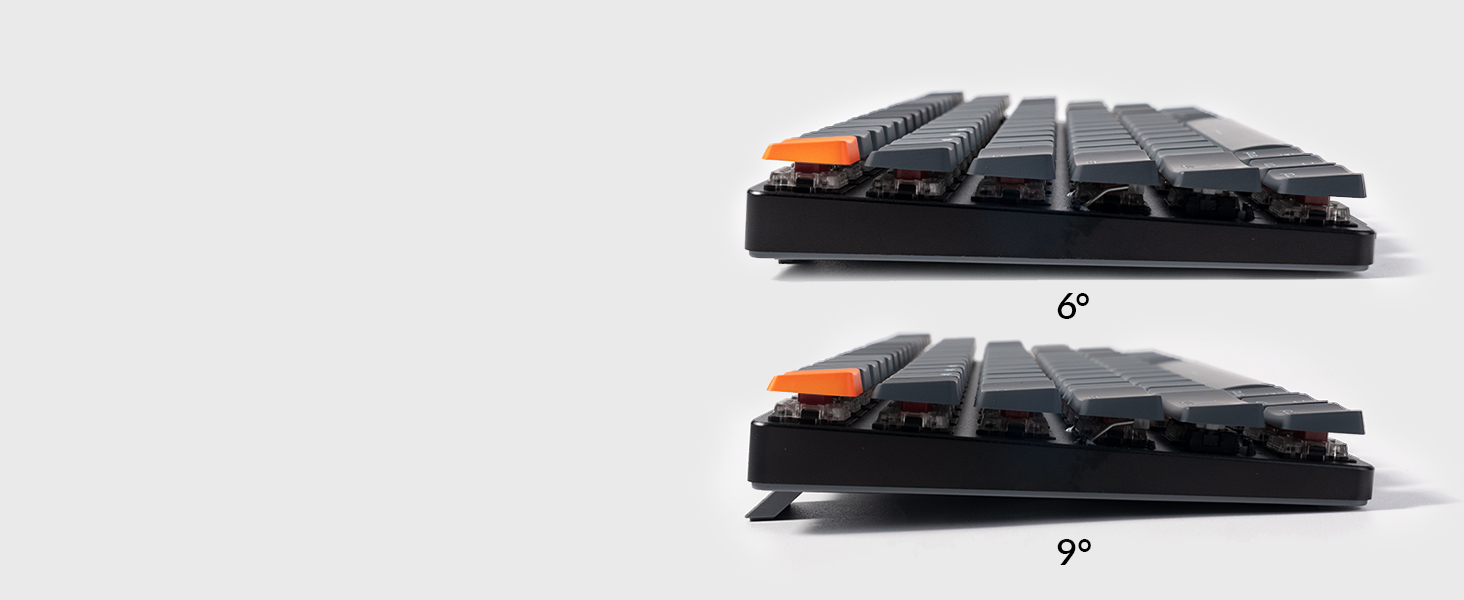 Ergonomic Support
Three levels of adjustable typing angle aim to provide long-lasting ergonomic wrist support.
 Up to 34 Hours
A single charge provides up to 34 hours of continuous use (at minimum brightness).
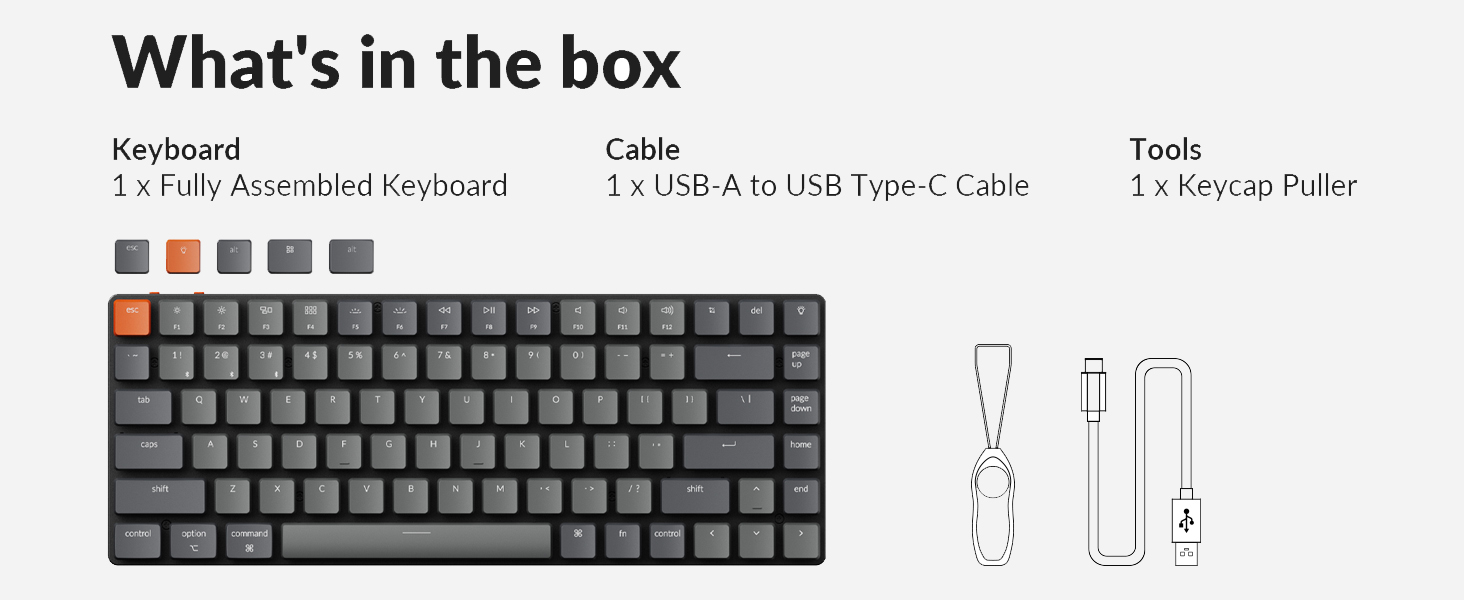
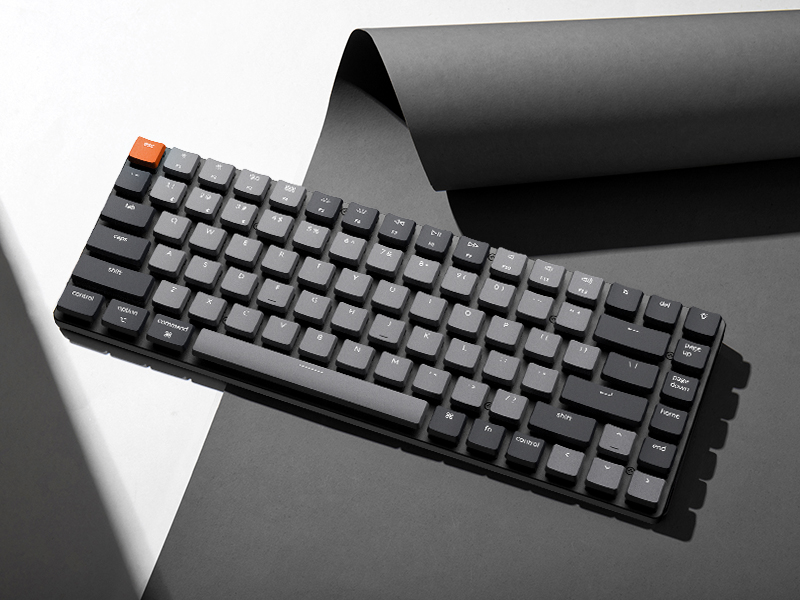
Keychron K3 Low-Profile Wireless Mechanical Keyboard 
Keychron K3 is a compact 75% layout white backlit Bluetooth mechanical keyboard designed for Mac and Windows, designed to maximize your workspace and improve productivity. It has all the necessary multimedia and function keys, providing two reliable connection modes, wireless and wired.
Bluetooth Connection Steps
Slide the toggle switch to the Bluetooth position. Hold Fn + 1 until the Bluetooth indicator flashes repeatedly. Enable Bluetooth on your device, search for the keyboard, and connect.
Bluetooth connection video: see troubleshooting guide for details.
 Bluetooth Not Connecting? Try These Steps
Factory reset the keyboard: Hold Fn + Z + J for 4 seconds.Power cycle all devices, including your computer and keyboard. Disable auto-sleep mode: Hold Fn + S + O for 4 seconds. Test the keyboard with other devices (phone, tablet, iPad, etc.). If it connects, the keyboard itself is working fine. 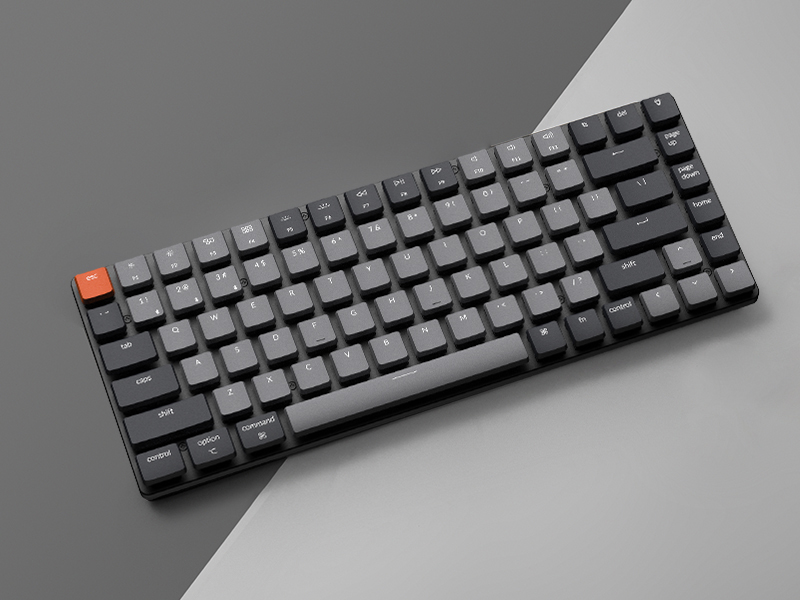 For Windows
Uncheck “Allow the computer to turn off the keyboard to save power” in power management under the device manager. Update the Bluetooth firmware If it’s still possible for your keyboard to connect toyour device: see troubleshooting guide for details.Reset the Bluetooth drivers on your PC. 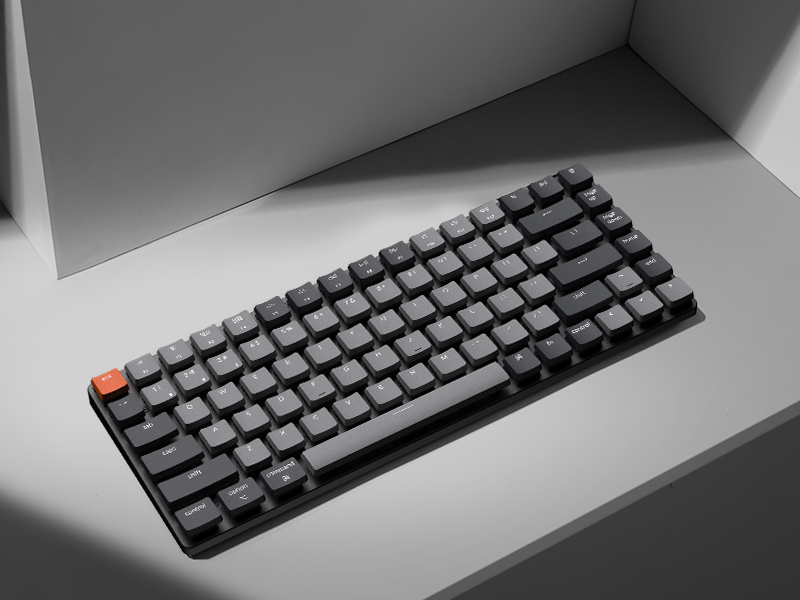 For macOS
Check Mac’s Wi-Fi and Bluetooth interference: see troubleshooting guide for details.Try these troubleshooting tips: see troubleshooting guide for details. 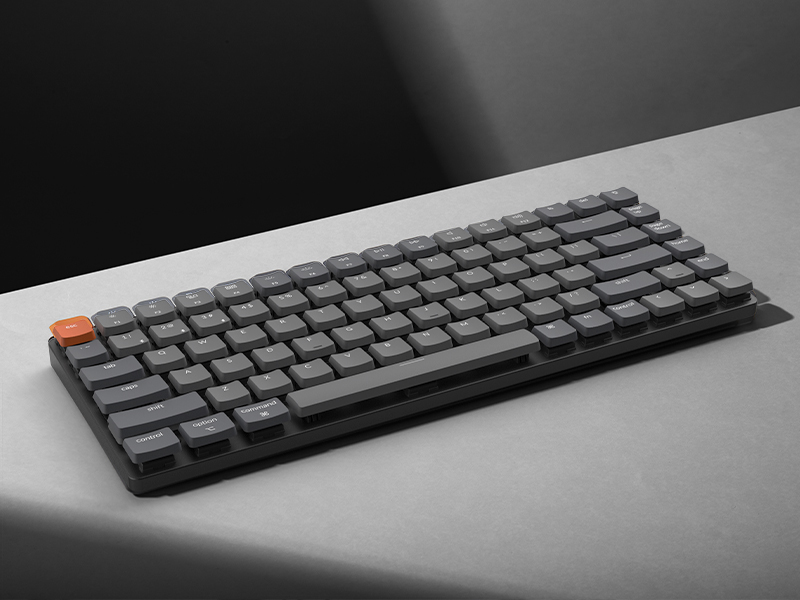 Can’t Type After Waking Up Mac?
This issue is caused by Apple’s FileVault, which prevents third-party Bluetooth keyboards from unlocking the login screen. Keychron keyboards support FileVault login in wired mode only.
Solutions:
Turn off FileVault to enable normal login. Use a wired connection to enter your password. Keychron keyboards support FileVault login in wired mode only. 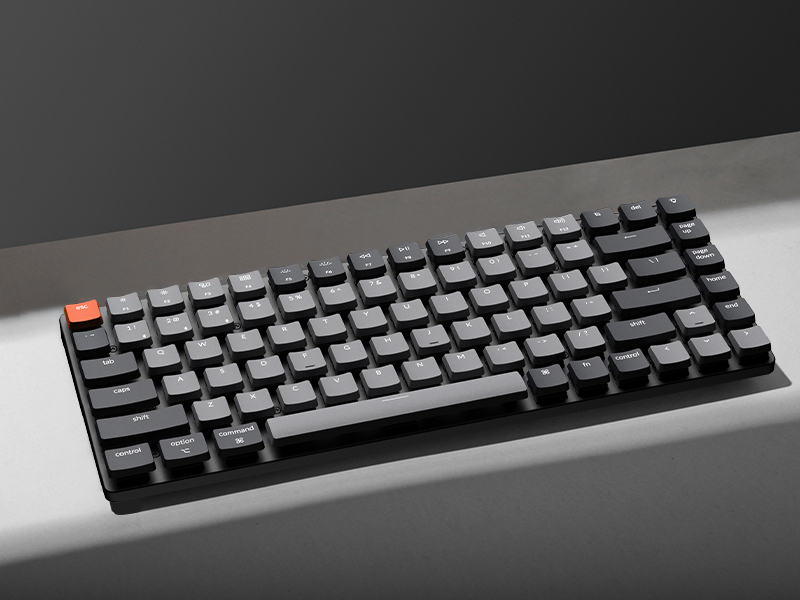 Typing experience of the switch is not as expected
The low-profile switch has a lower height or thinner body, it will trigger a keystroke faster than conventional normal profile switch.
Dimension 306 x 116 x 22 mm / 12.05 x 4.57 x 0.83 Inch Weight About 483g / 1.06lbs Number of Keys 84 keys Switches Low profile Keychron mechanical Switch Frame Material ABS+Aluminum frame Keycap Material ABS Backlit White Backlit Polling Rate 1000Hz (Wired Mode) / 90Hz (Wireless Mode) Connection Bluetooth and Type-C cable Battery 1550mAh Rechargeable li-polymer battery Compatible System macOS/Windows Operating Environment -10 to 50℃ BT Working Time Up to 34 hours (Lowest brightness) Number of Multimedia Keys 12
Keychron K3, a compact 75% layout ultra-slim wireless mechanical keyboard built for peak productivity and a great tactile typing experience.
Be ready to multitask without missing a beat by connecting the K3 with up to 3 devices via the stable Broadcom Bluetooth 5.1 chipset and switch between your laptop, PC, tablet and phone seamlessly. *Keep the distance between the keyboard and the device within reasonable limits to minimize signal interference.
With a unique Mac layout, the K3 has all the necessary Mac multimedia keys while still being compatible with Windows. Extra keycaps for both Windows and Mac operating systems are included. *If it doesn’t match your device exactly, you can try updating the keyboard’s firmware.
The redesigned low-profile Keychron mechanical switch is 40% slimmer than conventional switches with a shorter pre-travel and total travel distance that triggers an input and feedback faster than conventional/normal-profile mechanical switches.
Together with the reinforced aluminum body (plastic bottom frame) make the K3 one of the thinnest and lightweight wireless mechanical keyboards on the market. The K3 also comes with a floating keycap design with a charming white backlight with modern keycap legends to sync with your mood.
12 reviews for Keychron K3 Version 2, 84 Keys Ultra-Slim Wireless Bluetooth/USB Wired Mechanical Keyboard with White LED Backlit, Low-Profile Keychron Mechanical Brown Switch Compatible with Mac Windows
Add a review
$63.74
Cameron O’Rourke –
Excellent compact keyboard, very well made, especially for the price.
This is a great keyboard. Note that this is a compact keyboard — it is just a little smaller than a standard sized keyboard, but it is made really well, with a metal base plate — feels very sturdy. The keys feel great and the backlighting helps see the keys in the dark. It connects via USB or Bluetooth, and can switch between three different devices with a keystroke. Also comes with key caps for both Mac and Windows.
Amazon Customer –
Keyboard product design is a fine art. And this is the masterpiece.
As a “fussy keyboard user” I buy many keyboards at no expense spared. I’m not sure there’s any keyboard I like much more than this at any price.I bought this for travel but really I may use it all the time.The price, basically if it was about two times the price it is, I’d still pay it.It appears to me much better made than, say, steel series keyboards at 3x the price. (And steel series keyboards flake out after a year.)As everyone has said (a) it feels rock, rock, rock solid, strong and heavy (b) it’s super-low profile (c) the connectivity is perfect (I normally only go for wired, so I’m very critical of anything bluetooth) (d) every product feature is perfectly thought out.My only SUGGESTIONS for the product team. Just add a sticker, or white printing, on the rear of the keyboard, with the two commands one needs to know to start it up, etc. (I just grabbed a “white paint pen” and wrote the commands on the back.)Secondly, may I suggest selling some sort of “travel guard” which would be a very strong kind of clip- or slide- on guard which goes over the keys, for when you throw it in your carry-on luggage. (Imagine something that looks like an aerox mouse, with a drilled surface.)Essentially, this is a perfect product. I chose the “most quiet, fastest, zero click” blue switches and they’re perfect. I am a programmer and writer so I type billions of words and command-arrow type clicks a day.I’ve added two “size comparison to typical objects and other overpriced keyboards”, hope it helps someone
Thomas R. Scott –
Great Keyboard.
I love everything about this keyboard. The keys are smooth and quiet while giving a nice tactile response. The lighting and keycap colors are great. Overall, this keyboard has no weaknesses for my use.
uebergeek –
Great for a first mechanical keyboard! Easy typing.
My first mechanical keyboard(s)! Got one for work, and I liked it so much, I bought one for home too. In between, I tried a fancier one from another brand that offers a million switch options, thinking I was buying quieter switches — but they were actually louder. At twice the price, I liked that keyboard less than the simpler K3, so I sent it back and just bought another one of these.The K3’s keys (with red switches) are fast for programming and command line work. The key height is good. The keyboard Bluetooth pairs to my Mac and PC just fine, and you can easily toggle the Mac/PC layout. That said, it does take a moment to “wake up” and reconnect in Bluetooth mode (as many switchable keyboards do), so I tend to keep it plugged in via USB unless I need it wireless. I like that it has a USB connection option — not all multi-device BT keyboards do.The key backlights are helpful, especially for nightowls, though I prefer to just keep the backlights in static mode. Maybe all the chasing light modes are fun for gaming, but I find them distracting for work. And in bluetooth mode, it somehow seems to switch the lighting mode periodically, so I frequently find myself having to cycle it back to find the static one. One-star off for that minor nuisance, but otherwise, great typing experience.If you aren’t a mechanical keyboard connoisseur who needs programmability and swappable switches, this is a nice basic setup that seems “just right.” If you’re not sure which type of switches to order it with, I’d recommend the red switches for an easy typing experience and switches that are relatively quiet — as mechanical keyboards go.
Andrii –
Recommend
Excellent keyboard. The size, build quality, and key quality are all very good. I don’t really need all the RGB lighting modes, but there are plenty of them. It connects to devices very quickly, and I’ve had no issues with connection stability or quality.This is my first mechanical keyboard, so it felt unusual for the first couple of months, and I still occasionally hit the wrong keys — mostly because of the compact size. Overall, though, everything is great.Personally, I would choose slightly heavier switches to avoid accidental key presses. The battery lasts about 2–3 days with constant backlighting. I usually keep the backlight at 50%, and in that case the keyboard lasts much longer — about a week for me. I don’t game; I use it for work about 7–9 hours a day.Final thoughts: I recommend it. The size can be both a plus and a minus — it takes some getting used to — but the quality is impressive. I would choose heavier keyboard switches; mine are red switches.
Francesco C. –
Excellent slim keyboard with great features
I’ve been using the Keychron K3 Version 2 for a few weeks, and I’m really impressed. The sound quality is satisfying, key presses feel tactile and have a pleasant click without being too loud. Bluetooth connectivity is smooth and stable; I can easily switch between devices without any lag.The brightness adjustment for the backlight is intuitive and bright enough to type comfortably even in dark rooms. All the keys function perfectly, including the function row and multimedia shortcuts.The overall keyboard quality feels solid yet lightweight, and the slim design is perfect for my desk setup. It’s also highly compatible with Windows, macOS, and iOS, making it very versatile. Overall, it’s an excellent keyboard for both work and casual use, and I would highly recommend it.
John –
Very good, no usb dongle.
Very nice but if you need a usb dongle thing this doesn’t have one. You’ll be using a usb cable (included) or Bluetooth. If you need that you have to buy the pro. Other than that it’s a great small keyboard with cool backlighting and surprisingly the keys are have backlit characters.
John –
Love this keyboard. Mac and WIndows keys and functionality. Has easy media keys. Great battery. Delivered quickly, perfect condition, nice packaging!
Manoj –
Interesting keyboard., it is my second me chanical keyboard, first has logi mechini, no usb support as well as down grade windows such as windows 7. Keychron has an interesting forma factor, lightning was awesome. Easy to connect. Type c cable was premium, well covered. Even though it come with dtc courier they managed to deliver at my door. Actually I feel it too small. I primarily used it for professionals uses.
Cynthia –
It is a great keyboard. Very light weight and thin. The keys feel nice. Easy to switch between devices, response time is around 1 second. However, I got a defected one. I tried to charge it on day one but I couldn’t see any light indicator. So I thought it was charging anyways. After 2 weeks of use, I realized that’s actually a led indicator next to the usb C port. and it was flashing red. I read the user manual again and found out that red flashing means battery low. The next thing happened is that my keyboard died. And now I can only use it with wire.
moath –
صارله اسبوع عندي و جودة المنتج ممتازة + صوته واطيو مش مرتفع زي باقي الكيبوردات الميكانيكال ،،، انصح فيه ،،، يستاهل سعره
Amazon Customer –
Excelente