

HUION 420 OSU Tablet Drawing Tablet, Graphics Tablet with Digital Stylus, 4 x 2.23 inches Pen Tablet for Digital Art, Design & Animation, Work with Mac, PC
$16.99
Related Products


Product description

FAQ
Q: What to do if the 420 drawing tablet does not work?
A: 1. Check if your computer runs Windows 7 or later, macOS 10.12 or later.
2. Unplug and replug the USB Cable.
3. Try with another computer.
4. Please eliminate electromagnetic interference
If all the methods mentioned above cannot fix the issue, the tablet is broken. We will help you replace it.
Q: What’s in the box?
A: 1 x 420
1 x Battery Pen (AAA battery is not included)
1 x Instruction
1 x USB Cable
4 x Pen Nibs
1 x Pen Clip
Q: Can I connect 420 to iOS system?
A: No, you cannot connect it to an iOS system. Currently, 420 only supports Windows 7 or above, Mac OS 10.12 or above.
Q: Can I connect 420 to my phone?
A: No, you cannot connect it to your phone. 420 doesn’t support Android system.
Q: Which system is Huion 420 compatible with?
A: H420X is compatible with Windows 7 or later, Mac OS 10.12 or later.
WARM TIPS:
420 is NOT a standalone product; this device must be connected to a computer/laptop to work.

Driver Download and Installation
Driver Download: Please go to Huion official web to download the latest tablet driver (Driver_12.4.2 for Windows user; Driver_12.2.2 for MacOs users).
Driver Installation: Please make sure there is no other brands driver on computer and close all drawing program or protecting program before installation. Please Run As Administrator when installing the driver.
MacOS users need to put software you newly downloaded into white list first to normally use it.
Compact and durable
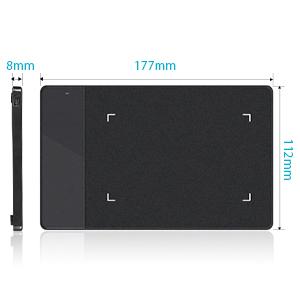
Being easy-to-carry and minimalist in design, 420 pen tablet of minimalist design and 7.5mm in thickness not only brings users more convenience, but also a 4×2.23 inch working area for creating. You can carry it everywhere you want.
Delicate and high-efficient
Movement of your pen nib can be accurately captured with the help of 4000LPI pen resolution. The higher the pen resolution value is, the better presentation of each line input will be.
Technology Electromagnetic Digitizer
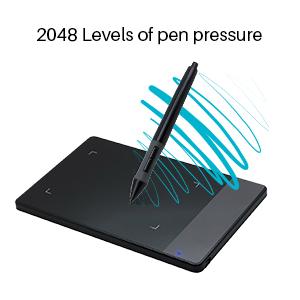
420 graphics tablet is with resolution 4000 LPI, 2048 Levels of pen pressure, Supply Voltage DC5V and Power Consumption 0.35W. It provide you with excellent smooth operation. It is a grate wonderful mouse alternative.
Lifelike and smooth strokes
200RPS report rate and 12mm sensing height ensure instant response to pen movements. Each line input is accurately presented, without compromising of the consistency.
Meet all you needs
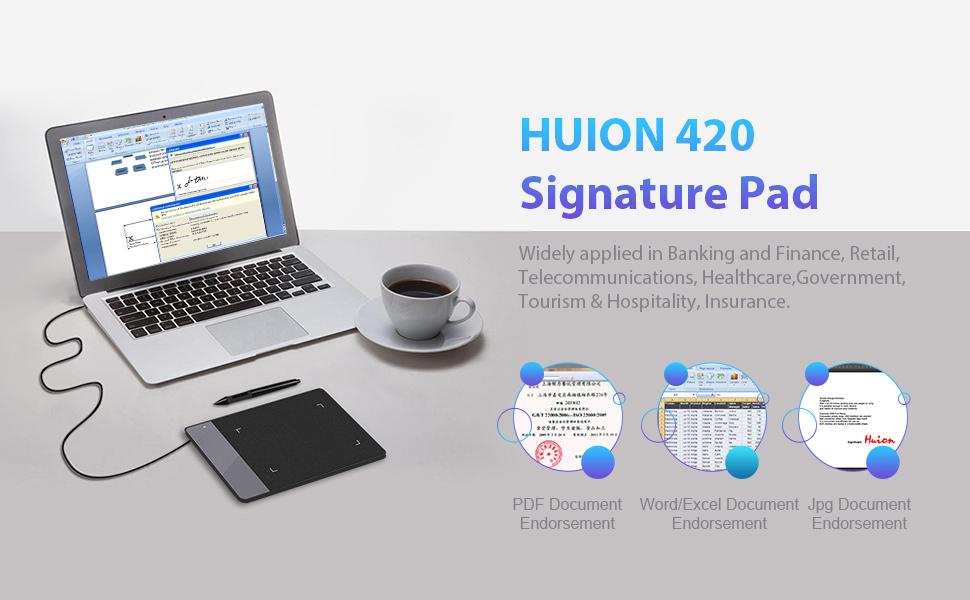
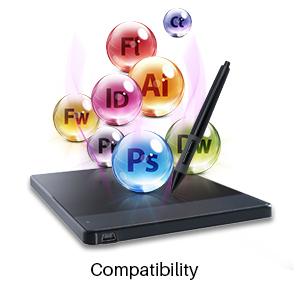
Operation on Windows and Mac OS are supported, with various mainstream drawing and designing software compatible. 420 is created specially for E-signing application, while drawing with the tablet is also supported.
Strong compatibility
With 420 electronic signature pad, files edited on Word, Excel and documents of PDF or JPG formats are all compatible with signing function supported by our products.
Add to Cart
Add to Cart
Add to Cart
Add to Cart
Add to Cart
Customer Reviews
4.0 out of 5 stars 6,886
4.1 out of 5 stars 2,612
4.4 out of 5 stars 7,606
4.4 out of 5 stars 13,845
4.5 out of 5 stars 14,152
Price
$16.99$16.99 $19.99$19.99 $33.99$33.99 $37.99$37.99 $31.99$31.99
Working Area (Inch)
4.17 x 2.23 4.17 x 2.23 4.8 x 3 6.3 x 3.9 8 x 6
Pressure Level
2048 2048 4096 8192 2048
Press Keys
no data
3 4 6 no data
Report Rate (PPS)
200 200 233 233 200
Net Weight (g)
167 167 135 277 557
Pen Model
P68 P68 PW201 PW100 P68
Android Supported
no data
no data
✓
✓
✓
Huion 420 is an affordable graphics tablet with responsive stylus, perfect for kids and beginning artists to draw,sketch,edit photos. It is easy to set up and suitablet for both left and right handed users.
This drawing pad with stylus can replace the computer mouse and keyboard to enhance your workflow. Just put the pen tip wherever you need to be on the responsive pad. It is easier to write, edit, and annotate with stylus for online education, e-learning, remote working or web conferences. The pen also has a customizable button on the side that can replace the right mouse button function.
It also can be used for playing OSU game,signing document,taking notes and more.No need to install driver. Just plug and play!Huion 420 is compatible with XSplit, Zoom,Microsoft Teams, Word, Powerpoint, OneNote and more.
420 digital drawing tablet is only 7mm in thickness and 165g in weight. Slim and compact design with an active area of 4×2.23 inch makes it perfect for limited desktop space and easy to carry out when on a trip.
System requirements: USB port, Windows 7 or later, Mac OS 10.12 or later. Huion 420 drawing pad is compatible with most drawing software including Adobe Photoshop, paint tool SAI, Illustrator, Corel Draw, Corel Painter, sketchbook, Manga Studio, Clip Studio Paint, and more. 420 is NOT compatible with iOS and Android.
9 reviews for HUION 420 OSU Tablet Drawing Tablet, Graphics Tablet with Digital Stylus, 4 x 2.23 inches Pen Tablet for Digital Art, Design & Animation, Work with Mac, PC
Add a review
$16.99
Megan Denman –
Better than my Wacom.
I am coming from a Wacom Intuos Pro, but the drivers started having issues and the tablet became too damage to actually use. I had used that tablet for about 3 years and it is almost three times as big as this tiny thing. I am using it to play Osu! and to draw digital art, and it is wonderful in both aspects. I am a low-sensitivity player on Osu!, which means I use a lot of tablet space. I thought this tablet wouldn’t be good for me because it would require me to use a smaller surface, however the 4 x 3 is quite large enough to play Osu! with! Anything bigger is unnecessary, and this is coming from a low sensitivity user.A lot of people have been complaining about the pen, but honestly it is probably my favorite part. The wacom’s tip didn’t give way at all and made the pen feel very stiff. This tablet works wonderfull and the tip gives way slightly, making a smooth and nice writing experience. People said it was back heavy, but the weight just made it feel more firm in my hands. I grip my pen tightly, especially while playing Osu!, so the extra weight made it feel sturdy. The pen does run off of a battery which sucks a lot, but for the price of a large pizza I can’t find reason to complain. If anything the size is quite convenient, when I am forced to go somewhere I can stuff it in my laptop case and carry it with me anywhere, my Wacom would have had issues with such a thing.TLDR: It is compact, affordable, and well made. It has as good of quality as my Wacom Intuos Pro, and is 1/5 the cost. The pen is a bit hefty and it runs on a battery, but as someone who grips their pen tightly, I can say that I am happy with the heavier weight. There is no reason not to buy this, even if you just want a backup for a current tablet. As an Osu! player this is the dream beginner tablet, and as someone who plays 6* maps I can say that this thing works well in action for intermediate players too.
Master of Cats –
Love it! Not using it for drawing. Just as a mouse replacement to save wrists
Loved it, once I figured out that it’s a little different from mouse actions. Then it only took a couple of hours of use to get very good with it.I thought it was defective out of the box because I didn’t understand this at first: You basically hover OVER the pad to move the cursor, then touch the pad to left click.I was dragging the stylus tip across the pad, which seemed intuitive because that’s how a mouse works, you move it on the table to move the cursor. But this is more like you hover the tip in the air, it kinda seems like magic. lol. you more or less move it in the air over the pad until you want to select or draw, then you touch the pad with the tip.This is a very good and inexpensive pen input stylus and pad. I’m not planning on being an artist making drawings, but did some drawings to get used to the pen.I had a pen input from a different company in the late 90s. years ago. I returned it. Back then these weren’t really ready for prime time. I like this one. Still, it’s alien compared to a mouse, since I’ve been a power computer user with a mouse daily since 1996, but I’m getting used to this.Main reasons I got it are:1. To save wear and tear on my wrists, since you don’t have to click anything to select.2. To do midi art music (drawing notes, then moving them around until they work well. I’ve done that with a mouse, and it’s much easier with this.)If you’re an artist and have resisted these, this is cheap enough to give it a shot. And it worked out the box, didn’t require much / any configuration. The one I had in the 90s did.Was 25 bucks on Amazon including paying extra for the three-year protection in case Bob the Cat eats it.Note: you basically hover above the pad to move the cursor, then touch the pad to left click. You can program the two buttons for different mouse actions too. (I programmed them to both be right click, since touching stylus is left click.If your computer doesn’t have a CD drive for the included drivers, they’re on the website of the manufacturer. So is a PDF of the short, good manual, which is good, because the included printed tablet is tiny type. The manual is available in a dozen languages. At least.One tip: also leave your mouse plugged in, at least while you get use to using a tablet if you’re new to this.Bottom line: Great price, works well; what a time to be alive.
Emily Lavely –
Great tablet! Drivers can be finicky but easily fixed. Definitely recommend.
I use this solely for OSU! and for that purpose once the tablet gets working it works as intended.I gave this 4 stars instead of 5 as sometimes I find that I have difficulty with the drivers malfunctioning and having to redownload another. But this was easy to fix.I’ve bought this item before a couple years back but after taking a hiatus from osu the tablet was unused for a while and when I came back to it the tablet was no longer functional (most likely due to inadequate safekeeping). But I trusted the product and liked it enough to go ahead a re-buy it so that should speak for itself.Also, this isn’t Huion’s fault, but getting this to work with Windows 10 and microsoft’s tablet program took me about 45 minutes to figure out how to disable the microsoft program, so this is a headsup that if you use Win10 you may have difficulty. There are solutions online but just be prepared to have trouble starting up.tl;dr :Good tablet, drivers can malfunction but easily can be fixed/redownloaded, the battery life on the pen is fantastic, the pen doesnt wear down much but if it does there are replacements that come with the product. The pen is comfortable to hold once you get used to it, and its not bulky or heavy. The tablet does a fairly good job of not sliding around.I would have given 5 stars if the drivers were more consistently functional. Otherwise, I am happy with this product for osu and in general.
Andrew –
Ehhh it’s alright
I got this as a Christmas gift years ago and I am now writing a review but this is an okay drawing tablet. If your someone who’s new to trying drawing pads, I would go for something more expensive and a good pen. This one is pretty glitchy and pen is really weird sometimes. It doesn’t feel straight, when I draw it shouldn’t be a different inch.
Sivaperumal K –
Good product
Erik Beschenar –
Ein ganz OKAY Grafiktablett!Der Stift vom Tablett ist sehr leicht… wenn man keine Batterie ( AAA ) im Stift ist!Macht man eine AAA – Batterie rein, ist der Stift sehr schwer, aber mach gewöhnt sich nach ner Zeit.Außerdem ist die spitze vom Stift ist sehr Spitz heißt, das Tablett zerkratz sehr Schnell!Das Tablett hingegen ist klein, und perfekt für spiele wie Zum beispiel: “osu!”.Es ist sehr gut für Anfänger, da der Preis sehr Niedrig und das Tablett auch eigt. nicht schlecht ist!Für erfahrene Tablett Nutzer, würde ich es nicht empfehlen, da würde ich ein Tablett für mind. 50-100€ suchen, ein gutes Beispiel ist das “Wacom Intuos Art Small Black Grafik-Tablett” für 100€!Für Anfänger würde ich das Tablett empfehlen, da es sehr einfach gehalten ist, nicht schwer zu installieren und sehr billig ist!für Anfänger nur zu empfehlen!
Joun.n –
Una buena tableta barata llevo 1 semana probandola y todo va de maravilla precio calidad muy recomendableSirve para osu, para diseño gráfico si apenas vas empezando (si ya tienes experiencia mejor busca otra tableta mejor) todo muy bien con la tableta, tal vez el único pero es la pluma que necesita pilas triple A y que la punta si es algo frágil pero vamos este tipo de productos siempre tienes que cuidarlos,Sin peros ni quejas lapson México ya había comprando anterior mente con ellos así que tenia la confianza que llegaría mi producto
HSGW –
ペンタブの購入は初めてなので使用感等はそこまで参考にならないかと思いますが、最初は画面の大きさに対してのサイズで、移動の感度になれなかったのですが少しづつ慣れてくるととても使いやすい事がわかりました。ペンを動かすのに単4電池が必要ですので切らしている方は届く前に買ってくる事をオススメします。自分は近くの電気屋が閉まっていたので少し遠いスーパーまで走りました。これの購入を考えている方にアドバイスですがHuion H420という3つボタンが付いている新機種が200円程の差で販売されています。そちらもかなりの高レビューですので、これから買おうという方にはそちらをオススメします。私はこれが届いてからそれに気が付いて悶えました・・・後、携帯用として、ライトな使用なら良いかと思いますがしっかり絵やイラストを描きたい方はもう少し大きい物をオススメします。自分は割とライトな使用なのでこれで大満足です。3つのボタンを逃したのは惜しいですが・・w最終的な評価としては携帯式の物でかなりの低価格ですので品質もコストパフォーマンスも良いと思います。
Hussain Luaibi –
I like this product which I received yesterday. But I didn’t give full stars because I encountered a problem, a big one. When I work on photoshop and try to use any brush it shoots lines . So when I put the brush on a picture or anything I am working on to put touches or just dots, what happens after that is I have lines on the side. So there is a problem somewhere. It doesn’t do that for example when I use it with Paint. I heard I need to adjust the tip of the pen but how? The software I downloaded, online, was enough to hook the drawing tablet to the computer and it doesn’t offer anything else. I am not sure if it is defective. It is too early to say that. I will reinstall it and download the drivers from the CD provided. Maybe it will help. I will keep you update. I hope the seller, whom I haven’t contacted, will help me with this problem if he knows any tricks to do. The product seems solid and really good but I need to figure out the problem. I might return it if there is no solution to this problem. I will do my experiments. I will keep you updated.I am writing my second review as I promised to update my first review. I put 5 stars. It was my mistake. I didn’t download the right software. After downloading the right software my problem (I talked about in my first review) was solved right away. So I had the defect, not the product! It is a great pad that can be very very useful in working on Photoshop and any other painting program. I love it. Sorry for my wrong early impression. I know very well you need to be very patient with technology but sometimes I don’t follow this rule.I recommend this pad. By the way, it can be used by children and adults alike.