

ErGear Dual Monitor Arm, Full Adjustable Monitor Mount for 13–32″ Screens, Fast Install Computer Monitor Stand with Tool-Free VESA Mount, Max Load 19.8 lbs, Max VESA 100x100mm
$32.98
Related Products





Product description
ErGear Fast Install Dual Monitor Mount丨The Fastest Way to Elevate Your Workspace 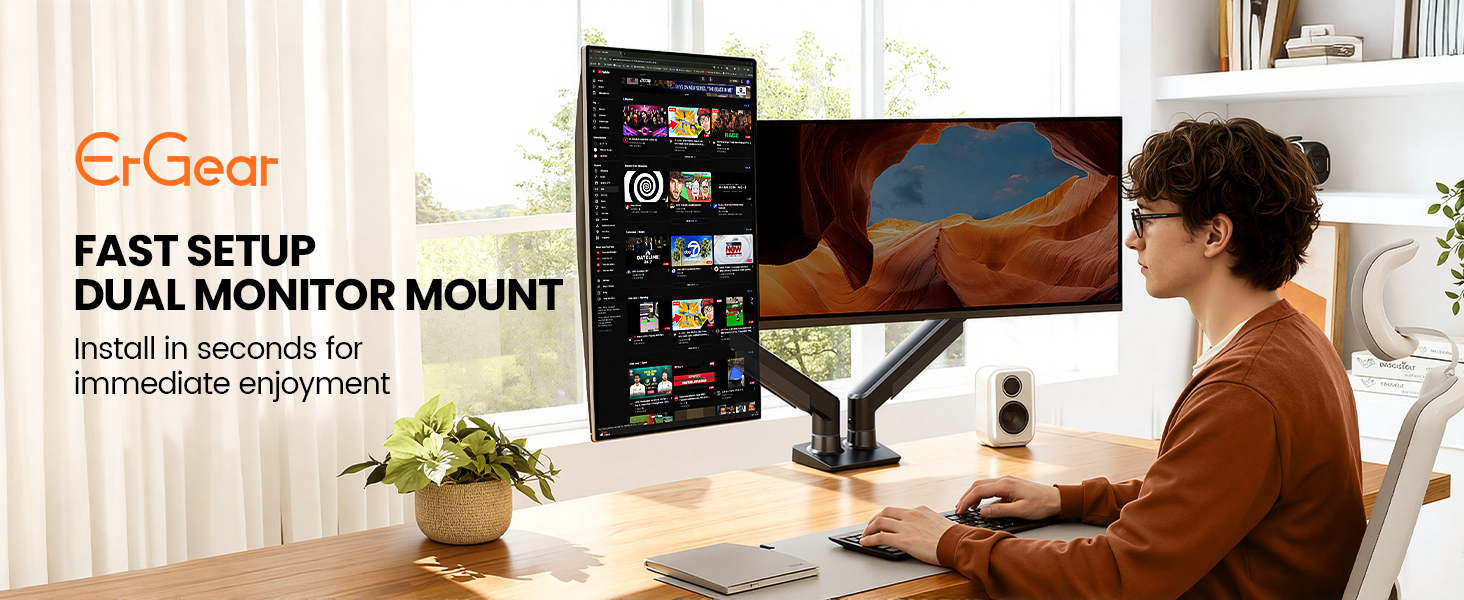
Tension & Vesa Head Adjustment
The video showcases the product in use.The video guides you through product setup.The video compares multiple products.The video shows the product being unpacked. Tension and Vesa Head Adjustment Merchant Video
Note: Please attach your monitor to the mount and hold the arm in a horizontal position, then follow the video instructions to adjust the tension: Turn “+” If the monitor drops down. Turn”-“If the monitor rises up.
Desk Compatibility – Two Mounting Options 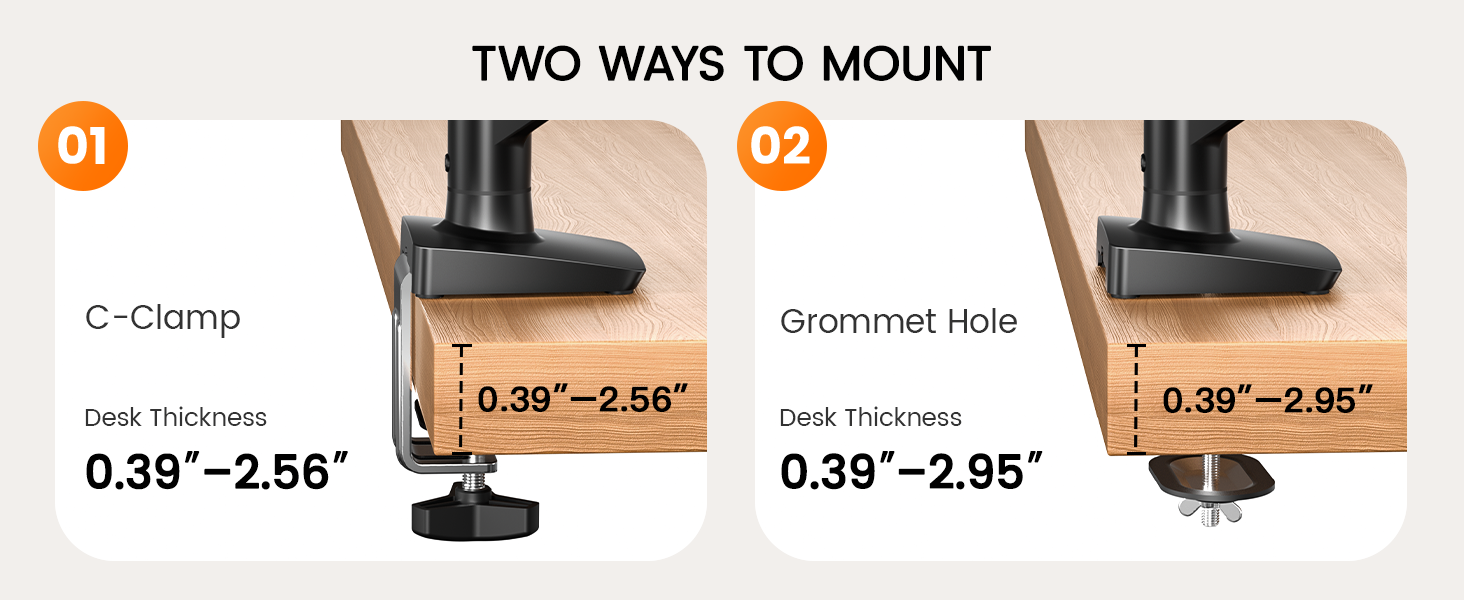
Please select the appropriate mounting method based on your desk thickness and follow the instruction manual for installation.
Desk Compatibility – Type, Material & Footprint
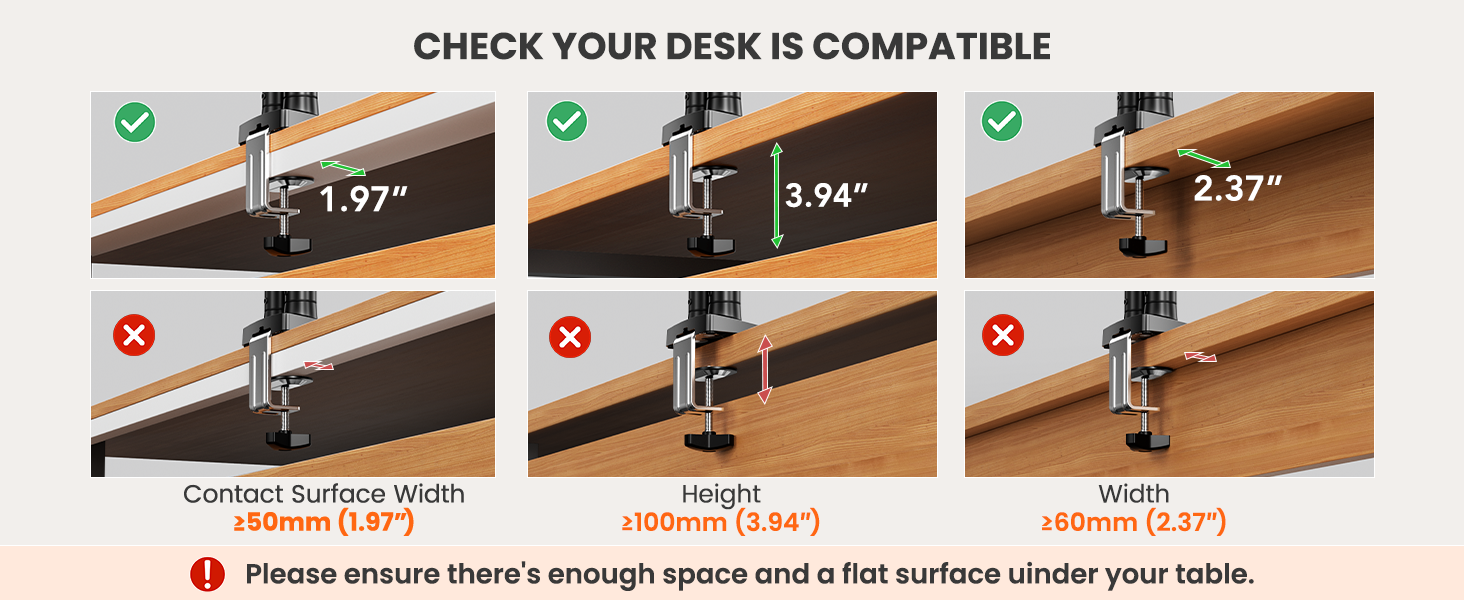
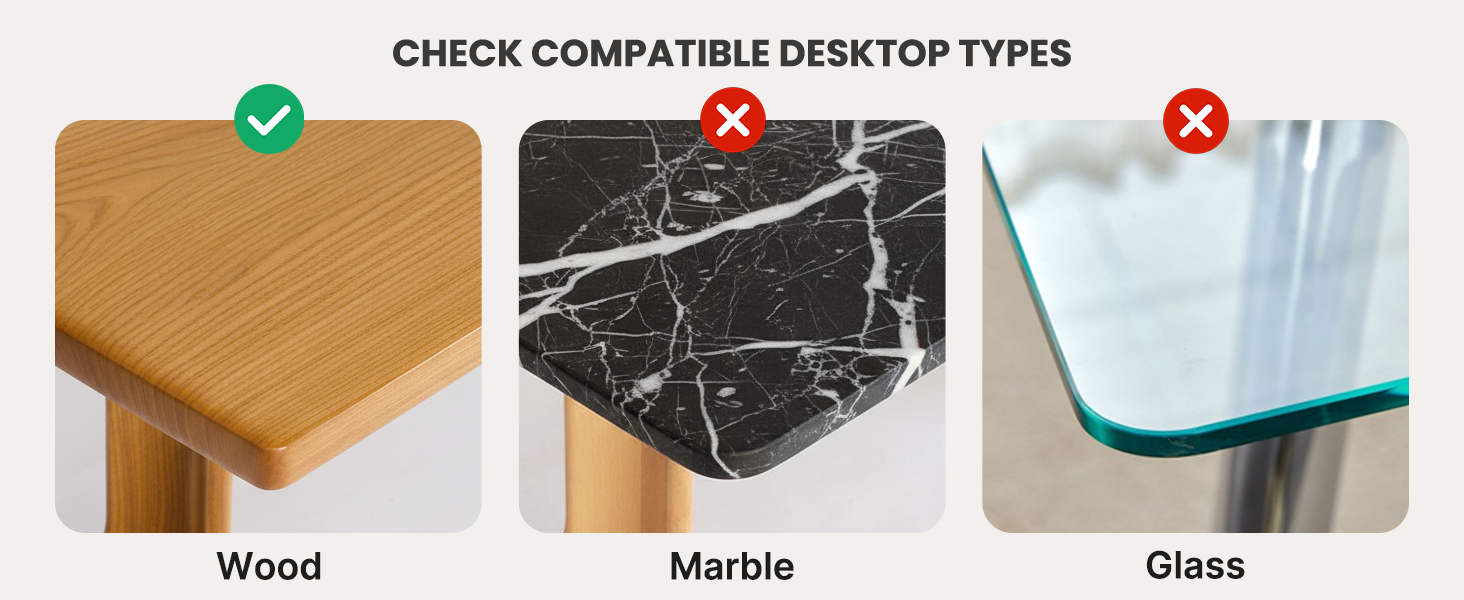
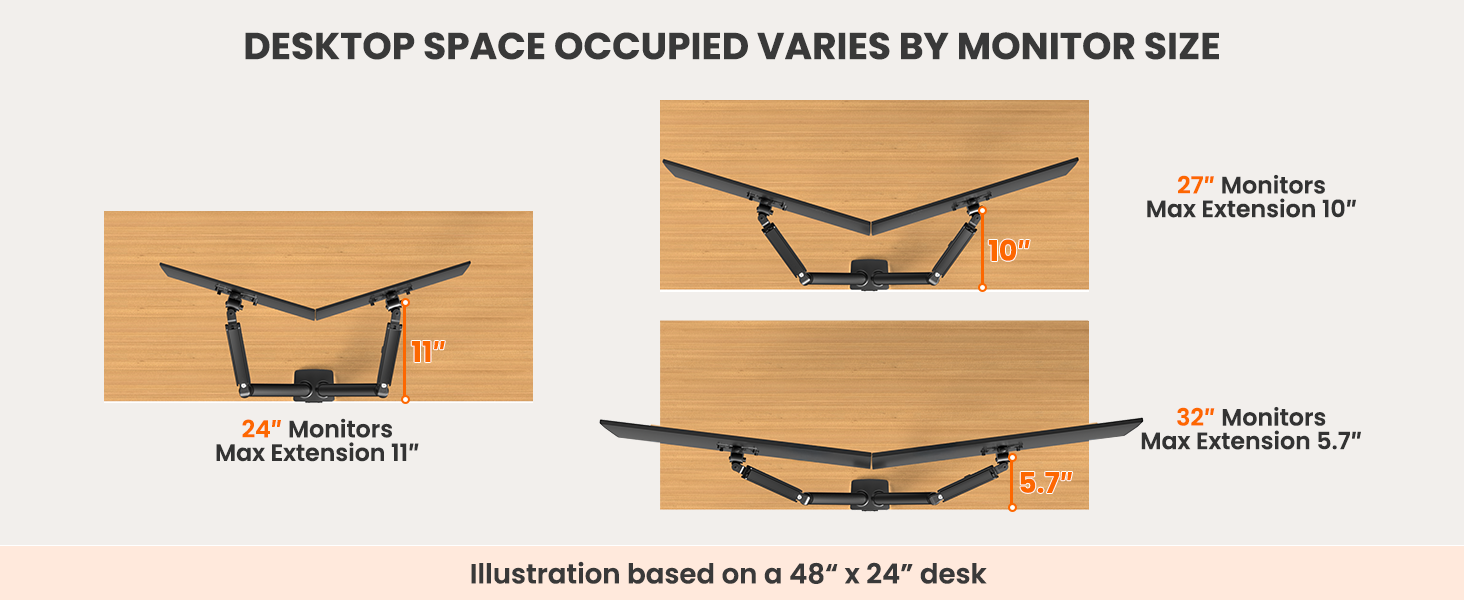
Under this section, you will find illustrated explanations regarding the types and materials of desks compatible with this monitor mount, as well as the desk space occupied with different monitor sizes. Please refer to them as needed.
Monitor Arm Compatibility – Size, Weight & Vesa Patterns

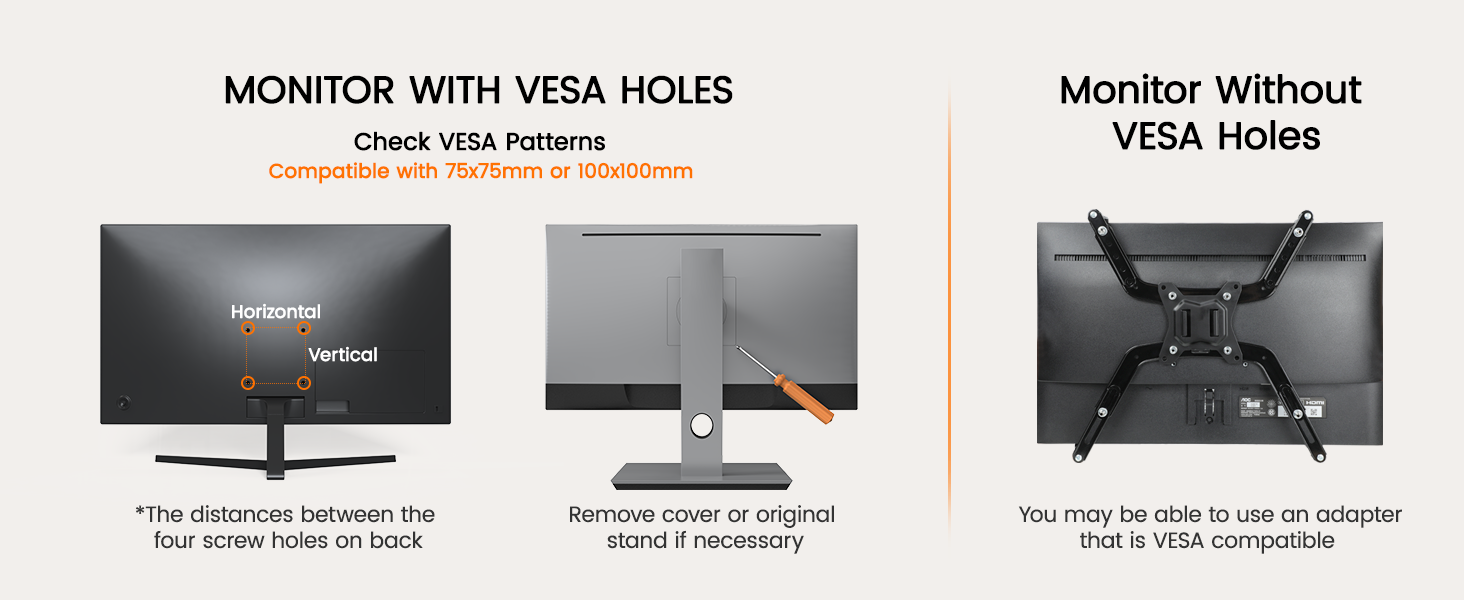
Check Before Purchase
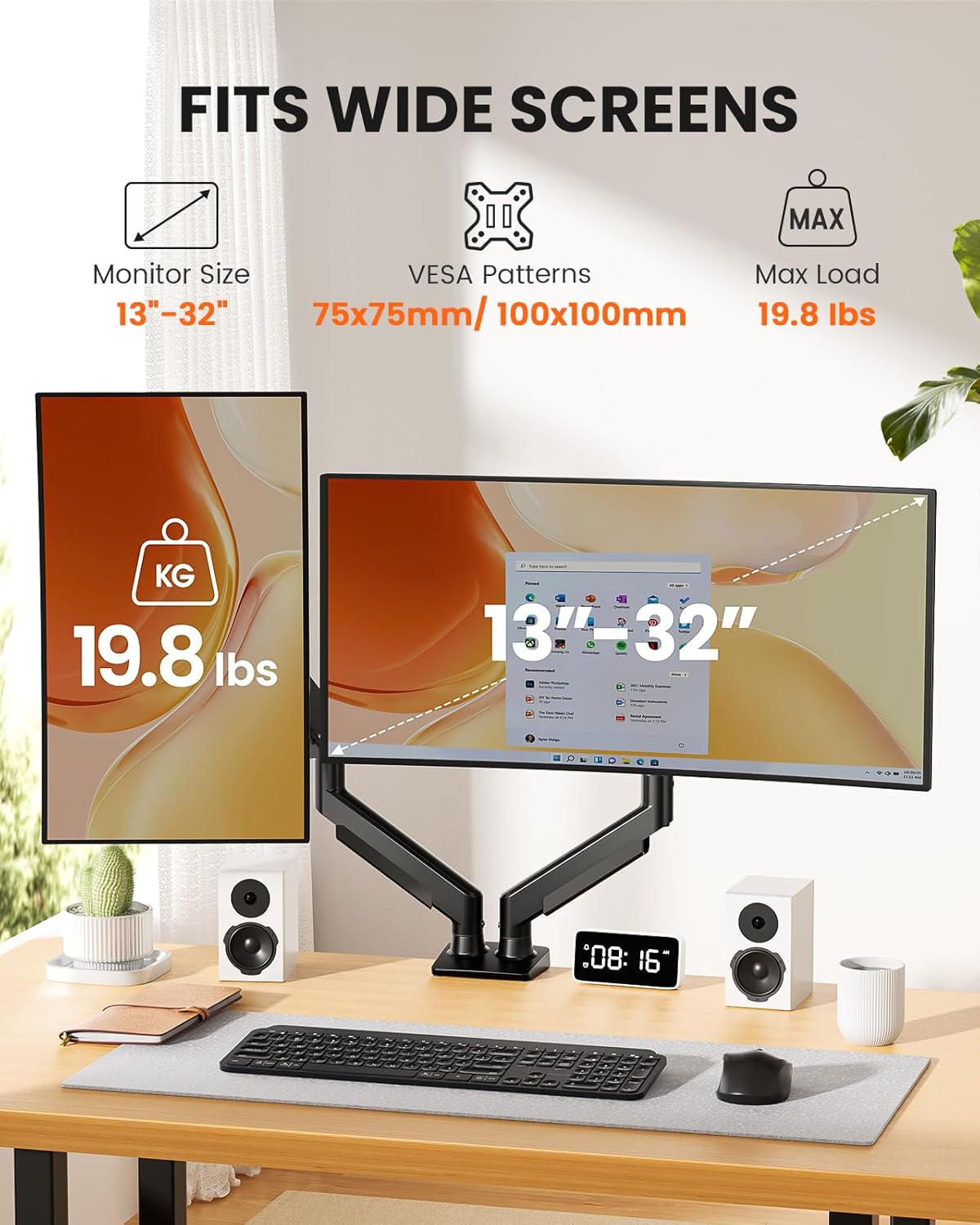
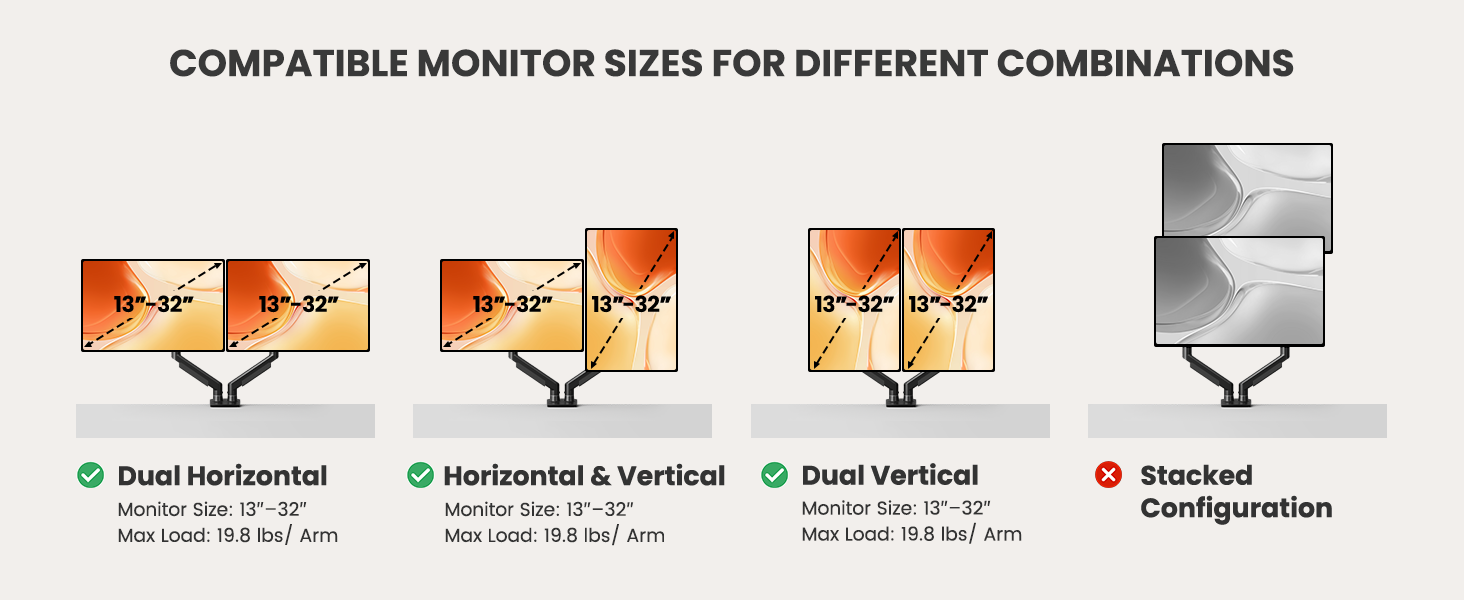
Desk Thickness Installed with a ‘C’ clamp, suitable for desktop thickness ranging from 0.39″-2.56″. Installed with grommet mount, suitable for desktop thickness ranging from 0.39″ to 2.95″. Desk Type It is recommended that the underside of your desk be clear of any obstructions. If clearance is limited, please refer to the clearance range diagram provided above. Alternatively, you may follow the instructions in the manual to add a wooden spacer as a solution. Desk Material We only recommend wooden desk, plastics, marble or glass surface aer not recommended. Monitor Size Each monitor arm can compatible with screens 13-32 inches, screens larger than 32 inches are not compatible. Monitor Weight The screen’s weight must falls up to 22 pounds, weights beyond this range are not compatible. Monitor Vesa Pattern The monitor must have VESA mounting holes of either 75x75mm or 100x100mm. If your monitor does not have a visible vesa hole, you can first refer to your monitor manual to see if there are guidelines for removing the cover or stand to attach the VESA hole, or you can also choose to use a VESA adapter.
This monitor mount effortlessly organizes and conceals wires, maintaining a clutter-free appearance while preventing tangling as the arm adjusts. The dual monitor arm design allows you to customize your screen setup, creating the ideal home office environment tailored to your needs.
Compatible with Wide Screens: The ErGear heavy-duty dual monitor arm is designed to fit most 13″–32″ flat or curved monitors, supporting up to 19.8 lbs, and it’s compatible with VESA mounting patterns of 75x75mm or 100x100mm. Be sure to verify your monitor’s VESA pattern, size, and weight before purchasing to ensure a perfect fit.
Tool-Free VESA Mounting: Set up in just three simple steps! The upgraded VESA plate on our computer monitor mount allows for quick, tool-free installation, saving you time and eliminating the need for complicated assembly. Mount this stand securely to your surface of choice using the one-piece C-clamp (for desks 0.39″ to 2.56″ thick) or the optional bolt-through grommet mount (for desks 0.39″ to 2.95″ thick).We only recommend installing it on a wooden desk, preferably with no crossbeam blocking the underside. For specific diagrams and instructions, please refer to the guidance in section A+ of the manual.
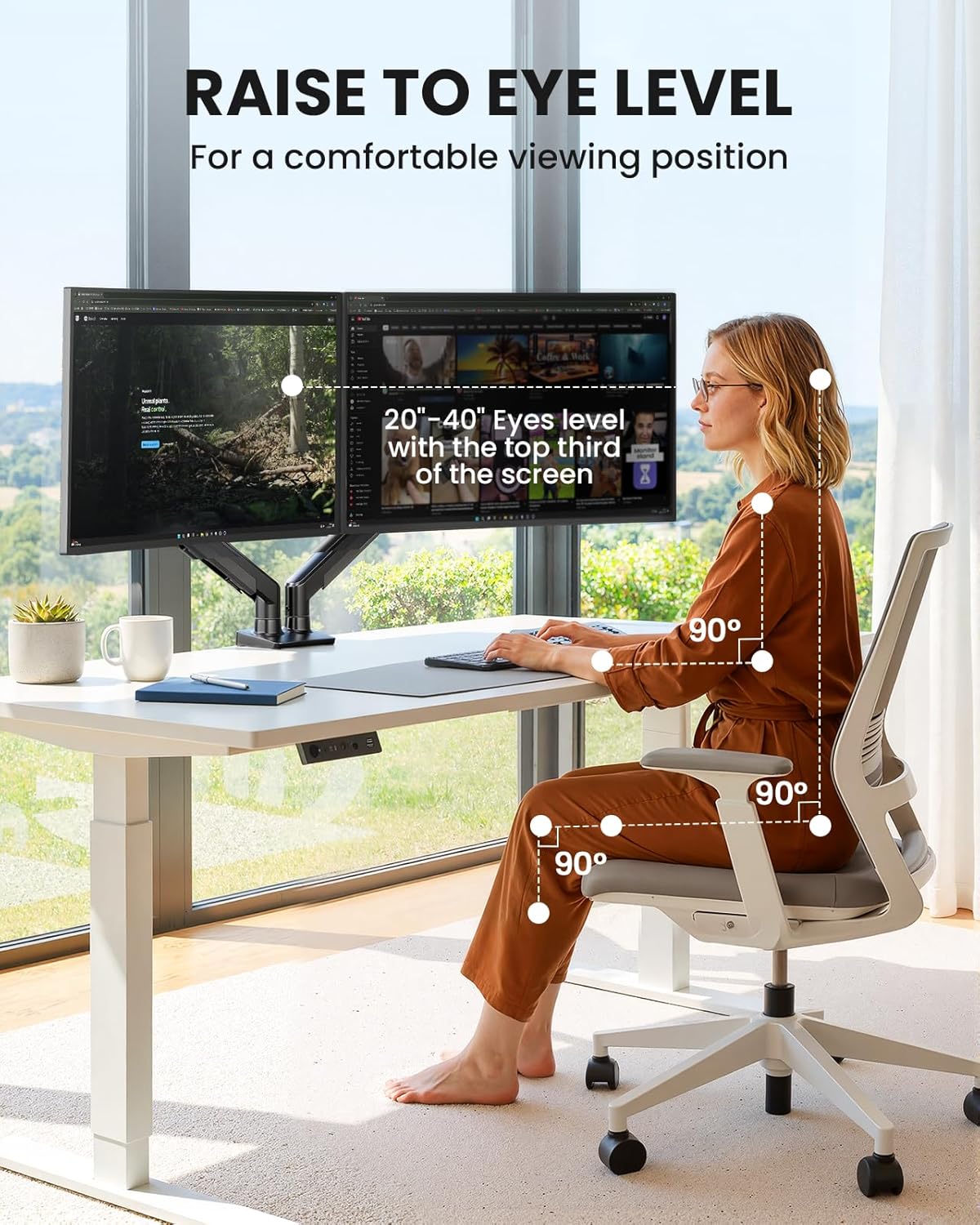
Dynamic Angle Adjustments: Offering independent, customizable positioning for both monitors, this premium monitor desk mount allows precise height adjustments up to 17.5″ and extend up to 18.1″. It features +80°/-50° tilt, ±90° swivel, and 360° rotation. Easily adjust your monitors to the perfect position for enhanced comfort and a workspace that works for you.
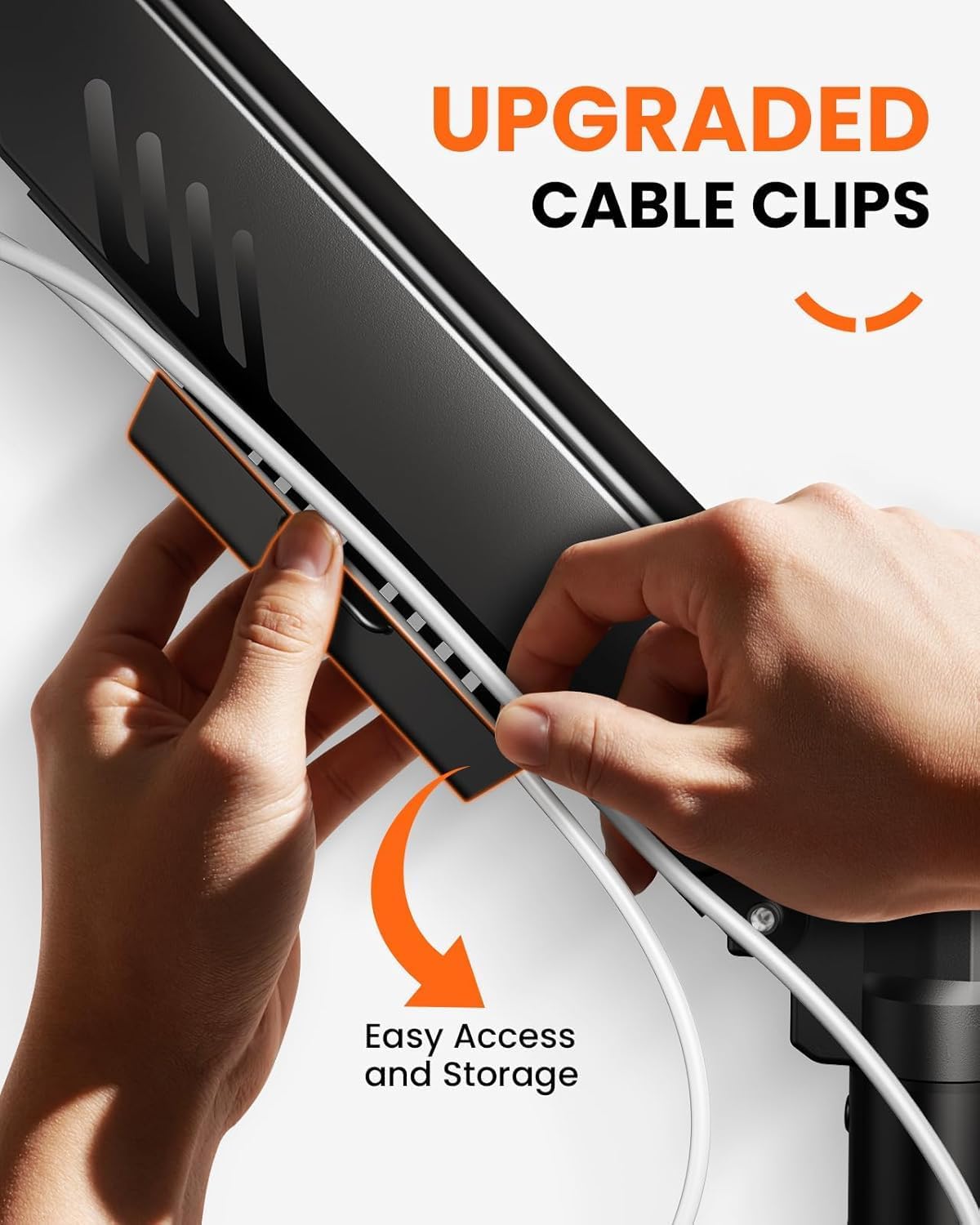
Tidy Cable Management: The upgraded cable clips open easily with no tools required, making cable organization faster and more convenient. By elevating your monitor, this double monitor arm frees up valuable desk space and keeps your cables neatly arranged, creating a clean, organized workspace that helps you stay focused and productive.
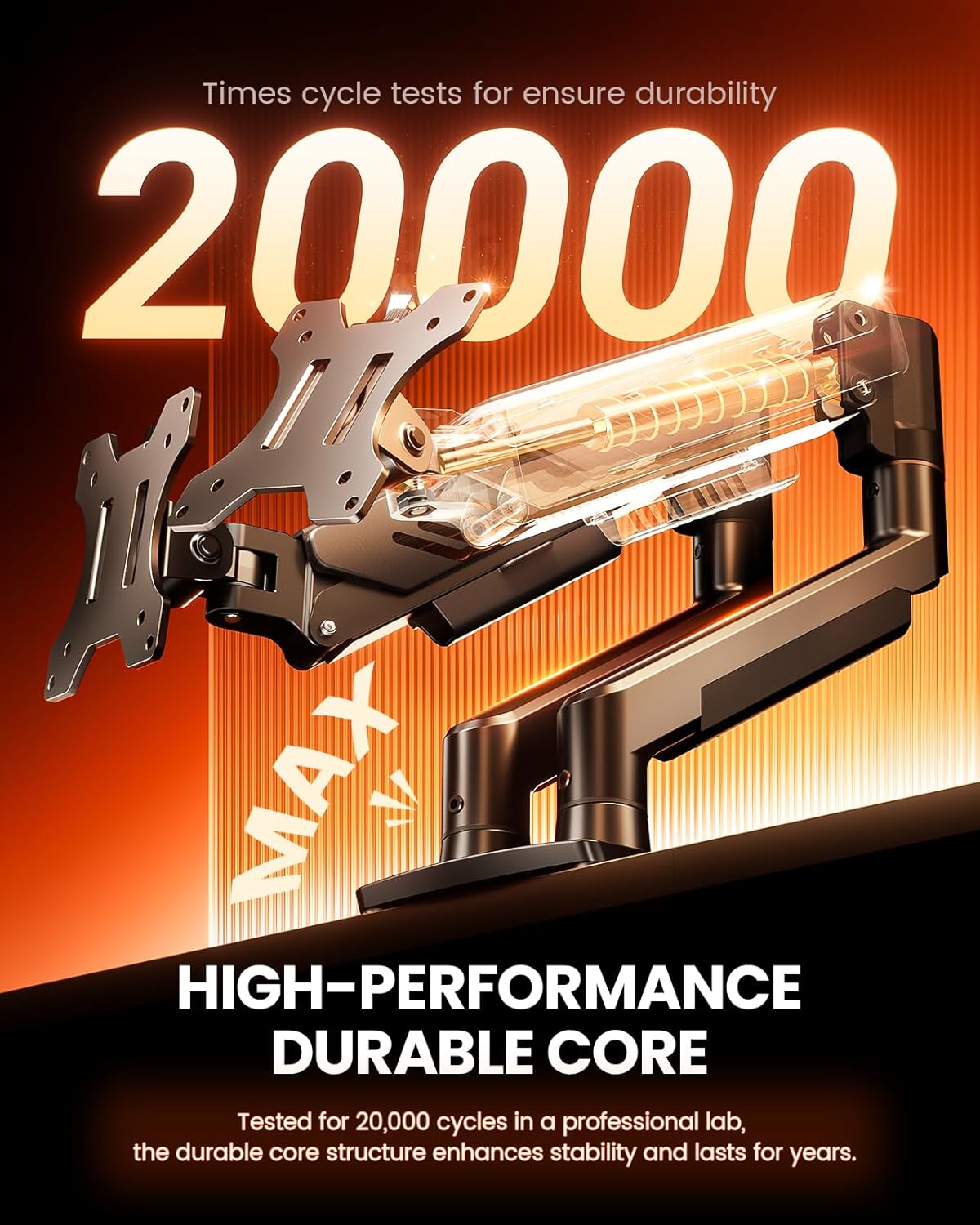
Built to Last: This dual monitor stand is engineered for long-term stability with an upgraded VESA head with 50% smaller gap and tighter-fitting VESA panel. These enhancements provide added support, to make sure your monitor stays securely mounted. Tested for over 20,000 cycles, the premium core offers smooth and reliable movement, ensuring strong performance for years of use.
13 reviews for ErGear Dual Monitor Arm, Full Adjustable Monitor Mount for 13–32″ Screens, Fast Install Computer Monitor Stand with Tool-Free VESA Mount, Max Load 19.8 lbs, Max VESA 100x100mm
Add a review
$32.98
Zhang Kuo –
Great Value, easy to install
Glad that I bought it. It was very easy to install, though a bit hard to make certain adjustment. Clears out a lot of my tabletop space and the heightened view is much better for my neck.
S –
Grate products for price
It’s perfect for two monitors , you can customize different way . So far quality is great and handling well.
Belinda –
Works fine for 32” monitors
Supports 2 32” monitors just fine
Deb B –
Easy Peasy
So I was terrified about trying to figure out how to put this thing together. But once I opened it up, it wasn’t so bad. It was pretty easy to put together and it’s very well-made. It moves around an angles and changes positions very easily. This brand has a lot of really good reviews and I have their desk as well. I have their desk that raises to where I could stand up so that desk is a really good product too. I recommend if you have their desk to get Their monitor arms as well because you know it’s gonna fit your desk. I had to use the inserts to make the back fit on mine right as it’s a company computer and it’s may different than most computers so if it fits my computer, it’s gonna fit any computer and the inserts came with the whole package so I didn’t have to go and buy anything to make it fit. I highly recommend it. I highly recommend this company their products. I will always look for their products first before I buy anything else, but I’m happy with my home office now and I’m gonna be ergonomically better and hopefully you my neck and back won’t hurt as much when I get off work now cause I can adjust things but overall it’s a good product and it was pretty easy to put together.
Dean –
Great Arms
My first monitor arms. They are terrific! I approve using these, absolutely worth the $35-$40.
EnergyGuy21 –
Easy to Install
Works well and was easy to install on desk. Cable management is very good too.
Patrick Augustine –
Great purchase
Great quality and supports monitors well
Ashley –
Ergear
More space on my desk, easy to set up
Customer –
The value for money in this monitor stand is outstanding (no pun). At the current price (£40, £33 on sale) you seriously improve the aesthetics and ergonomics of your dual monitor setup. I’ve got two 27″ monitors and before they were on a cheaper mount which only allowed for side-by-side positioning, with this stand I can bring the main monitor closer to me or raise it up and down which is great for swapping between gaming and productivity modes. The monitors feel sturdy wherever they’re positioned and the clamp is very strong on the desk. An important thing to note is you’ll need a sturdy desk to attach this to, the classic ikea particleboard desktops aren’t suitable without a sheet of plywood slipped in between, but with that said there’s only a slight hint of wobble in my setup.Assembly is no more complicated than any other monitor mount and the included cable management is handy if a little fiddly to allow the proper slack, but you only have to do this once. Thoroughly recommended!
Sandra Recchia –
Perfekt für mein neues Gaming Setup!Ich habe die Halterung für mein Gaming-Setup gekauft (2x 27 Zoll). Die Arme sehen schick aus und wirken sehr hochwertig verarbeitet.Besonders die werkzeuglose VESA-Montage ist ein Gamechanger, wenn man öfter mal sein Setup umbaut. Die Kabel lassen sich gut verstecken, sodass alles sehr „clean“ aussieht. Die Beweglichkeit ist top – ich kann die Monitore perfekt neigen und drehen, wie ich es gerade brauche.Pro:Sehr fester Halt am Tisch (C-Klemme)Oder in meinem Fall durch die Tischplatte gebohrt und von unten befestigt.Einfache Ausrichtung der Bildschirme auf eine HöheStabiles MaterialContra:Bisher nichts gefunden.
Dan –
Doppio braccio orientabile per sostenere monitor del PC.Nella confezione sono incluse le chiavi per il montaggio e le istruzioni che purtroppo non sono anche in lingua italiana ma il montaggio è comunque facile e intuitivo.La base è predisposta per il montaggio con foro sulla scrivania o tramite la morsa in dotazione.Ho utilizzato proprio quest’ultima per il fissaggio e grazie alle parti in gomma già installate la presa è molto buona e stabile.Per il fissaggio degli schermi ci sono 2 piastre compatibili con attacco VESA quindi la compatibilità è praticamente totale.I bracci sono composti da 2 parti che si inseriscono in un attimo.Le regolazioni sono semplici da effettuare anche se per alcune si devono usare le brugole.Attualmente ho montato un monitor 24 pollici, ma complice anche il mio lavoro in smart working questo soluzione mi permette di installare facilmente un secondo monitor sfruttando meglio lo spazio sulla scrivania.Molto soddisfatto
Graeme H. –
I’ve tried a number of monitor arms over the past several years. Some were okay, others were garbage. This ErGear Dual Monitor Arm is the best of them, by far.When the monitor arrived and I opened the box, it looked like there were a ton of pieces and this arm would be a pain to assemble. That didn’t prove to be the case at all – the instructions were clear and everything went together quickly and smoothly. My desk is designed in such a way that I can’t use a C-clamp and it doesn’t have a factory access hole, so I was stuck with having to drill a hole through my desktop for mounting. I have a hollow-core Ikea desk, but the base and lower mounting plate were wide enough to make a very secure and stable installation.Once mounted, the arms allow a huge range of movement, so getting your monitors positioned “just right” is pretty straightforward. The cable management is very good as well, allowing cords to be neatly hidden away and arranged in such a way they do not get pulled or tangled when the monitors are moved. Unfortunately, my cables weren’t quite long enough to fully use the cable management system, but even just having them mounted in the upper arm cable trays keeps things relatively neat.One big issue with this type of arm is the tension adjustment system. Often, it’s not variable enough to accommodate monitors near the upper and lower parts of the recommended weight range. I had no troubles with my very light 22″ BenQ monitors, the arms hold them firmly exactly where I want them without raising or lowering over time.For the price (currently on sale at $59.99), this monitor arm is an absolute bargain. I can’t believe how much extra desk space I have over using the stands that came with my monitors, it was dead-simple to set up, and it has been working absolutely flawlessly for me.
Starman –
Esta vez voy a empezar por lo que hay que tener en cuenta, que, si bien ha frustrado un poco mis expectativas de uso, no lo desmerecen ninguna estrella, ya que entiendo que no debe ser lo habitual…pero por si acaso hubiese alguien en mí misma situación, para que pueda decidir con conocimiento de causa.Mi idea era usarlo para dar soporte a dos pantallas táctiles de 14 pulgadas que tengo como “satélites” de mi monitor principal de 32 pulgadas.Ningún problema para el montaje (algo bastante sencillo, salvo que lo quieras colocar en alguna mesa con largueros a distintas alturas o tenga alguna forma que requiera alguna de las distintas opciones de montaje que te ofrece el propio manual -viene también en español- para dichos casos.Es más, se adaptó y aseguró bastante bien a la mesa pese a tener ésta un grosor de poco más de 1 centímetro, más delgada de lo teóricamente aconsejable. Todo correcto. Manual, bolsas incluyendo todo lo que pudiera ser necesario según casuística…en fin, perfecto…salvo por un pequeño detalle que no tuve en cuenta y que tampoco mencionaba el anuncio. En las especificaciones, como suele ser normal en estos casos, se menciona el peso máximo que soportan…pero no ponen el peso mínimo. Obviamente todo lo que esté por debajo de 9 kilos, lo aguanta, …la cuestión es que si pesan poco (como los míos, que no llegan al kilo), no podrás bajar el/los brazos para colocarlo/s a una altura menor. El pistón de cada brazo, aunque regulable en dicha cuestión, es lo suficientemente potente como para no ceder en altura con tampoco peso. Así que mi gozo en un pozo. Puesto que, aunque puedes rotar los brazos e inclinar el cabeceo de los monitores, en casos como el mío, siempre te quedarán muy arriba.Ojo. Lo puedes empujar hasta el fondo para que adquiera su posición más baja. Pero cuidado, poco a poco puede ir cediendo (subiendo) y como es un pistón, llegará a una posición en la que dará el “latigazo” hacia arriba. Casi me cargo mi monitor de 32 pulgadas. Así que aconsejo comprobar bien que los brazos se mantienen perfectamente en la posición deseada.Dicho lo cual, y como tengo en casa otros monitores y otras casuísticas, decidí ponerlo en otra habitación que se usa tanto como cuarto de juegos como de oficina improvisada, según el caso.Ahí, actualmente solo tengo un monitor, por lo que uno de los brazos, de momento, está libre, pero el otro cumple perfectamente con su función, ya que dicho monitor, de 25 pulgadas, si tiene un peso mayor, pudiendo adaptar el brazo a cualquier posición deseada. Así que perfecto, porque he liberado parte de la mesa al eliminar la peana de dicho monitor y me permite ahora, fácilmente, colocarlo donde mejor me interese según el uso que necesite (usarlo como segundo monitor para el trabajo desde el escritorio, como pantalla para que el peque pueda ver alguna peli desde el suelo o como pantalla informativa de tiempos y posiciones en las carreras de Slots que de vez en cuando montamos en casa 😁.. Así que genial.Y ahora la parte de la revisión más convencional.Es una muy buena solución si buscas liberar espacio en el escritorio y ganar ergonomía sin complicarte con montajes complejos.Destaca por su instalación rápida, ya que el sistema VESA se puede montar sin herramientas, algo que se agradece muchísimo cuando no quieres desmontar medio escritorio.Es compatible con monitores de 13” a 32”, tanto planos como curvos, y admite hasta 9 kg por brazo, suficiente para la mayoría de las pantallas actuales. El brazo ofrece una libertad de movimiento muy completa:Inclinación de +80° a -50°; Rotación de 360°; Giro de ±90°, ideal para configuraciones verticales.Esto permite ajustar cada monitor de forma independiente, ya sea en horizontal, vertical o combinando ambos. El ajuste de tensión es sencillo y permite dejar el monitor “flotando” sin que se caiga ni rebote al tocarlo.La construcción en aluminio transmite buena sensación de solidez, y el cabezal VESA mejorado evita holguras y pequeños crujidos que sí aparecen en soportes más baratos. Además, incluye gestión de cables integrada, lo que ayuda a mantener el escritorio limpio y ordenado.El sistema de sujeción a la mesa admite distintos grosores, siempre que el tablero sea estable y plano. Una vez bien apretado, el conjunto queda firme incluso con dos monitores montados.En definitiva. Recomendable.