

CRUA 34” White Gaming Monitor, 165HZ/144HZ, WQHD(3440x1440P) IPS UltraWide Screen Computer Monitors with Built-in Speakers, Supports FreeSync, 120% sRGB, HDMI 2.0 & DP 1.4, Wall Mountable Installs
$149.99
Related Products




Product description

 120% sRGB Monitor
Experience breathtaking visuals with this gaming monitor featuring 120% sRGB, 8Bit depth, and 16.7M colors for lifelike accuracy. With 380cd/m² brightness and 1000:1 contrast ratio, every frame bursts with vivid detail, vibrant tones, and immersive clarity, perfect for gaming and entertainment
 144Hz/165Hz Gaming monitor
Unleash speed and precision with this 165Hz gaming monitor. Its fast refresh rate keeps every frame sharp and fluid, reducing blur for smooth gameplay and delivering an immersive edge in every battle
 FreeSync
This gaming monitor with FreeSync keeps every frame in sync, removing tearing and lag. Perfect for competitive players seeking ultra-smooth, responsive performance in fast-paced matches
 IPS Monitor
Enjoy stunning clarity with this IPS gaming monitor, offering wide viewing angles and more accurate colors compared to VA panels. With vivid visuals and consistent brightness, the IPS screen delivers lifelike detail for gaming, movies, and work, ensuring an immersive experience from any angle
 34 UWQHD White Monitor
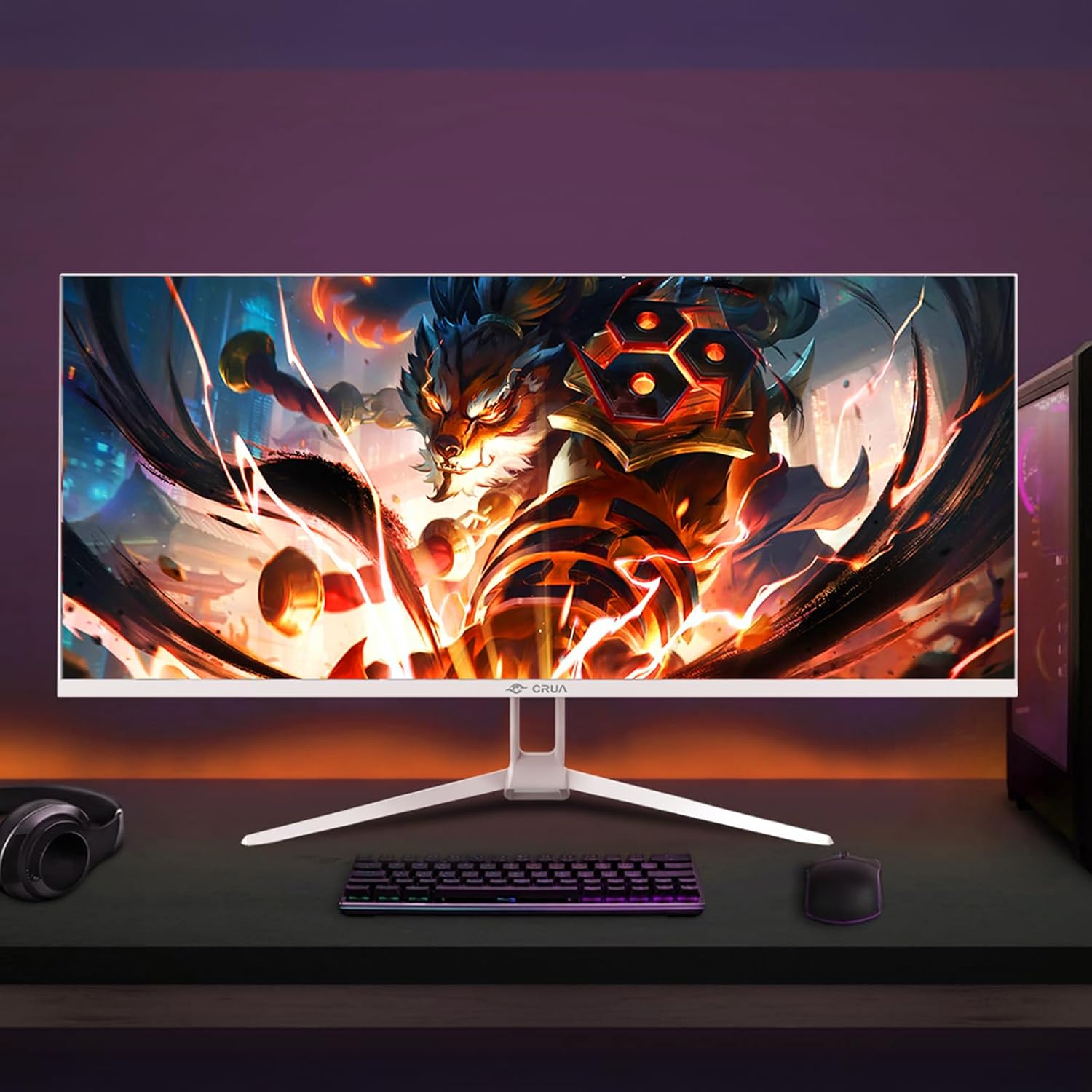
Dive into cinematic visuals with this UWQHD 3440×1440 ultrawide monitor. The expansive screen delivers immersive gaming, sharper details, and a wider view for movies, multitasking, and productivity
 21:9 Ultrawide Monitor
Push the limits with a 21:9 UWQHD 3440×1440 ultrawide monitor. Feel the speed with wider view and sharper clarity, creating immersive gaming and cinematic visuals that put you right in the action
 Versatile Connections
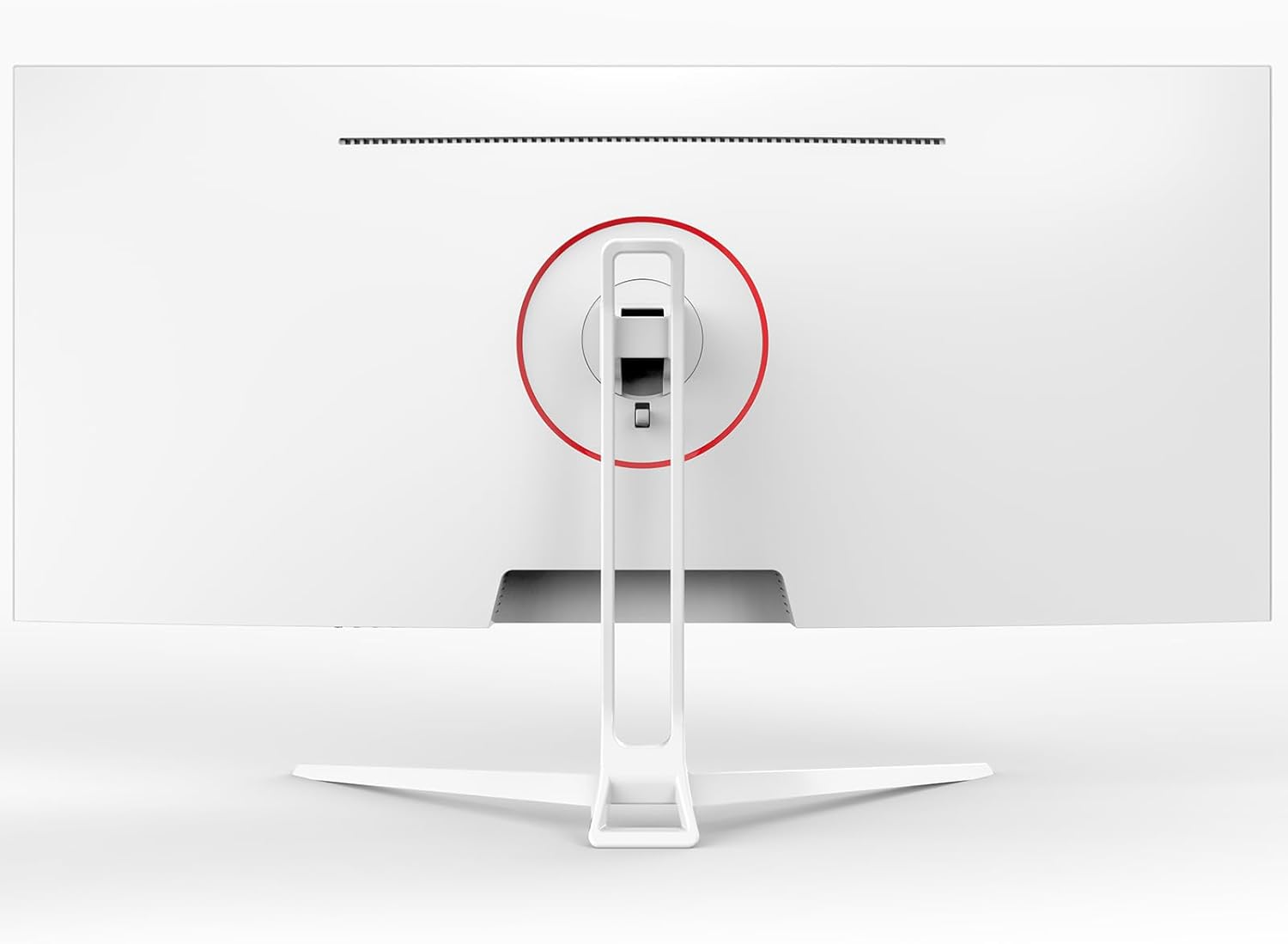
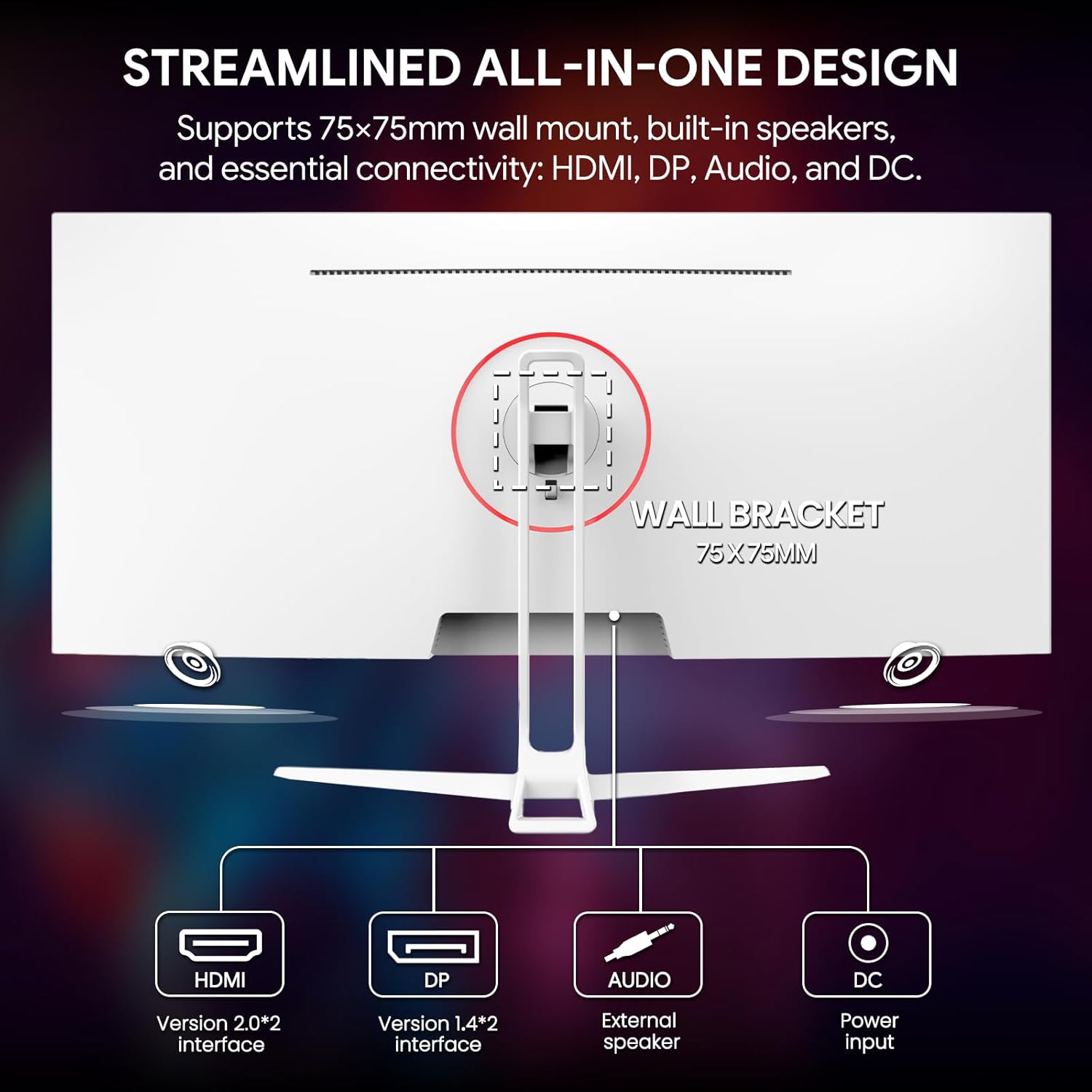
This 34-inch gaming monitor provides versatile connectivity with HDMI 2.0, DP 1.4, and an audio 3.5mm port, plus built-in speakers for clear sound. With a 75x75mm wall mount design, slim profile, and ergonomic size, it fits perfectly into any setup for gaming, work, or entertainment

[White Ultrawide Monitor] Upgrade your setup with this 34-inch ultrawide gaming monitor featuring a 21:9 WQHD 3440×1440 resolution. Compared to a standard 16:9 FHD screen, it offers more horizontal space to see multiple windows, spreadsheets, or timelines side by side. Enjoy truly immersive gaming, cinematic movies, seamless content creation, and efficient multitasking
[Smooth & Tear-Free Gaming] Enjoy fluid gameplay with AMD FreeSync support and up to 165Hz refresh rate. Reduce screen tearing and stutter, delivering immersive experiences for FPS, racing, strategy, or eSports titles on this white gaming monitor. Tips: HDMI cable supports refresh rates up to 100Hz, DP cable supports refresh rates up to 165Hz
[IPS Panel Monitor] The IPS panel offers wide 178° viewing angles, vibrant colors, and consistent image quality from every perspective. Compared to VA panels, IPS ensures more accurate colors and sharper details, making it ideal for designers, photographers, and gamers who demand lifelike visuals
[Vivid Colors & Detailed Clarity] This computer monitor features a 120% sRGB wide color gamut, 8-bit color depth, 16.7 million colors, 380 cd/m² brightness, and a 1000:1 contrast ratio, delivering rich, vibrant colors with deeper blacks and brighter highlights. Built-in low blue light and flicker-free technology help reduce eye strain during long gaming or work sessions
[Multi-Tasking Made Easy with PIP/PBP] Picture-in-Picture (PIP) and Picture-by-Picture (PBP) allow you to view content from multiple sources simultaneously on your 34” ultrawide screen. Stream a video while gaming, monitor work documents while attending online meetings, or keep an eye on a second device without switching windows. Perfect for gamers, content creators, and multitaskers, these modes maximize productivity and entertainment on one seamless display.
[Ergonomic and Convenient Setup] This desktop PC monitor features two HDMI 2.0, DP 1.4, and a 3.5mm audio port for easy connection. Built-in speakers provide clear sound quality, while an adjustable tilt stand (5° ±2° forward, 15° ±5° backward) and a 75×75mm wall mount provide ergonomic flexibility. The tool-free snap-on design allows for quick and easy installation.
[Assurances] We provide high-quality computer monitors and premium services. If you have any questions, you are welcome to contact us at any time, we are here to serve you and solve all your problems
11 reviews for CRUA 34” White Gaming Monitor, 165HZ/144HZ, WQHD(3440x1440P) IPS UltraWide Screen Computer Monitors with Built-in Speakers, Supports FreeSync, 120% sRGB, HDMI 2.0 & DP 1.4, Wall Mountable Installs
Add a review
$149.99
Carl R. Peterson –
Inexpensive doesn’t mean cheap.
Great monitor, especially for the price. The illustrations in the documentation are a bit challenging to get perspective, but one can figure it out fairly easily. Be careful not to put pressure on the screen (it warns you of this, but I didn’t read it until I had completely removed the packaging, which it says to leave on until the base is attached).
Rafael Marmolejos –
The Crua CR340D: A Work of Art for Design, Gaming, and Programming.
The 34-inch white Crua monitor is a work of art; it’s beautiful. I really like that it’s flat because it’s fantastic for designing, creating logos, browsing, watching videos, and playing games. I also recommend it for programming. I customized the contrast, color, and brightness. I’ve already tried two games, Titanfall 2 and Rocket League, and oh my god, they’re so beautiful and fluid! The only downside I found is that the DisplayPort cable is very short, even though they include it in the box. I also found that it has very little mobility and the monitor is quite low. Ideally, you should buy a 75×75 monitor arm to use it at the desired height. In every other aspect, I give it 9-10 stars. I highly recommend the seller; the box arrived in perfect condition, and of course, I’ll include photos. I love this monitor, and the best part is that I bought it after Black Friday for $152, and I have to say this monitor should cost around $330. The monitor weighs practically nothing. The base is much heavier. If you can buy it, I wholeheartedly recommend it. The monitor model is CR340D. If you have any questions, feel free to contact me, and I’ll gladly help you. I use it at 165Hz. I forgot to mention that the monitor has two HDMI ports and two DisplayPort ports, which is a very welcome feature.
AutoHobby –
decent ultra wide monitor
monitor have very good picture,this monitor is used for work, great for display spreadsheet file, for 2 application windows side by side,34″ 21:9 flat screen does take a few weeks to get used to it, this is applicable to curve screen as well,built in speakers are weak, have 3.5mm jack to connect to external speakers,enable freesync to have more screen refresh rate options,hdr feature is not tested, multi-windows feature is not tested,considering price $200 , this is 5 stars,at this time, have no information on its longevity.below is related off topiccable connectors are downward facing, while i prefer back facing cable connectors,highly recommend any monitor to include better speakers, e.g. 8Wx2 speakers, instead of typical 1Wx2 speakers,in my opinion, 32″ 16:9 screen is better for home/video screen usage, as most videos are 16:9 or 4:3 ratio format
Dom Hudson –
Lasted 10 monitors while my cheaper monitors are lasting years!!!
Overall, the monitor was great until 3 days ago. I got this monitor on February 26, 2025, and it now after 10 months has a bunch of green lines (worse if I do not have my other monitor plugged in). I tried using an HDMI cable instead of the DP cable. Even worse. What makes this even worse is that my new PC only has 1 HDMI port. Both of my other monitors – a Sceptre (bought 3 years ago) and a CRUA (shockingly even older than the Sceptre) only use HDMI. So now I am stuck with 1 usable monitor until I get a new 2nd one. Not to mention that the other two monitors are cheaper but are still lasting longer.
Aidan C. –
Good and meh
It’s a budget monitor that functions as intended. It’s a great secondary monitor that offers good picture and color quality as well as good refresh rates and response times for the price range.The good:The color is consistent with my more expensive monitor. The refresh rate is good for the price. The borders are small and great for using with other monitors. The settings are easy to change and navigate.The bad:The stand sucks. It mounts to the monitor in a not great way that allows it to fall out easily. It only rotates in one direction, and at least for me it will not connect to the stand fully when rotated, so it’s kind of just hanging there. More ports would be nice, but hey, it’s a budget monitor.
Brandi Yatchmenoff –
Bad ass
Very cool, perfect size, color is amazing, sounds awesome, qaulity is on parr, gaming performance is on point and just cool.
Toni Meade –
Manually adjust the image settings and this monitor might really surprise you ( in a good way).
This is my first time trying out a budget monitor and I am VERY impressed. I bought the 34 inch 3440 x1440 version.AS A WORKING MONITOR:I bought this primarily for my job after one of my work monitors gave out. Instead of using two 27s I just use this one now. I read a lot of documents and have to have a lot of windows open and much prefer this. (I haven’t figured out the PiP mode yet so not sure about that part). There are image presets that works nicely for reading white documents all day without hurting your eyes. I checked with my phone camera and it also appears to truly be a flicker free monitor. This was an absolute must for me.AS A GAMING MONITOR:Just for kicks I connected this to my gaming pc with pretty low expectations but after manually adjusting the settings this looks really, REALLY good, (currently playing Horizon Zero Dawn) . The monitor allows to manually adjust a lot of individual settings. I darkened the blacks, increased the contrast, and increased the brightness in standard mode. After doing this, the image looks better than my older, and much more expensive, 1440p 27 IPS gaming monitor. The image is sharp, runs smoothly and the immersion of the wider screen is so much fun. The input seems a bit slow so I wouldn’t use for fps/competitive games but for everything else 10/10.POSSIBLE CONS: This is a flat panel. A small curve would be nice since the farthest part of the screen can look a little dim for reading documents but that is being really picky for only spending a couple hundred dollars. Also, there is no height adjustment on the stand but I use a monitor arm anyhow, so this doesn’t bother me. I have no regrets on this purchase.
Orlando –
Buen monitor de costo bajo.La resoluci9n deja que desear pero el tamaño y calidad por el precio es genial.Para programación básica y uso cotidiano es un gran monitor.
Alberto –
No he tenido problema hasta ahora con el monitor, espero que siga siendo así.Edit: El monitor empezó a fallar mostrando una especie de flickering extraño en la pantalla. Muestra como unas líneas raras y empieza a parpadear. Pensé que este problema se había solucionado solo, pero parece ser que persiste y no sé cómo arreglarlo. Basura de monitor.
Cliente Amazon –
nice works gret
Faron –
Needed this so I could fit two monitors on my desk. Use it for surfing the web when watching shows