

Beelink SER3 Mini PC AMD Ryzen 3 3200U (up to 3.5GHz), 16GB DDR4 2400MT/s 500GB PCIE3.0 SSD Mini Computer, Radeon Vega 3 Graphics,1000Mbps LAN, Dual HDMI 4K Display Home-Office PC
$259.00
Related Products




From the brand

Beelink Mini PC, Top Pick form MINI PC.
Beelink Mini PC Hot Sale
Beelink Mini PC Hot Sale

Beelink has been focusing on Mini desktop computers since 2011, all our mini pc are private mold.Beelink Mini pc is widly used for office work, home entertainments, gaming, digital signage and Education. Ideal gift choice for you, your kids, family and friends.BIG BUSINESS DISCOUNTS for Business buyers!!!


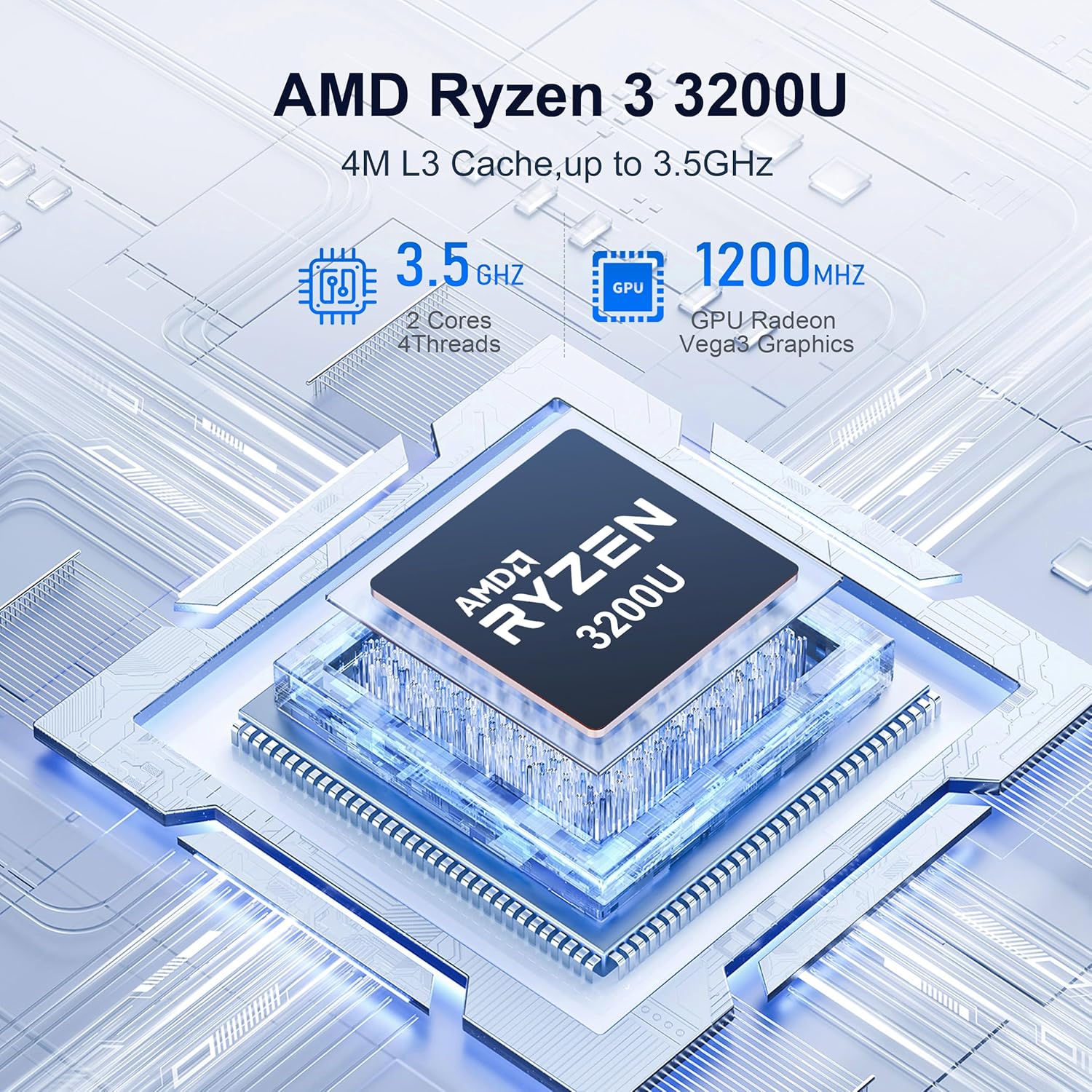
【SER3 Next-Gen Light Office Mini PC】Beelink Mini pc New SER3 AMD Ryzen 3 3200U Processor (2.6-3.7GHz 2C/4T),with Radeon Vega 3 Graphics 3core 1200 MHz, Light office, 4K multimedia playback, virtual machine, NAS, meeting all your daily needs, Beelink mini pc is only 4.88 x 4.44 x 1.65 inches and takes up only 1/40
【16GB DDR4 RAM+ 500GB PCIe3.0 SSD】SER3 Beelink mini pc comes with 16GB SODIMM DDR4 2400MT/s memory, dual-channel memory expansion slots supports up to 32GB (2x16GB) expansion, you can also replace the 500GB SSD up to 2TB (excluded) M.2 PCIE3.0 x4(2280) slot (Incompatible with SATA3 SSDs), or add a 2.5inch 7mm HDD(max 2TB, excluded) to expand the storage. Large capacity brings quicker load times across your entire catalogue of apps and programs
【USB3.2 + WiFi 5 + BT 5.0】Beelink AMD Ryzen 3 3200U Mini Desktop Computer is equipped with rich interfaces: USB3.2×4, HDMI x2, 1000M LANx1. The transmission rate of USB3.2 is up to 10Gbps, 21 times faster than USB2.0. WiFi 5 (802.11ac) Bluetooth5.0 lower latency , more stable and efficient to connect to multiple wireless devices such as projector, printer, monitor, speakers and etc
【Improve Work Efficiency】SER3 Dual HDMI prots allow you to expand your viewing area to enjoy better experience and multi-task easily, i.e. web browsing, design, 4K videos playback, online class, perfectly valid as a multimedia center to use KODI, IPTV or use as a digital signage and brings true-to-life 4K@60Hz visual feat to the audiance
【Why Beelink Mini PC】Beelink SER3 VESA mount can hide the micro pc behind a monitor or HDTV like an all-in-one pc, free you from messy desktop, Cooling system Large fan and dual heat conduction tube,make heat dissipation more efficient,3200U Mini desktop pc also supports Wake On LAN, RTC Wake, Auto Power On, a great to use as a server for media (Plex or FTP)
6 reviews for Beelink SER3 Mini PC AMD Ryzen 3 3200U (up to 3.5GHz), 16GB DDR4 2400MT/s 500GB PCIE3.0 SSD Mini Computer, Radeon Vega 3 Graphics,1000Mbps LAN, Dual HDMI 4K Display Home-Office PC
Add a review
$259.00
Autobahn97 –
value, size, low power
Great all around office or task PC. Not sure about gaming since I don’t do that but with 24GB RAM you don’t need to worry how much memory Windows takes up as it evolves with major updates – you can still have all your office apps and a browser with a dozen or more tabs open all day and it will not slow down. I have purchased about 6 of these over the past 2 years in various AMD configs to use as kiosks and ‘cash registers’ at a local business and no issues running some with the older AMD 5700u CPU for 2 years now. Unfortunately at the very end of 2025 the massive cost increase of memory is affecting this (as all) PCs now, but its a still a good deal and solid performer for general use. It’s tiny size and what it packs into a small footprint is impressive.
M D –
Awesome performance for the price
Solid mini-pc. Its got a small footprint, but excellent performance for the cost.I use this with proxmox to power a few different homelab projects, and it handles everything with no issues whatsoever.The only thing I would call out, is it had an initial Windows 11 install on it out of the box. This is probably fine for most users, but in order to get the Windows 11 Key, I had to dig into the file system using a temporary boot image. Not really that hard, but I wish they had just provided the key. Even if you do intend to use Windows, I would strongly consider you contact them for the Windows 11 key, wiping out what was factory installed, and installing Windows yourself.Another small thing – I initially had trouble getting to the BIOS. I thought maybe something was broken, but I realized this was booting so fast, my keyboard wasn’t initializing before the BIOS check passed. I used a different keyboard and it worked fine. Googling around, it appeared there were some BIOS settings you could modify to prevent this issue, but getting into it the first time may be tricky.
hisham –
Great buy
best Pc for offices stores, great specs for the price is cheap super compacted, fits anywhere you can take it with you anywhere you go, not noisey at all, super powerful for office work, POS in a store, more than what you need, just dont play video games on it, not desinged for that. you hae 4 usb ports Type A 1 usbc aux and hdmi i think it has a display port dont recall 100%
VJD3RD –
Great computer with 1 caveat
I really like this little guy. Pros: tiny footprint, super quiet, and great bang for the buck. The only negative is the power supply. It was shutting off during high cpu events so I replaced the provided power supply with a 3 amp unit from an old laptop and the issue went away. Other than the power issue, this would be a 5 star purchase.
Roger the Consultant –
Powerful inexpensive computer
Very nice, full featured machine. Easy to configure and get to work. It has enough ports to use wired keyboard, webcam, mouse dongle, speakers without needing a hub. A great value and powerful computing. Win 11Pro. No noise in general use. I put it on my desk near the monitor to facilitate access to ports. It’s a bargain.
HappyHoops –
Great value for a business environement. Just keep them cool.
These things are great for the price. I’ve purchased several over the last 2 years. I choose ones with the AMD processors and get 24 to 32G RAM.They come with Win 11 Pro. The Pro version allows you to configure them w/o having a Microsoft PIN. This is needed if you are deploying into a business — which I am.The graphic card is built-in, so it will use some of the available RAM. I personally don’t think 16G is enough for modern systems when multiple apps will be used. Even a single browser with a lot of tabs open (15-20) will chew up more memory than you’d think. Future proof yourself – get 32G or 64G of RAM. Remember, with these small devices you may be forced to remove RAM before you can increase it, thus increasing the cost of a memory upgrade down the road. Better to do it at purchase time.In a business environment I prefer to go with more RAM and less local drive space. 500G is enough when ‘work’ is stored on a network drive or file share. And the NVMe drive is fast.2 things commonly damage electronics: Power cycling, and heat. To minimize the heat, go into the BIOS and turn of WiFi if you can (many businesses use Ethernet). Turn off Bluetooth also if you can. And place them where they get good air flow. I’ve not yet mounted one to the back of a monitor because of heat concerns. I believe if you run these cool, they will last a long time.These are also very quiet — an attribute I really appreciate.Be aware, if you want to run multiple monitors, you will need diverse connections. These support up to 3 monitors, but you have to use one each of the HDMI, DisplayPort and USB 3 connectors.We use these with KVM’s at some desks and they work well with KVM’s that support digital video (DVI, HDMI, etc.)I’m very happy with these. They free up space and perform very well. I’ve been deploying these in a jewelry shop for the last 2 years, where they use CAD, 3D printing, and lots of high color picture editing in addition to their Point of Sale and office software. No issues so far. These exceed my expectations.