

ARES WING Dual Monitor Stand for Ultrawide Heavy Duty Curved Monitor Stacking, Fits 17-49 Inch, Vertical Gas Spring Double Monitor Mount with USB, Adjustable Dual Monitor Mount for Desk, Black
$139.99
Related Products





From the brand

49 inch Monitor Arm
Heavy Duty Monitor Arm
Ultrawide Monitor Arm
Desk Shelf & Pegboard
Accessories
Racing Simulator Cockpit
Foldable Racing Cockpit
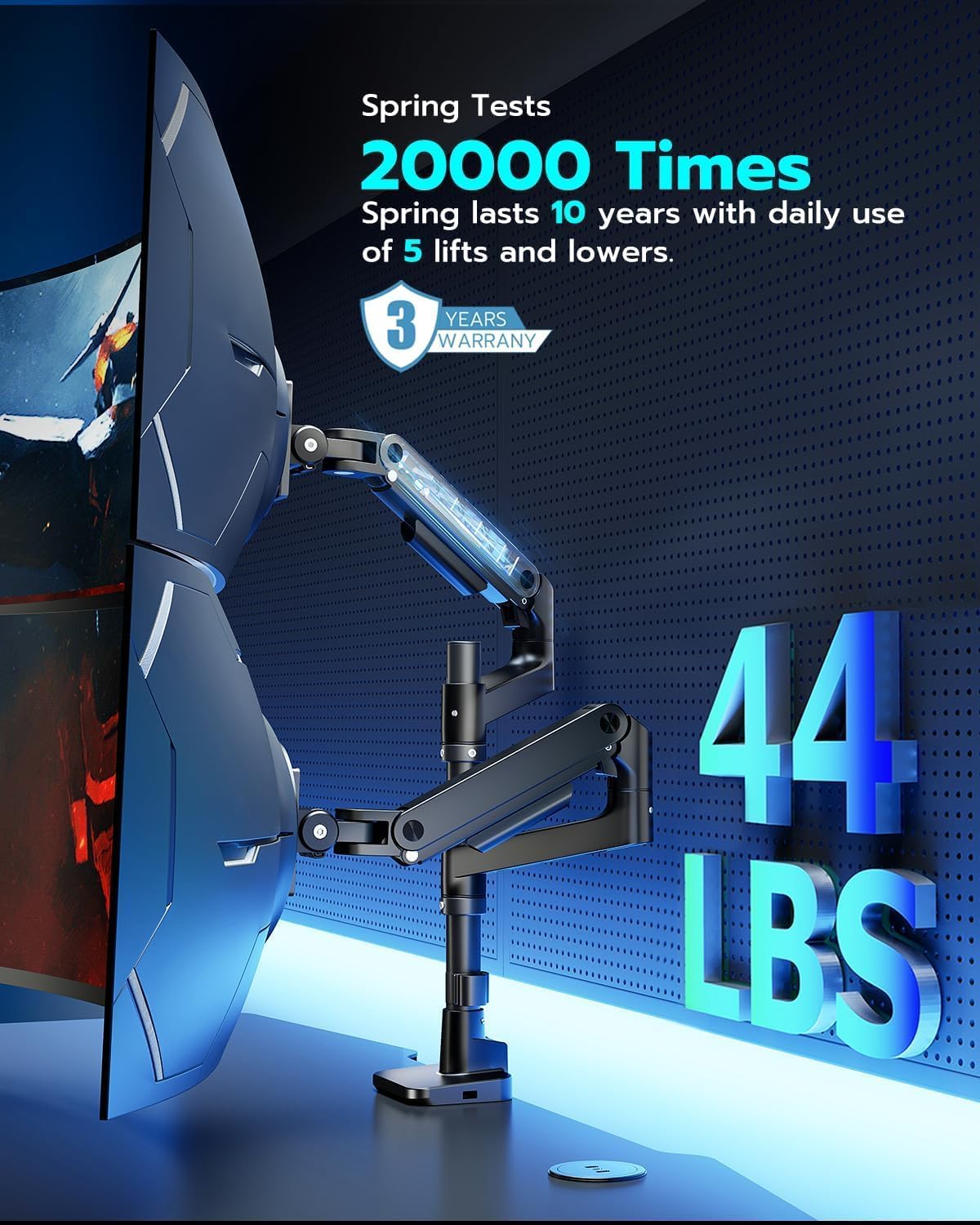
【Fit up to 49″ & 44lbs Monitors】Compatible with most QLED, OLED, LED flat, and curved computer monitors ranging from 17” to 49”. ARES WING monitor mounts for 2 monitors can hold monitors up to 44 lbs for each arm. Compatible with the Samsung Odyssey G9, LG, and other 49″ ultrawide monitors, you need to prepare a VESA mount adapter if your monitor does not have VESA holes.
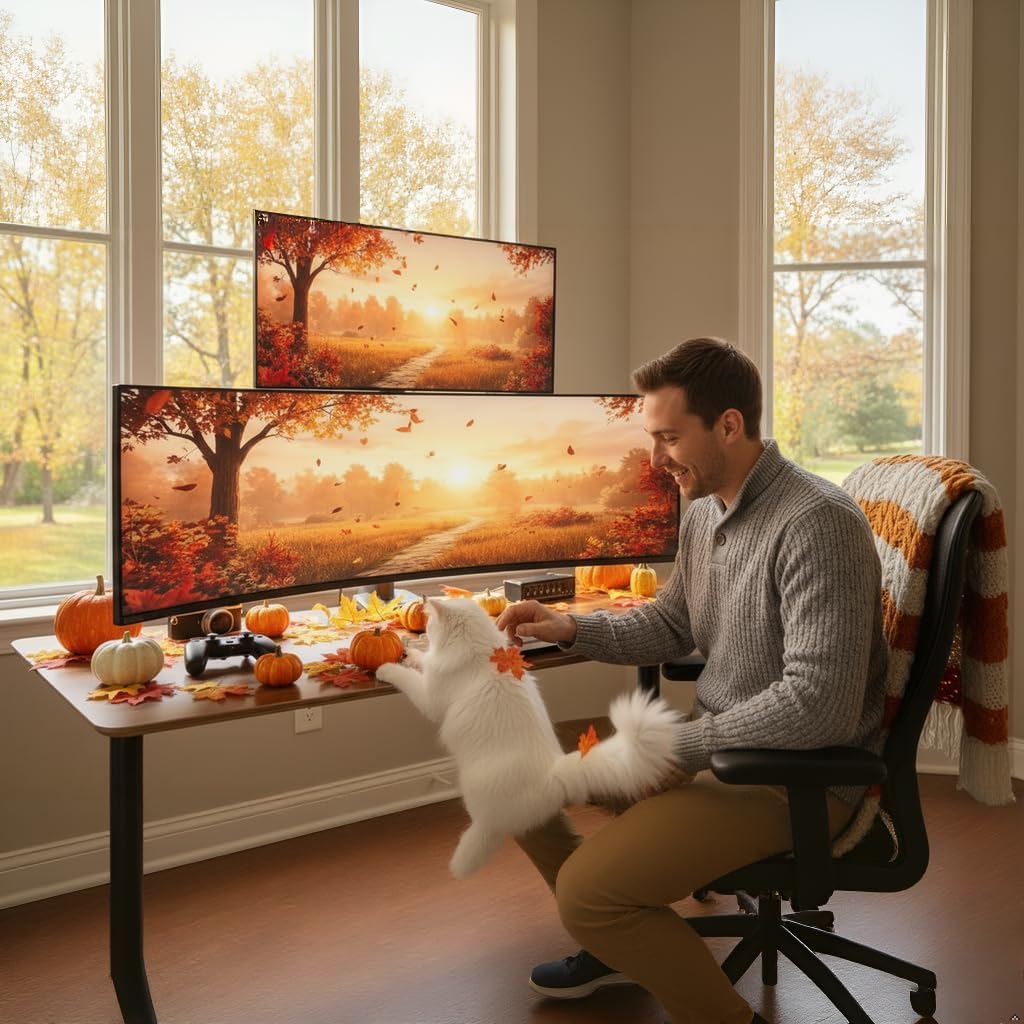
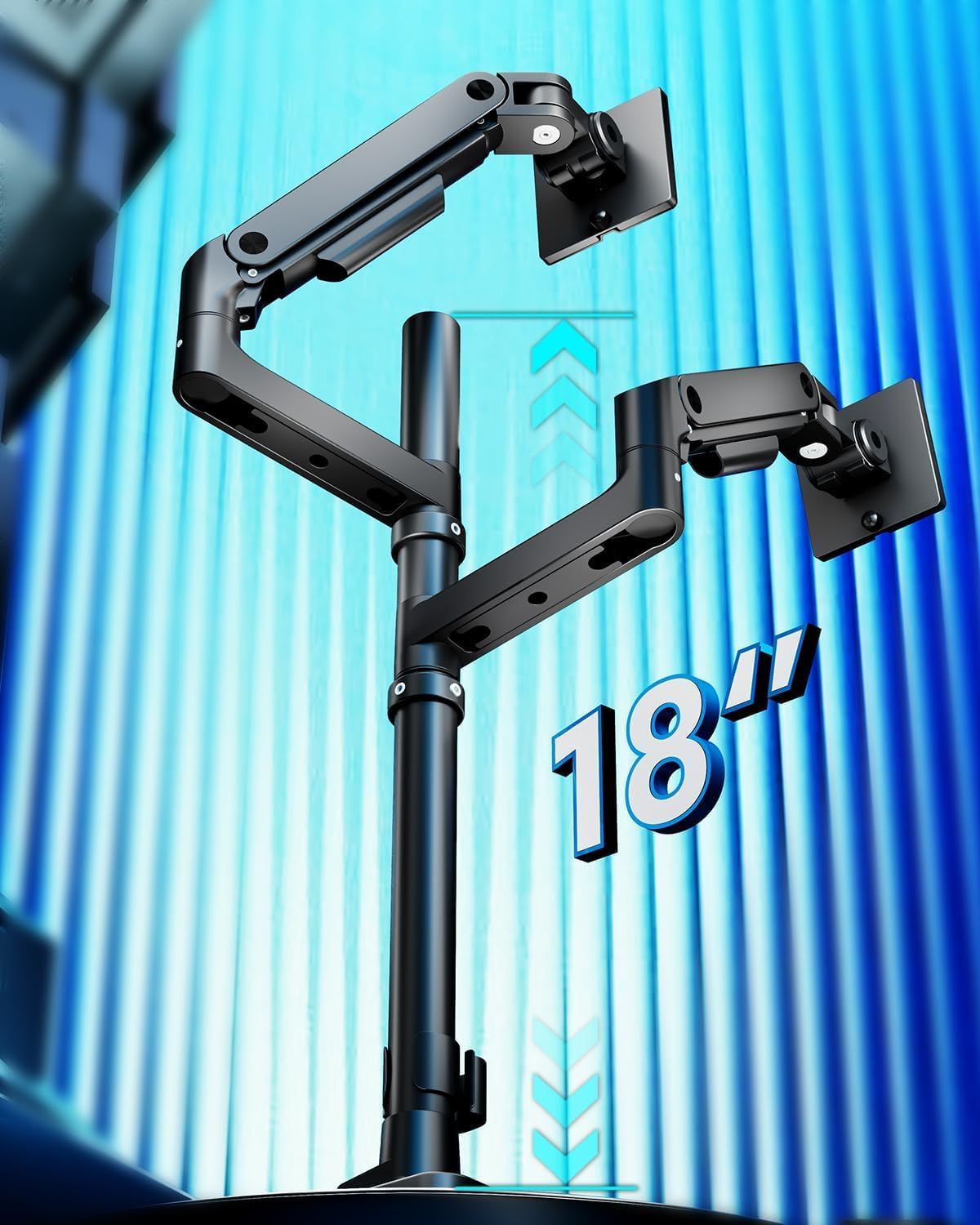
【Flexible Adjustability】The double monitor mount’s maximum height is adjustable to 27.9”, and the maximum arm extension is 22.4”. With a stable gas spring, it offers a screen tilt of -50° to +20°, ±90° swivel, and 360° rotation. This height flexibility in the dual monitor arms allow for various screen stacking ways, providing more comfortable experience whether you are gaming or watching matches.
【Durability】Our dual monitor desk mount features industrial-grade gas springs, which eliminate the rebound problem common in standard stands, ensuring effortless adjustments. Tested over 20,000 times for stability even at full extension angles.
【Upgraded USB】Equipped with enhanced USB capabilities, this monitor arm dual allows simultaneous charging for two devices. The integrated USB-C port (5V/2A) and USB-A port (5V/2A) on the two monitor desk mount provide convenient charging options for your phone, watch, tablet, laptop, and headphones at any time.
【Easy Installation】 The dual screen monitor mount’s C-clamp fits a desk thickness of 0.5-1.8”, and the grommet mount fits a desk thickness of 0.5-2”. With quick-release panels and comprehensive picture and video instructions, installation of the monitor mount dual is straightforward and does not require crawling under the desk. It accommodates VESA patterns of 75x75mm and 100x100mm.
【Pro Support】If you encounter any problems during use, Ares Wing will provide you with one-on-one installation guidance, parts, or monitor arm replacement services.
11 reviews for ARES WING Dual Monitor Stand for Ultrawide Heavy Duty Curved Monitor Stacking, Fits 17-49 Inch, Vertical Gas Spring Double Monitor Mount with USB, Adjustable Dual Monitor Mount for Desk, Black
Add a review
$139.99
Ken R –
A solid monitor mount for big ultra wide displays
This new dual monitor has been a awesome upgrade to my workspace. It’s taken my two Lenovo 45″ monitors and stacked them with unlimited adjustment options like tilt and extending forward.The build quality is very solid and sturdy, holding both monitors securely without any wobble, even when adjusting the height or angle. Installation was pretty easy to follow and took about 30 minutes to put together. The additions of the cable-management system and built-in USB extension in the base is a nice touch.Overall, it’s a well-designed, reliable stand that significantly improves comfort, productivity, and desk space. I would recommend this to others.
AJ –
Great with Apple Displays – Surprisingly amazing quality
I ordered a bunch of arms to set my Apple Displays up how I wanted them. I’m a graphics professional and these monitors are basically my main tools for work year in and year out, so I care a LOT how they are set up and where they are set up and ultimately what’s holding them. I was tired of stands on my desk so I wanted to run some arms.I tried HumanScale, Ergotron, Knoll, etc – I set them all up and, for me, (quite surprisingly) these relatively cheap arms were the winners. I’m pretty snobish about my gear and I wish the more bougie brands were the winner, but I can’t deny how grea these are. They were the most solid / no wobble vs the other options. They also look the best vs the others. No branding, subtle smiley face adjustment indicators, white VESA covers and a small but safe base. Ergotron had an ugly VESA plate and ugly clamp, HS arms were kind of bulky and too terminator-metallic (and sheesh the price). These are the cleanest looking, most solid arms out of the many that I tried.They do, in fact, tilt forward. You apply a light amount of pressure and then tighten them forward, works great. My top Studio Display is tilted forward. The cord management on these arms also SMOKED the $415 Ergotron options, way cleaner.My only semi-gripe (and someone else posted it about this arm) is that you *do* have to take the whole thing down to move it around on your desk. I see this as kind of a non-issue long term through because once my monitors are up its usually a LONG time before they need to be moved (rearranging my office or moving or something, I usually don’t just move the arm around all the time. Also if you are doing it via grommet that’s how it’s going to work out anyway). It’s a small pain in the beginning when you are setting up. Lastly, the set screws on the arms are chrome and if they were white, that’d be a nice touch to blend them into the arms better. Super small nit pick though. I’d buy these again any day.
Eugene T. –
Great heavy duty monitor arm for 2 monitors
I was looking for a new arm that would support 2 ultra-wide monitors, especially one that I could use in a stacking configuration. This one fit the bill, was easy to install, I used the grommet as my desk already had a monitor arm in a grommet hole. My old single monitor arm was being replaced by this one. The build quality was impressive, very heavy duty, easy to install, very adjustable and worked great. I would highly recommend.
Fred –
Works great for samsung 49 in monitors
Works great. Have dual 49 inch monitors and this monitor stand allows me to move them as needed easily. Love the integrated usb ports at the base. The stand is very stable and was easy to put together.The only downside is the plastic channel covers to provide cable management on the monitor arms are very brittle. Broke one the first time I was working to put wires theough it.
chris herrera –
This is possibly the best thing I’ve bought on amazon
I had such a horrible experience with the previous monitor mount i bought.This was my second attempt at a purchase.Wow. Just wow. What an insane difference in quality. This is such a well thought out and designed product.Adjusting the arms DOES take a moment to grasp the concept of, as it can only mostly be done when the thing is assembled. The arms will resist reposition until they’re anchored.So many good features. Tool holder for relevant tools. Wire organizers everywhere. I was like overwhelmed with how complete this product is.Full disclosure it did take me over an hour to set up despite simple design. Lot of fiddling with screws to tighten.Also!!! I have two curved 34″ MSI monitors. I wasn’t able to mount my monitors with the provided screws because the monitors have a recessed circular junction. I had to get (4 per monitor) 8-32 machine screws that are 3/4″ long. I initially bought 1″ ones and they were too long to work. The stock provided ones are 1/2″ long .I adore this product though, even having to spend the extra $5 for screws.
Amazon Customer –
Joints between arm and monitor brackets are way too loose!
The product was reviewed well by others so I gave it a try. I am sorely disappointed in the quality of the product and fitment. The connections between the arm and the monitor brackets are extremely loose. No matter how much I cranked down, there was wobble between the joints. It feels sloppy but sturdy materials. I don’t want to mess with trying another version of this product, I asked for a refund. I’ll look at higher quality manufacturers.
Angry Ginge –
20 December 2025: I am writing this immediately after setting everything up, so there is a possibility that this review may change and I will indicate if I ever make an edit to this, but I am thrilled. First paragraph is the story, second is the performance comparison, the third is the TL;DR for anyone in a hurryI have set the “ARES WING Dual Monitor Arm for Ultrawide Heavy Duty…” on my Secretlab MAGNUS Pro XL desk. I initially purchased one of the Secretlab (SL) single monitor arms to test out the feeling between monitor stand vs arm; now, without talking trash, the SL arm failed miserably. To add insult to injury I had to spend more than half the cost of the price of the SL arm to return it to the company because they do not cover return shipping fees. On the SL arm, I was supposed to be able to trust it to hold my monitor (Optix MPG321QRF QD) as it only weighs 16lbs (15.43lbs exactly) and the max weight on the SL arm is stated as 17lbs.Forgive my lengthy comparison between my experiences with the arms. I’m an educator and a nerd, so this one is for the people with the same level of OCD and anxiety as myself. SL ARM – In terms of the translational motion (that’s the x, y, and z): motion along x (left to right), y (up and down), and z (backward and forward) felt jerky while repositioning the monitor. ARES – feels nearly fluid and and easily controlled. That’s strike one for SL and plus for ARES. SL ARM – In terms of pitch (tilting up or down about the x axis) and yaw (swiveling left or right about the y axis): these were, at best, adequate, but weak; it holds, yet feels under supported and prone to drift under load. There was considerable force needed to change the pitch regardless of adjustments made to the screws and for a monitor that has very little to grab onto, this is, yet another strike. ARES – Sturdy and controlled, plus for ARES. SL ARM – In terms of the roll (tilting the monitor about the z axis): the display rolls off to either side and does not stay squared. the SL could not reliably hold a level horizon. ARES – No difficulties. That’s three strikes for SL and three pluses for ARES.TL;DR: Mounted this to my MAGNUS Pro XL, it’s sturdy, motion of the arms is fluid and stable, holds my screens without issue.
JB – TheyCallMeDrJ –
Solid dual arm holds 34″ monitors without issue. Free movement. Able to mount multiple ways.
Minhal Syed –
Works great so far with my Samsung 49 G9 OLED.Also love how the mount doesn’t need a lot of clearance in the bottom since it is screwed from the top. Smart!
Delta –
These arms are great, very solid and have a lot of adjustment both horizontal and vertical. The only real complaint I have is the final joint on the arm for the back and forth adjustment of the monitor is very loose, it’s not enough to be a deal breaker since the monitor shouldn’t move on it’s own in that axis, but there’s no way to snug it up, even if you tighten that screw as far as it’ll go
AmazonCustomer –
Ill start off by saying, I havegone through 3 mounts for my set up. From wall mounted to standing on the desk. I typically buy 80-100$ ones because im cheap. I decided to bite the bullet and try this expensive mount. Boy am I impressed.I have two 34 inch alienware monitors on this stand, and the stand itself is attached to my magnus XL pro desk. Everything fits very well. I can adjust the monitors like they are feathers, its so amazing.The one trivial issue is that the USB C does not recognize in my computer when I plug a flash drive into it. So its basically just a crappy charger. I didnt buy the stand for the ports anyway so im not stressed. 5 stars regardless.If you have two ultrawides stop looking around, this mount is the solution.